ToolMage
Sign in

Best 1 Document Editing AI tools for Content Creation

Popular Document Editing AI tools in Content Creation include Doco, helping you work more efficiently.

Freemium

Doco

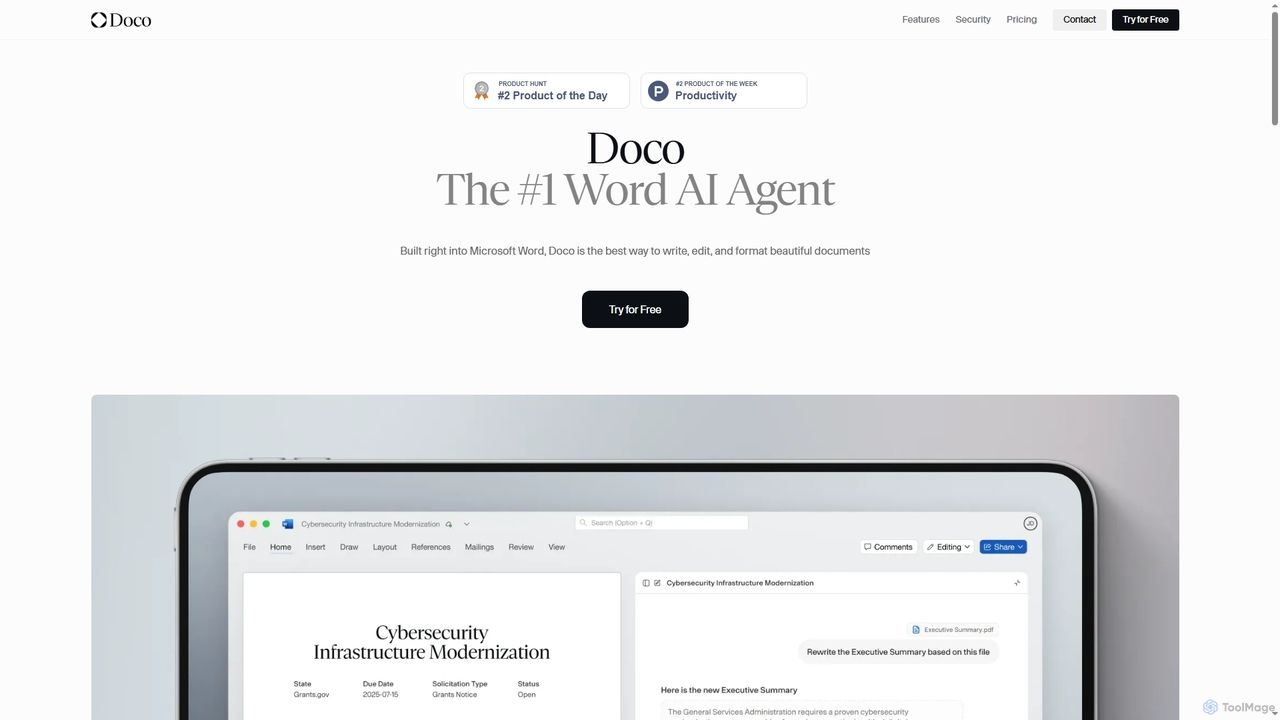
Doco is an AI agent that integrates directly into Microsoft Word, leveraging your existing data and knowledge base to draft, edit, and format documents. It learns your workflow, ensures style consistency, and provides enterprise-grade security, transforming complex tasks into a competitive advantage for businesses of all sizes.

Knowledge Management
Visits 4.5KFavorites 96Likes 106

About Document Editing

AI-powered Document Editing tools are designed to enhance, refine, and automate various aspects of text-based content. These tools leverage advanced natural language processing (NLP) and machine learning algorithms to analyze, modify, and optimize documents. They significantly streamline workflows for writers, editors, and businesses by improving accuracy, consistency, and overall quality of written materials. From proofreading to complex structural adjustments, AI document editing transforms raw text into polished, professional content.

Core Features

  • Grammar & Style Correction: Automatically identifies and corrects grammatical errors, spelling mistakes, punctuation issues, and suggests stylistic improvements for clarity and conciseness.
  • Content Summarization: Generates concise summaries of lengthy documents, extracting key information and main ideas efficiently.
  • Text Expansion & Rewriting: Expands short notes into detailed paragraphs or rewrites existing text to improve readability, tone, or to avoid plagiarism.
  • Translation & Localization: Translates documents between multiple languages while maintaining context and nuance, often with options for localization.
  • Formatting & Layout Assistance: Helps standardize document formatting, applies consistent styles, and assists with layout adjustments for professional presentation.

Use Cases

Professionals in content creation, marketing, legal, and academic fields utilize these tools to ensure high-quality written output. They are essential for refining reports, articles, legal documents, and marketing copy before publication.

How to Choose

When selecting an AI document editing tool, consider the specific editing needs (e.g., grammar, summarization, translation), the accuracy and naturalness of its AI output, integration capabilities with existing platforms (e.g., Microsoft Word, Google Docs), and the supported languages. Evaluate its user interface for ease of use and review pricing models based on usage volume.

Featured tool rankings

Document Editing use cases

1

Refining Professional Reports and Proposals

Business analysts and consultants use AI document editing tools to ensure their reports and proposals are grammatically flawless, stylistically consistent, and convey a professional tone. The AI can suggest clearer phrasing, identify jargon, and ensure adherence to company style guides, significantly reducing review cycles and improving client perception.

2

Enhancing Academic Papers

University students and researchers use AI document editing tools to meticulously proofread their theses, dissertations, and research papers. The AI identifies complex grammatical errors, suggests academic tone improvements, and ensures consistent citation formatting, helping to elevate the quality and credibility of scholarly work before submission.

3

Optimizing Marketing Copy for Engagement

Marketing specialists leverage these tools to craft compelling ad copy, social media posts, and website content. AI can analyze the text for emotional resonance, readability, and SEO keywords, suggesting improvements to increase audience engagement and conversion rates, ensuring messages are impactful and clear.

4

Streamlining Legal Document Review

Legal professionals leverage AI document editors to quickly review contracts, briefs, and legal agreements for clarity, consistency, and potential ambiguities. These tools can highlight specific clauses, suggest rephrasing for precision, and even identify discrepancies across multiple documents, significantly reducing manual review time and mitigating risks.

5

Optimizing Marketing Copy for Campaigns

Marketing teams utilize AI document editing to refine ad copy, website content, and social media posts. The AI analyzes text for tone, engagement, and SEO potential, suggesting improvements to make content more persuasive, concise, and impactful for target audiences, leading to higher conversion rates.

6

Accelerating Academic Paper Proofreading

Researchers and students utilize AI editors to meticulously proofread their theses, dissertations, and journal articles. Beyond basic spell-checking, the AI identifies complex grammatical errors, improves sentence structure, and ensures academic tone and citation consistency, saving hours of manual review and enhancing publication readiness.

7

Streamlining Legal Document Review

Legal professionals employ AI document editing for reviewing contracts, briefs, and agreements. The tools can quickly spot inconsistencies, identify ambiguous language, and ensure compliance with legal terminology and formatting standards, thereby minimizing risks and accelerating the drafting and review process.

8

Automating Technical Documentation Updates

Technical writers and product managers employ AI tools to maintain and update user manuals, help guides, and product specifications. The AI can ensure terminology consistency, simplify complex sentences for better user understanding, and automatically generate summaries of changes, making documentation more accessible and easier to manage.

9

Enhancing Multilingual Content Quality

Global content teams use AI document editing to refine translated content or create original content for diverse audiences. These tools can check for cultural appropriateness, idiomatic expressions, and grammatical nuances in multiple languages, ensuring high-quality communication across international markets.

10

Accelerating Multilingual Content Creation

Global businesses and content agencies use AI document editing for rapid translation and localization of marketing materials, product descriptions, and internal communications. The AI not only translates but also adapts content to cultural nuances and local linguistic preferences, ensuring messages resonate effectively with international audiences.

11

Automating Content Summarization for Information Digest

Executives and information managers use AI tools to automatically summarize lengthy internal documents, research papers, or news articles. This allows for rapid digestion of key information, enabling quicker decision-making and efficient knowledge sharing without needing to read every detail.

12

Refining Business Reports and Presentations

Business analysts and executives use AI document editors to polish critical reports, proposals, and presentation scripts. The tools help to clarify complex data explanations, improve sentence structure for better flow, and ensure a professional, error-free delivery, enhancing the impact of their communications to stakeholders.

Document Editing FAQ

What are AI Document Editing tools?

AI Document Editing tools are software applications that use artificial intelligence, primarily natural language processing (NLP), to assist users in creating, refining, and optimizing written content within documents. They go beyond basic spell-checkers by offering advanced grammar and style suggestions, content generation, summarization, and tone analysis, aiming to improve clarity, coherence, and overall writing quality.

What are AI Document Editing tools?

AI Document Editing tools are software applications that use artificial intelligence, primarily natural language processing (NLP), to assist in refining and optimizing written content. They go beyond basic spell-checking to offer advanced grammar correction, style suggestions, summarization, rewriting, and even translation, significantly improving document quality and efficiency.

How do AI Document Editing tools differ from traditional word processors?

Traditional word processors offer basic editing features like spell-check and manual formatting. AI Document Editing tools, however, leverage AI to understand context, suggest stylistic improvements, summarize content, rewrite sentences for clarity, and even translate, providing intelligent, proactive assistance that traditional tools lack. They focus on content quality and semantic understanding.

How do AI Document Editing tools differ from traditional word processors?

Traditional word processors provide basic text input, formatting, and simple spell/grammar checks. AI Document Editing tools, however, integrate intelligent algorithms to actively analyze content, suggest improvements based on context and style, generate text, summarize information, and even adapt to specific writing guidelines. They offer a proactive, intelligent layer of assistance that traditional processors lack.

What are the key benefits of using AI for document editing?

The main benefits include enhanced accuracy in grammar and spelling, improved content clarity and conciseness, significant time savings through automation of repetitive tasks, and consistent application of style guidelines. These tools help produce professional-grade documents faster, reduce human error, and free up editors for more creative tasks.

What are the key benefits of using AI for document editing?

The primary benefits include significant time savings in proofreading and editing, improved writing quality through advanced grammar and style suggestions, enhanced consistency across documents, and the ability to generate content or summarize lengthy texts efficiently. These tools help users produce more professional, error-free, and impactful documents faster.

Can AI Document Editing tools help with creative writing or specific tones?

Yes, many advanced AI document editing tools can analyze and suggest improvements for specific tones (e.g., formal, informal, persuasive, academic) and even assist with creative writing by offering alternative phrasing, expanding ideas, or generating variations. While they don't replace human creativity, they serve as powerful assistants for refinement and exploration.

Can AI Document Editing tools adapt to specific writing styles or brand voices?

Many advanced AI document editing tools offer customization options that allow them to learn and adapt to specific writing styles, brand voices, or industry-specific terminology. Users can often input style guides, glossaries, or provide feedback to train the AI, ensuring that suggestions align with their unique requirements and maintaining brand consistency.

What should I consider when choosing an AI Document Editing tool for my team?

For team use, consider the tool's integration capabilities with your existing collaborative platforms (e.g., Google Workspace, Microsoft 365), its ability to enforce consistent style guides across multiple users, data security and privacy policies, and scalability for team size and document volume. Also, evaluate the accuracy of its AI, supported languages, and overall cost-effectiveness.

What should I consider when choosing an AI Document Editing tool?

When selecting an AI document editing tool, consider its core AI capabilities (e.g., grammar, style, generation, summarization), integration with your existing workflow (e.g., MS Word, Google Docs), customization options for style guides, data security and privacy policies, and pricing models. Also, evaluate its accuracy and the languages it supports to ensure it meets your specific needs.