ToolMage
Sign in

Best 1 Youtube Tools for Content Creation

Popular Youtube Tools in Content Creation include Thumbmagic, helping you work more efficiently.

Thumbmagic
Paid

Thumbmagic

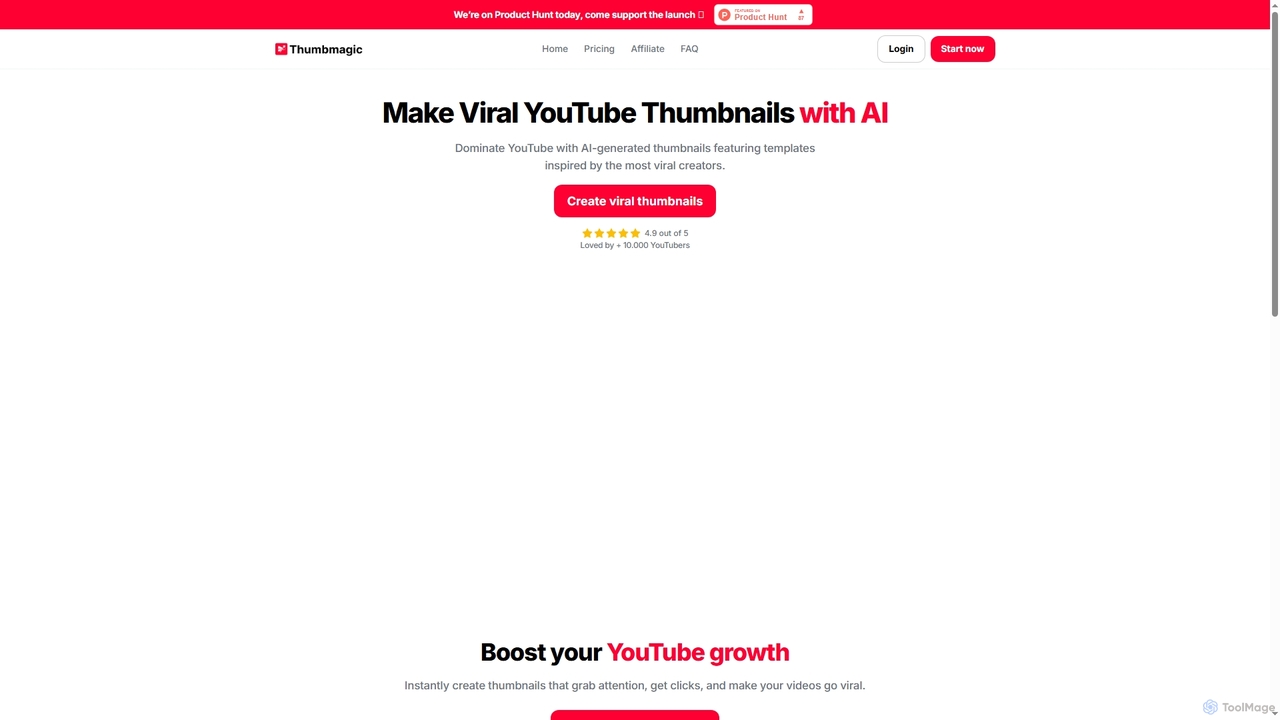
Thumbmagic is an AI-powered tool designed to create viral YouTube thumbnails in seconds. It helps content creators boost their click-through rates and video views by generating eye-catching, professional-level thumbnails with customizable text, fonts, and layouts, saving hours of manual design work.

3D
Visits 172.3KFavorites 135Likes 133

About Youtube Tools

YouTube Tools are AI-powered applications specifically designed to assist content creators, marketers, and businesses in optimizing their YouTube channels and video content. These tools leverage artificial intelligence to streamline various aspects of video production, content optimization, and channel management. Their primary value lies in enhancing video discoverability, boosting audience engagement, and accelerating channel growth through intelligent automation and data-driven insights.

Core Features

  • AI Video Editing & Generation: Automate video clipping, generate short-form content, and add subtitles or background music.
  • SEO Optimization: Provide keyword analysis, generate optimized titles, descriptions, and tags, and predict video ranking.
  • Thumbnail & Cover Design: Create eye-catching video thumbnails and channel art using AI.
  • Content Idea & Scripting: Assist in generating video scripts, topic suggestions, and content outlines.
  • Comment & Community Management: Automate replies, perform sentiment analysis, and filter spam comments.
  • Analytics & Growth Insights: Analyze channel performance, predict audience behavior, and suggest growth strategies.

Use Cases

YouTube Tools are indispensable for individual creators, marketing agencies, and businesses aiming to maximize their presence on the platform. They are used to automate repetitive tasks, gain competitive insights, and ensure content is optimized for YouTube's algorithm. This leads to more efficient content creation workflows and improved audience reach.

How to Choose

When selecting YouTube Tools, consider the specific features that align with your channel's needs, such as advanced SEO capabilities, AI-driven editing, or comprehensive analytics. Evaluate the tool's integration with other platforms, its ease of use, and the accuracy of its AI suggestions. Pricing models and customer support are also crucial factors to ensure long-term value and scalability for your content strategy.

Youtube Tools use cases

1

Generate YouTube Shorts from Long-Form Videos

Content creators can leverage AI YouTube tools to automatically identify key moments in their long-form videos and transform them into engaging YouTube Shorts. These tools can add dynamic captions, background music, and effects, significantly reducing manual editing time. This allows creators to quickly repurpose existing content, reach new audiences on the Shorts feed, and maintain a consistent posting schedule across different formats, boosting overall channel visibility and subscriber growth.

2

Optimize Video SEO for Higher Rankings

YouTube channel managers and marketers utilize AI YouTube tools to conduct in-depth keyword research, analyze competitor strategies, and generate highly optimized titles, descriptions, and tags for their videos. These tools can predict the potential ranking of a video based on its metadata and suggest improvements. By leveraging AI for SEO, creators can significantly improve their videos' discoverability in YouTube search results and recommendations, leading to increased views and subscriber acquisition without extensive manual effort.

3

Design Engaging Video Thumbnails with AI

Video creators often struggle to design compelling thumbnails that capture attention and drive clicks. AI YouTube tools offer solutions by generating multiple high-quality thumbnail variations based on video content, themes, and target audience preferences. Users can input text, select styles, and let the AI create visually appealing images that stand out in crowded feeds. This capability saves significant design time and helps improve click-through rates, a critical factor for video performance on YouTube.

4

Automate Video Scripting and Content Outlines

For creators facing writer's block or needing to produce content rapidly, AI YouTube tools can be invaluable. These tools can generate video scripts, outlines, and even topic ideas based on a brief prompt or keyword. By analyzing trending topics and successful video structures, the AI helps creators develop compelling narratives and ensure comprehensive coverage of their chosen subject. This automation accelerates the pre-production phase, allowing creators to focus more on filming and editing, thereby increasing content output.

5

Efficiently Manage and Respond to YouTube Comments

Community engagement is vital for YouTube channel growth, but managing a high volume of comments can be time-consuming. AI YouTube tools offer solutions for automated comment moderation, sentiment analysis, and smart replies. They can filter out spam, identify common questions for quick responses, and even draft personalized replies based on comment sentiment. This allows channel administrators to maintain a positive and interactive community, respond promptly to viewers, and save significant time on manual comment management, fostering stronger audience loyalty.

6

Analyze Channel Performance and Get Growth Insights

YouTube analysts and channel owners can utilize AI YouTube tools to go beyond basic analytics. These tools provide deep insights into video performance, audience retention, watch time, and subscriber demographics, often predicting future trends. They can identify content gaps, suggest optimal posting times, and recommend personalized growth strategies based on data patterns. This advanced analytical capability empowers creators to make data-driven decisions, refine their content strategy, and effectively scale their YouTube presence for sustained growth and monetization.

Youtube Tools FAQ

What are YouTube Tools?

YouTube Tools are AI-powered applications designed to help creators and marketers optimize their YouTube channels and video content. They leverage artificial intelligence to automate tasks like video editing, SEO optimization, content generation, and community management. These tools aim to enhance video discoverability, boost audience engagement, and accelerate channel growth by providing data-driven insights and streamlining workflows.

How do YouTube Tools help with channel growth?

YouTube Tools contribute to channel growth by optimizing content for discoverability through advanced SEO features, generating engaging video ideas and scripts, and automating video editing for consistent output. They also enhance audience engagement via smart comment management and provide deep analytics to inform content strategy. By streamlining these processes, creators can produce higher quality content more efficiently, attract new viewers, and foster a loyal community, leading to increased subscribers and watch time.

How to choose the right YouTube Tool for my needs?

To choose the right YouTube Tool, first identify your primary needs: are you focused on SEO, video editing, content ideas, or community management? Look for tools with strong AI capabilities in those specific areas. Consider the tool's ease of use, its integration with other platforms you use, and its pricing model relative to your budget. Reading user reviews and trying free trials can also help you assess its effectiveness and suitability for your workflow.

What are the main features of YouTube Tools?

The main features of YouTube Tools typically include AI-powered video editing and generation, which automates tasks like clipping and adding elements. They offer robust SEO optimization capabilities, such as keyword analysis and title/description generation, to improve discoverability. Many tools also provide AI-driven thumbnail design, content idea generation, and script assistance. Furthermore, they often feature comment and community management tools, along with advanced analytics for performance tracking and growth insights.

How do YouTube Tools differ from general video editing software?

While general video editing software focuses on the technical aspects of video production, YouTube Tools are specifically tailored for the YouTube ecosystem. They integrate AI to optimize content for YouTube's algorithm, offering features like SEO keyword analysis, thumbnail generation, and audience engagement insights that standard editors lack. YouTube Tools streamline the entire content lifecycle from idea to promotion, whereas general editors are primarily concerned with the visual and audio assembly of a video, without platform-specific optimization.