
ToolMage
Sign in

Best 1 Image Creation AI tools for Content Generation

Popular Image Creation AI tools in Content Generation include Flirtcam, helping you work more efficiently.

Flirtcam
Paid

Flirtcam

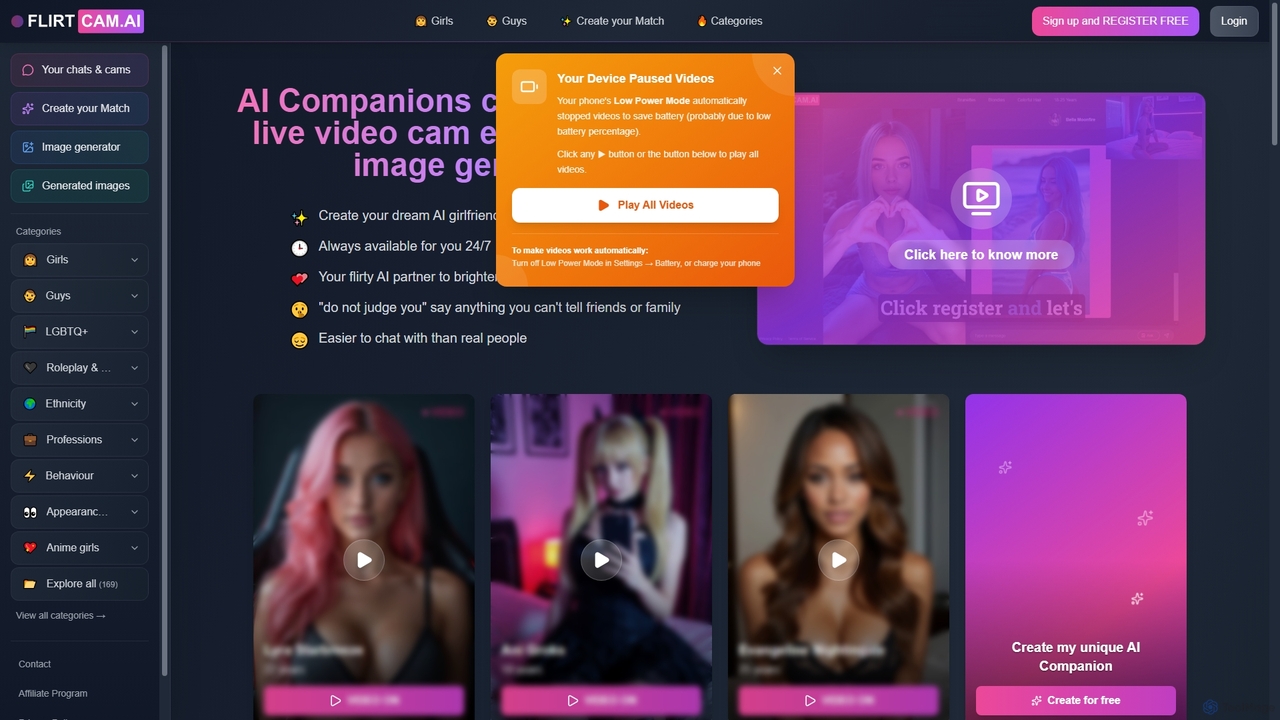
Flirtcam is an innovative AI companion platform offering virtual girlfriends and boyfriends for interactive chat, live video experiences, and AI image generation. Users can create personalized AI partners available 24/7 for non-judgmental conversations and engaging interactions.

Image Creation
Visits 38.2KFavorites 137Likes 143

About Image Creation

Image Creation tools are a class of AI applications that generate novel visual content from text descriptions, sketches, or other images. These tools primarily leverage advanced deep learning models, such as diffusion or generative adversarial networks (GANs), to translate human language into detailed and complex pictures. Their core value lies in rapidly visualizing concepts, creating unique artistic works, and producing high-quality marketing materials without the need for traditional design skills. This technology empowers creators and businesses to produce a vast array of visual styles, from photorealistic scenes to abstract art, on demand.

Core Features

  • Text-to-Image Generation: Creates images from detailed textual descriptions (prompts).
  • Image-to-Image Transformation: Modifies an existing image based on a text prompt or another reference image.
  • Style Control & Transfer: Applies specific artistic styles (e.g., anime, oil painting, cyberpunk) to the generated output.
  • Inpainting & Outpainting: Fills in missing parts of an image or extends its canvas intelligently.
  • Parameter Tuning: Offers advanced controls like negative prompts, aspect ratio, and seed numbers for fine-tuning results.

Use Cases

These tools are widely adopted in creative industries. Marketing teams use them to generate unique ad visuals and social media content. Game developers and filmmakers employ them for rapid concept art and character design. E-commerce businesses create product mockups and lifestyle images, while individual artists explore new forms of digital expression.

How to Choose

When selecting an Image Creation tool, consider the output quality and stylistic specialty of the AI model. Evaluate the level of control and customization offered, from simple prompts to advanced parameters. Assess the user interface's ease of use against your technical skill. Finally, review the pricing model (subscription vs. credits) and the commercial usage rights granted for the generated images.

Featured tool rankings

Image Creation use cases

1

Generate Marketing Ad Creatives

A marketing manager for a startup needs to create a series of compelling visuals for a new social media campaign but has a limited budget and no in-house designer. Using an AI Image Creation tool, they input detailed prompts describing their target audience, product benefits, and desired brand aesthetic (e.g., 'vibrant, futuristic image of a young professional using a laptop in a minimalist cafe'). The tool generates dozens of high-resolution, royalty-free variations in minutes. This allows the manager to A/B test different visual concepts, significantly reducing creative production time and costs compared to traditional photoshoots or stock photo licensing.

2

Rapid Prototyping for Game Concept Art

A concept artist working on a new fantasy video game needs to explore various character designs quickly. Instead of spending days sketching each idea, they use an AI Image Creation tool. They input prompts like 'elven warrior with glowing armor, intricate silver details, in a mystical forest, cinematic lighting.' The AI generates multiple distinct visual interpretations. The artist can then select the most promising designs, use the image-to-image feature to refine them with their own digital painting, and present a wide range of high-quality concepts to the art director in a fraction of the time, accelerating the pre-production phase.

3

Creating Unique Blog Post Illustrations

A blogger who writes about technology and futurism wants to include custom, thematic images in each article to increase engagement, but lacks illustration skills. For an article on 'The Future of AI in Cities,' they use a generator with the prompt 'photorealistic image of a clean, green futuristic city with flying vehicles and solar panel skyscrapers, sunset.' The tool produces a unique header image that perfectly matches the article's tone. For other sections, they generate smaller spot illustrations. This practice elevates the blog's visual identity, making it more professional and memorable without the expense of hiring an illustrator for every post.

4

Design E-commerce Product Mockups

An owner of a small online store selling custom-printed mugs wants to showcase their designs without costly photoshoots. They use an AI Image Creation tool with an image-to-image function. First, they upload a clean photo of a blank white mug. Then, they use a text prompt like 'place a cute cartoon cat design on the mug, sitting on a cozy kitchen table next to a steaming cup of coffee, morning light.' The AI realistically renders the design onto the mug and places it in a contextually appropriate, appealing scene. This process can be repeated with hundreds of designs, creating a professional-looking product catalog quickly and affordably.

5

Architectural and Interior Design Visualization

An interior designer is pitching a concept for a client's living room. Instead of creating a time-consuming 3D model from scratch, they sketch a rough layout of the room. They upload this sketch to an AI tool and use a prompt like 'transform this sketch into a photorealistic modern living room, Scandinavian style, with oak floors, a large grey sofa, and abundant natural light from a window overlooking a garden.' The AI generates a high-fidelity rendering in seconds. This allows the designer to present multiple style variations (e.g., minimalist, industrial) to the client instantly, facilitating faster decision-making and client approval.

6

Creating Personalized Avatars and Profile Pictures

A user wants a unique and artistic profile picture for their social media accounts instead of a standard photograph. They upload a few of their own photos to an AI Image Creation tool that supports model training or style replication. After the AI learns their likeness, they can generate avatars in countless styles by providing prompts like 'me as a Pixar character,' 'me as a watercolor painting,' or 'me in a cyberpunk city.' This provides a highly personalized and creative way to express identity online, offering endless possibilities for digital self-representation beyond simple photo filters.

Image Creation FAQ

What are AI Image Creation tools?

AI Image Creation tools are applications that use artificial intelligence, particularly deep learning models like diffusion and GANs, to generate new images from text prompts. Unlike traditional image editors that modify existing pixels, these tools create visuals from scratch based on your description. Key features include text-to-image generation, style transfer, and the ability to modify images with prompts. They are used across various fields for creating marketing content, concept art, product mockups, and personal artistic works.

How to choose the right AI Image Creation tool?

Choosing the right tool depends on your specific needs. Consider these factors:

  • Output Quality & Style: Does the tool excel at photorealism, anime, abstract art, or another style you need? Check its gallery or community creations.
  • Control & Customization: Do you need simple text-to-image, or advanced features like negative prompts, image-to-image, inpainting, and parameter tuning?
  • Ease of Use: Is the interface intuitive for beginners, or is it designed for technical users who want maximum control (e.g., running models locally)?
  • Pricing and Usage Rights: Compare free tiers, subscription plans, or credit-based systems. Crucially, verify the tool's policy on commercial use of the images you generate.
What's the difference between AI Image Creation and AI Image Editing tools?

The primary difference lies in their core function. AI Image Creation tools generate entirely new images from scratch, typically based on a text prompt. They create pixels that didn't exist before. AI Image Editing tools, on the other hand, modify an existing image. Their functions include tasks like removing objects, enhancing colors, upscaling resolution, or applying filters. While some advanced creation tools include editing features like inpainting (a form of generative editing), their main purpose is creation, whereas editors focus exclusively on alteration and enhancement.

What kind of prompts produce the best images?

Effective prompts are typically detailed and descriptive. Instead of 'a dog,' a better prompt would be 'a photorealistic golden retriever puppy playing in a green field, with a shallow depth of field, cinematic lighting.' Key elements for a good prompt include:

  • Subject: Clearly define the main person, animal, or object.
  • Style: Specify the artistic style (e.g., 'oil painting,' '3D render,' 'anime,' 'photorealistic').
  • Setting/Background: Describe the environment.
  • Composition & Lighting: Mention camera angles, lighting conditions (e.g., 'golden hour,' 'studio lighting'), and framing.
  • Details & Mood: Add specific colors, textures, and emotional tones.

Experimenting with different combinations and using negative prompts to exclude unwanted elements can also significantly improve results.

Are images generated by AI copyrighted?

The copyright status of AI-generated images is a complex and evolving legal area. In many jurisdictions, including the United States, works created solely by AI without significant human authorship are generally not eligible for copyright protection. This means they may fall into the public domain. However, the terms of service of the AI tool you use are critically important. Many services grant you a license to use the images you create, often including for commercial purposes, even if you don't hold the copyright. Always read the specific terms and conditions of your chosen tool to understand your rights and restrictions regarding image usage.