ToolMage
Sign in

Best 1 Custom Chatbots AI tools for Customer Support

Popular Custom Chatbots AI tools in Customer Support include WebAssistants.ai, helping you work more efficiently.

WebAssistants.ai
Paid

WebAssistants.ai

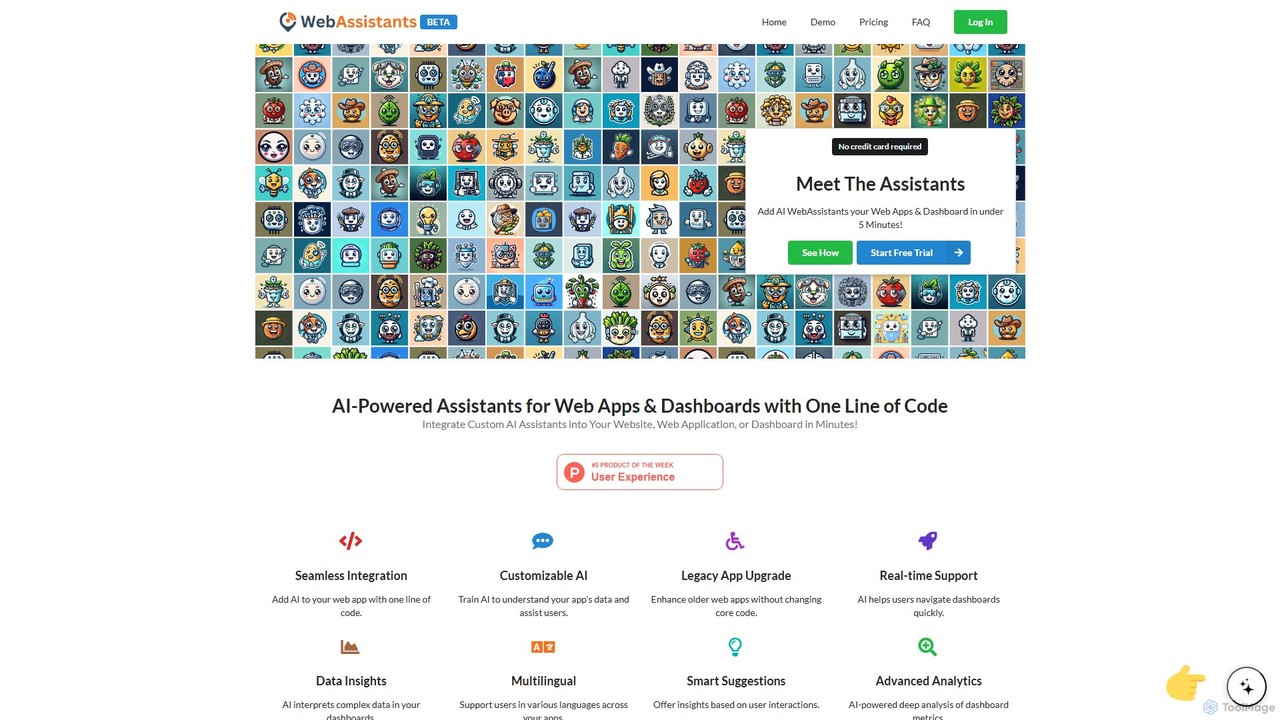
WebAssistants.ai offers custom AI assistants and expert consulting services to integrate and optimize AI for your business. They build tailored solutions, from data analysis dashboards to automated HR tools, designed to align with your specific goals and seamlessly integrate into your website and existing systems.

Ai Consulting
Visits 5.5KFavorites 128Likes 104

About Custom Chatbots

Custom Chatbots are AI tools that allow you to build and train conversational agents using your own specific data. These tools utilize Large Language Models (LLMs) and Retrieval-Augmented Generation (RAG) to analyze documents, websites, or knowledge bases, enabling the chatbot to provide accurate, context-aware answers. This approach transforms static information into an interactive, on-demand resource, serving as a specialized expert for your customers or team. Unlike generic bots, Custom Chatbots reflect your unique brand voice and knowledge base.

Core Features

  • Data Source Integration: Connect and train the bot on various data types, including websites, PDFs, text documents, and knowledge bases like Notion or Confluence.
  • No-Code Builder: An intuitive visual interface for designing conversation flows, customizing appearance, and training the AI without writing any code.
  • Persona and Tone Customization: Define the chatbot's personality, communication style, and language to align with your brand identity.
  • Multi-channel Deployment: Easily embed the finished chatbot on websites, or integrate it into messaging platforms like Slack, WhatsApp, or Telegram.
  • Conversation Analytics: Access dashboards to monitor user interactions, track query types, and identify areas for improving the knowledge base.

Use Cases

Custom Chatbots are widely used for enhancing customer support by providing instant, 24/7 answers to specific product or service questions. Internally, companies deploy them as knowledge management assistants, giving employees immediate access to company policies, technical documentation, and project information. They are also effective in lead generation, engaging website visitors by answering detailed questions and qualifying their interest.

How to Choose

When selecting a Custom Chatbot tool, first evaluate its data source compatibility and the ease of updating the knowledge base. Consider the level of customization available for the bot's persona, appearance, and response logic. Assess the platform's ease of use—whether it's a true no-code solution or requires some technical skill. Finally, review the deployment options and integration capabilities with your existing systems, along with the pricing model, which is often based on message volume or data size.

Featured tool rankings

Custom Chatbots use cases

1

Internal Knowledge Base for Employees

An HR department uses a custom chatbot builder to create an internal assistant. They upload all company policy PDFs, benefits guides, and onboarding documents. The bot is then embedded in the company's intranet. New and existing employees can ask questions in natural language like 'What is the policy for parental leave?' or 'How do I submit an expense report?' and receive instant, accurate answers sourced directly from the official documents. This reduces the repetitive query load on the HR team by over 60% and provides employees with 24/7 access to information.

2

E-commerce Product Advisor Chatbot

An online electronics store trains a custom chatbot on its entire product catalog, including technical specifications, user manuals, and customer reviews. The chatbot is placed on product pages and the homepage. It acts as a virtual sales assistant, helping customers compare products ('Compare the iPhone 15 Pro with the Samsung S24'), answer specific feature questions ('Does this laptop have a backlit keyboard?'), and recommend accessories. This provides a personalized shopping experience, increases conversion rates, and reduces the number of basic support tickets.

3

SaaS Onboarding and Support Assistant

A software-as-a-service (SaaS) company creates a custom chatbot trained on its extensive help documentation, API guides, and video tutorial transcripts. The bot is integrated into their application's dashboard. When new users sign up, the bot proactively guides them through key features. If a user gets stuck, they can ask the bot 'How do I integrate with Google Calendar?' and get a step-by-step guide with links to the relevant documentation. This improves user activation rates and frees up the human support team to handle more complex technical issues.

4

Lead Qualification for B2B Services

A digital marketing agency places a custom chatbot on its website's homepage and services pages. The bot is trained on their case studies, service descriptions, and pricing information. It engages visitors with questions like 'What is your biggest marketing challenge?'. Based on the answers, it provides relevant information, suggests appropriate services, and can even schedule a consultation with a sales representative if the visitor meets certain qualification criteria. This automates the top of the sales funnel, ensuring the sales team only spends time on high-potential leads.

5

University Course and Admissions Information Bot

A university's admissions office builds a custom chatbot trained on the entire course catalog, admission requirements, tuition fee structures, and campus life FAQs. The bot is deployed on the university's website to assist prospective students 24/7. It can answer complex queries like 'What are the prerequisites for the computer science major?' or 'Tell me about scholarships for international students.' This provides immediate support to applicants across different time zones and reduces the email and phone call volume for the admissions staff, allowing them to focus on application reviews.

6

Personalized Online Course Tutoring Bot

An online educator who sells a course on digital marketing creates a custom chatbot trained on all their course modules, video transcripts, and supplementary reading materials. This bot is offered to enrolled students as a 24/7 tutor. Students can ask specific questions like 'Can you explain the difference between SEO and SEM again?' or 'What are the key components of a successful email campaign?'. The bot provides detailed, instant answers based on the course content, helping to reinforce learning and improve student satisfaction and completion rates without requiring the educator's constant availability.

Custom Chatbots FAQ

What are Custom Chatbots?

Custom Chatbots are AI-powered conversational agents that you can train on your own specific data sources. Unlike pre-programmed bots, they use technologies like Large Language Models (LLMs) to understand and respond to user queries based on the content you provide, such as documents, websites, or a knowledge base. This allows them to provide highly relevant, context-aware answers that reflect your unique information and brand voice, making them ideal for specialized customer support, internal knowledge management, and personalized user engagement.

How do Custom Chatbots differ from traditional chatbots?

The main difference lies in their intelligence and flexibility. Traditional chatbots are typically rule-based, meaning they follow a pre-defined script or decision tree and can only respond to specific keywords or commands. Custom Chatbots, powered by LLMs, can understand natural language, context, and user intent. They don't rely on rigid rules; instead, they generate responses based on the knowledge they were trained on. This allows them to handle a much wider range of questions, engage in more fluid conversations, and provide more detailed, accurate answers.

What kind of data can I use to train a Custom Chatbot?

You can train a Custom Chatbot on a wide variety of text-based data sources. Common options include:

  • Website Content: By providing a URL, the tool can crawl and index the text from your website pages.
  • Documents: Uploading files such as PDFs, Word documents (.docx), or plain text files (.txt) is a standard feature.
  • Knowledge Bases: Many tools integrate directly with platforms like Notion, Confluence, or Zendesk.
  • Raw Text: You can often simply copy and paste text directly into the tool to serve as the knowledge source.
The more comprehensive and well-structured your data is, the more accurate and helpful your chatbot will be.

How do I choose the right Custom Chatbot builder?

Choosing the right tool depends on your specific needs. Consider these factors:

  • Ease of Use: Look for a no-code interface if you don't have technical expertise. If you're a developer, you might prefer a tool with robust API access.
  • Data Sources: Ensure the tool supports the types of data you want to use (e.g., website crawling, PDF uploads, Notion integration).
  • Customization: Evaluate how much control you have over the chatbot's appearance, personality, and response behavior.
  • Deployment Options: Check if you can easily embed the bot on your website or integrate it with other platforms like Slack or WhatsApp.
  • Pricing: Compare models based on factors like message limits, number of chatbots, or the amount of data you can upload.

Who can benefit from using a Custom Chatbot?

A wide range of users can benefit from Custom Chatbots. Businesses can use them to automate customer support, provide 24/7 assistance, and qualify leads, improving efficiency and customer satisfaction. Internal teams, such as HR or IT, can deploy them to create self-service knowledge bases for employees. Educators and content creators can build bots trained on their course materials to offer personalized tutoring and engagement. Essentially, anyone with a specific body of knowledge that they want to make easily accessible and interactive can find value in a custom chatbot.