ToolMage
Sign in

Best 2 Reading AI tools for Entertainment

Popular Reading AI tools in Entertainment include ichigoreader and Hyravision, helping you work more efficiently.

ichigoreader
Freemium

ichigoreader

ichigoreader is an AI-powered manga translator that instantly translates Japanese, Chinese, and Korean comics into multiple languages. Powered by GPT-4o mini, it uses advanced OCR and inpainting to deliver high-quality translations while preserving the original artwork and layout. Simply upload your PDF, ZIP, or image files and get a fully translated, downloadable version in seconds. Ideal for manga fans, language learners, and scanlation groups.

Comics
Visits 151.9KFavorites 124Likes 106
Hyravision
Paid

Hyravision

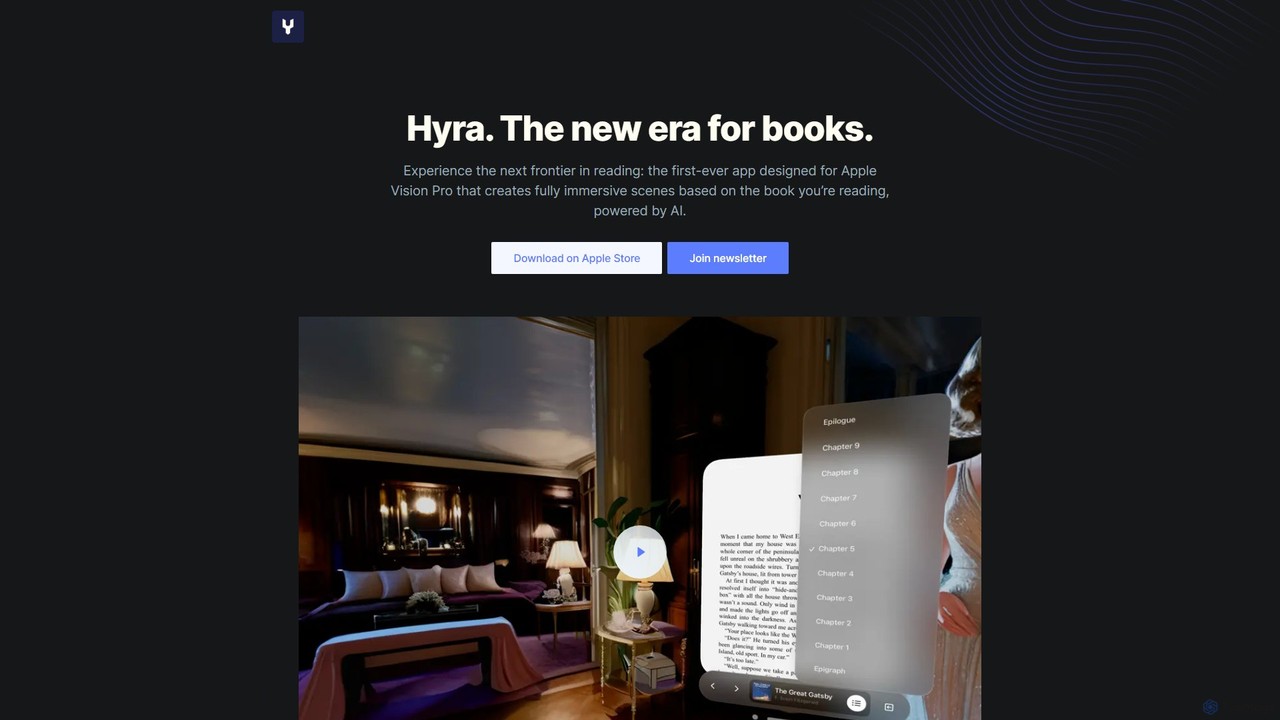
Hyravision is a revolutionary AI-powered app for Apple Vision Pro that transforms reading into a fully immersive experience. As you read, it generates dynamic, 360-degree visual scenes based on the book's text, bringing literary worlds to life around you. Explore classic novels like never before through the new era of spatial reading.

Literature
Visits 4.8KFavorites 97Likes 98

About Reading

AI Reading tools are applications that use artificial intelligence to enhance and assist with the consumption of written content. Leveraging technologies like natural language processing (NLP) and advanced text-to-speech (TTS), they can understand, summarize, and vocalize text from various sources. These tools help users absorb information more efficiently, overcome accessibility barriers, and interact with documents in dynamic new ways. From converting articles into podcasts to answering questions about a PDF, AI Reading tools transform static text into an interactive experience.

Core Features

  • Natural Text-to-Speech (TTS): Converts written text from documents, articles, and websites into high-quality, human-like audio.
  • AI-Powered Summarization: Condenses long-form content into concise summaries, highlighting key points and main ideas.
  • Interactive Document Chat: Allows users to ask questions directly to their documents (like PDFs or reports) and receive instant, context-aware answers.
  • Reading Assistance: Provides real-time definitions, translations, and explanations for complex terms or sentences.

Use Cases

These tools are widely used by students and researchers for digesting academic papers, professionals for keeping up with industry reports, and individuals with learning disabilities like dyslexia or visual impairments. They are also ideal for multitaskers who prefer listening to content while commuting, exercising, or working.

How to Choose

When selecting an AI Reading tool, consider the quality and variety of the text-to-speech voices. Evaluate the accuracy of its summarization and question-answering capabilities. Also, check for essential integrations, such as browser extensions and mobile apps, and ensure it supports the file formats you use most frequently, like PDF, EPUB, and web pages.


Featured tool rankings

Reading use cases

1

Efficient Information Digestion for Professionals

A market analyst needs to stay updated on dozens of industry reports and news articles daily. Instead of spending hours reading, they use an AI Reading tool. The tool's browser extension automatically summarizes long web articles into five key bullet points. For in-depth reports in PDF format, they upload them and listen to the full text with a natural-sounding voice during their commute. This workflow allows them to cover 3-4 times more material and identify critical insights without sacrificing their productive hours.

2

Academic Research and Study Assistance

A university student is working on a thesis and needs to review a 50-page academic paper. Using an AI Reading tool, they first generate a one-page summary to grasp the core arguments. Then, they use the interactive chat feature to ask specific questions like, 'What was the sample size for the main experiment?' or 'Explain the statistical method used in section 3.' This allows for a targeted and deep understanding of the material, saving significant time compared to rereading dense paragraphs multiple times.

3

Improving Accessibility for Visually Impaired Users

A user with a visual impairment wants to read a newly published digital book that is not yet available as an audiobook. They use an AI Reading tool that can import EPUB files. The tool's advanced neural text-to-speech engine reads the book aloud with natural intonations and different voices for dialogue, creating an immersive listening experience. They can easily adjust the reading speed and navigate by chapters, gaining immediate access to content that would otherwise be inaccessible.

4

Language Learning and Pronunciation Practice

Someone learning Spanish imports a news article from a Spanish website into their AI Reading tool. They listen to the article read by a native-sounding voice to improve their listening comprehension and get a feel for the rhythm of the language. When they encounter an unfamiliar word, they can instantly get its English translation and definition without leaving the application. This transforms passive reading into an active, multi-sensory language learning session, accelerating their progress.

5

Content Proofreading by Listening

A content writer has just finished a 2,000-word blog post. To catch errors that their eyes might miss, they use an AI Reading tool to listen to their own writing. Hearing the text read aloud helps them easily identify awkward phrasing, grammatical mistakes, and typos. The AI voice acts as a fresh pair of 'ears,' providing a different perspective on the flow and clarity of their work. This final listening pass becomes a crucial step in their editing process, significantly improving the quality of the final draft.

6

Converting Written Procedures into Audio Guides

A manufacturing company needs to train new employees on complex standard operating procedures (SOPs). Instead of relying solely on dense printed manuals, the training manager uses an AI Reading tool to convert the SOP documents into audio files. New hires can then listen to the step-by-step instructions on their headphones while on the factory floor, allowing them to learn hands-on without constantly referring back to a physical document. This audio-based learning improves retention and reduces training time.

Reading FAQ

What are AI Reading tools?

AI Reading tools are software applications that use artificial intelligence, primarily natural language processing (NLP) and text-to-speech (TTS), to help users interact with written content. Unlike simple e-readers that just display text, these tools actively process it. Key functions include converting text into natural-sounding audio, summarizing long documents, and allowing users to ask questions about the content and receive AI-generated answers.

How to choose the right AI Reading tool?

To choose the right tool, consider these factors:

  • Voice Quality: Listen to samples. Do the voices sound natural and engaging, or robotic? Look for a variety of voices and languages if needed.
  • Core Features: Does it excel at the function you need most, whether it's summarization, Q&A, or high-quality text-to-speech?
  • Integrations: Check for browser extensions (for web articles), mobile apps (for on-the-go listening), and compatibility with services like Pocket or Instapaper.
  • Supported Formats: Ensure it can handle the files you use, such as PDFs, EPUBs, Word documents, and web pages.
What's the difference between AI Reading tools and standard e-readers?

The main difference is processing versus presentation. A standard e-reader (like a Kindle) is designed to display text for human reading. An AI Reading tool actively processes the text to provide enhanced functionalities. While an e-reader presents a book, an AI reader can summarize it, read it aloud with a high-quality voice, or answer your questions about its contents. AI readers focus on comprehension, efficiency, and accessibility, not just display.

Who can benefit from using AI Reading tools?

A wide range of users can benefit. This includes:

  • Students and Researchers: To quickly digest dense academic papers and study materials.
  • Professionals: To stay informed on industry news and reports without spending hours reading.
  • Individuals with Disabilities: Such as dyslexia or visual impairments, to access written content through audio.
  • Content Creators: To proofread their work by listening for errors and awkward phrasing.
  • Lifelong Learners: To consume more books and articles by listening during commutes or exercise.
How does AI text-to-speech differ from older screen readers?

The primary difference is the use of neural networks. Older screen readers often used concatenative synthesis, which stitched together pre-recorded sounds, resulting in a robotic and monotonous voice. Modern AI text-to-speech (TTS) uses neural networks trained on vast amounts of human speech. This allows them to generate audio that is highly natural, with realistic intonation, pacing, and emotion, making the listening experience far more engaging and less fatiguing.