ToolMage
Sign in

Best 1 Avatar & Portrait AI tools for Fun Tools

Popular Avatar & Portrait AI tools in Fun Tools include Geblee, helping you work more efficiently.

Geblee
Freemium

Geblee

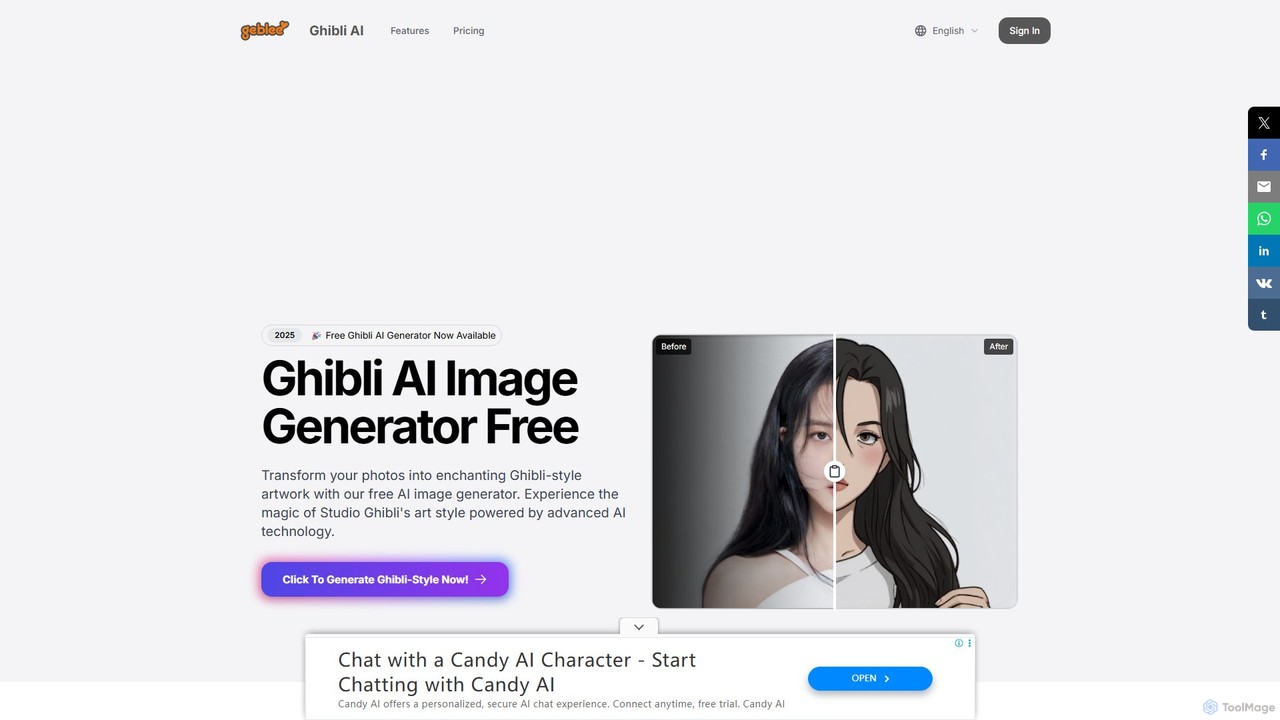
Create enchanting Studio Ghibli-style artwork from your photos and text prompts. Geblee is a free AI image generator that uses advanced AI to transform your ideas into the magical, whimsical art style of Ghibli animations. It offers text-to-image, image-to-image, and real-time webcam transformations, with a user-friendly interface and a generous free plan.

Style Transfer
Visits 11.3KFavorites 108Likes 114

About Avatar & Portrait

AI Avatar & Portrait tools are specialized applications designed to generate unique, stylized, or photorealistic representations of individuals. These tools typically utilize user-uploaded photos or detailed text prompts, leveraging advanced generative models to create custom headshots, profile pictures, and character concepts. They offer a powerful way to craft a distinct digital identity for social media, professional networks, or virtual environments. Unlike general image generators, these tools are fine-tuned for facial features and human anatomy, providing greater control and consistency in the final output.

Core Features

  • Photo-Based Generation: Creates avatars by training a model on a set of user-uploaded photographs for high personalization.
  • Style Variety: Offers a wide range of artistic styles, from photorealistic and corporate to cartoon, anime, and fantasy.
  • Text-to-Portrait: Generates portraits from descriptive text prompts, allowing for creative character design.
  • Customization Options: Provides control over backgrounds, clothing, expressions, and accessories.
  • Batch Creation: Produces dozens or hundreds of variations from a single input, offering ample choice.

Use Cases

These tools are ideal for individuals seeking unique social media profile pictures, professionals needing high-quality headshots without a photoshoot, and gamers creating custom characters. Content creators, writers, and game developers also use them to quickly visualize character concepts for stories and projects. Companies may use them to create a unified set of stylized team photos for their websites.

How to Choose

When selecting an AI Avatar & Portrait tool, consider the primary input method (photos vs. text). Evaluate the variety and quality of available styles to ensure they match your needs. For professional use, prioritize tools that offer high-resolution, photorealistic results. Also, compare pricing models, which often include one-time pack purchases or subscriptions, and check the platform's ease of use and data privacy policies.

Avatar & Portrait use cases

1

Creating Professional LinkedIn Headshots

A consultant or job seeker needs a high-quality, professional headshot for their LinkedIn profile to make a strong first impression. Instead of scheduling an expensive photoshoot, they upload 10-20 clear photos of themselves to an AI portrait generator. They select a 'corporate' or 'professional' style pack. The tool then generates over 100 studio-quality headshots with various professional outfits, backgrounds, and lighting conditions. This allows them to choose the perfect image that enhances their professional brand, saving significant time and money.

2

Designing Unique Social Media Avatars

A content creator wants a distinctive profile picture for their Instagram and Twitter accounts that stands out and reflects their creative brand. Using a standard photo feels too generic. They use an AI avatar tool, upload a selfie, and experiment with various artistic styles like 'anime,' 'cyberpunk,' or 'fantasy art.' Within minutes, they receive a collection of unique, eye-catching avatars. They choose one that perfectly captures their online persona, helping to build a memorable digital identity and increase follower engagement across platforms.

3

Generating Gaming and Virtual World Avatars

A gamer is creating a new character in an online RPG and wants a custom portrait that isn't available in the game's default options. They use an AI portrait tool and input a text prompt like, 'female elven rogue with silver hair, glowing green eyes, and leather armor, fantasy oil painting style.' The AI generates several high-quality character portraits matching the description. The gamer selects the best one to use as their in-game avatar and on community forums, enhancing their role-playing experience and personalizing their virtual presence.

4

Visualizing Characters for Creative Projects

An author writing a fantasy novel struggles to visualize a key character. To get inspiration, they use a text-to-portrait tool. They enter a detailed description: 'A wise old wizard with a long white beard, deep-set blue eyes, wearing a star-patterned robe, looking thoughtful.' The AI generates a dozen different visual interpretations. This process not only provides a concrete visual reference for the author to use while writing but also helps in developing the character's personality and appearance more deeply, speeding up the creative process.

5

Creating Unified Team Avatars for Websites

A remote-first tech company wants to update its 'About Us' page with a creative and consistent look for its team members. They decide against using a mix of inconsistent personal photos. Instead, the marketing manager asks each employee to generate an AI avatar using the same tool and a predefined 'minimalist sketch' style. Each person uploads their photo and gets a stylized portrait. The result is a cohesive and visually appealing set of team profiles that reinforces the company's modern brand identity and adds a personal, creative touch to the website.

6

Producing Custom Emojis and Stickers

A Twitch streamer wants to offer their subscribers a unique set of custom emojis (emotes) for the chat. They use an AI portrait tool to generate a highly expressive cartoon version of themselves. From this base image, they create variations with different emotions like 'laughing,' 'surprised,' and 'angry.' These images are then resized and uploaded to Twitch as custom emotes. This provides a fun, personalized reward for their community, fostering a stronger sense of belonging and increasing subscriber engagement during live streams.

Avatar & Portrait FAQ

What are AI Avatar & Portrait tools?

AI Avatar & Portrait tools are specialized AI applications designed to create images of people, either realistic or stylized. Unlike general AI image generators, they are specifically trained on vast datasets of faces and human forms. This allows them to offer greater control over facial features, expressions, and character consistency. They typically work in two ways: by transforming user-uploaded photos into various artistic styles or by generating a portrait from a detailed text description.

How to choose the right AI Avatar & Portrait generator?

To choose the right tool, consider these factors:

  • Input Method: Decide if you prefer a tool that works from your photos (for personalized avatars) or from text prompts (for creative characters).
  • Style Variety: Check if the tool offers the specific artistic styles you need, such as photorealistic, corporate, anime, or fantasy.
  • Output Quality: Look for examples of generated images to assess the quality, resolution, and realism. High-resolution output is crucial for professional use.
  • Ease of Use: Choose a tool with an intuitive interface that doesn't require technical skills.
  • Pricing: Compare models like one-time payments for image packs versus monthly subscriptions to find what best suits your budget and usage frequency.
What's the difference between an AI Avatar generator and a general AI Image generator?

The main difference lies in their specialization and training data. A general AI image generator (like Midjourney or DALL-E) is trained on a vast and diverse range of images, allowing it to create almost anything. An AI Avatar & Portrait generator is a specialized tool fine-tuned specifically on images of people. This focus provides key advantages for creating portraits:

  • Higher Consistency: It's better at maintaining a consistent face across multiple images.
  • Personalization: Many tools can be trained on your specific photos to create avatars that look like you.
  • Better Control: They often offer more specific controls for facial features, expressions, and portrait styles.
In short, use a general generator for broad creativity and an avatar generator for high-quality, consistent, and personalized portraits.

Can I use AI-generated portraits for professional purposes like LinkedIn?

Yes, absolutely. Many modern AI portrait generators are specifically designed to create high-resolution, photorealistic headshots that are suitable for professional platforms like LinkedIn, company websites, and resumes. When using a tool for this purpose, it's best to choose a 'professional' or 'corporate' style pack. This ensures the output has appropriate lighting, business attire, and neutral backgrounds. It's a cost-effective and fast alternative to a traditional photoshoot for maintaining a polished professional image online.

How do AI Avatar tools work with my photos?

Most photo-based AI avatar tools use a technology similar to Dreambooth or LoRA. The process generally works like this:

  1. Upload Photos: You upload a set of 10-20 varied photos of yourself, showing different angles, expressions, and lighting.
  2. Model Training: The AI service uses these photos to train a temporary, personalized mini-model that learns your unique facial features. This process can take anywhere from 30 minutes to a few hours.
  3. Generation: Once the model is trained, the service uses it to generate hundreds of new images of you in the styles you've selected, placing you in different settings, poses, and outfits.
  4. Delivery: The final images are delivered to you, and the temporary model is usually deleted for privacy.