Swapr
Swapr is a high-speed AI-powered application for iOS, Mac, and iPad that creates incredibly realistic face swaps in …
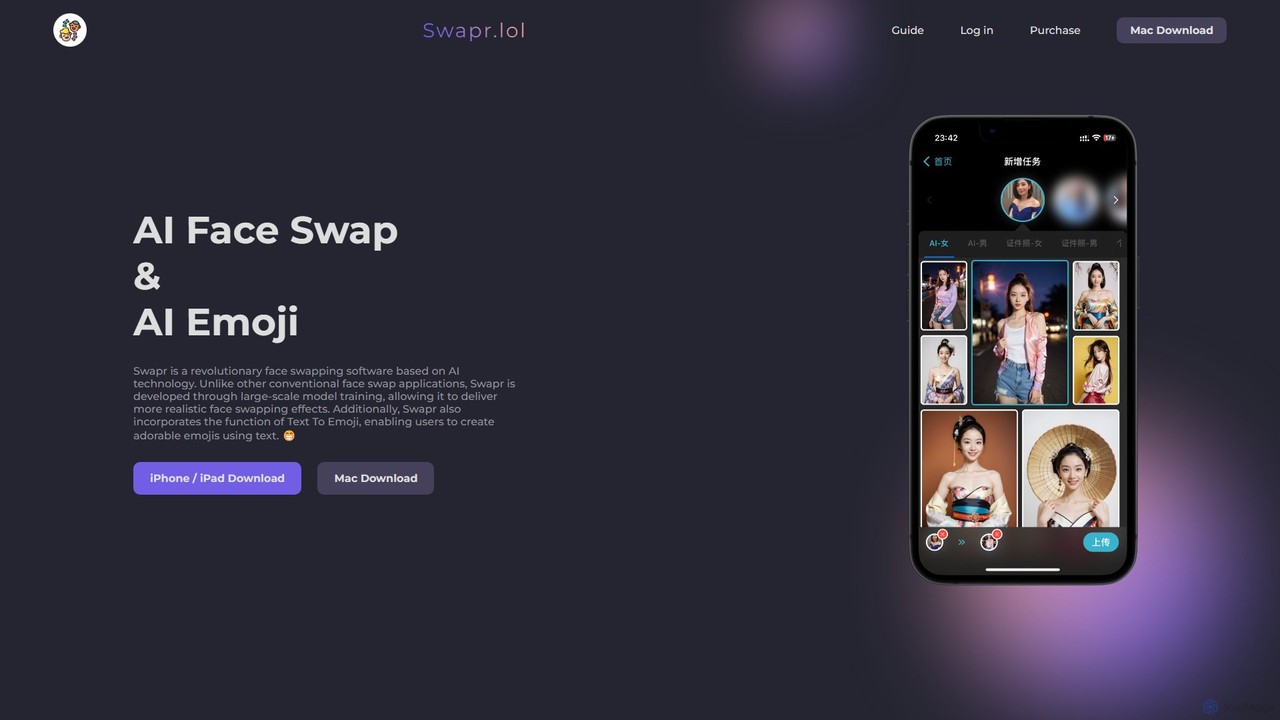
Swapr is a high-speed AI-powered application for iOS, Mac, and iPad that creates incredibly realistic face swaps in just 10 seconds. It also features a unique Text-to-Emoji generator. With a focus on quality, speed, and user privacy, Swapr offers a fun and secure way to create entertaining and creative visual content.
About Emoji Generation
Emoji Generation tools are AI applications designed to create new, custom, or context-aware emojis from text prompts, images, or combinations of existing emojis. These tools utilize generative models to produce unique visual icons that go beyond standard emoji sets. They are valuable for enhancing digital communication, personalizing brand messaging, and creating unique assets for social media or community platforms. Their ability to generate emojis on-the-fly offers a dynamic and creative alternative to static, predefined icons.
Core Features
- Text-to-Emoji: Generates a unique emoji from a descriptive text prompt.
- Emoji Fusion: Combines two or more existing emojis to create a novel hybrid icon.
- Image-to-Emoji: Converts a photo or simple drawing into an emoji-style graphic.
- Style Customization: Allows users to define the artistic style, color palette, or theme of the output.
- Animated Emoji Creation: Produces short, looping animated emojis (GIFs) for more dynamic expression.
Use Cases
These tools are primarily used by social media managers, digital marketers, community managers, and content creators. They are ideal for creating branded emojis for marketing campaigns, generating custom reaction icons for platforms like Discord and Slack, or developing personalized sticker packs for messaging apps like Telegram and WhatsApp.
How to Choose
When selecting an Emoji Generation tool, consider the available input methods (text, image, fusion). Evaluate the level of style control and customization options. Check the supported output formats (e.g., PNG, GIF, SVG) and resolution to ensure compatibility with your intended platform. Crucially, review the usage rights and licensing terms for the generated emojis, especially if you plan to use them for commercial purposes.

Emoji GenerationUse Cases
Creating Custom Branded Emojis for Marketing
A marketing team for a new beverage brand needs unique visuals for their social media launch. They use an AI Emoji Generation tool to turn their product logo and key ingredients (like a lemon and a strawberry) into a set of playful, on-brand emojis. This allows them to create engaging posts and custom stickers for Instagram Stories, strengthening brand identity and increasing user interaction without hiring a graphic designer.
Personalizing Community Servers on Discord/Slack
A community manager for a gaming server wants to reward active members with unique roles and icons. Using a text-to-emoji generator, they create custom emojis based on inside jokes, popular game characters, and server memes. Members can use these exclusive emojis in chats, fostering a stronger sense of community and belonging. The process is instant, allowing the manager to create new emojis in response to community events.
Enhancing Digital Content and Presentations
A content creator is preparing a YouTube video tutorial and wants to make their slides more visually appealing. Instead of using standard emojis, they generate custom ones that match the video's color scheme and topic. For a coding tutorial, they might create an emoji of a computer with a smiling face or a bug wearing a party hat. This adds a unique, professional touch that keeps the audience engaged and reinforces the content's theme.
Developing Unique Sticker Packs for Messaging Apps
An independent artist wants to sell digital products on platforms like Telegram or WhatsApp. They use an emoji generator to quickly create a themed sticker pack. By combining existing emojis (e.g., a cat + a pizza) or using text prompts ('a sleepy astronaut drinking coffee'), they can produce dozens of unique sticker ideas in minutes. This significantly speeds up the creative process, allowing them to build a diverse portfolio of digital goods for their online store.
Generating Fun and Expressive Personal Messages
An individual wants to send a unique birthday message to a friend. They use an emoji fusion tool to combine a cake emoji, a party popper emoji, and their friend's favorite animal emoji. The result is a completely new, personalized emoji that is more expressive and memorable than standard options. This adds a layer of creativity and fun to everyday digital conversations, making communication more personal and engaging.
Prototyping UI Icons for Apps and Websites
A UI/UX designer is in the early stages of designing a mobile app and needs placeholder icons. Instead of searching through stock icon libraries, they use a text-to-emoji tool to quickly generate simple, stylized icons based on prompts like 'user profile icon in flat style' or 'settings gear icon with a blue outline.' This allows for rapid visualization and iteration of the user interface before committing to final, professionally designed icon sets.