
ToolMage
Sign in

Best 1 Karaoke AI tools for Fun Tools

Popular Karaoke AI tools in Fun Tools include melody ml, helping you work more efficiently.

melody ml
Freemium

melody ml

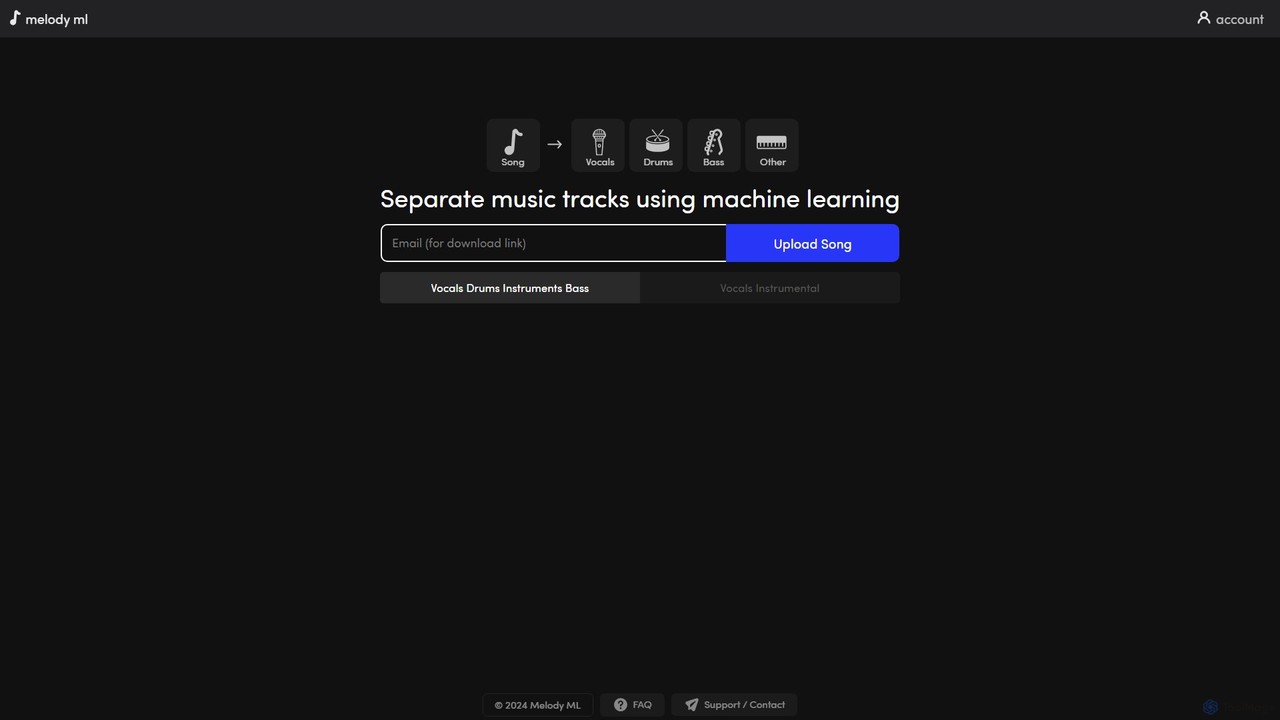
Melody ML is an AI-powered music source separation tool that allows users to easily split any song into individual tracks like vocals, drums, bass, and other instruments. Based on the advanced Demucs model, it's perfect for DJs, producers, musicians, and karaoke fans who need high-quality stems for remixes, practice, or creating backing tracks.

Music Separation
Visits 87.4KFavorites 126Likes 144

About Karaoke

AI Karaoke tools are applications that use artificial intelligence to transform any song into an interactive singing experience. These tools employ advanced algorithms for source separation to isolate vocals from instrumentals, and often include features for real-time pitch analysis and correction. This allows users to create karaoke tracks on-demand from their favorite music, practice their singing with objective feedback, and enjoy a personalized entertainment experience. They stand out within the Fun Tools category by offering a creative and technical approach to music engagement.

Core Features

  • Vocal Remover: Accurately separates the lead vocal track from the instrumental in any audio file.
  • Real-time Pitch Correction: Analyzes a singer's pitch as they perform and provides instant feedback or auto-tuning.
  • Performance Scoring: Objectively evaluates singing based on pitch accuracy, timing, and rhythm, providing a score.
  • Lyric Synchronization: Automatically generates and syncs lyrics with the instrumental track for a seamless karaoke experience.
  • Instrument Isolation: Allows users to isolate or remove other instruments like drums or bass to create custom backing tracks.

Use Cases

These tools are ideal for casual singers, aspiring musicians, content creators, and party hosts. For example, a user can instantly prepare a karaoke version of a newly released song for a party. A vocalist can use the pitch feedback feature as a practice aid to improve their accuracy. Content creators can produce unique song covers by using the instrumental tracks generated by the AI.

How to Choose

When selecting an AI Karaoke tool, consider the quality of the vocal separation; listen for artifacts or residual vocal sounds in the instrumental. Evaluate the accuracy and responsiveness of the pitch correction and scoring system. Also, check the supported input formats (e.g., MP3, YouTube links) and the user-friendliness of the interface. For more advanced use, look for tools with multi-track separation capabilities.

Karaoke use cases

1

Turn Any Song into a Karaoke Track

A music enthusiast wants to sing a newly released pop song at their weekend party, but a karaoke version isn't available yet. They use an AI Karaoke tool by simply pasting the song's YouTube link. The AI processes the audio in seconds, accurately removing the original artist's vocals while preserving the high-quality instrumental. The tool then displays synchronized lyrics on the screen, instantly creating a perfect karaoke track. This allows them and their friends to enjoy the latest hits without waiting for official releases.

2

Vocal Training with Real-time Pitch Feedback

An aspiring singer is practicing a challenging song and struggles with hitting the high notes accurately. They use an AI Karaoke app that features real-time pitch analysis. As they sing, a visual guide on the screen shows their pitch in real-time compared to the correct note. The app highlights moments where they are sharp or flat, providing immediate, actionable feedback. After each session, it provides a detailed score report, helping the singer track their progress and focus on specific areas for improvement, acting as a personal, on-demand vocal coach.

3

Create Duet Videos for Social Media

A content creator wants to make a viral duet video for TikTok. They choose a popular song that is originally a solo. Using an AI Karaoke tool, they upload the song and use the vocal remover feature to get a clean instrumental track. They then record a video of themselves singing one part of the song. Next, they use a video editor to place their performance alongside the original music video (now muted), creating the illusion of a duet with the famous artist. The high-quality instrumental generated by the AI ensures the final audio is professional and engaging for their followers.

4

Generate Custom Backing Tracks for Covers

A guitarist wants to record a rock cover of a pop song but needs a backing track without the original guitar parts. A simple vocal remover isn't enough. They use an advanced AI Karaoke tool with instrument separation capabilities. They upload the song, and the AI separates it into four stems: vocals, drums, bass, and 'other' (which includes guitars and keyboards). The guitarist then mutes the vocal and 'other' stems, leaving them with a clean drum and bass track. This custom backing track allows them to record their own unique guitar arrangement over a solid rhythm section.

5

Hosting a Modern Karaoke Party

Someone is hosting a party and wants to offer a limitless karaoke songbook. Instead of relying on a limited library of a traditional machine, they connect a laptop with an AI Karaoke tool to their TV and sound system. When a guest requests any song, even an obscure indie track, the host finds it on YouTube and feeds the link to the AI tool. Within moments, a high-quality instrumental with scrolling lyrics is ready. This setup ensures no song request is ever denied, providing a dynamic and highly personalized entertainment experience for everyone at the party.

6

Language Learning Through Singing

A student learning Japanese wants to improve their pronunciation and fluency in a fun way. They use an AI Karaoke app that supports Japanese songs. They select a popular J-pop track, and the app generates a karaoke version with lyrics displayed in both Romaji and Kanji. As they sing, the real-time pitch and timing feedback helps them mimic the artist's intonation and rhythm. This immersive method turns language practice into an engaging game, helping the student build confidence and memorize new vocabulary and sentence structures more effectively than traditional study methods.

Karaoke FAQ

What are AI Karaoke tools?

AI Karaoke tools are software applications that use artificial intelligence to create karaoke tracks from any existing song. Unlike traditional karaoke which relies on pre-made instrumental files, these tools use AI models, specifically source separation algorithms, to analyze an audio file and digitally remove the vocal track, leaving behind the instrumental. Many also include features like real-time pitch analysis, performance scoring, and automatic lyric synchronization to enhance the singing experience.

How do AI Karaoke tools differ from traditional karaoke apps?

The main difference lies in the source of the music. Traditional karaoke apps use a limited library of pre-made instrumental tracks (often MIDI or re-recordings). AI Karaoke tools can process almost any original song from sources like an MP3 file or a YouTube link. Key distinctions include:

  • Song Library: Traditional is limited; AI is virtually unlimited.
  • Audio Quality: Traditional may use lower-quality MIDI; AI tools aim to preserve the original high-quality instrumental.
  • Flexibility: AI tools can often isolate other instruments, not just vocals, offering more creative control.
  • Accessibility: AI allows users to sing new or obscure songs not found in standard karaoke catalogs.

How accurate is the vocal removal in AI Karaoke tools?

The accuracy of vocal removal has improved significantly with modern AI models. For well-produced studio tracks, many tools can remove vocals with minimal artifacts, leaving a clean instrumental. However, the quality can vary based on several factors:

  • The AI Model: Different tools use different algorithms, leading to varied results.
  • The Song's Mix: If vocals and instruments occupy similar frequency ranges or have heavy reverb, separation can be more challenging.
  • Source Audio Quality: Higher quality, less compressed audio files generally yield better results.
Most high-quality tools produce results that are more than suitable for casual singing, practice, and social media content.

How should I choose the right AI Karaoke tool?

Choosing the right tool depends on your primary use case. Consider the following factors:

  • Vocal Separation Quality: If your main goal is clean instrumentals, test different tools with a sample song to see which produces the fewest artifacts.
  • Real-time Features: For vocal training, prioritize tools with accurate, low-latency pitch detection and scoring.
  • Instrument Separation: If you're a musician creating covers, look for tools that can separate multiple stems (drums, bass, guitar) and not just vocals.
  • User Interface and Supported Inputs: Choose a tool with an intuitive interface that supports your preferred audio sources, such as file uploads, YouTube links, or direct recording.

Can AI Karaoke tools be used for professional purposes?

While primarily categorized as Fun Tools, AI Karaoke tools have practical applications for professionals. Musicians and producers can use them for sampling, creating remixes, or quickly generating backing tracks for practice or small gigs. Vocal coaches can use the pitch analysis features as a supplementary tool to provide students with visual feedback. However, for high-stakes professional audio production, the quality of AI separation may not yet match that of having the original multi-track studio stems. They are best viewed as powerful tools for practice, pre-production, and content creation.