Fun Tools Best in category 1 results Sticker Maker AI Tool

Popular AI tools in the Sticker Maker field of Fun Tools include Sticker Crafter, etc., helping you quickly improve efficiency.

Sticker Crafter

Sticker Crafter

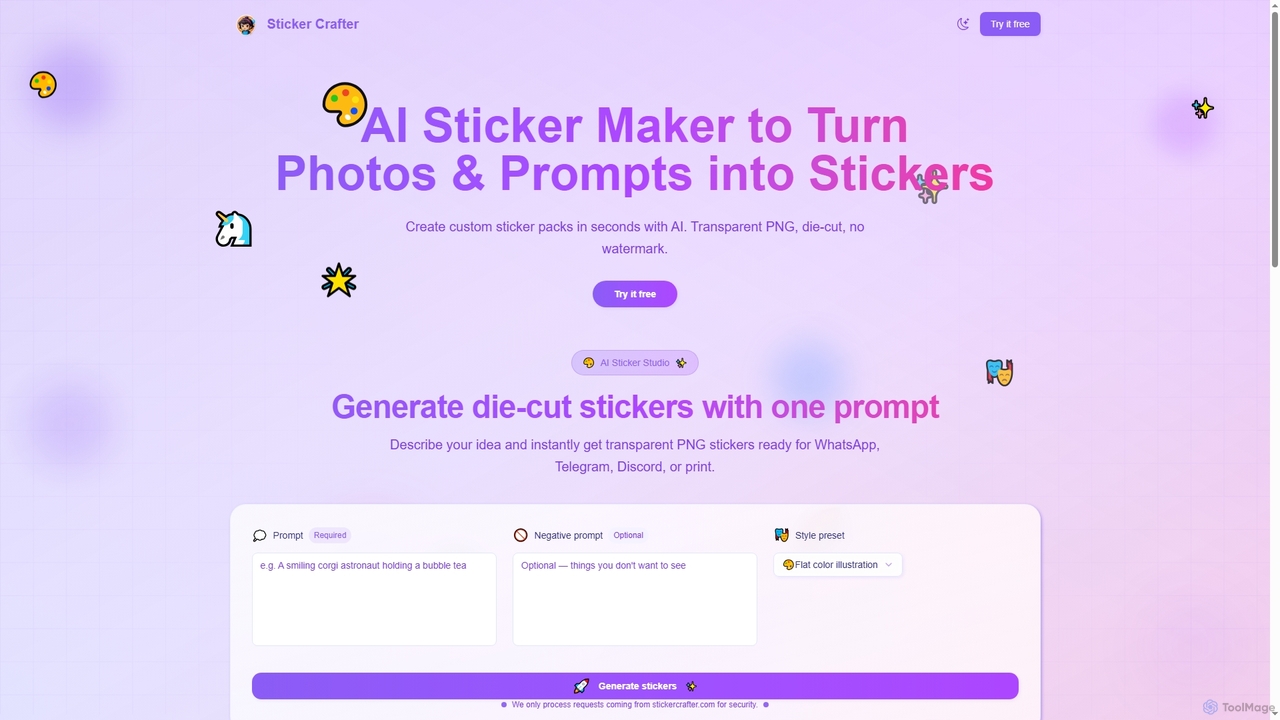
Sticker Crafter is an AI-powered tool that transforms text prompts into custom, die-cut stickers in seconds. It generates …

2.8K

About Sticker Maker

AI Sticker Makers are tools that use generative artificial intelligence to create unique, personalized digital stickers. They typically transform text descriptions or existing images into expressive stickers by automatically isolating subjects, removing backgrounds, and applying artistic styles. These tools empower users to instantly generate custom visuals for messaging apps, social media, and digital marketing, adding a layer of personality and engagement to online communication. Many also support creating animated stickers from static images or short video clips.

Core Features

  • Text-to-Sticker Generation: Creates stickers from simple text prompts, interpreting descriptions to generate a corresponding visual.
  • Automatic Background Removal: Intelligently identifies and removes the background from an uploaded photo to isolate the main subject for the sticker.
  • Artistic Style Transfer: Applies various styles like cartoon, anime, watercolor, or sketch to the generated or uploaded image.
  • Animated Sticker Creation: Converts static images or short video clips into simple animated GIF or WebP stickers.
  • Custom Outlines & Effects: Automatically adds classic sticker outlines, shadows, or other visual effects to make the final image pop.

Use Cases

These tools are widely used by social media users for personalizing chats, community managers for engaging Discord or Telegram groups, and content creators for developing unique branding assets. Small businesses also leverage them to create promotional stickers for marketing campaigns on platforms like Instagram Stories, enhancing brand visibility with minimal design effort.

How to Choose

When selecting an AI Sticker Maker, consider the supported input types (text, image, video), the variety and quality of available artistic styles, and the export formats (e.g., PNG, GIF, WebP). Also, evaluate its integration capabilities with popular messaging apps like WhatsApp or Telegram for seamless sharing, and assess the user interface for ease of use, especially for non-designers.

Sticker MakerUse Cases

1

Personalized Chat Stickers for Messaging Apps

A social media user wants to create unique reaction stickers for their group chat on WhatsApp or Telegram. Instead of using generic sticker packs, they use an AI Sticker Maker. They input a text prompt like 'a happy corgi wearing sunglasses, pixel art style' and the tool generates several options. They select the best one, which is automatically formatted with a transparent background and an outline, and directly export it to their messaging app's sticker library for immediate use.

2

Branded Stickers for Community Engagement

A community manager for a gaming Discord server needs to create engaging content. They take screenshots of iconic in-game moments and characters and upload them to an AI Sticker Maker. The tool automatically removes the UI and background elements, isolating the characters. The manager then applies a consistent cartoon style and adds a white outline to create a branded sticker pack. These stickers are shared with the community, fostering inside jokes and increasing server engagement.

3

Promotional Stickers for Small Business Marketing

A local bakery owner wants to promote a new croissant on Instagram Stories. They take a high-quality photo of the product on a clean background. Using an AI Sticker Maker, they upload the photo. The tool perfectly cuts out the croissant and offers several style options. The owner chooses a 'pop art' style to make it vibrant, adds a subtle shadow effect, and saves it as a transparent PNG. They can now easily add this custom, eye-catching sticker to all their social media posts and stories, reinforcing their brand identity.

4

Creating Educational Stickers for Digital Classrooms

A primary school teacher uses a digital platform like Seesaw to give feedback on student work. To make feedback more engaging, they use an AI Sticker Maker to create a custom set of encouraging stickers. They use prompts like 'A smiling star giving a thumbs up' or 'A cartoon brain lifting weights' for critical thinking. The tool generates cute, child-friendly images. The teacher saves these as a pack and uses them to reward students, making digital learning more fun and visually appealing for young learners.

5

Generating Animated Stickers from Video Clips

A content creator wants to make an animated sticker of their signature catchphrase moment from a recent video. They trim the video to a 2-second clip and upload it to an AI Sticker Maker that supports video input. The AI automatically isolates the creator from the background, loops the short action, and converts it into a high-quality, lightweight WebP or GIF file. They can then share this animated sticker with their followers on Telegram, creating a fun and interactive piece of content that strengthens their personal brand.

6

Creating Custom Stickers for Events

Someone planning a birthday party wants to create a set of custom stickers for the event's group chat. They upload a few funny photos of the birthday person to an AI Sticker Maker. The tool automatically cuts out their face and body, removing distracting backgrounds. The planner then uses text prompts to add party-themed elements, such as 'add a party hat' or 'holding a birthday cake'. The resulting stickers are highly personalized and shared with guests to build excitement before the event.

Sticker MakerFrequently Asked Questions