ToolMage
Sign in

Best 1 Crafting AI tools for Hobbies

Popular Crafting AI tools in Hobbies include svgcollections, helping you work more efficiently.

svgcollections
Freemium

svgcollections

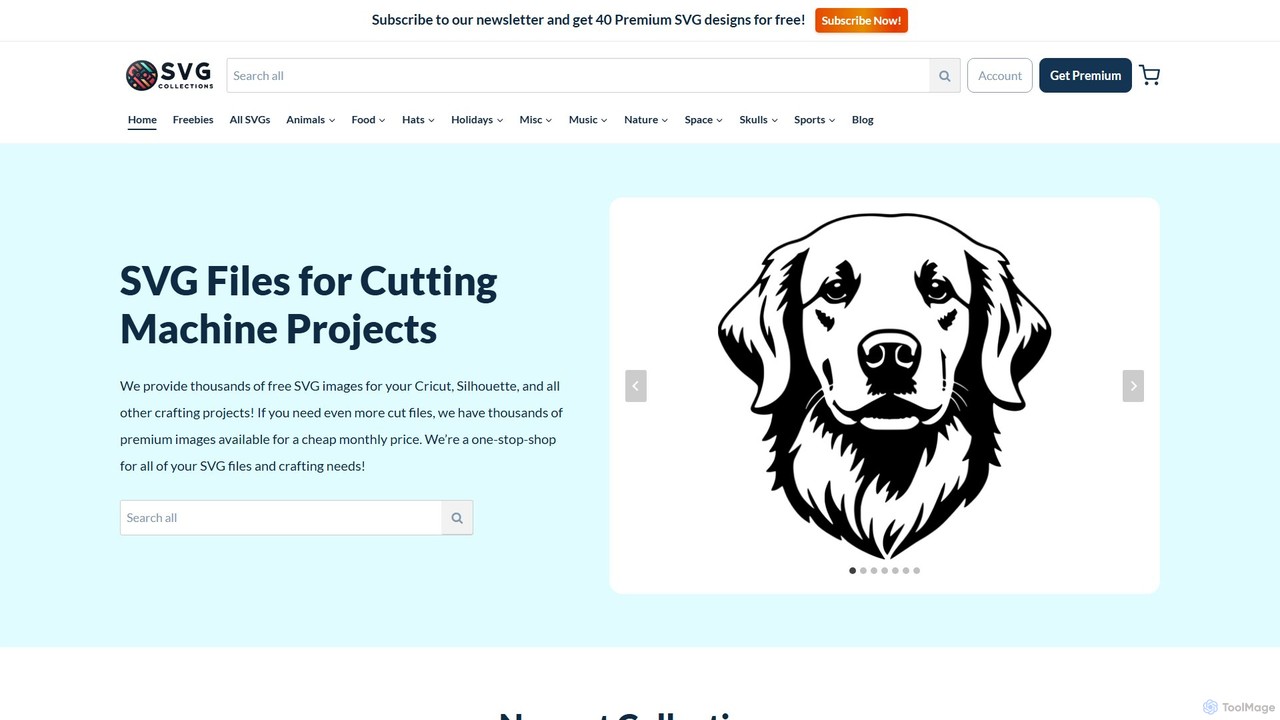
A vast online library offering thousands of high-quality, affordable SVG files for crafters and DIY enthusiasts. It provides both free and premium designs suitable for cutting machines like Cricut and Silhouette, with options for personal and commercial use.

Icons & Vectors
Visits 19.8KFavorites 114Likes 94

About Crafting

AI Crafting tools are a specialized category of software that uses artificial intelligence to generate unique designs, patterns, and instructions for various DIY and hobbyist projects. These tools translate simple text prompts or parameter inputs into complex, actionable plans for activities like sewing, woodworking, knitting, or laser cutting. They serve as a creative partner, helping users overcome design challenges, personalize their creations, and explore new artistic possibilities. This technology makes sophisticated design accessible to everyone, regardless of their technical drawing skills.

Core Features

  • Parametric Pattern Generation: Creates custom-fit patterns for sewing, knitting, or crochet based on specific measurements and style choices.
  • Vector Design Creation: Generates scalable vector graphics (SVG, DXF) from text descriptions, suitable for cutting machines like Cricut or laser cutters.
  • Project Idea & Instruction Synthesis: Suggests new craft projects based on available materials or themes and generates step-by-step assembly guides.
  • Material & Texture Simulation: Provides realistic previews of how a final project will look with different materials, colors, or textures.
  • Style Adaptation: Transforms existing images or designs into a specific craft style, such as a cross-stitch pattern or a woodcut template.

Use Cases

These tools are widely used by hobbyists to create personalized gifts and home decor. Etsy sellers and small business owners leverage them to rapidly design unique product lines, from custom jewelry to bespoke wooden signs. Educators and parents also use them to develop engaging, hands-on STEM and art projects for students, simplifying the design phase of creation.

How to Choose

When selecting an AI Crafting tool, first consider the specific craft it supports (e.g., textiles, woodworking, papercraft). Evaluate its output file compatibility with your equipment, such as 3D printers or vinyl cutters. Assess the user interface's ease of use, especially if you are a beginner. Finally, review the level of customization and control it offers over the final design to ensure it meets your creative needs.

Featured tool rankings

Crafting use cases

1

Generate Custom Sewing Patterns

A home sewer wants to create a unique dress that fits perfectly but lacks pattern drafting skills. Using an AI Crafting tool, they input their body measurements, select a desired style (e.g., A-line skirt, puff sleeves), and specify the fabric type. The AI instantly generates a complete, made-to-measure sewing pattern as a printable PDF file. This eliminates the need to adjust commercial patterns, saving hours of work and ensuring a professional fit for their handmade garment.

2

Design Vector Files for Laser Cutting

A small business owner creates personalized wooden signs. To speed up their design process, they use an AI Crafting tool. They enter a text prompt like "a floral wreath design with the name 'Anderson' in the center, script font." The AI generates several SVG file options in seconds. The owner can then select the best design, make minor adjustments if needed, and send it directly to their laser cutter. This automates the most time-consuming part of their workflow, allowing them to fulfill more orders.

3

Generate Unique Knitting and Crochet Patterns

An experienced knitter is looking for a new, challenging project but is tired of standard patterns. They use an AI tool to generate a unique pattern for a blanket. They specify the desired dimensions, yarn weight, and complex stitch types like 'cable' and 'lace'. The AI combines these elements into a novel, coherent pattern, complete with row-by-row instructions and a visual chart. This provides endless inspiration and allows artisans to create truly one-of-a-kind textile pieces.

4

Create Woodworking Project Plans

A hobbyist woodworker wants to build a custom bookshelf for a specific alcove in their home. Instead of spending hours drafting plans, they use an AI tool. They input the overall dimensions, desired number of shelves, material thickness, and preferred joinery type (e.g., pocket holes). The AI generates a complete set of plans, including a 3D model, a detailed cut list that optimizes wood usage, and step-by-step assembly instructions. This makes complex projects more approachable for amateurs and reduces material waste.

5

Design Custom Quilting Blocks

A quilter wants to design a unique quilt for a gift but is experiencing a creative block. They use an AI Crafting tool, providing a color palette and a theme, such as 'autumn forest'. The AI generates a series of original and coordinating quilt block patterns that fit the theme. It can produce traditional-style blocks or modern, geometric designs. The quilter can then arrange these AI-generated blocks to create a full quilt top layout, ensuring a cohesive and visually stunning final product.

6

Generate Ideas for Upcycling Projects

An eco-conscious crafter wants to upcycle old denim jeans but needs inspiration. They use an AI tool and input 'projects for old jeans, no sewing machine required'. The AI provides a list of creative ideas, such as braided rugs, wall organizers, and planters. For a selected idea like 'denim feather wall hanging', the AI can generate a visual concept and a step-by-step tutorial. This helps crafters find innovative ways to reuse materials, promoting sustainability in their hobbies.

Crafting FAQ

What are AI Crafting tools?

AI Crafting tools are software applications that use artificial intelligence to help users design and plan physical craft projects. Unlike standard design software, they can generate new patterns, project plans, or visual ideas from simple text descriptions or parameters. They act as a digital assistant for hobbies like sewing, woodworking, and knitting, making complex design tasks more accessible to everyone.

How do I choose the right AI Crafting tool for my hobby?

To choose the right tool, consider these factors:

  • Craft Specificity: Look for a tool designed for your specific craft, whether it's sewing, laser cutting, 3D printing, or knitting.
  • Output Format: Ensure the tool can export files in a format your equipment can use (e.g., PDF for printing patterns, SVG/DXF for cutting machines).
  • Ease of Use: Select a tool with an interface that matches your technical comfort level. Some are simple and prompt-based, while others offer more manual control.
  • Customization Level: Determine if you need a tool for broad idea generation or one that allows for precise, detailed adjustments to the final design.
What's the difference between AI Crafting tools and standard design software like Adobe Illustrator?

The main difference is the starting point. Standard design software (like Adobe Illustrator or CAD programs) is a blank canvas; you need technical skill to manually create a design from scratch. AI Crafting tools are generative; you provide a prompt or parameters, and the AI creates the design for you. AI tools are for idea generation and automation, while standard software is for manual execution and refinement.

Can these tools create files for physical machines like 3D printers or Cricut?

Yes, many AI Crafting tools are specifically designed for this purpose. They can generate vector files (like SVG and DXF) that are compatible with vinyl cutters, laser cutters, and CNC machines. Some advanced tools can also generate 3D models (like STL files) suitable for 3D printing. It is important to check the output formats of any tool to ensure compatibility with your specific hardware.

Do I need to be an expert crafter to use these AI tools?

No, not at all. AI Crafting tools are designed to be accessible to users of all skill levels. For beginners, they can simplify complex processes like pattern drafting or digital design, providing a starting point for projects. For experts, they serve as a powerful tool for inspiration, rapid prototyping, and creating highly customized or complex designs that would be time-consuming to develop manually.