Image Generation Best in category 1 results Architectural Design AI Tool

Popular AI tools in the Architectural Design field of Image Generation include Genera.so, etc., helping you quickly improve efficiency.

Genera.so

Genera.so

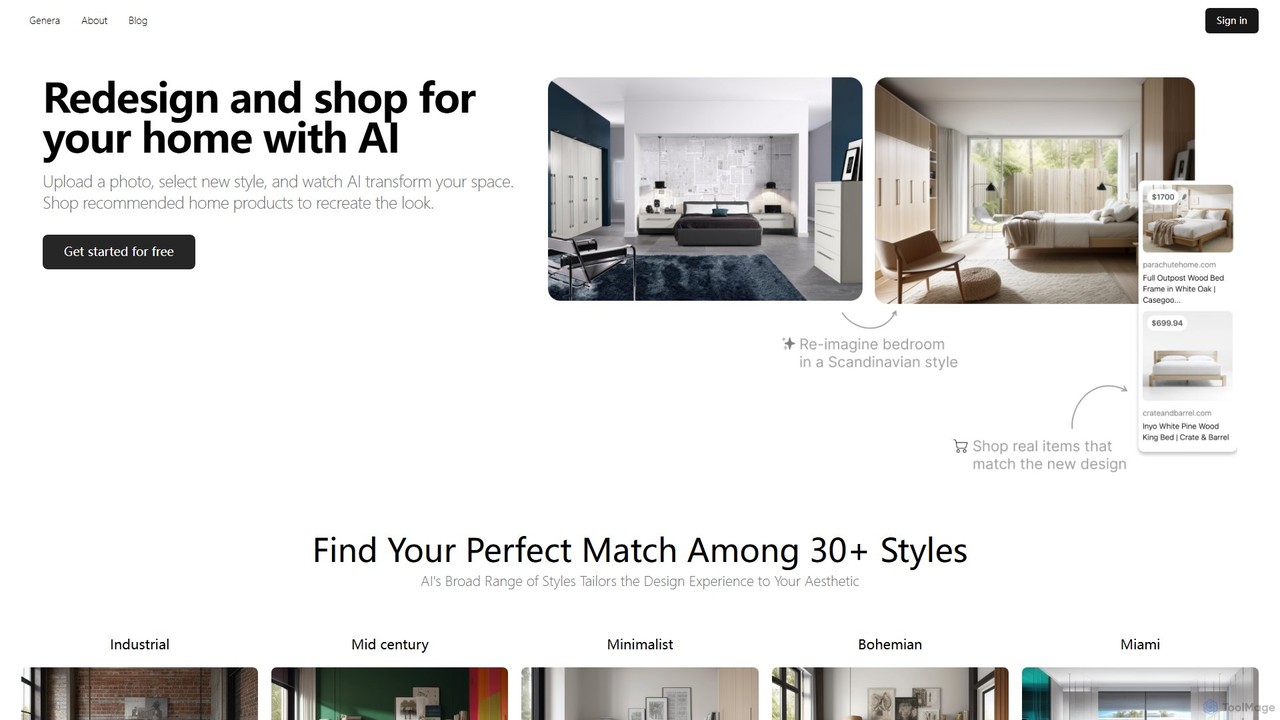
Genera.so is an AI-powered design platform offering specialized tools for interior design and architecture. Redesign your home by …

3.6K

About Architectural Design

AI Architectural Design tools are specialized image generators that transform text prompts, sketches, or 3D models into detailed architectural visualizations. They leverage generative AI models trained on vast datasets of buildings, interiors, and materials to produce everything from initial concepts to photorealistic renderings. This enables architects, designers, and developers to rapidly explore design possibilities, create compelling client presentations, and visualize spaces with remarkable speed and realism. These tools streamline the early-stage design process by automating visualization tasks that traditionally require extensive manual effort.

Core Features

  • Conceptual Generation: Creates diverse architectural concepts and massing studies from simple text descriptions or sketches.
  • Photorealistic Rendering: Transforms basic 3D models or 2D plans into high-fidelity images with realistic lighting, textures, and environments.
  • Style & Material Application: Instantly applies different architectural styles (e.g., Modernist, Brutalist) or materials (e.g., wood, concrete) to a design.
  • Virtual Staging: Automatically furnishes and decorates images of empty rooms for interior design and real estate marketing.
  • Iterative Design Refinement: Allows for quick modifications and variations of a design by adjusting prompts or parameters.

Use Cases

These tools are primarily used by architects, interior designers, urban planners, and real estate developers. They are invaluable during the conceptual design phase for brainstorming, in client meetings for presenting visual ideas, and for creating marketing materials for property sales. They also assist students and hobbyists in exploring architectural ideas without needing complex 3D software.

How to Choose

When selecting an AI Architectural Design tool, consider the level of realism and detail required for your projects. Evaluate its integration capabilities with your existing CAD or BIM software (like Revit, ArchiCAD, or SketchUp). Also, assess the tool's rendering speed, the degree of control it offers over design elements like lighting and materials, and whether its pricing model aligns with your usage frequency.

Architectural DesignUse Cases

1

Rapid Concept Visualization for Client Pitches

An architect preparing for a client meeting needs to present multiple design concepts for a new residential home. Instead of spending days creating detailed 3D models for each idea, they use an AI tool. By inputting prompts like "modern two-story house with a flat roof, cedar cladding, and large glass panels facing a garden," they generate a dozen high-quality visual options in under an hour. This allows the client to visualize different directions immediately, facilitating faster feedback and decision-making, and significantly shortening the conceptual design phase.

2

Virtual Staging for Real Estate Marketing

A real estate agent has listings for several newly built, empty apartments. To make them more appealing online, they use an AI architectural tool for virtual staging. They upload photos of the empty rooms and apply different style prompts, such as "furnish with mid-century modern furniture" or "decorate in a minimalist Scandinavian style." The tool generates realistic images of fully furnished spaces, helping potential buyers envision themselves living there. This process avoids the high cost and logistical challenges of physical staging and results in a 50% increase in online engagement for the listings.

3

Iterative Interior Design Mood Boarding

An interior designer is developing a design scheme for a client's living room. They use an AI design tool to create a dynamic mood board. Starting with a photo of the actual room, they input prompts to test different elements: "add a navy blue velvet sofa," "change the wall color to a warm off-white," "place a large abstract painting above the sofa." The AI generates variations in seconds, allowing the designer and client to collaboratively explore options in real-time. This iterative process is far more efficient than manually creating collages in Photoshop, leading to faster client approval and a more refined final design.

4

Facade Redesign and Renovation Exploration

A property development firm is considering renovating an outdated office building. To explore potential facade designs, they use an AI tool that supports image-to-image modification. They upload a current photo of the building and use text prompts to visualize changes, such as "replace brick with sleek metal panels," "add vertical gardens on the balconies," or "change windows to floor-to-ceiling glass." This allows the team to quickly compare dozens of renovation aesthetics and their visual impact on the urban context without commissioning expensive architectural renders for each option, streamlining the feasibility study process.

5

Landscape Architecture Visualization

A landscape architect is designing a public park. They use an AI tool to quickly generate visuals of different planting schemes and hardscape layouts. By providing a basic site plan sketch and prompts like "create a Japanese zen garden with a koi pond and stone lanterns" or "design a modern plaza with native drought-tolerant plants and concrete benches," the tool produces compelling visuals. These images help communicate the design intent to city planners and community stakeholders, allowing for more engaging presentations and facilitating a collaborative design review process before committing to detailed CAD drawings.

6

Educational Tool for Architecture Students

An architecture student is working on a studio project exploring historical styles. Instead of spending hours searching for reference images, they use an AI design tool to generate examples. They can input prompts like "a public library in the Art Deco style" or "a residential tower inspired by Zaha Hadid's parametricism." The tool instantly provides visual interpretations, helping the student understand the core visual language of different architectural movements. This allows them to quickly test how these styles could be applied to their own project, fostering creativity and a deeper understanding of architectural history in a fraction of the time.

Architectural DesignFrequently Asked Questions