ToolMage
Sign in

Best 1 3D Modeling AI tools for Image Generation

Popular 3D Modeling AI tools in Image Generation include Hocha, helping you work more efficiently.

Hocha
Freemium

Hocha

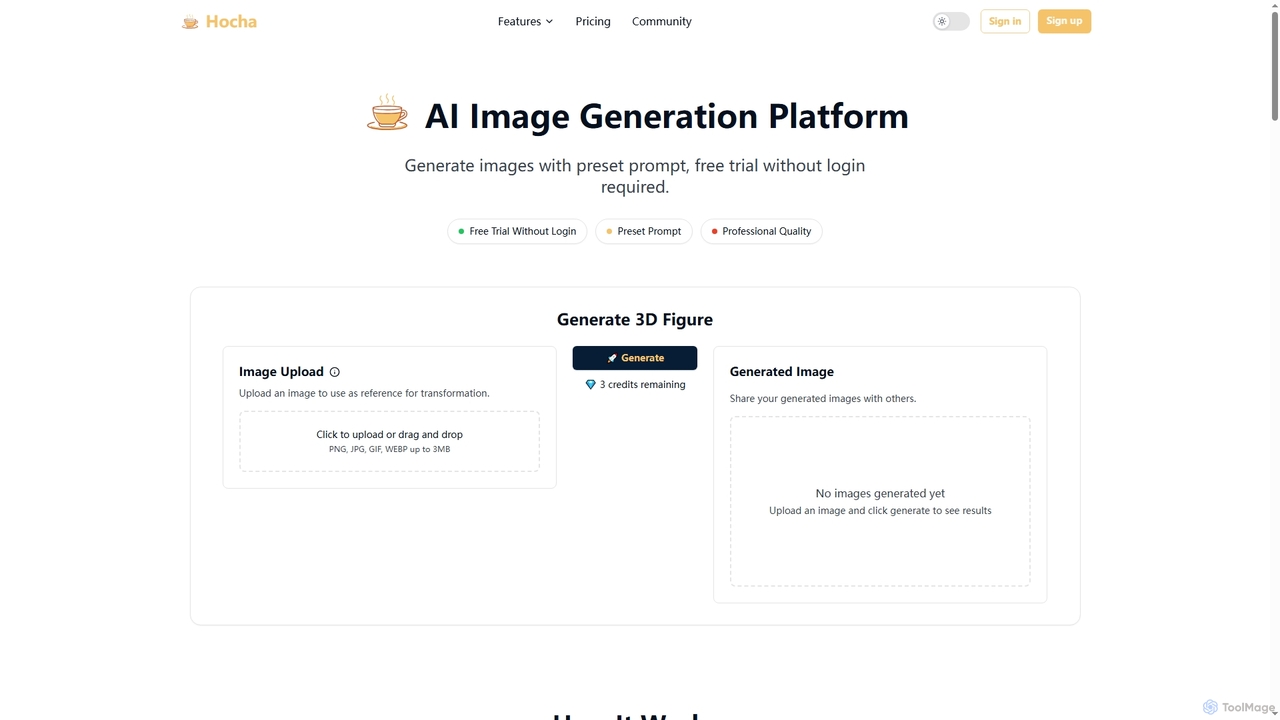
Hocha is an AI-powered image generation and editing platform that allows users to transform images into stunning 3D figures, create professional headshots, generate diverse character illustrations, and enhance photos with advanced AI models. It offers a free trial without login, fast results, and commercial licensing options.

Creative Asset Generation
Visits 7.3KFavorites 131Likes 127

About 3D Modeling

3D Modeling tools are AI-powered applications that enable the creation, manipulation, and generation of three-dimensional digital models. Leveraging advanced AI algorithms like neural networks and generative adversarial networks, these tools can interpret text prompts, 2D images, or even sketches to reconstruct or generate complex 3D geometry. They significantly accelerate design workflows, facilitate rapid prototyping, and democratize access to 3D content creation for various industries, from gaming and animation to product design and architectural visualization.

Core Features

  • Text-to-3D Generation: Automatically creates 3D models from descriptive text prompts.
  • Image-to-3D Reconstruction: Converts 2D images or multiple views into detailed 3D models.
  • 3D Model Editing & Enhancement: Assists in refining, optimizing, and adding details to existing 3D assets.
  • Texture & Material Generation: Generates realistic textures and material properties for 3D objects.
  • Scene Composition & Layout: Helps arrange and populate 3D scenes with generated or existing assets.

Use Cases

These tools are invaluable for professionals and enthusiasts seeking to streamline their 3D content pipelines. They are widely adopted in game development for generating assets, in industrial design for rapid visualization of product concepts, and in architectural firms for creating preliminary building models and interior layouts. Their ability to quickly iterate on designs makes them essential for creative exploration and efficient production.

How to Choose

When selecting an AI 3D Modeling tool, consider the required output quality and format compatibility with your existing software (e.g., Blender, Unity). Evaluate the ease of use and learning curve, especially for non-experts. Assess the range of AI capabilities, such as text-to-3D versus image-to-3D, and the flexibility of editing options. Finally, compare pricing models and integration possibilities to ensure it fits your workflow and budget.

3D Modeling use cases

1

Game Asset Creation

Game developers utilize AI 3D modeling tools to rapidly generate a wide array of in-game assets, such as props, environmental elements, and even character base meshes. By inputting text descriptions or concept art, artists can quickly produce multiple 3D variations, significantly reducing the manual modeling time and accelerating the game development pipeline. This allows for more iterative design and richer game worlds.

2

Product Design Prototyping

Industrial designers and engineers leverage these tools to quickly visualize and iterate on new product concepts. Instead of spending hours on manual modeling, they can generate initial 3D prototypes from sketches or specifications. This enables faster design reviews, easier communication with stakeholders, and the ability to explore numerous design variations before committing to detailed development, saving time and resources.

3

Architectural Visualization

Architects and interior designers use AI 3D modeling for conceptual design and rapid visualization of building structures, interior spaces, and urban planning. From simple floor plans or textual descriptions, tools can generate preliminary 3D models, helping clients visualize projects early in the design phase. This streamlines the initial design process and facilitates quicker feedback loops, enhancing collaboration.

4

E-commerce Product Display

Online retailers and marketers employ AI 3D modeling to create interactive 3D models of products for e-commerce websites. This allows customers to view products from all angles, enhancing the online shopping experience and potentially reducing return rates. Tools can generate high-quality 3D assets from existing product photos, making it accessible even for businesses without dedicated 3D artists.

5

VR/AR Content Development

Developers creating virtual reality (VR) and augmented reality (AR) experiences use AI 3D modeling to efficiently populate their immersive environments with detailed 3D objects and scenes. The ability to quickly generate complex assets from simple inputs is crucial for the demanding content needs of VR/AR, allowing creators to focus more on interaction design and less on laborious asset creation.

6

Animation and Film Pre-visualization

Animators and filmmakers utilize AI 3D modeling for pre-visualization, concept development, and creating unique background elements or props. They can rapidly generate various 3D models based on script descriptions or storyboard images, helping to block out scenes, test camera angles, and refine visual storytelling before committing to final production. This speeds up the creative process and reduces production costs.

3D Modeling FAQ

What is AI 3D Modeling?

AI 3D Modeling refers to the use of artificial intelligence algorithms to assist in or automate the creation, modification, and generation of three-dimensional digital models. These tools can interpret various inputs like text descriptions, 2D images, or even point clouds to produce complex 3D geometry, textures, and materials. They aim to simplify and accelerate the traditionally complex and time-consuming process of 3D content creation.

How does AI 3D Modeling differ from traditional 3D modeling?

Traditional 3D modeling relies heavily on manual input from artists using software like Blender or Maya, requiring extensive technical skill and time. AI 3D Modeling, conversely, automates significant portions of this process. While traditional methods offer precise control, AI tools excel at rapid generation, iteration, and democratizing access, often requiring less specialized expertise to produce initial models or variations from simple prompts.

What are the main applications of AI 3D Modeling tools?

AI 3D Modeling tools have diverse applications across industries. Key uses include generating assets for video games and virtual reality, rapid prototyping in product design, creating architectural visualizations, producing interactive product displays for e-commerce, and assisting in animation and film pre-visualization. They are particularly valuable for accelerating content pipelines and exploring design concepts quickly.

What should I consider when choosing an AI 3D Modeling tool?

When selecting an AI 3D Modeling tool, evaluate its core generation capabilities (e.g., text-to-3D, image-to-3D), the quality and fidelity of the output models, and compatibility with your existing 3D software workflows. Consider the user interface's intuitiveness, the availability of editing and customization features, pricing structures, and the community support or learning resources offered. Your specific project needs and technical skill level will guide the best choice.

Can AI 3D Modeling tools generate realistic textures?

Yes, many advanced AI 3D Modeling tools are capable of generating highly realistic textures and material properties for the 3D models they create or enhance. They often use AI to analyze visual cues from input images or text prompts to produce PBR (Physically Based Rendering) materials, complete with diffuse, normal, roughness, and metallic maps. This significantly contributes to the visual fidelity and realism of the generated 3D assets.