
Workorb
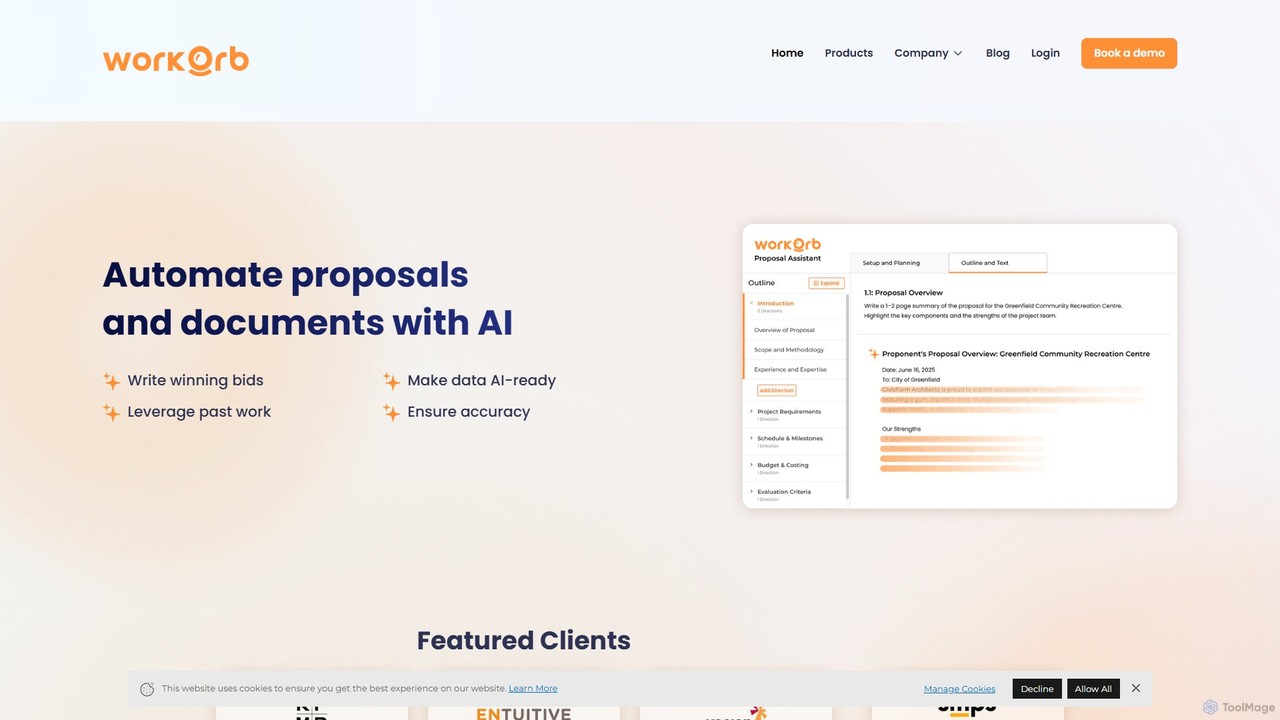
Workorb is an AI platform designed for the Architecture, Engineering, and Construction (AEC) industry to automate proposal generation …
Workorb is an AI platform designed for the Architecture, Engineering, and Construction (AEC) industry to automate proposal generation and business development. It creates a centralized Knowledge Hub by automatically cleaning and organizing your firm's data, enabling you to draft winning bids, summarize RFPs, and ensure compliance with minimal manual effort.
About Enterprise Search
Enterprise Search tools are AI-powered platforms that create a single, intelligent search engine for all of an organization's internal data. Leveraging technologies like Natural Language Processing (NLP) and vector search, these tools go beyond simple keyword matching to understand the context and intent behind a user's query. They effectively break down information silos by connecting to disparate sources like cloud drives, databases, wikis, and communication apps. This allows employees to find accurate, relevant information instantly, significantly boosting productivity and decision-making speed.
Core Features
- Unified Indexing: Connects to and indexes data from a wide range of internal systems like Confluence, Google Drive, Slack, and Salesforce.
- Semantic Search: Understands the meaning behind queries, finding conceptually related information even if keywords don't match exactly.
- Natural Language Q&A: Allows users to ask questions in plain language and receive direct, synthesized answers with source citations.
- Permission-Aware Security: Enforces existing access controls, ensuring users can only see search results they are authorized to view.
- AI-Powered Summarization: Generates concise summaries from multiple documents, saving users time from reading through lengthy materials.
Use Cases
These tools are invaluable for knowledge-intensive roles and departments. For example, research and development teams can quickly locate past experimental data, customer support agents can find solutions in technical manuals and past tickets, and legal teams can perform e-discovery across millions of documents.
How to Choose
When selecting an Enterprise Search tool, evaluate its library of pre-built connectors for your existing systems. Prioritize solutions with robust, permission-aware security features to protect sensitive data. Also, consider the sophistication of its AI capabilities—does it support true semantic search and generative answers? Finally, assess its scalability to ensure it can handle your organization's growing data volume.
Enterprise SearchUse Cases
Accelerate Customer Support Resolutions
A customer support agent is handling a complex technical issue about a product's API integration. Instead of manually searching through separate knowledge bases, developer documentation, and internal chat logs, they use the enterprise search tool. They type a natural language question: "What are the common timeout errors for the v3 payment API with Python clients?" The system instantly scans all connected sources and provides a synthesized answer summarizing the top three causes, complete with links to the specific paragraphs in the technical manual and a relevant conversation thread between engineers on Slack. This reduces the resolution time from over an hour to under ten minutes.
Streamline Legal and Compliance Audits
A compliance officer is tasked with auditing all contracts signed in the last fiscal year to ensure they adhere to new data privacy regulations. Using an enterprise search tool, they can run a single query like "find all contracts mentioning 'data processing' and 'third-party sharing' signed after January 1st." The tool searches across the company's contract management system, shared drives, and email archives. It returns a precise list of relevant documents, highlighting the specific clauses within each. This process, which would have taken weeks of manual review, is completed in a matter of hours, ensuring timely compliance and reducing legal risk.
Enhance Sales and Marketing Intelligence
A sales executive is preparing for a crucial meeting with a prospective client. To build a compelling pitch, they need to understand all previous interactions and relevant market data. They use the enterprise search to query "all interactions with Company XYZ and market research on the fintech sector." The tool aggregates data from the CRM (past emails, meeting notes), marketing automation platform (webinar attendance, content downloads), and the internal market research repository. In minutes, the executive gets a complete 360-degree view of the prospect, enabling them to tailor their presentation with highly relevant insights and case studies, significantly increasing the chances of closing the deal.
Accelerate New Employee Onboarding
A newly hired software engineer needs to understand the company's coding standards and deployment process. Instead of asking colleagues multiple questions or navigating a complex internal wiki, they simply ask the enterprise search tool: "What is the process for deploying a new microservice to production?" The tool synthesizes information from the engineering handbook, Confluence pages, and relevant Slack channels, providing a step-by-step checklist. It also surfaces links to key code repositories and contact information for the DevOps team lead. This self-service approach empowers the new hire to become productive faster and reduces the burden on senior team members.
Uncover Insights from R&D Archives
A materials scientist in a large manufacturing company is developing a new heat-resistant polymer. To avoid duplicating past research, they query the enterprise search system for "all research on PEEK polymer composites and thermal degradation above 300°C." The system searches decades of digitized lab notebooks, research papers, patent filings, and material test results stored in various formats and locations. It surfaces a forgotten internal study from eight years ago that details a similar compound, saving the team months of redundant experimentation and providing a valuable head start on the new project.
Centralize Product Development Knowledge
A product manager is planning the next version of a mobile app. They need to gather all available feedback on the current version's user interface. They use the enterprise search to ask, "What is the user feedback on the v2 dashboard UI?" The system pulls and synthesizes information from customer support tickets in Zendesk, user survey results in Google Forms, app store reviews, and feature request discussions from a dedicated Slack channel. The product manager receives a concise summary of the most common complaints and suggestions, allowing them to make data-driven decisions for the product roadmap without spending days manually collating feedback.