
wov
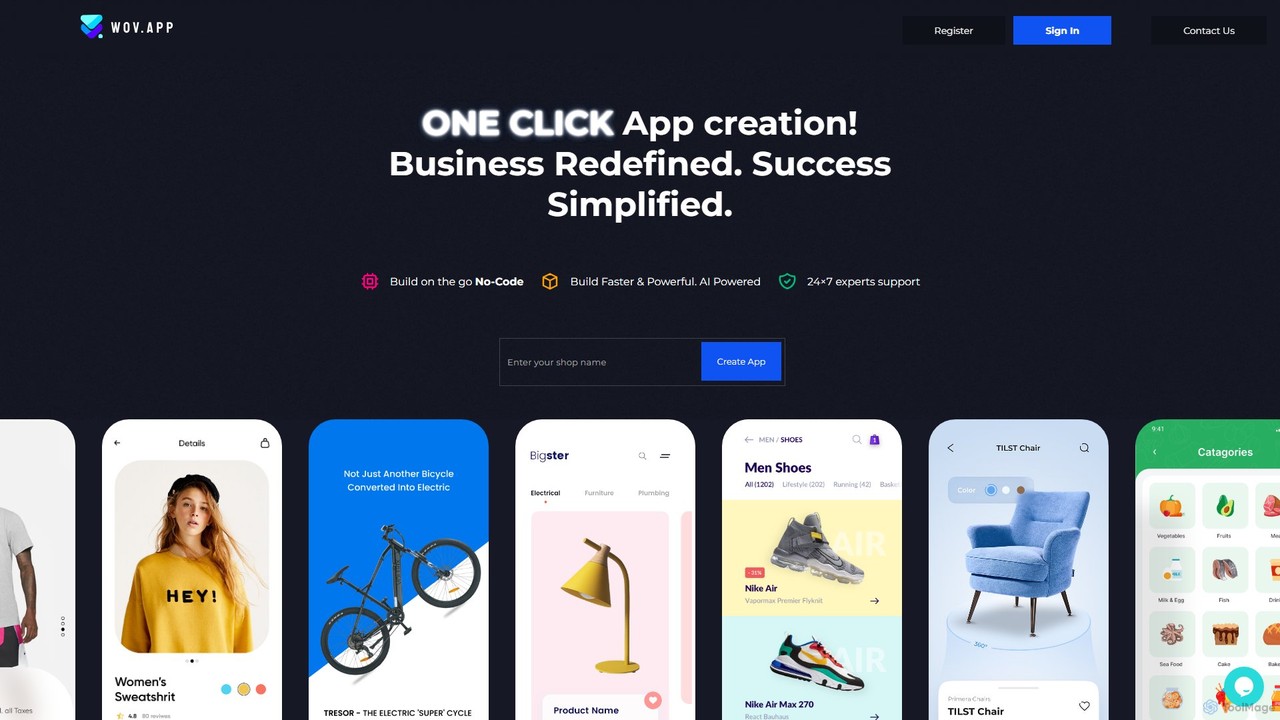
wov is an AI-powered, no-code platform that enables e-commerce businesses to create native mobile shopping apps for Android …
wov is an AI-powered, no-code platform that enables e-commerce businesses to create native mobile shopping apps for Android and iOS. It seamlessly integrates with Shopify, WooCommerce, and other major platforms, offering a drag-and-drop editor, customizable templates, and real-time previews. wov simplifies the entire process from design to publishing on the App Store and Google Play, making mobile commerce accessible to everyone.
About App Builder
AI App Builders are tools that enable users to create functional web and mobile applications, often with minimal or no coding. These platforms utilize visual drag-and-drop interfaces, pre-built templates, and AI-powered logic to automate and simplify the development process. They empower marketing teams and businesses to quickly build and launch custom applications, such as lead generation tools, interactive campaign microsites, or internal dashboards. The primary advantage is the significant reduction in development time and cost, making app creation accessible to non-technical users.
Core Features
- Visual Drag-and-Drop Editor: Build user interfaces by arranging pre-made components on a canvas without writing code.
- AI-Powered Logic Generation: Describe application behavior in natural language, and the AI translates it into functional workflows.
- Pre-built Templates: Start with ready-to-use templates for common applications like surveys, event portals, or simple stores.
- Data Integration: Connect seamlessly with third-party services like CRMs, databases, and marketing automation platforms.
- One-Click Deployment: Publish the finished application to the web or app stores with automated deployment processes.
Use Cases
AI App Builders are ideal for marketing professionals who need to create custom digital experiences quickly. For example, a digital marketer can build an interactive quiz to capture leads, or an event manager can create a dedicated app for conference registration and scheduling. They are also widely used by businesses to develop internal tools for tracking marketing KPIs or managing workflows.
How to Choose
When selecting an AI App Builder, consider the target platform (web, iOS, Android). Evaluate the distinction between no-code (for non-technical users) and low-code (for users with some coding knowledge). Check its integration capabilities with your existing marketing stack. Finally, assess the platform's scalability and pricing model to ensure it aligns with your long-term business goals and user growth.
App BuilderUse Cases
Building an Interactive Quiz for Lead Generation
A digital marketer needs to capture qualified leads for a new service launch. Using an AI App Builder, they select a quiz template and use the visual editor to customize branding and layout. They input questions and use AI prompts to generate branching logic, showing different results based on user answers. A lead capture form is integrated at the end, which connects directly to the company's CRM. The entire interactive web app is built and deployed in a few hours, providing an engaging way to attract and qualify potential customers without writing a single line of code.
Creating a Simple Event Registration App
An event coordinator is organizing a corporate webinar and needs a simple way to manage registrations. Instead of relying on generic forms, they use an AI App Builder to create a dedicated micro-app. They start with an event template, customize it with the webinar's branding, schedule, and speaker bios. The registration form is configured to collect necessary attendee information and can even integrate with a payment gateway for paid events. The app provides a professional, centralized hub for all event-related information, improving the attendee experience and simplifying data management for the organizer.
Developing an Internal Marketing Dashboard
A marketing manager needs a unified view of campaign performance across multiple channels like Google Ads, Facebook, and their CRM. Instead of waiting for the IT department, a marketing operations specialist uses an AI App Builder to create a custom dashboard. They connect the builder to the various data sources via pre-built integrations. Using a drag-and-drop interface, they add charts and tables to visualize key metrics like cost per acquisition, conversion rates, and ROI. The resulting app provides the entire team with real-time, actionable insights, enabling faster and more data-driven marketing decisions.
Launching a Micro-App for a Product Promotion
For a new product launch, a product marketer wants to create an experience more engaging than a standard landing page. They use an AI App Builder to quickly assemble a single-page micro-app. This app includes interactive elements like a product configurator, embedded video demos, and a real-time social media feed featuring the product hashtag. An early-bird discount form is also included to drive pre-orders. The app is developed and launched in just a couple of days, creating significant buzz and providing a unique, memorable experience for potential customers that a simple webpage could not achieve.
Building a Customer Feedback & Survey Tool
A customer success team wants to systematically collect post-purchase feedback. Using an AI App Builder, they design a multi-step survey app. The app features conditional logic, where questions change based on previous answers, making the survey more relevant for each customer. It can be shared via a unique link in follow-up emails. All responses are automatically collected and stored in a structured database within the app builder, allowing the team to easily analyze trends, identify common issues, and export data for detailed reports without needing a separate survey subscription service.
Creating a Simple E-commerce Storefront
A small business owner wants to start selling products online but finds full-scale e-commerce platforms too complex and expensive. They turn to an AI App Builder to create a simple, functional storefront. Using an e-commerce template, they quickly add product listings with images, descriptions, and prices. They integrate a payment processor like Stripe or PayPal with just a few clicks. The app provides basic order management capabilities, allowing them to track sales and customer information. This approach enables them to launch an online store in a single day, test their market, and start generating revenue with minimal upfront investment.