ToolMage
Sign in

Best 1 Presentation Generator for Marketing

Popular Presentation Generator in Marketing include Z.ai, helping you work more efficiently.

Z.ai
Freemium

Z.ai

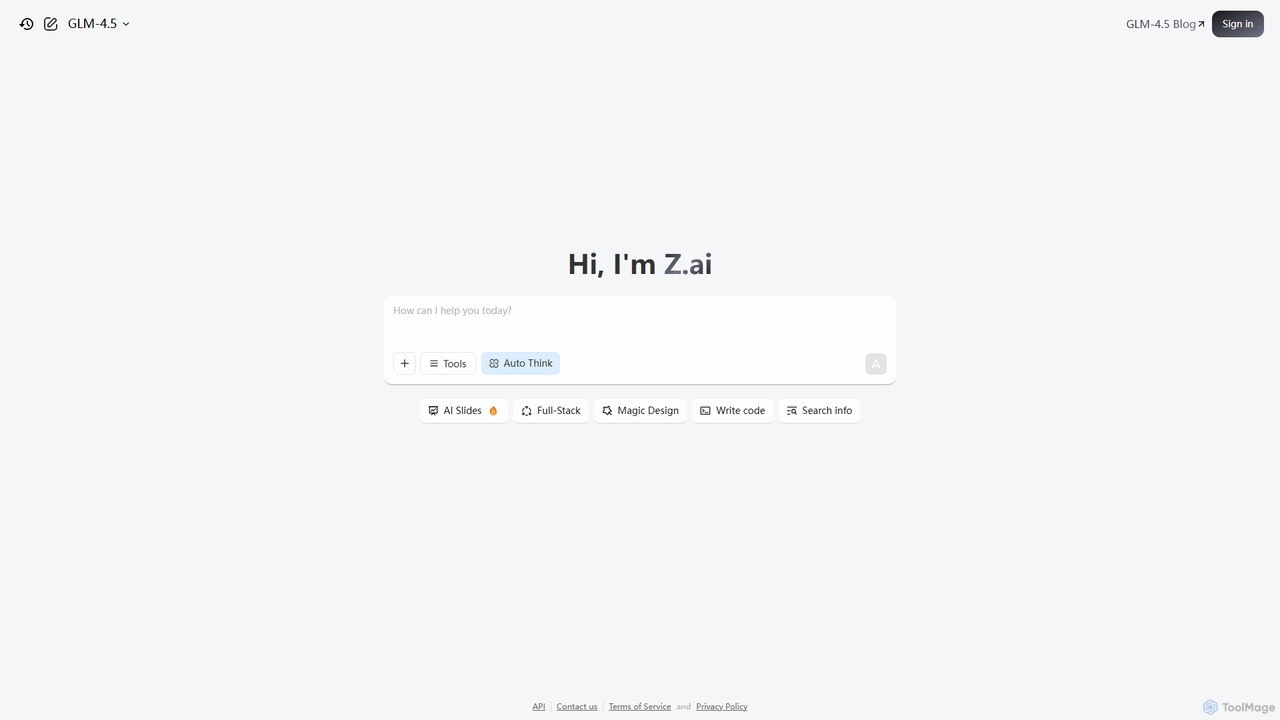
Z.ai is a powerful, free AI assistant powered by the advanced GLM-4.5 model. It's more than just a chatbot, offering a suite of integrated tools for coding, creating presentations, designing, and conducting research. Z.ai aims to be an all-in-one productivity platform, streamlining complex tasks through a simple conversational interface.

Code Assistant
Visits 13.8MFavorites 103Likes 113

About Presentation Generator

Presentation Generator tools are AI-powered platforms designed to automate and streamline the creation of visual presentations. Leveraging advanced natural language processing and design algorithms, these tools transform raw text, data, or prompts into structured slides with compelling visuals and coherent narratives. They significantly reduce the time and effort required to produce professional-grade presentations, making them invaluable for marketing professionals, educators, and business leaders.

Core Features

  • Automated Slide Generation: Automatically creates slides from outlines, text, or data, suggesting layouts and content.
  • Content Summarization: Condenses lengthy documents or articles into key bullet points and visual elements for slides.
  • Design & Layout Suggestions: Provides intelligent recommendations for slide design, color schemes, fonts, and image placement.
  • Image & Icon Integration: Automatically searches for and embeds relevant images, icons, and multimedia based on slide content.
  • Brand Kit Application: Allows users to upload brand guidelines (logos, colors, fonts) for consistent application across all generated presentations.

Use Cases

These tools are particularly useful for marketing teams needing to quickly create pitch decks, sales professionals preparing client proposals, and educators developing engaging lesson materials. They help accelerate content creation workflows and ensure visual consistency across various communication channels.

How to Choose

When selecting a Presentation Generator, consider its AI capabilities (e.g., natural language understanding, design intelligence), integration options with other tools (e.g., Google Slides, PowerPoint, data sources), customization flexibility for branding and design, and output formats (e.g., editable slides, PDFs). Evaluate the learning curve and the quality of generated content to ensure it meets your professional standards.

Presentation Generator use cases

1

Generating Marketing Pitch Decks for New Products

Marketing managers can input product features, market research data, and target audience insights to automatically generate a comprehensive pitch deck. The AI structures the narrative, suggests compelling visuals, and ensures brand consistency, allowing the team to focus on refining the message rather than manual design.

2

Creating Sales Proposals for Client Meetings

Sales representatives can quickly produce personalized sales proposals by feeding client requirements, solution details, and pricing information into the generator. This enables them to walk into meetings with professionally designed, data-driven presentations tailored to each client, saving hours of preparation time.

3

Developing Educational Materials for Online Courses

Educators and trainers can transform lecture notes, research papers, or curriculum outlines into engaging slide presentations for online courses or workshops. The AI helps visualize complex concepts, suggests interactive elements, and maintains a consistent learning experience across modules.

4

Summarizing Research Reports into Executive Briefings

Business analysts or researchers can use these tools to condense lengthy reports or data analyses into concise, visually appealing executive briefings. The AI identifies key findings, creates data visualizations, and structures the information for quick comprehension by decision-makers.

5

Producing Internal Communication Updates for Teams

HR or internal communications teams can rapidly create visually consistent updates for company-wide announcements, project milestones, or policy changes. By inputting text, the generator ensures that all internal presentations adhere to corporate branding and are easy for employees to digest.

6

Designing Social Media Content Presentations

Content creators or social media managers can leverage presentation generators to quickly design visually appealing slides for Instagram carousels, LinkedIn posts, or short video presentations. The AI assists in selecting relevant imagery and text layouts that capture attention and convey messages effectively on various platforms.

Presentation Generator FAQ

What are Presentation Generator tools?

Presentation Generator tools are AI-powered software that automate the creation of presentations from text, data, or prompts. They leverage natural language processing and design algorithms to generate slides, suggest layouts, integrate visuals, and summarize content, significantly speeding up the presentation design process.

How do AI Presentation Generators work?

AI Presentation Generators typically work by taking user input (e.g., text, outlines, data, or prompts) and processing it using machine learning models. These models analyze the content for key themes, structure, and intent, then generate corresponding slides, suggest appropriate layouts, select relevant images, and apply design principles to create a cohesive presentation.

What are the main benefits of using an AI Presentation Generator?

The main benefits include significant time savings in presentation creation, enhanced design consistency, access to professional-looking templates without design skills, and the ability to quickly adapt content for different audiences. They help users focus on the message rather than the mechanics of slide design.

Can I customize presentations generated by AI tools?

Yes, most AI Presentation Generators offer extensive customization options. Users can typically adjust layouts, change fonts and colors, replace images, edit text, and apply brand kits after the initial generation. The AI provides a strong starting point, which users can then refine to meet specific needs and preferences.

How do Presentation Generators differ from traditional presentation software like PowerPoint?

Presentation Generators differ from traditional software like PowerPoint by automating the initial content and design creation. While PowerPoint provides a blank canvas and manual design tools, AI generators take your raw input and produce a structured, visually coherent presentation automatically, requiring less manual effort for the initial draft.