ToolMage
Sign in

Best 1 Website Analysis AI tools for Marketing

Popular Website Analysis AI tools in Marketing include SiteChecker, helping you work more efficiently.

SiteChecker
Freemium

SiteChecker

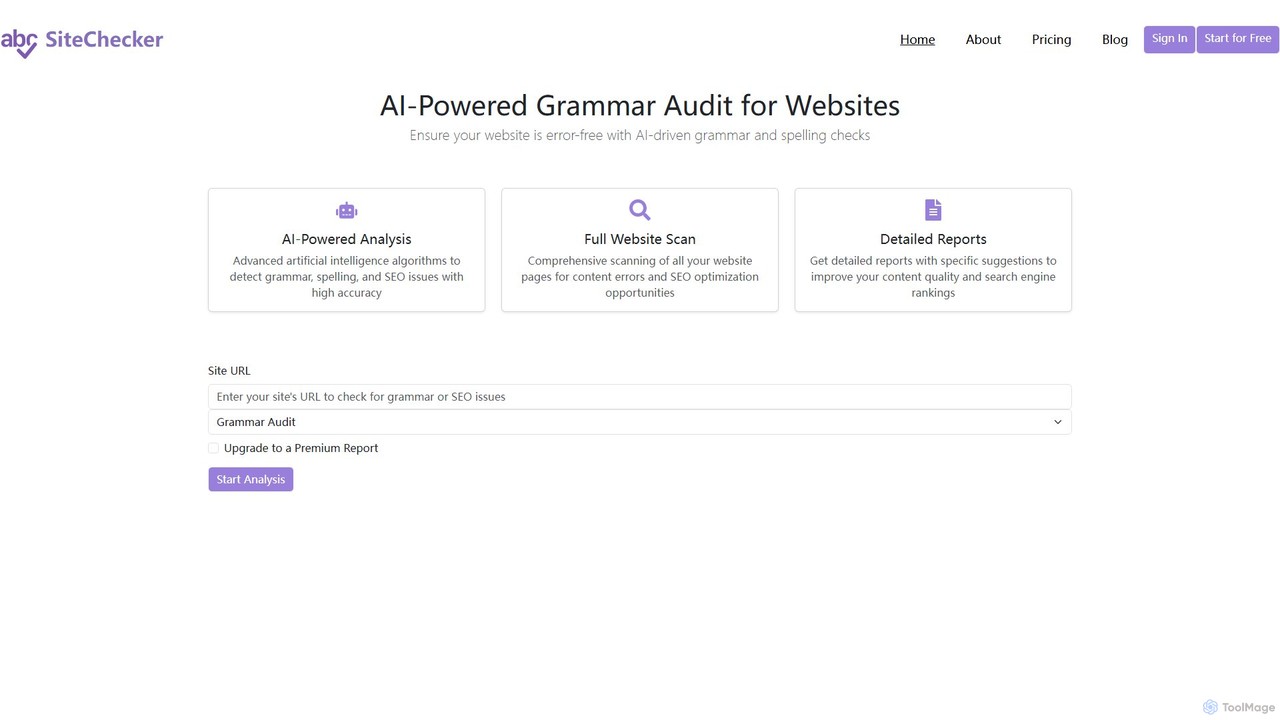
SiteChecker is an AI-powered tool for comprehensive website analysis. It performs site-wide grammar, spelling, and SEO audits to help you improve content quality, enhance user experience, and boost search engine rankings. Get detailed, actionable reports to ensure your website is professional and error-free.

Website Analysis
Visits 5KFavorites 129Likes 118

About Website Analysis

AI Website Analysis tools are a class of marketing software that uses artificial intelligence to automatically audit, monitor, and interpret a website's performance. These tools leverage machine learning to process vast amounts of data, identifying complex patterns in user behavior, SEO opportunities, and technical health that are often missed by manual analysis. They transform raw analytics into actionable insights, enabling marketers and developers to make data-driven decisions for improving user experience, conversion rates, and search engine rankings. This automated approach provides a deeper, more continuous understanding of a site's overall effectiveness.

Core Features

  • Automated SEO Audits: Systematically crawl websites to detect technical issues, on-page optimization gaps, and backlink profiles.
  • User Behavior Analytics: Generate dynamic heatmaps, session recordings, and funnel visualizations to understand user journeys.
  • Competitor Benchmarking: Analyze competitors' traffic sources, top-performing content, and keyword strategies.
  • Content Opportunity Analysis: Identify content gaps and keyword opportunities by comparing your site against top-ranking competitors.
  • Performance Monitoring: Continuously track Core Web Vitals, page load speeds, and server uptime to ensure optimal performance.

Use Cases

These tools are essential for digital marketers, SEO specialists, UX/UI designers, and e-commerce managers. They are used for tasks like preparing for a website redesign, optimizing landing pages for higher conversions, developing a data-driven content strategy, and conducting regular technical SEO health checks to maintain search visibility.

How to Choose

When selecting a tool, consider the primary focus: is it SEO, user experience (UX), or all-in-one? Evaluate its integration capabilities with platforms like Google Analytics and CRM systems. Also, assess the clarity of its data visualization, the level of automation in reporting and alerts, and whether its pricing model scales with your website's traffic and needs.

Website Analysis use cases

1

Optimize E-commerce Conversion Funnels

An e-commerce manager for an online fashion retailer notices a high cart abandonment rate. They use an AI Website Analysis tool to generate heatmaps and watch session recordings of users who drop off. The AI identifies that the 'Apply Discount Code' field is confusing and causes frustration. Based on this insight, the team redesigns the checkout page, resulting in a 15% reduction in cart abandonment and a significant uplift in sales.

2

Automate Weekly SEO Health Reports

An in-house SEO specialist at a large corporation is responsible for dozens of international domains. Manually checking each site for technical errors is impossible. They configure an AI analysis tool to perform automated weekly crawls. The tool sends a prioritized list of new issues, such as broken links, 404 errors, or sudden drops in keyword rankings, directly to their inbox, allowing them to focus on high-impact fixes instead of manual discovery.

3

Develop a Data-Driven Content Strategy

A content marketing team for a B2B SaaS company wants to outrank its competitors. They use an AI tool to perform a content gap analysis, which automatically identifies valuable keywords their competitors rank for, but they don't. The tool clusters these keywords into topic suggestions and outlines potential article structures, providing a clear, data-backed roadmap for their next quarter's content calendar.

4

Improve User Onboarding for a SaaS Application

A UX designer for a new project management app needs to understand why users are not completing the setup process. They use an AI tool to analyze the multi-step onboarding funnel. The tool highlights the specific step with the highest drop-off rate and provides session replays showing users struggling with a particular UI element. This allows the designer to pinpoint the problem and iterate on a more intuitive design.

5

Conduct a Secure Website Migration Audit

A technical SEO agency is managing a client's migration to a new domain. To prevent any loss of search traffic, they use an AI website analysis tool to crawl the old site and map all URLs. After the migration, they run a comparative crawl on the new site. The tool automatically verifies that all 301 redirects are correctly implemented, canonical tags are updated, and there are no new crawl errors, ensuring a seamless transition.

6

Benchmark Against Competitors for Market Research

A startup is preparing to launch a new product in a competitive market. The marketing lead uses an AI analysis tool to benchmark the websites of the top three competitors. The tool provides a detailed breakdown of their traffic sources (organic search, paid, social), most popular pages, and estimated traffic volume. This intelligence helps the startup identify underserved channels and craft a differentiated go-to-market strategy.

Website Analysis FAQ

What are AI Website Analysis tools?

AI Website Analysis tools are applications that use artificial intelligence to automatically analyze a website's performance, user behavior, and SEO health. Unlike traditional tools that just present data, they interpret it to provide actionable insights, identify hidden patterns, and forecast trends. Key features often include automated SEO audits, user session replays, heatmap generation, and competitive analysis, helping businesses make smarter decisions faster.

How do I choose the right AI Website Analysis tool?

To choose the right tool, first define your primary goal: are you focused on technical SEO, user experience (UX), or conversion rate optimization (CRO)? Consider these key factors:

  • Scope of Features: Does it offer the specific analyses you need (e.g., heatmaps, SEO audits, content gaps)?
  • Integrations: Can it connect with your existing tools like Google Analytics, Google Search Console, or your CRM?
  • Data Accuracy: Check reviews or case studies on the reliability of its data and insights.
  • Usability: Is the dashboard intuitive and are the reports easy to understand and share with your team?
  • Pricing: Does the cost align with your website's traffic volume and your budget?
What's the difference between AI Website Analysis and Google Analytics?

Google Analytics (GA) is a powerful tool for collecting and reporting on website data—the 'what.' AI Website Analysis tools focus on the 'why' and 'what to do next.' While GA tells you your bounce rate is high on a certain page, an AI tool might show you a heatmap revealing users are rage-clicking a non-interactive element, providing a direct reason for the bounce. AI tools add a layer of interpretation, automation, and proactive recommendations on top of the raw data that GA provides.

What key metrics can AI Website Analysis tools track?

These tools track a wide range of metrics beyond basic traffic numbers. Key areas include:

  • SEO Metrics: Keyword rankings, backlink profiles, crawl errors, site speed, and Core Web Vitals.
  • User Behavior Metrics: Click-through rates on elements, scroll depth, session duration, rage clicks, and user navigation paths.
  • Conversion Metrics: Funnel drop-off rates, form submission success/failure rates, and goal completion paths.
  • Content Metrics: Top performing pages, content gaps compared to competitors, and keyword density.
Who benefits most from using AI Website Analysis tools?

A wide range of professionals can benefit. Digital Marketers use them to optimize campaigns and content strategy. SEO Specialists automate technical audits and find keyword opportunities. UX/UI Designers gain deep insights into user behavior to improve site navigation and usability. E-commerce Managers use them to optimize product pages and checkout funnels to increase sales. Finally, Business Owners can get a clear, high-level overview of their website's performance and competitive standing.