ToolMage
Sign in

Best 1 Memories AI tools for Personal

Popular Memories AI tools in Personal include Rentoor, helping you work more efficiently.

Rentoor
Freemium

Rentoor

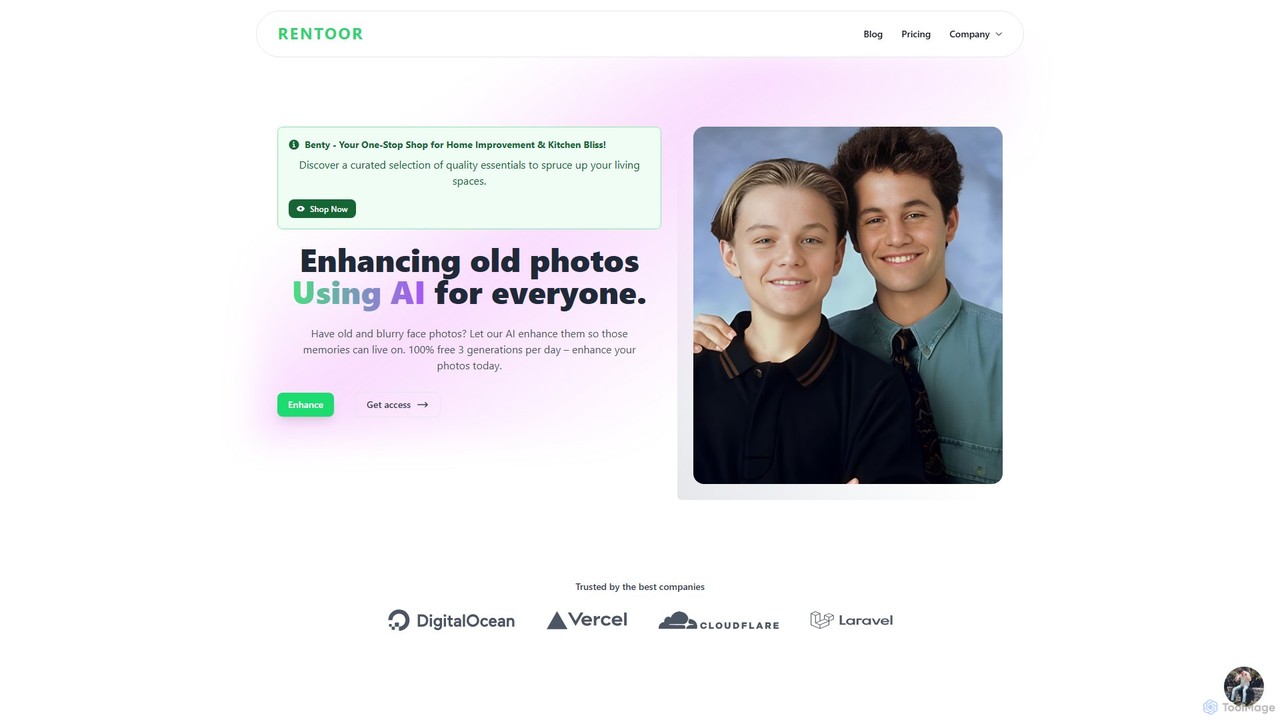
Rentoor is an AI-powered photo enhancement tool designed to restore old, blurry, and low-quality face photos. It uses advanced algorithms for super-resolution, noise reduction, and sharpening to bring clarity and life back to your cherished memories. With a generous free plan, anyone can easily enhance their photos and see the stunning results in seconds.

3D
Visits 5.3KFavorites 162Likes 176

About Memories

AI Memories tools are a class of personal applications designed to capture, organize, and interact with your life experiences in a dynamic way. They utilize artificial intelligence, particularly natural language processing (NLP) and machine learning, to analyze and connect your photos, notes, voice recordings, and other digital inputs. The primary value of these tools is transforming a static archive into a searchable, interactive personal database, allowing you to rediscover insights, preserve your legacy, and explore your personal history conversationally. They go beyond simple storage by creating meaningful connections within your data.

Core Features

  • Conversational Interface: Interact with your memories through a chat-like interface, asking questions about past events or people.
  • Semantic Search: Find information based on concepts, emotions, or themes, not just exact keywords.
  • Automatic Tagging & Organization: AI automatically categorizes and links related entries, photos, and notes to build a coherent timeline.
  • Data Synthesis: Combines various data points (e.g., a photo, a calendar event, a journal entry) to create rich, contextual narratives.
  • Digital Legacy Creation: Enables the preservation of your life story in an interactive format for future generations.

Use Cases

These tools are ideal for individuals focused on personal reflection, such as journal writers, biographers, and family historians. They are also used by professionals who need to recall vast amounts of personal interaction details, like therapists or coaches. Families use them to collaboratively build and preserve a shared history, creating a digital heirloom.

How to Choose

When selecting an AI Memories tool, first consider its privacy and security policies, as you'll be entrusting it with sensitive personal data. Evaluate the types of data it can import (text, audio, images) and the quality of its search and conversational features. Also, check the data export options to ensure you are not locked into one platform. Finally, compare pricing models, whether it's a one-time purchase or a subscription based on storage amount.

Memories use cases

1

Creating an Interactive Digital Biography

A writer or family member can use an AI Memories tool to document a person's life story. By uploading old letters, photos, and recording audio interviews, the AI organizes this content chronologically and thematically. The user can then ask specific questions like, 'What were grandpa's thoughts on moving to a new city?' The tool synthesizes information from various sources to provide a comprehensive, narrative answer, turning a collection of files into a living, interactive biography that can be explored by future generations.

2

Journaling with AI-Powered Insights

An individual who journals regularly can use an AI Memories tool to gain deeper self-understanding. As they input daily thoughts, feelings, and events, the AI identifies recurring themes, emotional patterns, and connections between different life areas. For example, the user could ask, 'When do I typically feel most productive?' The AI would analyze past entries related to work, mood, and activities to provide data-driven insights, helping the user understand their personal triggers and optimize their routines for better well-being.

3

Preserving Family History and Stories

A family can create a collaborative digital archive. Different members can contribute photos from various decades, scan old documents, and record voice notes of elders recounting family tales. The AI tool acts as a central hub, automatically organizing submissions and creating connections. A younger family member could later ask, 'Tell me the story of how our family came to this country,' and the AI would compile a narrative using the recorded stories, document dates, and photo captions, preserving the collective family memory in an accessible and engaging format.

4

Building a Personal Knowledge Base

A lifelong learner or researcher can use an AI Memories tool as a 'second brain'. They can save articles, voice memos with fleeting thoughts, and notes from books or meetings. Instead of relying on a folder structure, they can later ask complex questions like, 'What are the connections between my notes on stoicism and project management?' The AI's semantic search capabilities would surface relevant concepts from different sources and times, revealing non-obvious connections and fostering creative insights that would be difficult to find with traditional note-taking apps.

5

Augmenting Recall for Professionals

A therapist, coach, or consultant who interacts with many clients can use an AI Memories tool to privately log key details from each session. Before a follow-up meeting, they could ask, 'Summarize my last three conversations with Client X, focusing on their stated goals.' The AI would provide a concise summary, refreshing their memory on crucial details and ensuring continuity of care. This enhances their professional effectiveness by allowing them to recall specific nuances of past interactions accurately and efficiently, without manually sifting through pages of notes.

6

Creating a Digital Twin for Legacy

An individual looking to preserve their essence for future generations can create a 'digital twin'. Over years, they feed the AI tool with their journals, emails, voice recordings, and opinions on various subjects. After their passing, family members can interact with this digital representation. They could ask, 'What advice would grandma have given me about starting a business?' The AI, trained on her lifetime of data, could generate a response consistent with her personality, values, and known thought processes, offering a unique way to connect with and learn from a loved one's wisdom.

Memories FAQ

What are AI Memories tools?

AI Memories tools are specialized software applications that use artificial intelligence to help you capture, organize, and interact with your personal memories and knowledge. Unlike simple note-taking or storage apps, they actively analyze your input (text, photos, voice) to find connections, identify themes, and create a searchable, conversational database of your life. The core purpose is to turn a passive archive into an active resource for reflection, discovery, and preservation.

How do I choose the right AI Memories tool?

Choosing the right tool depends on your primary goal. Consider these factors:

  • Privacy & Security: Since the data is highly personal, check for end-to-end encryption and clear data ownership policies.
  • Data Import/Export: Ensure the tool supports the formats you use (e.g., photos, audio, text files) and allows you to export your data easily.
  • User Interface: Is it easy to add new memories? Is the conversational or search interface intuitive for you?
  • AI Capabilities: Does the tool excel at finding connections, summarizing content, or providing insights? Some tools are better for journaling, others for creating a digital legacy.
  • Cost: Compare subscription fees or one-time costs against the features and storage offered.
What's the difference between an AI Memories tool and cloud storage?

The key difference is active processing versus passive storage. Cloud storage services (like Google Drive or Dropbox) are like digital filing cabinets; they store your files exactly as you upload them. An AI Memories tool is like a personal librarian or archivist; it ingests your files, reads and understands them, organizes them automatically based on content, and allows you to interact with the information within them in new ways, such as through conversation or semantic search.

Is my data safe with AI Memories tools?

Security is a critical consideration for these tools. Reputable providers use strong security measures, such as end-to-end encryption, which means even the service provider cannot access your raw data. However, the responsibility is shared. Always choose services with transparent privacy policies that clearly state you own your data. Use strong, unique passwords and enable two-factor authentication where available. It's also wise to choose a service that allows you to export your data, giving you ultimate control.

Who can benefit from using AI Memories tools?

A wide range of people can benefit. This includes:

  • Journalists and Writers: For self-reflection and identifying patterns in their thoughts and lives.
  • Family Historians: To create a collaborative, interactive archive of family stories and media.
  • Lifelong Learners: To build a 'second brain' that connects ideas from various sources.
  • Professionals: Such as coaches, therapists, or consultants, to maintain detailed and easily searchable records of client interactions.
  • Anyone interested in legacy: To preserve their life story, wisdom, and personality for future generations to interact with.