ToolMage
Sign in

Best 1 Video Personalization AI tools for Personalization

Popular Video Personalization AI tools in Personalization include Personaliz, helping you work more efficiently.

Personaliz
Freemium

Personaliz

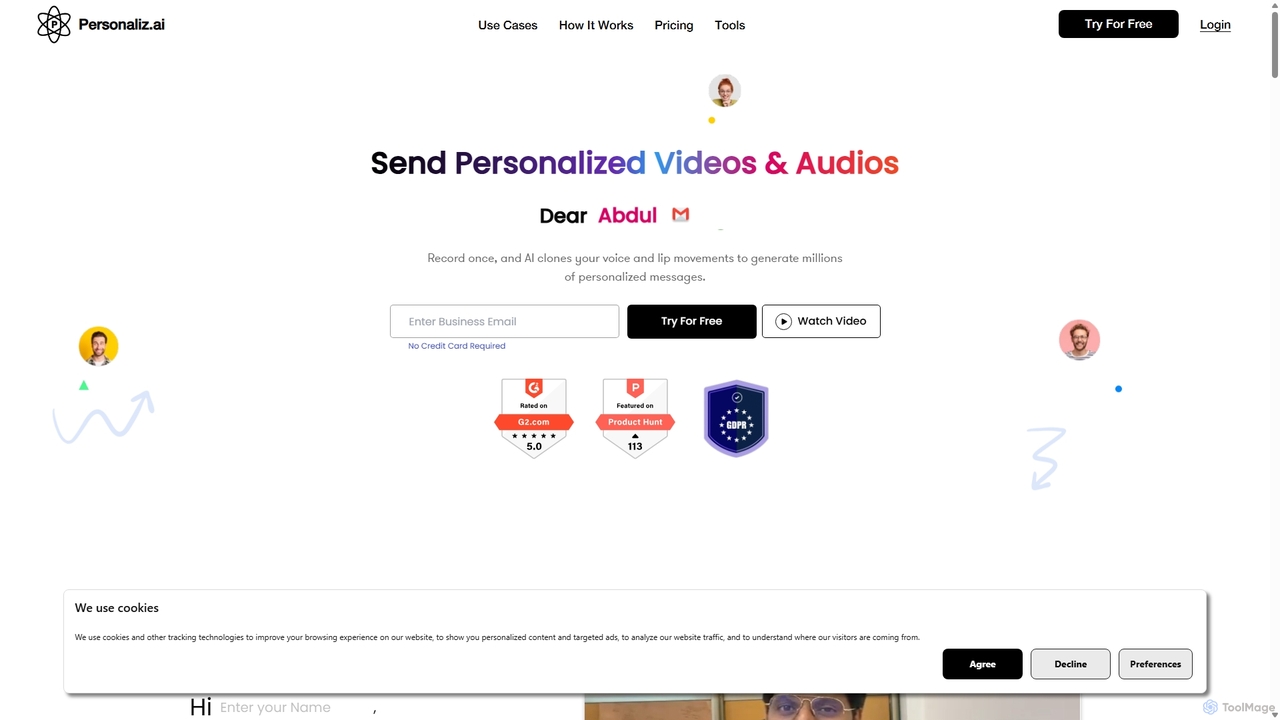
Personaliz is an AI-powered platform that enables businesses to create and send millions of personalized videos and audios at scale. By cloning your voice and lip movements, it dynamically inserts recipient names into a single recording, making outreach for sales, marketing, and recruitment highly engaging and effective.

Customer Engagement
Visits 5.1KFavorites 126Likes 128

About Video Personalization

Video Personalization tools are a specialized category of AI software that dynamically generates unique video content for each individual viewer. By integrating with data sources like CRMs, these tools automatically insert personal details such as names, company logos, or user-specific data into a video template. This creates a highly relevant, one-to-one communication experience at scale, significantly boosting engagement and conversion rates compared to generic videos. It represents a targeted application of personalization technology specifically for video media.

Core Features

  • Dynamic Data Integration: Connects with CRMs, marketing platforms, and databases to pull viewer-specific data for personalization.
  • Template-Based Editor: Allows users to create a master video template and define placeholders for dynamic content.
  • Real-Time Rendering Engine: Generates and delivers personalized videos on-the-fly as they are requested by an individual.
  • Scalable Video Generation: Capable of producing thousands or millions of unique video variations from a single template.
  • Engagement Analytics: Tracks metrics like view rates, click-through rates, and conversions for each personalized video campaign.

Use Cases

These tools are widely used in marketing, sales, and customer service. For example, sales teams use them for personalized outreach to prospects, e-commerce businesses send abandoned cart recovery videos featuring the specific products, and SaaS companies create dynamic onboarding tutorials that address users by name.

How to Choose

When selecting a Video Personalization tool, consider its integration capabilities with your existing tech stack (e.g., Salesforce, HubSpot). Evaluate the usability of its template editor, its rendering speed and scalability for large campaigns, the depth of its analytics, and the pricing model (per-video vs. subscription-based).

Featured tool rankings

Video Personalization use cases

1

Personalized Sales Outreach Videos

A B2B sales development representative (SDR) needs to break through the noise of standard email outreach. Using a video personalization tool integrated with their CRM, they create a video template. For each prospect, the tool automatically inserts the prospect's first name, company name onto a virtual whiteboard in the video, and even mentions their industry. The SDR can then send a unique, engaging video to hundreds of prospects, leading to significantly higher open rates and meeting bookings compared to text-only emails.

2

E-commerce Abandoned Cart Recovery

An online fashion retailer wants to reduce its high cart abandonment rate. They set up an automated workflow using a video personalization platform connected to their e-commerce system. When a customer abandons a cart, the system automatically generates a video featuring the exact items left behind. The video starts with a greeting using the customer's name and offers a time-sensitive discount code displayed dynamically. This hyper-personalized reminder is far more effective than a standard email, leading to a measurable increase in recovered sales.

3

Dynamic Customer Onboarding and Training

A SaaS company aims to improve user activation during the trial period. Instead of a generic welcome video, they use a personalization tool to create a unique onboarding experience. The video greets the new user by name, shows their specific account type, and dynamically highlights the top three features relevant to their stated goals from the sign-up form. This tailored guidance helps users see the product's value faster, reducing churn and increasing the likelihood of converting to a paid plan.

4

Personalized Event Invitations and Reminders

An event marketing team for a large tech conference wants to boost registration numbers. They use a video personalization tool to send out invitations. Each video features the recipient's name and company, and dynamically shows a list of conference sessions most relevant to their job title (e.g., 'Sessions for CTOs'). As the event nears, personalized reminder videos are sent, highlighting the specific sessions the person registered for. This targeted approach makes the event feel more relevant to each individual, driving higher registration and attendance rates.

5

Automated Customer Support and FAQ Videos

A customer support team is overwhelmed with repetitive queries. They implement a video personalization system linked to their helpdesk. When a user submits a ticket, the system identifies the issue category and generates a personalized video response. The video addresses the customer by name, confirms their ticket number, and provides a step-by-step visual guide to solving their specific problem. This reduces agent workload, provides instant, clear solutions to customers, and improves overall customer satisfaction scores.

6

Large-Scale Personalized Loyalty Program Updates

A national retail chain wants to re-engage members of its loyalty program. Instead of a generic monthly statement email, they send a personalized video summary to each of their millions of members. The video, generated at scale, greets the member by name, visually displays their current points balance, shows products they might like based on past purchases, and highlights personalized offers just for them. This dynamic, visually appealing format captures attention better than text, strengthening customer loyalty and driving repeat purchases.

Video Personalization FAQ

What is AI Video Personalization?

AI Video Personalization is the use of artificial intelligence to automatically create and distribute unique versions of a video tailored to each individual viewer. These tools connect to data sources (like a CRM) to pull personal information such as a name, company, or location, and dynamically insert it into a video template. The primary goal is to move from one-to-many video communication to a scalable one-to-one model, significantly increasing relevance and viewer engagement.

How does Video Personalization differ from regular video marketing?

The key difference lies in the audience scale and content variability. Regular video marketing uses a single, static video for a broad audience (one-to-many). Video Personalization creates a unique video for each individual viewer (one-to-one) by dynamically inserting data. This results in a message that feels personal and highly relevant, which typically leads to much higher engagement, click-through rates, and conversions than a generic video could achieve.

How to choose the right Video Personalization tool?

When selecting a tool, consider these key factors:

  • Integration: Does it connect seamlessly with your essential data sources, like your CRM, marketing automation platform, or e-commerce system?
  • Scalability: Can the tool handle the volume of videos you need to generate, from hundreds for a sales campaign to millions for a loyalty program?
  • Template Editor: How intuitive and flexible is the video editor? Can your team easily create and modify templates without extensive training?
  • Analytics: Does it provide detailed analytics on viewer engagement to help you measure ROI and optimize future campaigns?
  • Pricing Model: Understand the cost structure. Is it based on the number of videos generated, the number of views, or a flat subscription fee?
What kind of data is needed for Video Personalization?

Video personalization can leverage almost any data point you have about a viewer. Common data types include:

  • Contact Information: First name, last name, job title, company name.
  • Demographic Data: Location (city, country), language.
  • Behavioral Data: Products viewed, items in cart, last login date, pages visited.
  • Firmographic Data: Company size, industry, revenue.
  • Custom Data: Loyalty points balance, specific support ticket issues, or any other data stored in your CRM or database.

The more relevant data you can provide, the more personalized and effective the video will be.

Is Video Personalization difficult to implement?

While it was once a complex and code-intensive process, modern AI-powered video personalization platforms have made it much more accessible. Most tools offer user-friendly, drag-and-drop template editors and pre-built integrations with popular CRMs and marketing platforms. The primary challenge is often not technical, but strategic: ensuring you have clean, reliable data and a clear plan for how to use that data to create a meaningful, personalized experience for your audience.