Prototyping Best in category 1 results Ui AI Tool

Popular AI tools in the Ui field of Prototyping include Sleek, etc., helping you quickly improve efficiency.

Sleek

Sleek

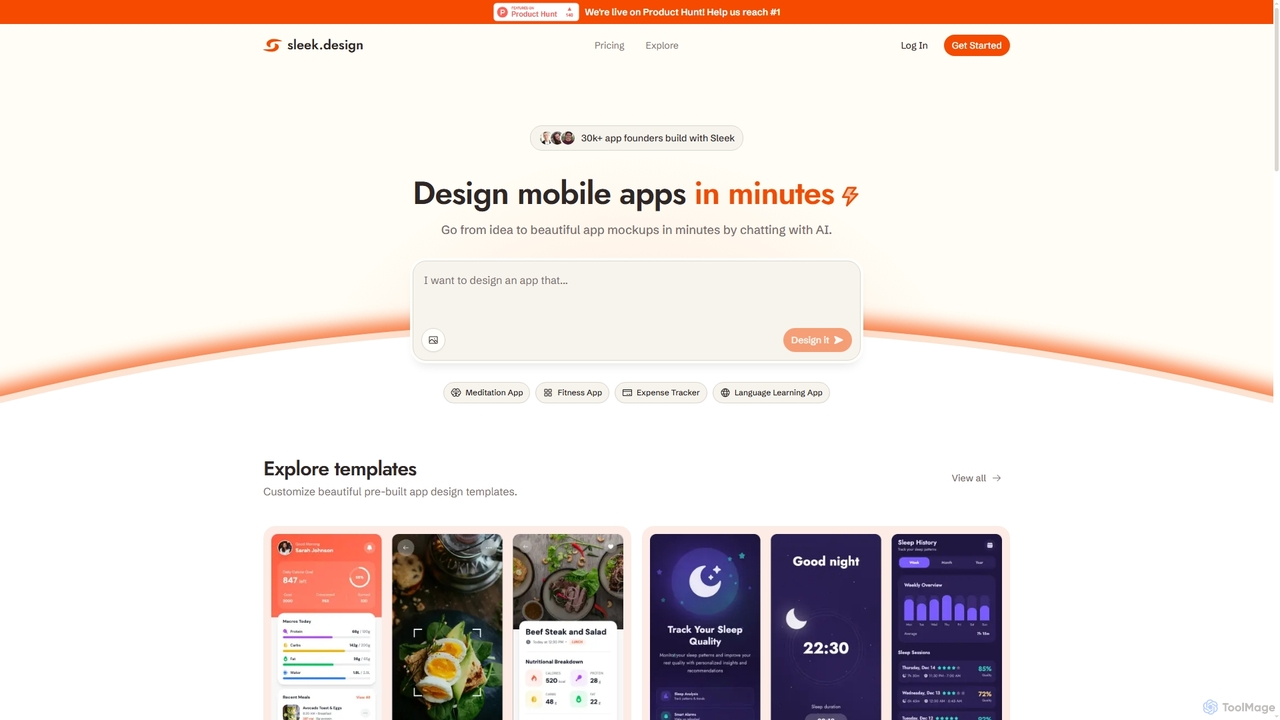
Sleek is an AI-powered mobile app designer that enables founders and entrepreneurs to create professional app mockups in …

198.4K

About Ui

AI Ui tools are AI-powered platforms designed to assist in the creation, optimization, and iteration of user interfaces, forming a critical part of the broader prototyping workflow. Leveraging advanced machine learning algorithms, these tools can generate design elements, suggest layouts, and even automate parts of the UI design process, significantly streamlining the initial stages of product development. They empower designers to rapidly visualize concepts, maintain design consistency, and enhance user experience, accelerating the journey from idea to interactive prototype.

Core Features

  • AI-Powered Layout Generation: Automatically generates diverse UI layouts and screen designs based on textual descriptions or data inputs.
  • Design System Integration: Helps maintain brand consistency by generating UI components that adhere to existing design systems and style guides.
  • User Flow Automation: Assists in mapping out user journeys and generating corresponding UI screens to visualize interaction flows.
  • Accessibility Analysis: Provides AI-driven insights and suggestions to ensure UI designs meet accessibility standards.
  • Component Library Creation: Automatically creates and organizes reusable UI components, accelerating design and development handoff.

Applicable Scenarios

UI/UX designers utilize these tools to accelerate concept visualization and iteration, especially when working on new features or products within the prototyping phase. Product managers can quickly generate mockups to communicate ideas to stakeholders, while front-end developers benefit from AI-generated design specifications for faster implementation. Startups can rapidly prototype entire applications, reducing time-to-market for their initial offerings.

How to Choose

When selecting an AI Ui tool, consider its integration capabilities with your existing design software (e.g., Figma, Sketch). Evaluate the flexibility and customization options for AI-generated designs, ensuring they align with your brand's aesthetic. Assess the learning curve and user-friendliness, as well as the pricing model and community support. Finally, prioritize tools that offer robust collaboration features for team-based projects.

UiUse Cases

1

Rapidly Generating Mobile App Screens

A mobile app designer needs to quickly prototype a new feature with multiple screens. Using an AI UI tool, they input a brief description of the feature and desired user flow. The tool then generates a series of initial screen layouts and UI elements, allowing the designer to iterate on these AI-generated foundations rather than starting from scratch, saving hours of manual design time during the prototyping phase.

2

Automating Design System Component Creation

A large enterprise with an established design system wants to expand its component library. A UI/UX team uses an AI UI tool to analyze their existing style guide and automatically generate new, consistent UI components (buttons, cards, forms) that adhere to the brand's visual language, ensuring scalability and reducing manual component creation effort within their prototyping and development cycles.

3

Visualizing Website Redesign Concepts

A marketing agency is pitching a website redesign to a client. Instead of spending days on static mockups, they use an AI UI tool to generate several distinct website layout concepts based on the client's industry and target audience. This allows for quick visual exploration and client feedback, accelerating the initial design phase of the prototyping process and ensuring alignment early on.

4

Creating Accessible UI Variations

A product team is focused on improving the accessibility of their application. They use an AI UI tool to analyze existing screens and automatically suggest or generate alternative UI elements and color palettes that meet WCAG standards, such as higher contrast ratios or larger font sizes, ensuring a more inclusive user experience during the prototyping and testing phases.

5

Streamlining User Flow Prototyping

A UX researcher needs to test a new user onboarding flow. They define the steps and desired interactions within an AI UI tool. The tool then generates a sequence of interconnected UI screens, complete with basic navigation, allowing the researcher to quickly create an interactive prototype for user testing without extensive manual design work, significantly speeding up the prototyping process.

6

Generating A/B Test UI Variations

An e-commerce team wants to A/B test different call-to-action button designs and placements on their product pages. They leverage an AI UI tool to quickly generate multiple variations of these UI elements, allowing them to rapidly deploy and test different designs to optimize conversion rates without significant development overhead, directly impacting their prototyping and optimization efforts.

UiFrequently Asked Questions