
ToolMage
Sign in

Best 1 Website Builder AI tools for Prototyping

Popular Website Builder AI tools in Prototyping include Gignite, helping you work more efficiently.

Gignite
Freemium

Gignite

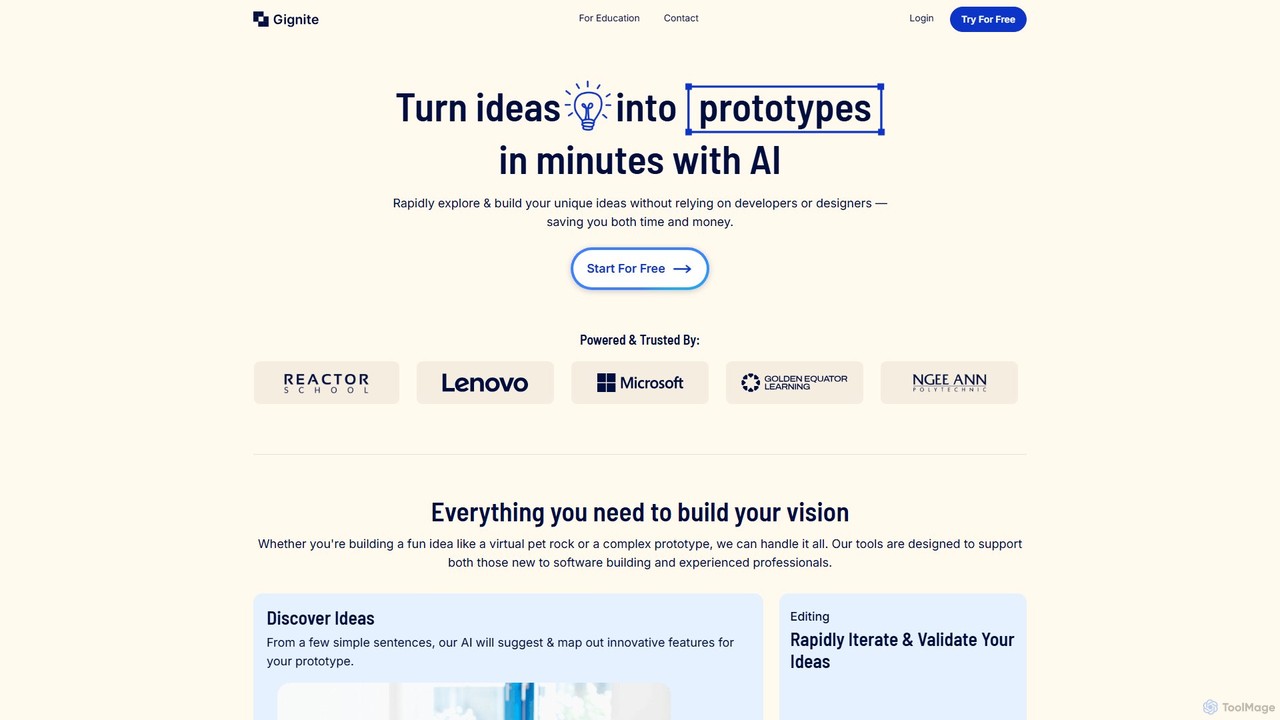
Gignite is an AI-powered platform that transforms your ideas into functional web prototypes in minutes. Designed for non-technical users, it allows anyone to build, share, and validate concepts without writing a single line of code, saving significant time and resources.

Low Code
Visits 7.4KFavorites 160Likes 165

About Website Builder

AI Website Builders are tools that use artificial intelligence to automate and simplify the creation of fully functional websites. They leverage generative AI to produce layouts, write copy, and select images from simple text prompts, significantly reducing manual design and coding work. This enables entrepreneurs, small businesses, and individuals without technical skills to launch professional websites quickly. Unlike traditional template-based builders, AI-powered versions can generate unique designs from scratch, offering a more customized starting point.

Core Features

  • AI-Powered Design Generation: Creates unique layouts, color schemes, and font pairings based on user descriptions.
  • Automated Content Creation: Generates relevant text for headlines and paragraphs, and suggests suitable stock images.
  • Responsive Layout Adaptation: Automatically ensures the website looks and functions well on desktops, tablets, and mobile devices.
  • No-Code Customization: Provides an intuitive drag-and-drop editor for modifying the AI-generated design without writing code.

Applicable Scenarios

These tools are ideal for small business owners, freelancers, and artists needing a professional online presence without a large budget or technical expertise. They are also frequently used by marketers to rapidly create and deploy landing pages for specific campaigns, enabling faster testing and iteration.

Selection Criteria

When choosing an AI Website Builder, evaluate the quality and flexibility of its AI design and content generation. Assess the level of manual customization available after the initial build. Also, consider its integration capabilities with essential tools like analytics or e-commerce platforms, and review the included hosting services and scalability options for future growth.

Website Builder use cases

1

Launching a Small Business Website

A local bakery owner needs an online presence to showcase products, list hours, and provide contact information. Using an AI website builder, they input a prompt like 'cozy local bakery in Brooklyn specializing in sourdough bread.' The AI generates a complete site with a suitable theme, sample product descriptions, and a contact form. The owner then customizes the site by replacing placeholder images with their own photos and refining the text. The result is a professional, mobile-friendly website launched in under a day, without the cost of hiring a developer.

2

Creating a Professional Portfolio for a Freelancer

A freelance graphic designer wants to build a visually appealing online portfolio to attract clients. They prompt the AI with 'minimalist portfolio for a graphic designer focusing on branding.' The tool generates several layout options. The designer selects one, uploads their work into the pre-built gallery sections, and uses AI-generated copy as a starting point for their 'About Me' page. This process allows for the creation of a polished, mobile-responsive portfolio in a few hours, effectively showcasing their skills and projects to potential clients.

3

Building a High-Converting Landing Page

A marketing manager needs to quickly create a landing page for a new webinar campaign. They enter the campaign details into the AI builder, such as 'landing page for a webinar on AI in marketing.' The AI generates a layout optimized for conversions, including a clear call-to-action button, a registration form, a section for speaker bios, and persuasive copy. The manager can then tweak the design and content as needed. This approach significantly speeds up the process, allowing the campaign to start collecting sign-ups almost immediately.

4

Setting Up a Simple E-commerce Store

An artist wants to sell prints online directly to customers. They choose an AI website builder with integrated e-commerce features. The AI generates a storefront layout, product page templates, and a shopping cart flow based on a prompt like 'online art store for minimalist prints.' The artist then uploads product images, sets prices, and connects a payment gateway through the builder's interface. This allows them to establish a functional e-commerce site quickly, avoiding the complexity of dedicated e-commerce platforms for a small-scale operation.

5

Developing a Blog for a Content Creator

A food blogger wants to start a blog with an aesthetic design and an easy-to-manage posting system. They use an AI builder to generate a blog layout optimized for readability and visual appeal, based on a prompt like 'modern and clean food blog.' The AI suggests categories like 'Recipes' and 'Reviews.' The blogger then uses the integrated content management system (CMS) to write and publish articles. The AI can also assist by generating catchy titles or meta descriptions, streamlining the content creation workflow.

6

Prototyping a Web Application Idea

An entrepreneur needs to create a clickable, functional prototype to demonstrate a web app concept to investors. Instead of using a dedicated prototyping tool for a static mockup, they use an AI website builder to quickly assemble the user interface. They describe each screen, such as 'user dashboard with charts' or 'settings page,' and the AI generates the layouts. By linking these pages together, they simulate the user flow, creating a high-fidelity, interactive prototype that effectively communicates the product vision as a live webpage.

Website Builder FAQ

What is an AI Website Builder?

An AI Website Builder is a tool that uses artificial intelligence to automate much of the website creation process. Instead of selecting a pre-made template, you provide text prompts describing your business or project. The AI then generates a unique website layout, suggests relevant copy and images, and structures the navigation. This provides a custom starting point that you can then refine using a no-code editor, significantly speeding up the initial design and setup phase.

How does an AI Website Builder differ from a traditional one?

The main difference lies in the starting process. Traditional builders (like classic Wix or Squarespace) start with a library of pre-made templates that you choose and manually populate. An AI builder starts with your ideas. You describe what you want, and the AI generates a bespoke design and content foundation for you. This can lead to more unique designs and a faster initial setup. However, many traditional builders are now incorporating AI features, blurring the lines between the two categories.

Who should use an AI Website Builder?

AI Website Builders are particularly well-suited for:

  • Small Business Owners: Who need a professional website quickly without a large budget.
  • Freelancers and Creatives: To create online portfolios and personal branding sites with minimal effort.
  • Entrepreneurs: For rapidly building landing pages or minimum viable product (MVP) sites to test ideas.
  • Users with No Coding Skills: Anyone who finds traditional website builders intimidating can benefit from the guided, automated process.

They are ideal for projects that prioritize speed and ease of use over complex, highly customized functionality.

Can I fully customize a website created by an AI?

Yes. After the AI generates the initial website, you are given access to a no-code editor, typically with drag-and-drop functionality. This allows you to have full control over the final product. You can change layouts, swap images, rewrite text, adjust colors and fonts, and add or remove entire sections. The AI's role is to provide a strong, personalized foundation, saving you time on the initial setup, but you retain complete creative control to make the site truly your own.

How does a Website Builder relate to Prototyping tools?

A Website Builder can be seen as a type of high-fidelity prototyping tool. While dedicated prototyping tools like Figma focus on creating visual mockups and user flows that are not live websites, a website builder creates a fully functional, live webpage. This makes it an excellent tool for prototyping when the goal is to produce a clickable, interactive model that can be shared via a URL and experienced in a real browser. It bridges the gap between a static design concept and a live product, serving as both a prototype and potentially the final version.