Pathmode
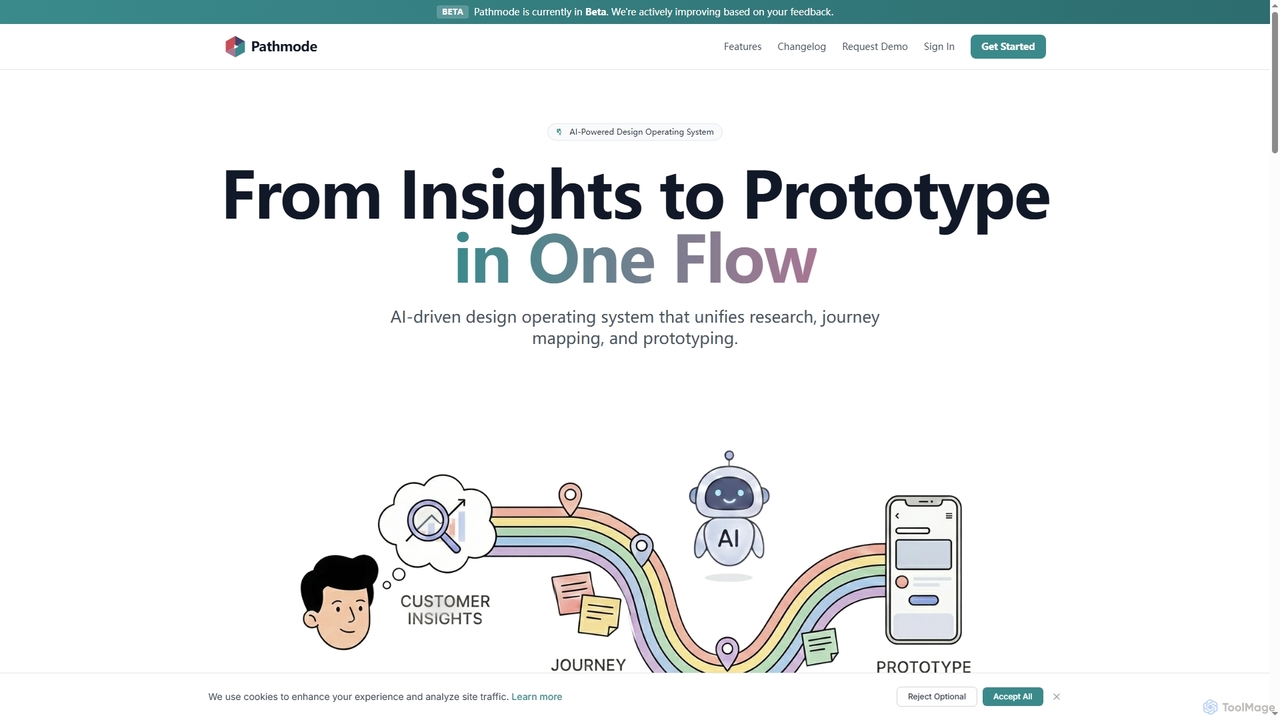
Pathmode is an AI-powered design operating system that unifies user research, automated journey mapping, and prototype specification into …
Pathmode is an AI-powered design operating system that unifies user research, automated journey mapping, and prototype specification into a single, seamless workflow. It transforms raw insights into actionable UI design specifications, eliminating manual handoffs and driving efficient product execution.
MasterGo
MasterGo is an AI-powered, all-in-one collaborative UI/UX design platform. It streamlines the entire workflow from prototyping and interface …
MasterGo is an AI-powered, all-in-one collaborative UI/UX design platform. It streamlines the entire workflow from prototyping and interface design to developer handoff. Built for real-time collaboration, it helps teams create, iterate, and manage digital products efficiently with features like design systems, AI-assisted generation, and enterprise-level security.
About Wireframing
AI Wireframing tools are a category of AI-powered software designed to automate and accelerate the creation of low-fidelity visual representations of user interfaces. These tools leverage artificial intelligence to generate basic layouts, structure content, and define user flows, focusing on functionality rather than aesthetics. They enable designers, product managers, and developers to quickly visualize concepts, gather early feedback, and iterate on structural designs before investing in high-fidelity prototyping.
Core Features
- Automated Layout Generation: AI suggests and creates initial page layouts based on content, user stories, or design patterns.
- Sketch-to-Wireframe Conversion: Transforms hand-drawn sketches or whiteboard drawings into digital wireframes.
- Content Placeholder Generation: Automatically populates wireframes with relevant placeholder text, images, and data.
- Component Library Suggestions: Recommends UI components and patterns for common design elements.
- Consistency Checking: Identifies and suggests corrections for inconsistencies in layout and element placement across multiple screens.
Applicable Scenarios
AI Wireframing tools are invaluable for UX/UI designers needing rapid iteration, product managers validating new features, and development teams seeking clear structural blueprints. They streamline the initial design phase, allowing for quick conceptualization and stakeholder alignment on core functionality and information architecture.
How to Choose
When selecting an AI Wireframing tool, consider its AI capabilities for automation, integration with existing design and prototyping software, the flexibility of its component libraries, collaboration features for team feedback, and the range of export options. Evaluate its learning curve and how well it supports your specific workflow for generating and refining low-fidelity designs.

WireframingUse Cases
Rapidly Iterate New Feature Concepts
A product manager needs to explore multiple layout options for a new dashboard feature. Using an AI wireframing tool, they can input feature requirements or user stories, and the AI generates several distinct wireframe variations within minutes. This allows for quick comparison, stakeholder review, and efficient iteration on the core structure without manual drawing, significantly accelerating the initial design exploration phase.
Digitize Hand-Drawn UI Sketches
A UX designer often brainstorms ideas by sketching interfaces on paper or whiteboards. With an AI wireframing tool, they can simply take a photo of their sketch. The AI then interprets the drawing, recognizing elements like buttons, input fields, and navigation, and converts it into a clean, editable digital wireframe. This bridges the gap between analog ideation and digital design, saving hours of manual recreation.
Create Wireframes from Text Requirements
A business analyst has detailed user stories and functional requirements in a document. Instead of manually translating these into visuals, they can feed the text directly into an AI wireframing tool. The AI processes the natural language, identifies key components and flows, and generates a preliminary set of wireframes, providing a visual interpretation of the written specifications for early validation with stakeholders.
Standardize Application UI Layouts
For large applications with many screens, maintaining consistent UI layouts is crucial. A design team can use an AI wireframing tool to define a set of core layout rules or patterns. The AI then applies these rules across all new or existing wireframes, ensuring uniformity in header, footer, navigation, and content areas. This prevents design drift and maintains a cohesive user experience throughout the product.
Automate Responsive Design Wireframes
Designers need to ensure their interfaces work well across various devices (desktop, tablet, mobile). An AI wireframing tool can take a single desktop wireframe and automatically generate responsive versions for different screen sizes. The AI intelligently rearranges elements and adjusts layouts to fit smaller viewports, saving significant time compared to manually creating multiple device-specific wireframes.
Visualize User Flows for Presentations
A product owner needs to present a new user journey to stakeholders. Using an AI wireframing tool, they can quickly assemble a series of interconnected wireframes that illustrate the steps a user takes to complete a task. The AI can help suggest common flow patterns and ensure logical transitions, enabling a clear and concise visual explanation of the user experience during early-stage presentations.