
ToolMage
Sign in

Best 1 Presentation Generation AI tools for Sales

Popular Presentation Generation AI tools in Sales include Korl, helping you work more efficiently.

Korl

Korl

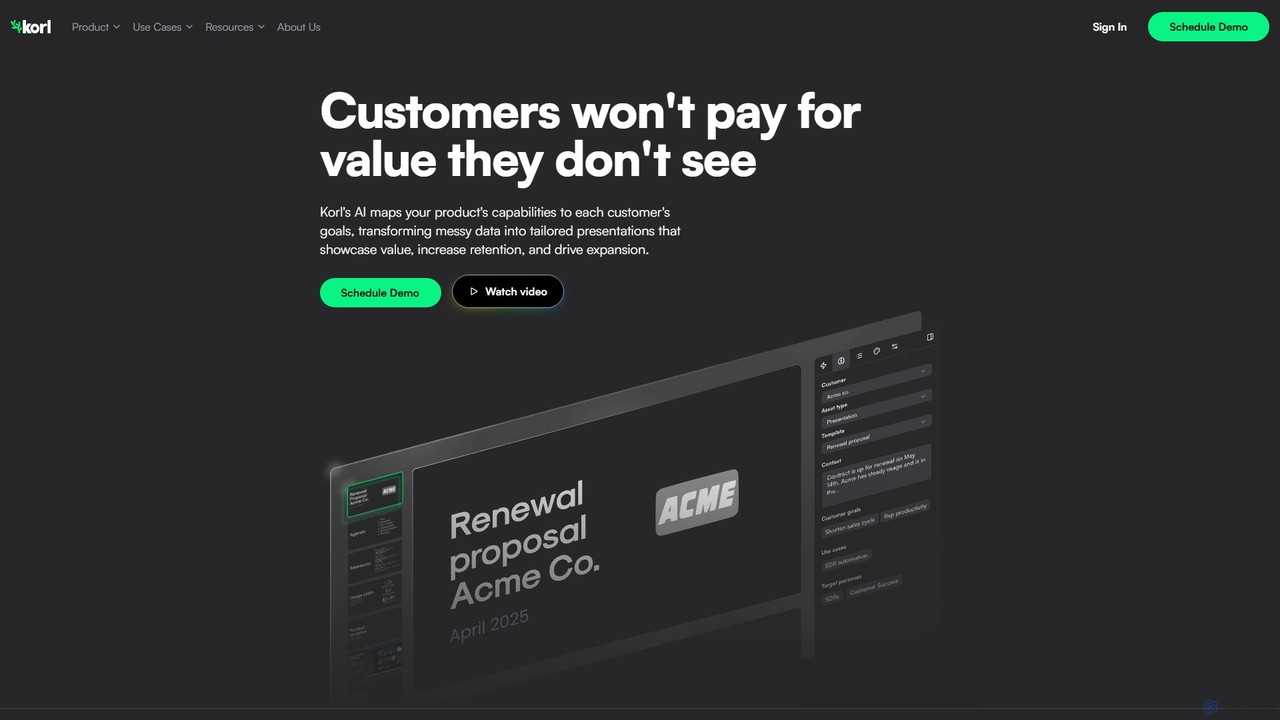
Korl is an AI-powered platform that automatically generates customer-specific presentations for Quarterly Business Reviews (QBRs) and renewals. By integrating with your existing data sources like Salesforce and Jira, Korl maps your product's value to each customer's unique goals, helping to increase retention and drive expansion.

Retention Management
Visits 8.7KFavorites 152Likes 129

About Presentation Generation

Presentation Generation tools are AI-powered applications that automatically create complete slide decks from a simple text prompt or document. They leverage large language models and design algorithms to generate structured content, select relevant visuals, and apply professional layouts. This dramatically speeds up the creation process for sales pitches, marketing reports, and educational materials, allowing users to focus on refining the message rather than designing slides from scratch.

Core Features

  • Prompt-to-Deck Creation: Generates a full presentation, including text and visuals, from a single topic or detailed outline.
  • Automated Design & Layout: Intelligently selects fonts, color palettes, and slide layouts for a cohesive and professional look.
  • AI-Powered Content Writing: Drafts slide titles, bullet points, and even speaker notes based on the initial input.
  • Visual Asset Integration: Automatically searches for and inserts relevant stock images, icons, and charts to enhance slides.
  • Brand Customization: Allows users to apply custom brand kits, including logos, colors, and fonts, to ensure consistency.

Use Cases

These tools are widely used by sales teams to quickly customize pitches for different clients, marketers creating weekly performance reports, and educators developing lecture materials. Consultants and startup founders also use them to rapidly produce compelling presentations for stakeholders and investors, significantly reducing preparation time.

How to Choose

When selecting a tool, consider the quality of the AI-generated content and design, and the range of available templates. Evaluate its integration capabilities with platforms like PowerPoint or Google Slides, the level of customization offered, and whether the pricing model (e.g., per-presentation or subscription) aligns with your usage frequency.

Presentation Generation use cases

1

Rapid Sales Pitch Customization

A sales executive needs to create a tailored pitch for a new client in under an hour. They input the client's industry, pain points, and the proposed solution into an AI presentation generator. The tool instantly creates a 15-slide deck with relevant industry statistics, appropriate visuals, and a logical flow from problem to solution. This process saves hours of manual research and design, allowing the executive to prepare for the meeting with a professional, client-specific presentation.

2

Generating Weekly Marketing Reports

A marketing manager uses an AI tool to automate their weekly performance report. By uploading a raw data summary or a brief text outline of key achievements, the tool generates a presentation with key metrics visualized in charts, trend analysis summarized in bullet points, and a professional layout. This transforms a time-consuming weekly task into a streamlined process, producing a consistent and data-driven report ready for the team meeting in minutes.

3

Developing Educational Lecture Materials

A university professor or corporate trainer needs to develop a new course module. They provide the AI generator with the lecture topic and key learning objectives. The tool structures the content into a logical sequence of slides, suggests relevant diagrams or historical images, and even generates summary points for each section. This allows the educator to focus on adding deep insights and interactive elements rather than spending hours on basic slide creation and formatting.

4

Drafting Investor Pitch Decks

A startup founder needs to create a compelling pitch deck for a funding round. Using an AI presentation tool, they input their business plan outline. The AI generates a standard 10-slide investor deck structure (Problem, Solution, Market Size, etc.), populates it with concise text based on the input, and suggests professional visuals. This provides a strong, structured first draft, allowing the founder to focus their time on refining the narrative and financial projections rather than on basic design.

5

Producing Conference and Webinar Slides

A subject matter expert is invited to speak at a conference. They provide the AI tool with their speech abstract or a detailed outline. The tool generates a visually engaging presentation that supports their key talking points, complete with high-quality images and a consistent design theme. This ensures a professional delivery and allows the expert to focus on rehearsing their speech, confident that their visual aids are clear, compelling, and well-designed.

6

Internal Project Proposal Presentations

A project manager needs to present a new project proposal to internal stakeholders for approval. They input the project goals, timeline, and budget into the AI generator. The tool creates a clear, structured presentation that outlines the project's value proposition, key milestones, and resource requirements. This facilitates effective communication and faster decision-making by presenting complex information in an easily digestible, professional format, ensuring all stakeholders are aligned.

Presentation Generation FAQ

What is AI Presentation Generation?

AI Presentation Generation refers to tools that use artificial intelligence to automatically create complete slide decks. Users provide a text prompt, document, or outline, and the AI generates structured content, designs layouts, and adds relevant visuals. This transforms ideas into polished presentations in minutes, significantly reducing the manual effort required in traditional presentation software.

How to choose the right AI presentation generator?

When selecting a tool, consider these key factors:

  • Content & Design Quality: Assess if the AI generates accurate, coherent text and visually appealing, relevant designs.
  • Customization & Control: Check how much you can edit the generated content, layouts, colors, and fonts to match your brand or style.
  • Input Flexibility: Determine if the tool accepts various inputs like simple prompts, detailed outlines, documents, or even URLs.
  • Export & Integration: Ensure it can export to common formats like PPTX or PDF and integrates with platforms like Google Slides if needed.
AI Presentation Generation vs. Traditional Presentation Software?

The key difference lies in the creation process. Traditional software like PowerPoint or Keynote provides a blank canvas and tools for manual creation; you are responsible for writing all content and designing every slide. AI Presentation Generators automate this initial creation. You provide a topic or outline, and the AI builds the entire first draft—including text, layout, and images. AI tools are for rapid generation and idea structuring, while traditional tools offer granular control for detailed refinement.

What are the key features of AI presentation tools?

Core features typically include prompt-based slide creation, automated layout and theme selection, and AI-powered text generation for titles and bullet points. Many also offer automatic integration of stock images and icons relevant to the content. More advanced tools can generate charts from data, apply custom brand kits for consistent styling, and even suggest speaker notes for each slide.

Who can benefit from using AI Presentation Generation tools?

A wide range of professionals can benefit. This includes sales teams creating client pitches, marketers developing reports, educators preparing lectures, and consultants building proposals. Startup founders crafting investor decks and project managers presenting internal updates also find these tools valuable. Essentially, anyone who needs to create presentations quickly without extensive design skills can significantly improve their workflow.