ToolMage
Sign in

Best 2 Presentation AI tools for Sales

Popular Presentation AI tools in Sales include Slidecast and myrealestatelisting, helping you work more efficiently.

myrealestatelisting
Freemium

myrealestatelisting

An AI-powered platform that enables real estate agents and professionals to create stunning, professional property brochures in PDF format within minutes. Simply answer a few questions, upload photos, and the AI generates compelling descriptions and a polished, multi-page brochure ready for clients, print, or email campaigns.

Listing Description
Visits 12KFavorites 179Likes 175
Slidecast
Freemium

Slidecast

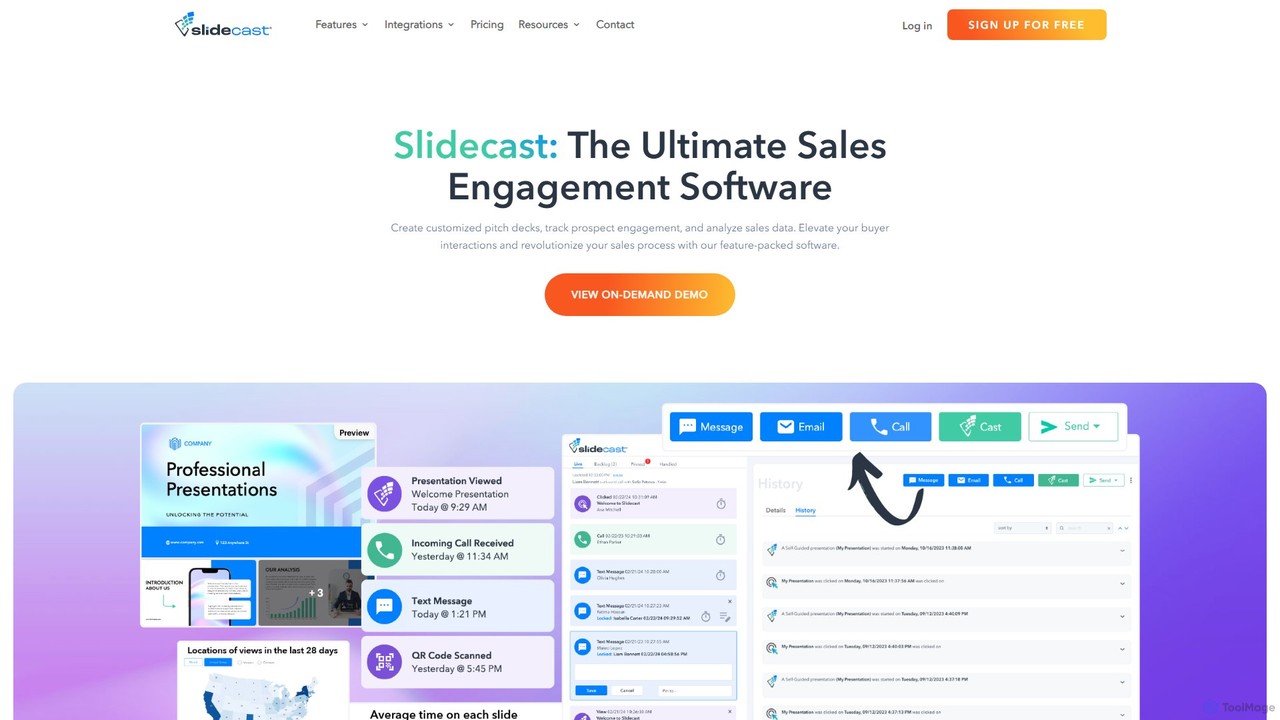
A comprehensive sales engagement platform that allows users to create, share, track, and analyze interactive presentations. It features AI-powered tools for presentation and audio generation, real-time prospect engagement, and deep analytics to enhance the sales process and improve buyer interactions.

Lead Generation
Visits 15.1KFavorites 154Likes 163

About Presentation

AI Presentation tools are a class of software that automates and enhances the creation of compelling presentations, particularly within a sales context. Leveraging generative AI and design algorithms, these tools transform text prompts, data, or documents into visually structured and professionally designed slides. They are essential for sales teams to rapidly produce customized, data-driven pitches and reports, significantly reducing manual preparation time. Many tools also offer advanced features like content personalization and engagement analytics to improve delivery effectiveness.

Core Features

  • AI-Powered Slide Generation: Instantly creates complete presentations from a simple text prompt, outline, or existing document.
  • Automated Design & Branding: Automatically applies consistent company branding, color schemes, and fonts, suggesting optimal layouts for clarity.
  • Dynamic Data Visualization: Connects to data sources like CRMs or spreadsheets to generate interactive charts and graphs automatically.
  • Content Personalization Engine: Tailors messaging, examples, and data points within a presentation for specific audiences or clients.
  • Engagement Analytics: Tracks how viewers interact with a presentation, providing insights on slide views, time spent, and engagement hotspots.

Use Cases

These tools are primarily used by sales representatives, account managers, marketing teams, and business development professionals. Common applications include creating initial sales pitches, product demonstrations, quarterly business reviews (QBRs), and internal training materials. They are particularly valuable in fast-paced environments where personalization and speed are critical for closing deals.

How to Choose

When selecting an AI Presentation tool, consider its integration capabilities with your existing sales stack, such as CRM and data analytics platforms. Evaluate the level of design customization and brand control it offers. Also, assess its data handling and visualization features, collaboration options for team-based workflows, and the quality of its analytics for measuring presentation performance.


Presentation use cases

1

Rapidly Create a Custom Sales Pitch Deck

A sales representative needs to prepare a personalized pitch for a new high-value prospect in under an hour. Instead of starting from a generic template, they input key information into the AI tool: the prospect's industry, specific pain points gathered from a discovery call, and their company's proposed solutions. The AI instantly generates a 12-slide presentation complete with relevant industry statistics, tailored value propositions, and on-brand visuals. The rep only needs to make minor adjustments, saving over 90% of the usual creation time and delivering a highly relevant pitch that resonates with the client.

2

Automate Quarterly Business Review (QBR) Reports

An account manager is preparing for several QBRs with key clients. This process typically involves hours of manually pulling data from a CRM and spreadsheets to build reports. By using an AI presentation tool with data integration, the manager connects it directly to their data sources. They select a QBR template, and the tool automatically populates the slides with the latest client performance metrics, usage trends, and ROI calculations, visualizing them in clear charts. This automation transforms a multi-day task into a process of minutes, ensuring accuracy and allowing the manager to focus on strategic insights rather than data entry.

3

Personalize Product Demos at Scale

A solutions engineering team needs to conduct product demos for prospects across various industries like healthcare, finance, and retail. Creating a unique demo deck for each vertical is time-consuming. Using an AI presentation tool's personalization engine, they create a master demo template. Before each meeting, they simply input the prospect's industry. The tool then automatically swaps out generic examples, case studies, and visuals with industry-specific ones from a pre-approved content library. This allows the team to deliver highly relevant, personalized demos with minimal effort, increasing prospect engagement and conversion rates.

4

Enhance Internal Sales Training Materials

A sales enablement manager is tasked with updating the company's training library for new hires. The existing materials are dense, text-heavy documents. To improve engagement and knowledge retention, the manager inputs these documents into an AI presentation tool. The AI analyzes the content, breaks it down into logical modules, and generates a series of visually engaging presentations. It suggests icons, diagrams, and layouts that simplify complex topics. The result is a modern, easy-to-digest training curriculum that accelerates the onboarding process and equips new sales reps more effectively.

5

Generate Investor and Stakeholder Updates

A startup founder needs to create a compelling quarterly update for investors and board members. They have all the raw data: financial metrics in a spreadsheet, key milestones in a project management tool, and future plans in a text document. Using an AI presentation tool, they input these disparate sources. The AI synthesizes the information, structuring it into a logical narrative with a clear beginning (summary), middle (performance details), and end (outlook). It automatically creates professional charts for financials and visual timelines for milestones, producing a polished, data-backed presentation in a fraction of the time it would take manually.

6

Create Marketing Webinar and Event Content

A marketing manager is preparing for a major product launch webinar. They have a detailed blog post outlining the new features and benefits. To save time on slide creation, they provide the blog post's URL or text to an AI presentation tool. The AI parses the content, identifies key sections, and generates a complete slide deck. It suggests titles for each slide, summarizes key points into bullet lists, and even sources relevant stock images or icons to enhance visual appeal. This allows the marketing team to focus on refining the narrative and preparing for delivery, rather than getting bogged down in the mechanics of slide design.

Presentation FAQ

What are AI Presentation tools?

AI Presentation tools are software applications that use artificial intelligence to automate the creation, design, and personalization of presentations. Unlike traditional manual slide editors, they can generate entire slide decks from text prompts, summarize documents into presentations, and automatically apply professional design and branding. Their primary goal is to drastically reduce the time and effort required to produce high-quality, effective presentations, especially for business and sales purposes.

How do AI Presentation tools differ from traditional software like PowerPoint?

The core difference lies in automation and content generation. Traditional tools like PowerPoint provide a blank canvas requiring manual design, content entry, and formatting. AI Presentation tools act as an intelligent assistant. They can:

  • Generate Content: Create slides from a simple prompt or document.
  • Automate Design: Instantly apply layouts, branding, and visuals that fit the content.
  • Integrate Data: Connect to live data sources (like a CRM) to create dynamic charts.
  • Personalize at Scale: Quickly create multiple versions of a presentation for different audiences.

In essence, traditional tools are for manual creation, while AI tools are for automated generation and enhancement.

How do I choose the right AI Presentation tool for a sales team?

When selecting a tool for a sales team, focus on features that directly impact sales workflows. Key factors to consider include:

  • CRM Integration: Does it connect seamlessly with your CRM (e.g., Salesforce, HubSpot) to pull client data and personalize presentations?
  • Branding and Compliance: How much control do you have over templates to ensure all presentations are on-brand and legally compliant?
  • Collaboration Features: Can team members co-edit presentations, share content libraries, and provide feedback easily?
  • Analytics and Tracking: Does it provide insights into how prospects engage with the presentation, such as which slides they view most?
  • Ease of Use: Is the tool intuitive for non-designers, allowing reps to create professional slides quickly?
Can AI Presentation tools ensure data security and confidentiality?

Reputable AI Presentation tools, especially those designed for enterprise use, prioritize data security. They typically employ measures such as end-to-end encryption for data in transit and at rest, robust access controls, and secure cloud infrastructure. Many providers comply with international standards like GDPR, CCPA, and SOC 2. However, it is crucial for businesses to review the specific security policies and compliance certifications of any tool before uploading sensitive company or client information. Always choose a provider with a transparent privacy policy.

Who benefits most from using AI Presentation tools?

While many professionals can benefit, these tools are particularly valuable for roles that require frequent, high-stakes, and personalized presentations. This includes:

  • Sales Representatives and Account Managers: For quickly creating tailored pitches and QBRs.
  • Marketing Teams: For generating content for webinars, product launches, and campaigns.
  • Business Leaders and Founders: For preparing investor updates, board meetings, and company-wide announcements.
  • Consultants and Agencies: For efficiently producing client-facing reports and proposals.

Essentially, anyone who needs to communicate complex information visually and persuasively under time constraints will find significant value in these tools.