Phishr
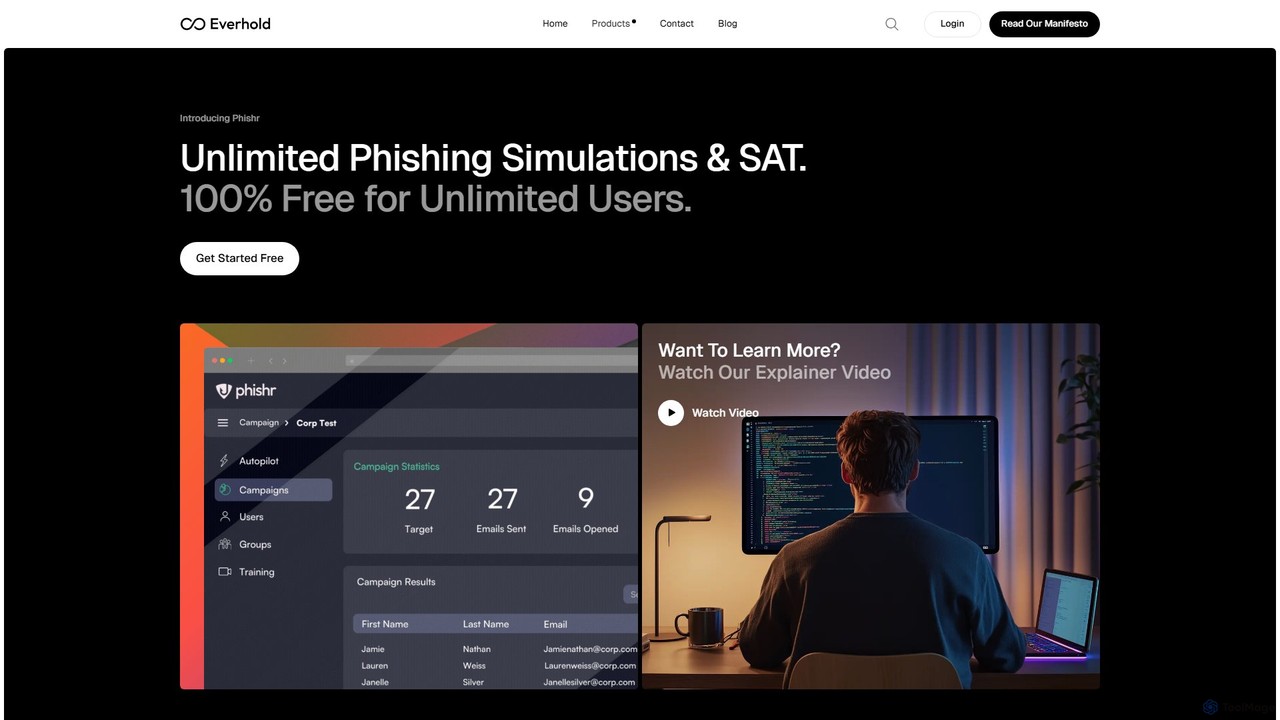
Phishr is an AI-powered cybersecurity training platform that automates phishing simulations to educate employees and clients. Its autopilot …
Phishr is an AI-powered cybersecurity training platform that automates phishing simulations to educate employees and clients. Its autopilot feature saves time while its adaptive training system delivers personalized content based on user actions, effectively increasing vigilance against real-world cyber threats.
About Phishing Simulation
Phishing Simulation tools are specialized platforms designed to create and execute controlled, harmless phishing attacks within an organization. These tools use realistic email templates and landing pages to test employees' ability to identify and report malicious attempts. The primary goal is to measure human vulnerability, provide practical security awareness training, and reduce the overall risk of successful cyberattacks. By analyzing campaign results, security teams can identify weaknesses and deliver targeted training to strengthen the human firewall.
Core Features
- Realistic Template Library: Offers a vast collection of pre-built, customizable email and landing page templates that mimic real-world phishing threats.
- Campaign Management: Allows administrators to schedule, automate, and target simulation campaigns to specific user groups or the entire organization.
- Performance Tracking & Reporting: Provides detailed analytics on open rates, click rates, data submission, and reporting rates to measure vulnerability and progress.
- Automated Remedial Training: Automatically enrolls employees who fail a simulation test into immediate, relevant security awareness training modules.
- Customization & Spoofing: Enables the creation of custom domains, email templates, and scenarios to simulate highly targeted spear-phishing attacks.
Use Cases
Phishing Simulation tools are crucial for any organization aiming to bolster its security posture. They are widely used by IT security and compliance teams in sectors like finance, healthcare, and technology to meet regulatory requirements (e.g., GDPR, HIPAA). These platforms are essential for ongoing employee security awareness programs, new hire onboarding, and testing the effectiveness of security training initiatives.
How to Choose
When selecting a Phishing Simulation tool, consider the quality and diversity of its template library to ensure realism. Evaluate the depth of its reporting and analytics capabilities for actionable insights. Check for integration options with your existing systems, such as Active Directory for user management or Learning Management Systems (LMS) for training. Finally, assess the platform's ease of use for creating and managing campaigns, as well as its scalability to support your organization's size.

Phishing SimulationUse Cases
Conducting Company-Wide Security Awareness Campaigns
An IT security manager for a mid-sized company needs to reduce the risk of ransomware attacks. Using a Phishing Simulation platform, they schedule a quarterly campaign targeting all employees. They select templates mimicking common threats like fake invoice notifications and password reset alerts. The platform automatically sends out the simulated emails over a week. The manager then analyzes the detailed report, which shows a 15% click-through rate. Employees who clicked the link are automatically enrolled in a short video training module on identifying phishing emails, strengthening the company's overall security posture.
Targeted Spear-Phishing Simulation for High-Risk Departments
A financial institution's compliance officer is concerned about spear-phishing attacks targeting the finance department. They use the simulation tool to create a custom campaign. The email is crafted to look like a request from the CFO for an urgent wire transfer, using a spoofed domain similar to the company's. This highly targeted test is sent only to the 20 members of the finance team. The results show that two employees clicked the link and one attempted to enter credentials. This provides a critical, data-driven opportunity to provide personalized, intensive training to these high-risk employees, preventing a potentially massive financial loss.
Measuring Security Training Effectiveness Over Time
A company wants to justify its investment in security awareness training. They begin by running a baseline phishing simulation, which reveals a 25% failure rate (employees clicking or entering data). After the initial test, all employees undergo a mandatory 30-minute training course. Three months later, they run a similar phishing simulation campaign. The new results show the failure rate has dropped to 8%. This quantifiable improvement demonstrates the training's ROI and helps secure budget for future security initiatives. The platform's trend reports visualize this progress for executive presentations.
Meeting Compliance and Audit Requirements
A healthcare organization must comply with HIPAA regulations, which require regular security awareness training. To prepare for an upcoming audit, the compliance officer uses a phishing simulation tool to generate comprehensive reports. These reports document the dates of simulation campaigns, the topics covered (e.g., patient data protection), participation rates, and individual employee performance. This provides tangible evidence to auditors that the organization is proactively managing human security risks and fulfilling its regulatory obligations, helping to avoid potential fines and penalties.
Integrating Security Training into New Hire Onboarding
A rapidly growing tech company needs to ensure all new hires understand security protocols from day one. Their HR team integrates a mandatory phishing simulation into the onboarding process. Within their first week, every new employee receives a simulated phishing email. The simulation platform is integrated with the company's HR system, automatically enrolling new hires. Those who fail the test are immediately directed to a foundational security awareness course. This automated process ensures a consistent security baseline for all employees without adding significant administrative overhead for the IT or HR teams.
Testing Incident Response Team Readiness
A security operations center (SOC) manager wants to test their team's incident response plan. They schedule a planned phishing simulation but with a specific goal: to see how the team reacts when an employee reports the email using the 'Report Phishing' button. The simulation tool is configured to send an alert to the SOC's ticketing system upon a report. The manager then observes the team's response time, their process for analyzing the reported email, and their communication protocols. This drill helps identify gaps in the incident response workflow, such as slow response times or unclear procedures, allowing for refinement before a real incident occurs.