
ToolMage
Sign in

Best 1 Ad Blockers AI tools for Security

Popular Ad Blockers AI tools in Security include GPT-AdBlocker, helping you work more efficiently.

GPT-AdBlocker
Freemium

GPT-AdBlocker

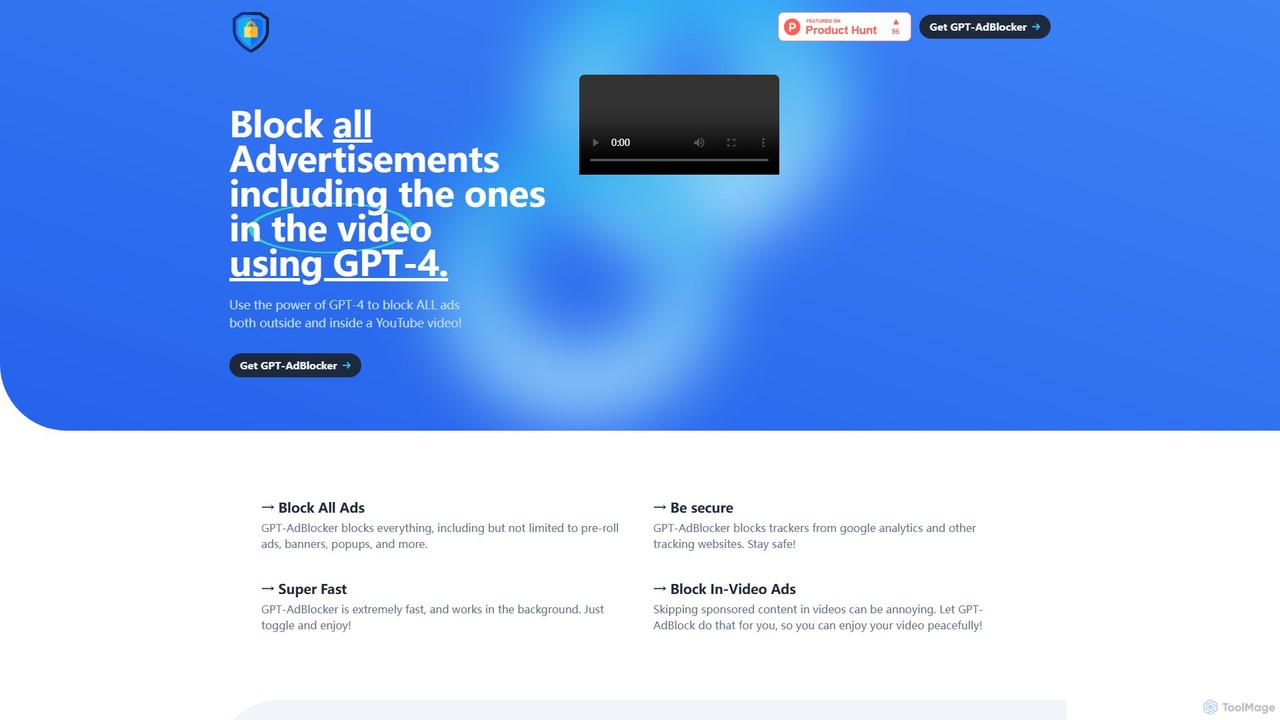
GPT-AdBlocker is an advanced browser extension that leverages the power of GPT-4 to provide a comprehensive ad-blocking experience. It not only blocks traditional ads like banners and pop-ups but also intelligently identifies and skips sponsored segments within YouTube videos. With built-in tracker blocking and a future-proof architecture, it offers a faster, safer, and more seamless browsing and viewing experience, all from a single, lightweight extension.

Browser Extensions
Visits 4.1KFavorites 115Likes 137

About Ad Blockers

Ad Blockers are applications or browser extensions designed to remove or alter advertising content on web pages and in applications. They operate by referencing extensive filter lists to identify and block requests to ad-serving domains, preventing banners, pop-ups, and video ads from loading. This process not only creates a cleaner, less distracting user interface but also significantly enhances online security and privacy. By blocking ad-related scripts, these tools can improve page load times and reduce mobile data consumption.

Core Features

  • Ad Filtering: Blocks various ad formats, including display ads, pop-ups, and pre-roll video ads, based on community-maintained filter lists.
  • Tracker Blocking: Prevents third-party tracking scripts from monitoring your online behavior across different websites.
  • Malvertising Protection: Enhances security by blocking ads from known malicious domains that could deliver malware.
  • Customizable Whitelists: Allows users to permit ads on specific websites to support content creators.
  • Performance Enhancement: Speeds up page loading and reduces bandwidth usage by preventing heavy ad content from being downloaded.

Use Cases

Ad Blockers are widely used by individuals for daily web browsing to achieve a faster and cleaner online experience. Privacy-conscious users leverage them to prevent companies from tracking their digital footprint. In a business context, they can be deployed to protect corporate networks from malvertising threats. They are also valuable for mobile users seeking to conserve data plans and improve battery life.

How to Choose

When selecting an Ad Blocker, consider its effectiveness in blocking a wide range of ads and trackers. Evaluate its impact on system performance, as some blockers are more lightweight than others. Look for customization options, such as the ability to whitelist trusted sites. Crucially, review the tool's privacy policy to ensure it does not collect or sell your browsing data. Finally, check for compatibility with your preferred browsers and devices.

Featured tool rankings

Ad Blockers use cases

1

Enhancing Daily Web Browsing Experience

For the average internet user, intrusive ads, auto-playing videos, and pop-ups can make browsing slow and frustrating. An Ad Blocker runs quietly in the background of a web browser, automatically filtering out this unwanted content. By using filter lists that are constantly updated, it ensures most ads are blocked before they even load. The result is a significantly faster, cleaner, and more enjoyable browsing experience, allowing users to focus on the actual content of websites without constant interruptions.

2

Protecting Privacy from Online Trackers

Privacy-conscious individuals are often concerned about how third-party companies track their activity across websites to build detailed user profiles for targeted advertising. Ad Blockers address this by specifically targeting and blocking tracking scripts. This prevents data brokers and advertising networks from collecting information about browsing habits, search history, and personal interests. By using an ad blocker, users can significantly reduce their digital footprint and regain control over their personal data, making their online activities more private and secure.

3

Securing Networks Against Malvertising Threats

For businesses and security-conscious users, malvertising—the use of online ads to distribute malware—is a significant threat. Attackers can inject malicious code into legitimate ad networks, which then serves harmful ads on trusted websites. An Ad Blocker acts as a crucial first line of defense. By blocking the ad delivery mechanism itself, it prevents the malicious payload from ever reaching the user's browser or device. This proactive security measure helps protect against ransomware, spyware, and other malware infections without requiring any direct user action, securing both individual devices and entire corporate networks.

4

Improving Mobile Data Efficiency and Battery Life

Mobile users with limited data plans or those in areas with slow connectivity benefit greatly from ad blockers. Modern ads, especially video ads, consume a significant amount of data. An ad blocker for mobile browsers or a system-wide blocker prevents this data from being downloaded, which can lead to substantial savings on a monthly data plan. Furthermore, by reducing the amount of content and scripts the device's processor and network radio have to handle, ad blockers can also contribute to longer battery life, allowing users to stay connected for longer periods.

5

Creating a Distraction-Free Reading Environment

For students, researchers, and avid readers, visual clutter from ads can disrupt concentration and make it difficult to focus on written content. Ad blockers are essential for creating a clean, minimalist reading environment. By removing sidebars, banners, and auto-playing video ads, they allow the main text of an article or blog post to take center stage. This is particularly useful for academic research or long-form reading, where sustained focus is critical. The result is a more immersive and productive reading experience, free from visual noise and interruptions.

6

Supporting Creators by Whitelisting Favorite Websites

While blocking ads is beneficial, many users understand that ads are a primary source of revenue for content creators and online publishers. Responsible ad blocker usage involves supporting these creators. Most ad blockers feature a 'whitelist' or 'allowlist' function. A user can add their favorite news sites, blogs, or YouTube channels to this list, which disables the ad blocker for those specific domains. This allows users to enjoy an ad-free experience across the majority of the web while still contributing to the sustainability of the content they value most.

Ad Blockers FAQ

What is an Ad Blocker?

An Ad Blocker is a software tool, typically a browser extension or a standalone application, that prevents advertisements from being displayed on websites. It works by blocking communication with the servers that host ad content, using continuously updated lists of known ad servers called 'filter lists'. The primary benefits include faster page load times, reduced data consumption, enhanced privacy by blocking trackers, and improved security by preventing malicious ads (malvertising).

How do I choose the right Ad Blocker?

Choosing the right ad blocker depends on your priorities. Consider the following factors:

  • Effectiveness: Look for a blocker that uses well-maintained filter lists (like EasyList) to block a wide variety of ads and trackers.
  • Performance: A good ad blocker should be lightweight and not noticeably slow down your browser or device.
  • Customization: The ability to whitelist websites you want to support is a key feature for responsible use.
  • Privacy Policy: Ensure the ad blocker has a clear privacy policy and does not collect or sell your personal data. Reputable blockers are focused on user privacy.
  • Platform Support: Check if it's available for all the browsers and devices (desktop, mobile) you use.
Are Ad Blockers safe and legal to use?

Yes, using ad blockers is generally safe and legal in most parts of the world. Reputable ad blockers, especially open-source ones, are safe and actually enhance your online security by protecting you from malvertising and intrusive trackers. However, it's crucial to download them from official sources like your browser's extension store or the developer's official website. Be cautious of fake or malicious ad blockers that may themselves contain malware or collect your data. Legally, there are no widespread laws prohibiting individuals from blocking ads for personal use.

What is the difference between an Ad Blocker and a VPN?

Ad Blockers and VPNs both enhance online privacy and security, but they do so in different ways. An Ad Blocker operates at the application or browser level to prevent ads and trackers from loading on a webpage. Its main goal is to clean up your browsing experience and stop tracking. A VPN (Virtual Private Network), on the other hand, operates at the network level. It encrypts your entire internet connection and routes it through a remote server, hiding your IP address and online activities from your Internet Service Provider (ISP) and others on the network. They are complementary tools: a VPN protects your connection, while an ad blocker protects your browsing session.

Can Ad Blockers block ads in apps and on platforms like YouTube?

Effectiveness varies by platform. For web browsing, most ad blockers are highly effective at blocking banner and pop-up ads. However, platforms like YouTube, Twitch, and social media sites actively work to circumvent ad blockers, making it a constant cat-and-mouse game. Some specialized ad blockers or custom filter lists are more effective at blocking video ads on these platforms, but their success can change as platforms update their ad-delivery methods. For mobile apps, you typically need a system-wide ad blocker (often requiring a VPN service or root access) to block in-app ads, as browser extensions do not affect them.