ToolMage
Sign in

Best 1 Analytics AI tools for Self Hosted

Popular Analytics AI tools in Self Hosted include Lite Queen, helping you work more efficiently.

Lite Queen
Free

Lite Queen

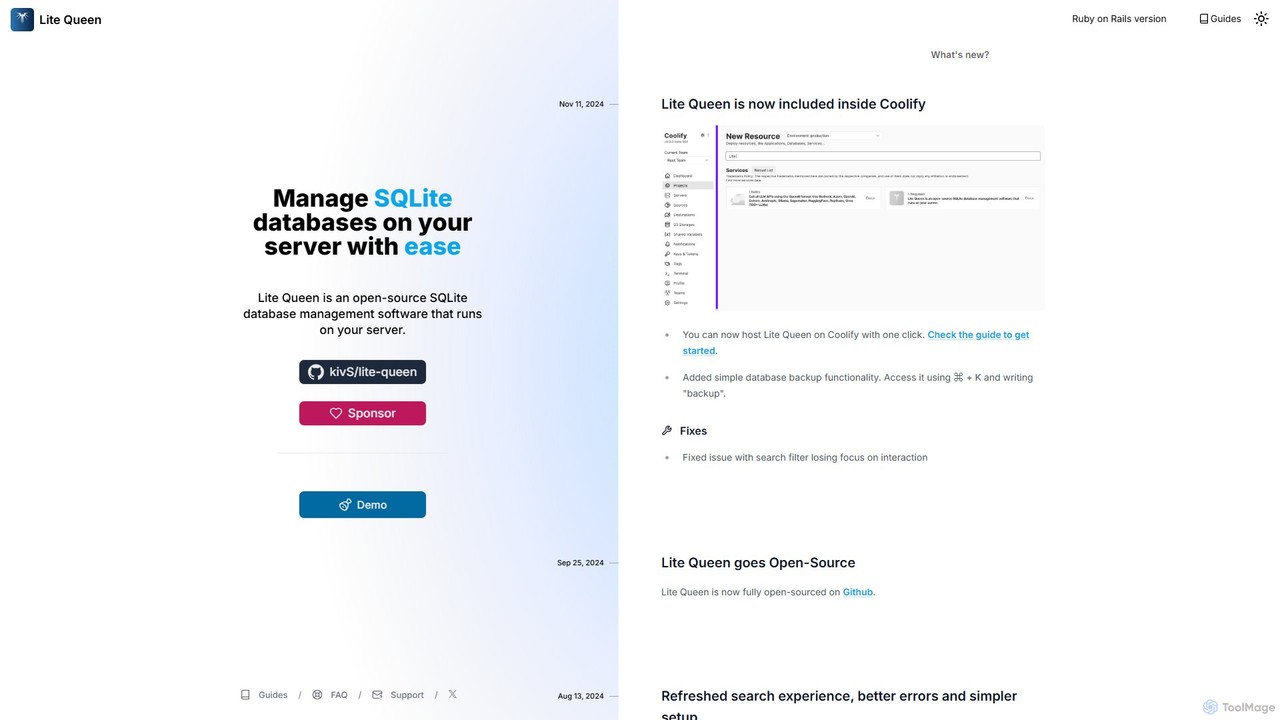
Lite Queen is a free, open-source, self-hosted tool for effortlessly managing SQLite databases. It features a modern, intuitive interface and a powerful AI "God Mode" that lets you query your database using natural language. Ideal for developers and administrators who prioritize data privacy and control.

Database
Visits 4.1KFavorites 101Likes 109

About Analytics

Self-Hosted Analytics tools are software solutions that you install and manage on your own servers to track and analyze user behavior. Unlike cloud-based services, these tools give you complete ownership and control over your data, ensuring maximum privacy and compliance. They work by collecting interaction data directly from your website or application into your own database, allowing for unsampled, granular analysis. This approach is ideal for businesses that prioritize data sovereignty, customization, and avoiding third-party data sharing.

Core Features

  • Data Ownership: Retain 100% control and ownership of all collected user data on your own infrastructure.
  • Enhanced Privacy: Comply with strict data privacy regulations like GDPR and CCPA by not sending user data to third parties.
  • Full Customization: Tailor tracking scripts, dashboards, and reports to your specific business needs without platform limitations.
  • No Data Sampling: Analyze complete, raw datasets to get the most accurate insights, especially for high-traffic sites.
  • Cost Predictability: Manage costs based on server resources rather than fluctuating traffic volumes or event-based pricing.

Use Cases

These tools are particularly valuable for organizations in data-sensitive industries like healthcare, finance, and government. They are also favored by privacy-conscious e-commerce businesses, SaaS companies wanting deep product insights without vendor lock-in, and publishers aiming to build first-party data assets without relying on external platforms.

How to Choose

When selecting a Self-Hosted Analytics tool, consider the technical expertise required for setup and maintenance. Evaluate the scalability of the solution to handle your traffic growth. Assess the richness of its feature set, including event tracking, funnel analysis, and reporting capabilities. Finally, consider the community and commercial support available for the tool.

Featured tool rankings

Analytics use cases

1

Achieve GDPR Compliance for Website Analytics

A European e-commerce company needs to analyze website traffic without sending user data to third-party servers in the US. By deploying a self-hosted analytics tool on a server within the EU, their marketing team can track user journeys, conversion funnels, and campaign performance. This ensures full compliance with GDPR as all personally identifiable information (PII) remains within their own infrastructure, building trust with privacy-conscious customers while still gathering crucial business insights.

2

Analyze Internal Software Usage

A large corporation develops an internal CRM system for its sales team. To improve the tool, the development team needs to understand how it's being used, which features are popular, and where users encounter issues. By integrating a self-hosted analytics platform, they can collect detailed usage data without exposing sensitive company information to an external service. This allows them to build product roadmaps based on real, secure data, leading to better internal tools and increased productivity.

3

Product Analytics for a SaaS Startup

A SaaS startup needs to understand user engagement and retention deeply but has a limited budget. Instead of paying high fees for cloud-based product analytics, they install an open-source self-hosted solution. This gives their product managers access to unsampled data on feature adoption, user cohorts, and conversion funnels. They can build custom dashboards and run complex queries on their own database, gaining a competitive edge with deep insights while keeping operational costs low and maintaining full control over their valuable user data.

4

Unsampled E-commerce Funnel Optimization

A high-traffic e-commerce site experiences a significant drop-off in its checkout funnel, but sampled data from cloud tools doesn't provide a clear reason. By using a self-hosted analytics tool, they capture every single user session without sampling. Data analysts can then perform deep-dive analysis on the raw data to identify specific bugs, UX issues on certain devices, or payment gateway errors that affect a small but significant percentage of users. This granular insight allows them to fix the precise issues and recover millions in lost revenue.

5

Build a First-Party Data Marketing Model

With the decline of third-party cookies, a digital publisher wants to build a robust first-party data strategy. They implement a self-hosted analytics platform to collect detailed audience behavior data directly. This data is then integrated with their CRM and ad servers. This allows them to create rich audience segments for targeted advertising and content personalization, all based on data they own and control. This approach not only improves marketing effectiveness but also future-proofs their business against changes in browser privacy policies.

6

Custom BI Dashboards for Executive Reporting

A company's executive team requires highly specific KPIs that are not available in standard analytics tools. The data team uses a self-hosted analytics solution to collect raw data into a central data warehouse. From there, they use a BI tool to connect directly to this database and build completely custom dashboards. This setup allows them to blend website data with sales, finance, and operational data, providing a 360-degree view of the business for leadership without any limitations imposed by a third-party analytics vendor.

Analytics FAQ

What are Self-Hosted Analytics tools?

Self-Hosted Analytics tools are web or product analytics platforms that you run on your own servers. Instead of sending data to a third-party company like Google, all user interaction data is collected and stored within your own infrastructure. This gives you complete data ownership, enhanced privacy, and greater flexibility for customization compared to cloud-based alternatives.

Self-Hosted Analytics vs. Cloud Analytics: What's the difference?

The primary difference lies in data hosting and ownership. Cloud Analytics (e.g., Google Analytics) is hosted by a vendor, offering convenience but requiring you to share data. Self-Hosted Analytics runs on your servers, giving you full control and privacy. Key trade-offs are:

  • Control vs. Convenience: Self-hosting requires technical setup and maintenance but offers complete control. Cloud solutions are easy to start but have limitations.
  • Privacy: Self-hosting is inherently more private.
  • Cost Structure: Self-hosting costs are based on your server resources, while cloud tools often charge based on traffic or features.

How to choose the right Self-Hosted Analytics tool?

Choosing the right tool depends on your specific needs. Consider these factors:

  • Technical Requirements: Assess your team's ability to install, configure, and maintain the software and its underlying infrastructure (servers, databases).
  • Scalability: Choose a solution that can handle your current and projected future traffic without performance degradation.
  • Feature Set: Ensure the tool offers the specific reports and analysis capabilities you need, such as funnel analysis, cohort tracking, or heatmaps.
  • Community & Support: For open-source tools, check the activity of the community. For commercial tools, evaluate the quality of their customer support.

Are Self-Hosted Analytics tools free?

Not necessarily. While many popular self-hosted analytics tools are open-source and free to use (like Matomo On-Premise, Plausible, or Umami), you are still responsible for the 'hidden' costs. These include server hosting fees, database management, maintenance time, and potential costs for scaling your infrastructure. Some providers also offer paid, self-hosted enterprise editions with additional features and dedicated support.

Is setting up Self-Hosted Analytics difficult?

The difficulty varies depending on the tool and your technical expertise. Some modern tools (like Plausible or Umami) are designed for easier setup, often involving a few command-line instructions or Docker containers. More comprehensive platforms (like Matomo) might require more configuration, such as setting up a dedicated database and web server. Generally, a basic understanding of server administration, databases (like MySQL or PostgreSQL), and sometimes containerization (Docker) is beneficial for a smooth installation and ongoing maintenance.