ToolMage
Sign in

Best 5 Collaboration AI tools for Teamwork

Popular Collaboration AI tools in Teamwork include The Drive AI, ScrumDesk, Quila, Planbow, and Plexo, helping you work more efficiently.

ScrumDesk
Freemium

ScrumDesk

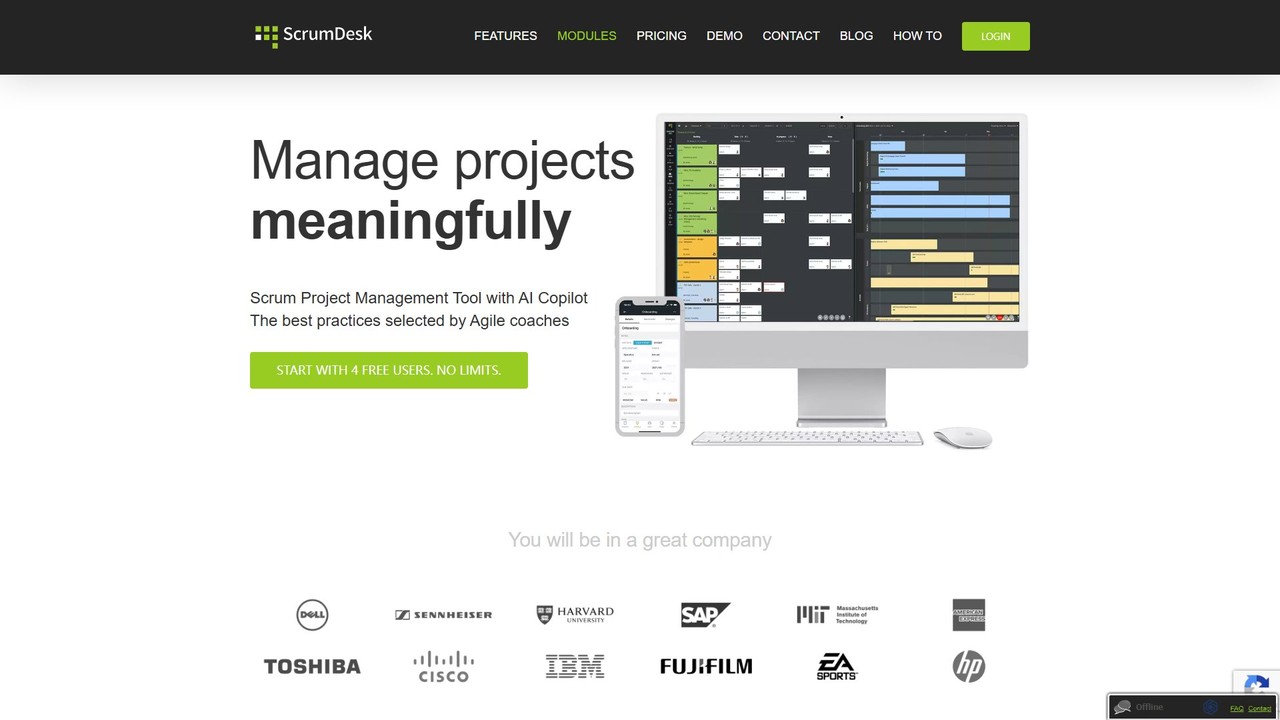
ScrumDesk is a comprehensive project management tool for Agile teams, integrating OKRs, backlogs, roadmaps, and Scrum/Kanban boards. It facilitates continuous improvement with advanced retrospective and root cause analysis features, and enhances collaboration through deep Slack integration. Ideal for Product Owners, Scrum Masters, and development teams.

Agile Development
Visits 9.5KFavorites 120Likes 114
Quila
Freemium

Quila

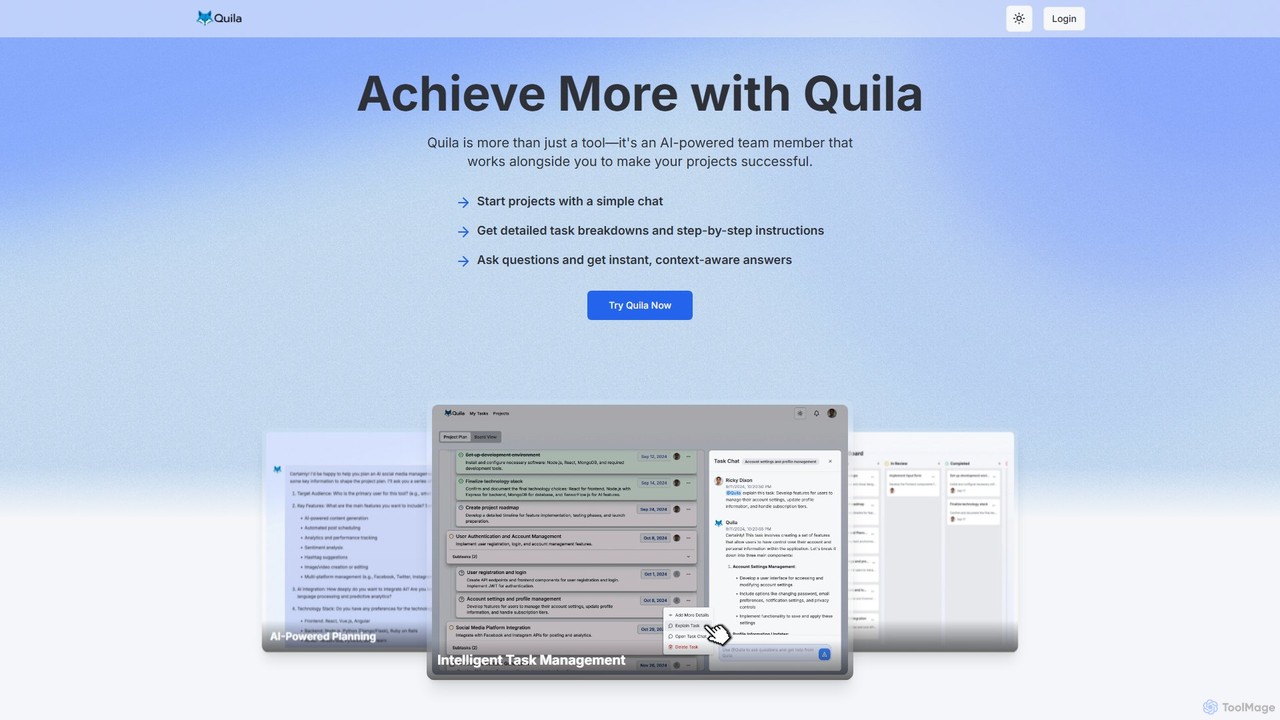
Quila is an AI-powered project management tool that acts as an intelligent team member. It transforms project ideas into detailed, actionable plans through a simple chat interface. Featuring a customizable Kanban board, AI-generated subtasks, and a collaborative AI assistant, Quila streamlines workflows, enhances team alignment, and eliminates ambiguity from start to finish.

Chatbot
Visits 8.4KFavorites 101Likes 96
The Drive AI
Freemium

The Drive AI

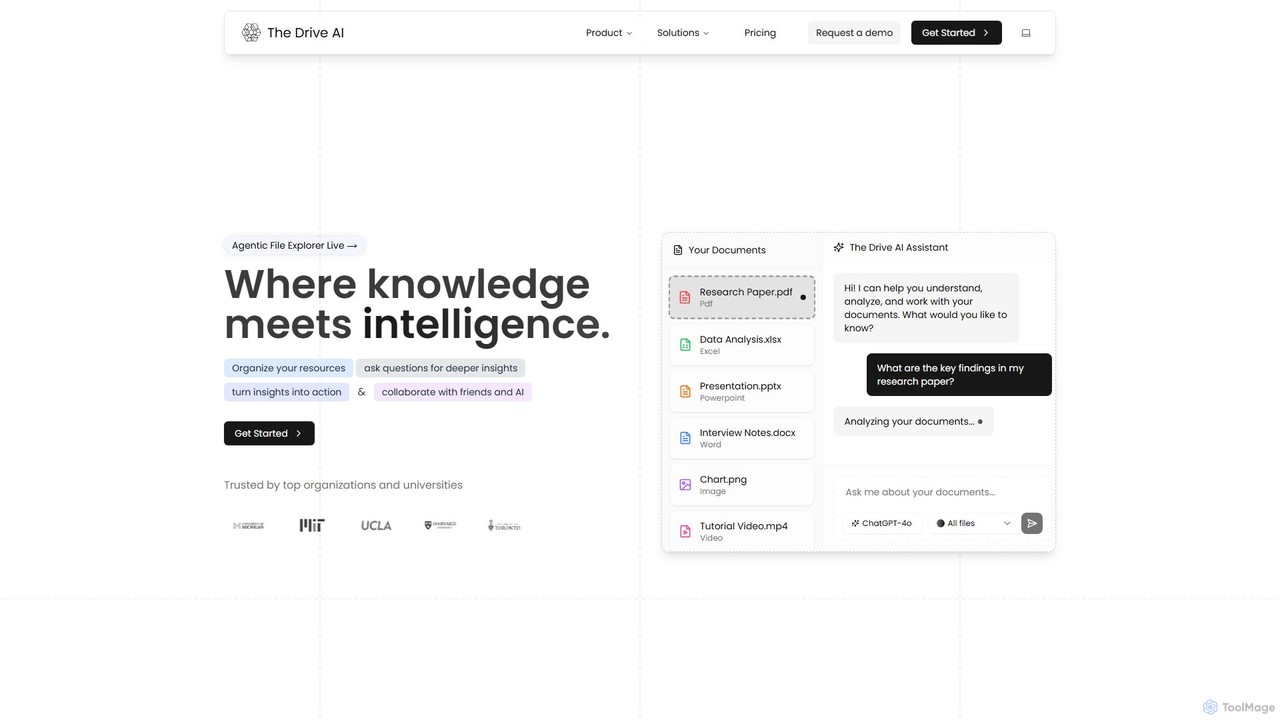
The Drive AI is an all-in-one AI-powered workspace that combines file management, document analysis, team collaboration, and content creation. Upload any file type, ask questions to get instant insights with cited sources, and collaborate with your team in real-time. It's designed to replace multiple tools, streamlining your workflow and boosting productivity for individuals and teams across various industries.

Analysis
Visits 50.9KFavorites 102Likes 88
Planbow
Freemium

Planbow

Planbow is an AI-powered strategic planning platform designed to unify strategy, planning, execution, and monitoring. It helps teams design contextual strategies, activate adaptive workflows, and orchestrate execution seamlessly. With an AI Co-Pilot providing intelligent guidance, Planbow transforms complex business goals into actionable, data-driven plans, ensuring alignment and accelerating results for product managers, strategy teams, and founders.

Strategic Planning
Visits 3.5KFavorites 129Likes 125
Plexo
Paid

Plexo

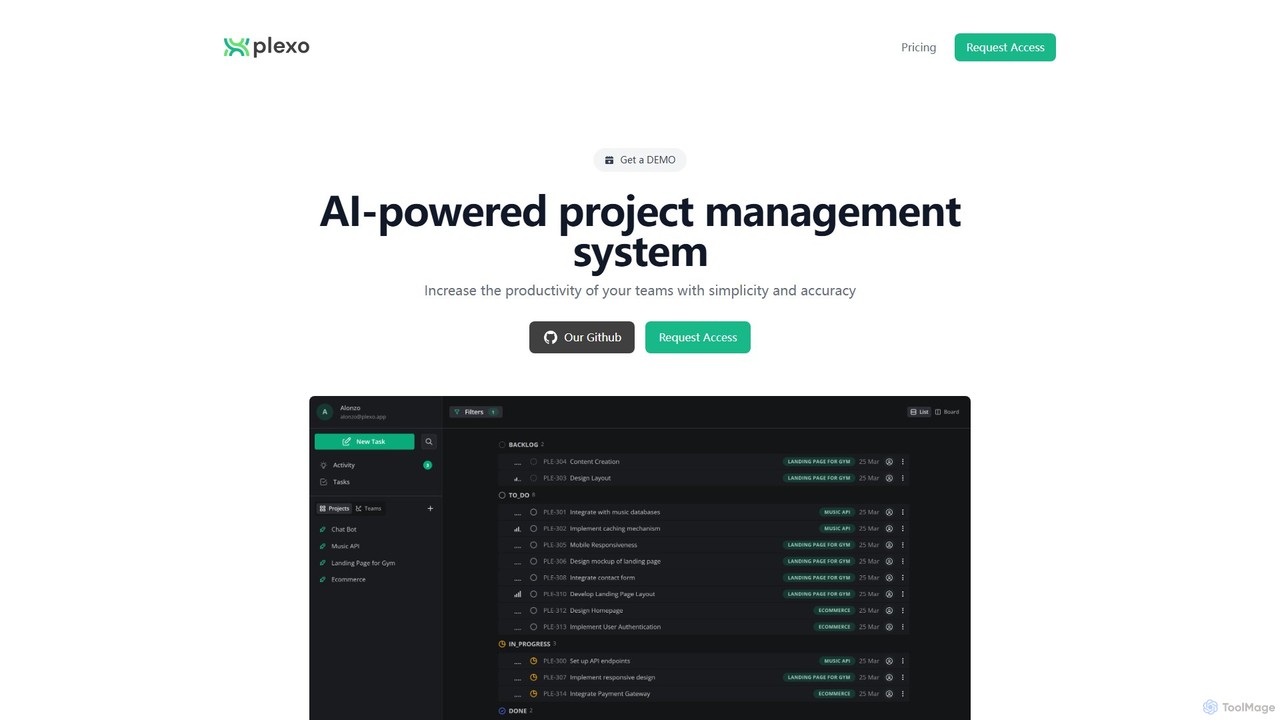
Plexo is an AI-powered project management system designed to boost team productivity. It uses artificial intelligence to automate project design, generate tasks and subtasks, and provide an intelligent chat assistant, simplifying workflows and ensuring accuracy.

Task Management
Visits 3.4KFavorites 126Likes 116

About Collaboration

AI Collaboration tools are platforms that use artificial intelligence to enhance real-time teamwork on shared documents, projects, and digital spaces. These tools often leverage AI to automate meeting summaries, suggest content improvements, and streamline communication within a shared environment. They are designed to improve the quality and efficiency of joint work by providing intelligent assistance directly within the collaborative workflow. This enables teams to co-create, iterate, and make decisions faster, regardless of physical location.

Core Features

  • Real-time Co-editing: Multiple users can simultaneously edit documents, spreadsheets, or designs with cursors visible to all participants.
  • AI Meeting Assistants: Automatically transcribe meetings, generate summaries, identify action items, and highlight key decisions.
  • Intelligent Task Management: Suggests task assignments and deadlines based on conversation context or document content.
  • Shared Digital Whiteboards: Provides an infinite canvas for brainstorming where AI can help organize ideas and create diagrams.
  • Automated Version Control: Tracks changes intelligently, simplifies conflict resolution, and makes it easy to revert to previous versions.

Use Cases

These tools are particularly valuable for remote or hybrid teams in creative industries, software development, and consulting. For example, a marketing team can co-author a campaign brief with AI suggesting better phrasing, while a distributed engineering team can use an AI-powered whiteboard to map out system architecture during a virtual meeting.

How to Choose

When selecting an AI Collaboration tool, consider its integration capabilities with your existing stack (e.g., Slack, Jira, Google Workspace). Evaluate the specific AI features offered—do you need transcription, content generation, or task automation? Also, assess the platform's security protocols for protecting sensitive shared information and its scalability to support your team's growth.

Featured tool rankings

Collaboration use cases

1

Co-authoring Marketing Campaign Briefs

A marketing team uses an AI collaboration platform to draft a new campaign brief. Multiple team members—a copywriter, a designer, and a strategist—work in the same document simultaneously. The AI assistant suggests stronger headlines, checks for brand voice consistency, and automatically creates a task list from action items mentioned in the comments, assigning them to the relevant team members. This process reduces review cycles from days to hours.

2

Remote Sprint Planning with a Digital Whiteboard

A distributed software development team conducts its sprint planning meeting using an AI-powered digital whiteboard. As team members add virtual sticky notes for user stories, the AI automatically groups related items by theme and identifies potential dependencies. At the end of the session, the AI generates a structured summary of the sprint plan and exports the user stories directly to their project management tool, like Jira, saving significant manual data entry time.

3

Automating Client Meeting Follow-ups

A consulting firm uses an AI collaboration tool that integrates with their video conferencing software. After a client call, the tool automatically generates a full transcript, a concise summary, and a list of action items. The consultant can quickly review and edit this output, then share it with both the client and internal team members. This ensures everyone is aligned on next steps and eliminates the manual work of note-taking and summarizing, improving client communication and internal accountability.

4

Collaborative Legal Document Review

A legal team collaborates on a complex contract using a secure AI platform. As multiple lawyers add comments and suggest edits, the AI tracks all changes and highlights potential conflicting clauses introduced by different contributors. It can also cross-reference clauses with a library of standard legal language to suggest more precise wording. This real-time, intelligent feedback mechanism accelerates the review process and reduces the risk of human error in critical legal documents.

5

Streamlining Academic Research Collaboration

A group of university researchers from different institutions uses an AI collaboration tool to co-write a research paper. The platform helps manage citations and automatically formats the bibliography in the required style. Its AI can also summarize lengthy source materials, helping the team quickly grasp key findings. The shared workspace ensures everyone is working on the latest version, preventing confusion and redundant work common in academic collaborations.

6

Developing a Product Roadmap Collaboratively

A product management team uses an AI collaboration tool to build their quarterly roadmap. They start with a brainstorming session on a digital whiteboard where AI helps categorize ideas into themes like 'User Growth' or 'Technical Debt'. Later, they transition to a shared document where they detail each initiative. The AI assistant links discussions from the whiteboard to the document, summarizes comment threads to identify key concerns, and helps draft initiative descriptions, ensuring the final roadmap is comprehensive and reflects the team's collective input.

Collaboration FAQ

What are AI Collaboration tools?

AI Collaboration tools are software platforms that enhance teamwork by embedding artificial intelligence into shared digital workspaces. Their primary function is to facilitate real-time co-creation and communication. Key features often include AI-powered meeting summaries, real-time content suggestions, automated task creation, and intelligent organization of ideas. They are used by teams to work together more effectively on documents, designs, and project plans.

How do AI Collaboration tools differ from project management tools?

The main difference lies in their focus. Project management tools (like Asana or Trello) are structured around tasks, timelines, and deliverables, helping teams organize *what* needs to be done. AI Collaboration tools (like Notion AI or Miro) focus on the *act of creating and discussing* together in a shared space. While there is overlap, collaboration tools emphasize real-time interaction and content co-creation, whereas project management tools emphasize workflow and progress tracking.

How to choose the right AI Collaboration tool for my team?

To choose the right tool, consider these factors:

  • Primary Use Case: Do you need it for writing documents, visual brainstorming, or meeting management? Select a tool that excels in your core activity.
  • Integrations: Ensure it connects smoothly with your existing software stack, such as project management, communication, and file storage tools.
  • AI Features: Evaluate if the specific AI capabilities (e.g., transcription, content generation, summarization) align with your team's pain points.
  • Security and Compliance: For sensitive work, verify that the platform meets your industry's security standards.
What are the key benefits of using AI in collaboration?

Using AI in collaboration tools offers several key benefits. It automates tedious tasks like note-taking and summarizing, freeing up time for creative and strategic work. AI can enhance the quality of work by providing real-time suggestions for writing or design. It also improves knowledge management by making meeting outcomes and key decisions easily searchable and accessible. Finally, it helps bridge communication gaps in remote teams by creating a single, intelligent source of truth for projects.

Are AI Collaboration tools secure for confidential business information?

Security varies significantly between platforms. Reputable AI Collaboration tools use enterprise-grade security measures, including end-to-end encryption, access controls, and compliance with standards like SOC 2 and GDPR. When choosing a tool, it is crucial to review its security policy, data privacy statement, and any third-party certifications. For highly sensitive data, consider tools that offer on-premise deployment options or specific data residency controls to ensure information does not leave your designated geographic region.