
ToolMage
Sign in

Best 1 Image Analysis AI tools for Technology

Popular Image Analysis AI tools in Technology include nuraaihealthscreening, helping you work more efficiently.

nuraaihealthscreening
Paid

nuraaihealthscreening

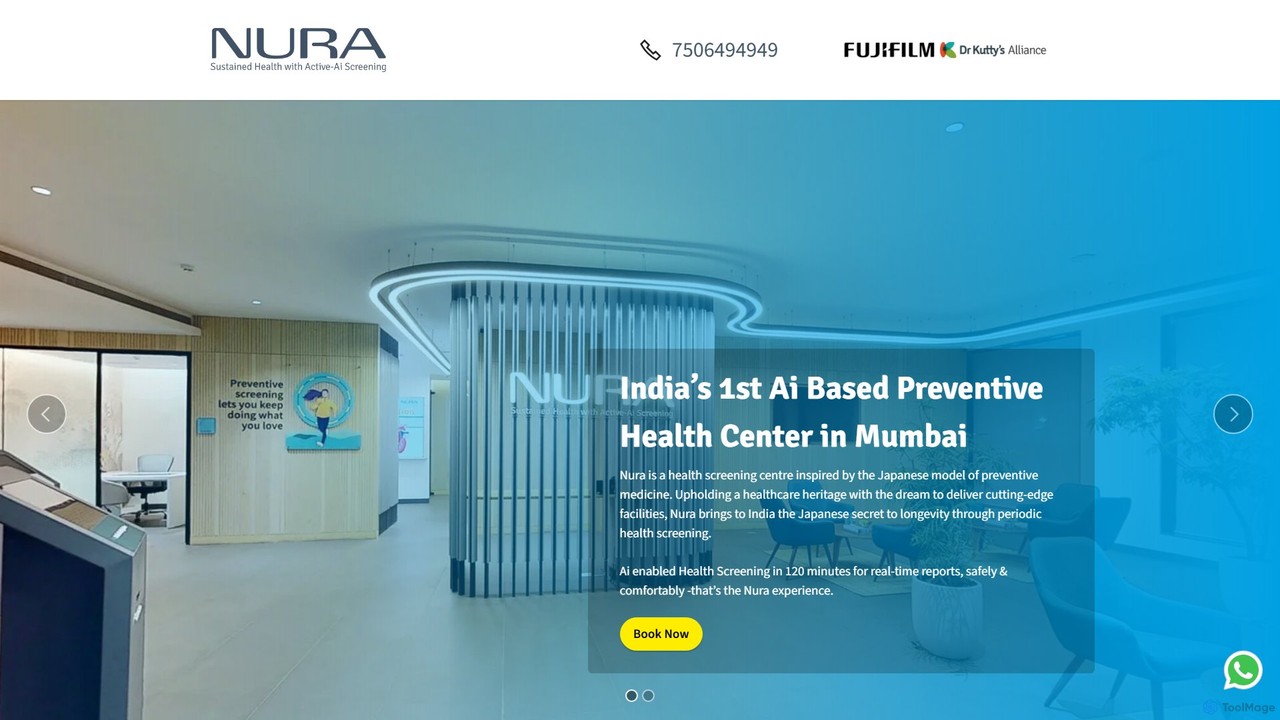
Nura provides advanced AI-powered health screening services in India. Utilizing ultra-low-dose CT scans and AI-enhanced image analysis, Nura offers comprehensive, rapid, and safe detection of early-stage cancers, heart conditions, and lifestyle diseases. The entire process, from screening to a doctor's consultation, is completed within 120 minutes, focusing on preventive care and early diagnosis with minimal radiation exposure.

Medical Diagnostics
Visits 4.4KFavorites 100Likes 100

About Image Analysis

Image Analysis tools are a class of AI applications designed to interpret and understand visual content, extracting meaningful information from pixels. These tools leverage computer vision and deep learning models to identify objects, people, text, and scenes within an image. Their primary value lies in automating tasks that traditionally require human visual inspection, enabling scalable data extraction and pattern recognition. This technology transforms static images into structured, searchable data for analysis and decision-making.

Core Features

  • Object Detection: Identifies and locates specific items within an image, often drawing bounding boxes around them.
  • Facial Recognition & Analysis: Detects human faces, identifies individuals, and can analyze attributes like emotion or age.
  • Optical Character Recognition (OCR): Extracts printed or handwritten text from images, converting it into machine-readable text.
  • Image Tagging & Categorization: Automatically generates descriptive keywords and classifies images based on their content.
  • Scene Understanding: Provides a high-level description of the context, setting, and activities depicted in an image.

Applicable Scenarios

Image Analysis is critical in various sectors. In healthcare, it assists radiologists by highlighting anomalies in medical scans like X-rays and MRIs. Retailers use it for automated inventory management by analyzing shelf photos. In security, it powers surveillance systems for threat detection. The automotive industry also relies on it for developing self-driving car perception systems.

Selection Criteria

When choosing an Image Analysis tool, consider the model's accuracy and specialization for your specific domain (e.g., medical vs. general). Evaluate its API accessibility and ease of integration into existing workflows. Assess processing speed and scalability for your expected volume. Finally, review data privacy and security policies, especially when handling sensitive visual information.

Featured tool rankings

Image Analysis use cases

1

Automated Retail Inventory Management

A retail operations manager can use an Image Analysis tool to streamline stock counting. Instead of manual checks, staff can take photos of shelves. The AI processes these images to identify each product, count the units, and compare the data against inventory records. This system can automatically flag low-stock items for reordering and identify misplaced products, significantly reducing labor hours and improving inventory accuracy by over 95%.

2

Medical Imaging Diagnosis Assistance

Radiologists and medical professionals can leverage AI Image Analysis to enhance diagnostic accuracy. When analyzing medical scans like MRIs, CT scans, or X-rays, the AI can act as a second pair of eyes. It is trained to detect subtle patterns, anomalies, or potential tumors that might be missed by the human eye. The tool highlights areas of interest for the specialist's review, speeding up the diagnostic process and potentially improving early detection rates for critical conditions.

3

Automated Insurance Claim Processing

Insurance adjusters can accelerate vehicle damage assessment using Image Analysis. Customers can upload photos of their damaged vehicle after an accident. The AI analyzes these images to identify the parts affected, classify the severity of the damage (e.g., scratch, dent, break), and provide an initial repair cost estimate. This automates the initial assessment, reduces the need for immediate on-site inspections, speeds up claim processing times, and helps in detecting fraudulent claims by flagging inconsistencies.

4

Social Media Content Moderation

Social media platforms and online communities can deploy Image Analysis tools to maintain a safe environment. The AI automatically scans all uploaded images in real-time to detect and flag inappropriate content, such as violence, hate symbols, or adult material, based on community guidelines. This allows moderation teams to focus on nuanced cases rather than manually reviewing every single image, enabling content moderation at a massive scale and ensuring a faster response to policy violations.

5

Manufacturing Quality Control Inspection

A quality control engineer in a manufacturing plant can use high-speed cameras paired with an Image Analysis system to automate product inspection. As products move along a conveyor belt, the system captures images and analyzes them in milliseconds to detect defects like cracks, scratches, or misaligned components. Any defective item is automatically flagged or removed from the line. This process provides consistent, 24/7 quality monitoring, improves defect detection rates, and reduces waste compared to manual inspection.

6

Organizing Digital Asset Libraries

Marketing teams and media companies with vast libraries of images can use Image Analysis for efficient digital asset management (DAM). When a new image is uploaded, the AI automatically analyzes its content and generates relevant tags (e.g., 'sunset', 'beach', 'person smiling', 'laptop'). This eliminates the need for manual tagging, making the entire library instantly searchable. A content creator can quickly find the perfect image for a campaign by searching for specific objects or concepts, saving hours of manual browsing.

Image Analysis FAQ

What is AI Image Analysis?

AI Image Analysis is the use of artificial intelligence, specifically computer vision and deep learning algorithms, to automatically interpret and extract meaningful information from digital images. Instead of just storing an image as pixels, these tools understand its content. Key functions include identifying objects, recognizing faces, reading text (OCR), and describing the overall scene. This technology enables the automation of tasks that require visual understanding at scale.

How to choose the right Image Analysis tool?

Choosing the right tool depends on your specific needs. Consider the following factors:

  • Task Specificity: Do you need general object detection, or a highly specialized model for medical imaging or industrial defects? Select a tool trained for your domain.
  • Accuracy & Performance: Check the tool's documented accuracy rates (precision and recall) for tasks relevant to you. Test its processing speed with sample data.
  • Integration: Does it offer a well-documented API (like REST) that can easily integrate with your existing software or workflow?
  • Scalability and Cost: Evaluate the pricing model. Is it based on API calls, images processed, or a monthly subscription? Ensure it can handle your expected volume of images affordably.
What's the difference between Image Analysis and Image Generation?

The key difference lies in their purpose and process. Image Analysis tools start with an existing image and extract information or data from it. Their goal is to understand and interpret what is already there. In contrast, Image Generation tools start with a text prompt or data and create a completely new image that did not exist before. In short, analysis is about 'reading' images, while generation is about 'writing' them.

What are the main functions of Image Analysis tools?

Image Analysis tools offer a range of functions to extract data from visual content. The most common ones include:

  • Object Detection and Recognition: Finding and identifying specific items in an image, like cars, animals, or products.
  • Facial Recognition: Identifying known individuals or analyzing facial attributes like age, gender, and emotion.
  • Optical Character Recognition (OCR): Converting text within images (from documents, signs, etc.) into editable, digital text.
  • Image Tagging: Automatically generating relevant keywords to describe the content of an image, making it searchable.
  • Scene Understanding: Providing a holistic description of what is happening in an image, including the environment and actions.
Who can benefit from using Image Analysis tools?

A wide range of professionals and industries can benefit from Image Analysis. For example:

  • Retailers for automating inventory checks and analyzing in-store customer behavior.
  • Healthcare Professionals for assisting in the diagnosis of diseases from medical scans.
  • Manufacturers for automating quality control on production lines.
  • Marketers and Media Companies for organizing large digital asset libraries with automatic tagging.
  • Security Firms for monitoring surveillance feeds to detect threats or unauthorized access.
  • Developers who need to build applications that can understand and react to visual input.