ToolMage
Sign in

Best 1 Video Transcription AI tools for Transcription

Popular Video Transcription AI tools in Transcription include TranscriptorPro, helping you work more efficiently.

TranscriptorPro
Freemium

TranscriptorPro

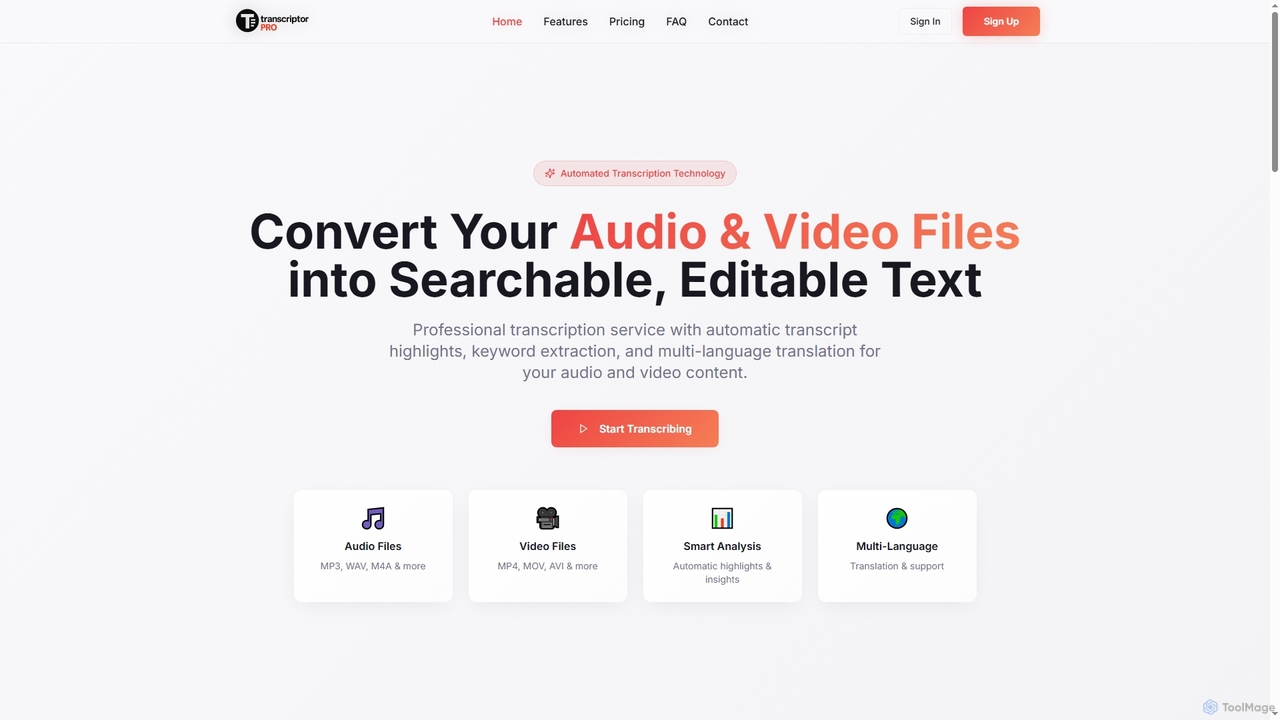
TranscriptorPro is an AI-powered service that converts audio and video files into searchable, editable text. It offers automated transcription with smart highlights, keyword extraction, and multi-language translation, making content accessible and manageable for various professional and personal needs.

Translation
Visits 6KFavorites 134Likes 144

About Video Transcription

Video Transcription tools are AI-powered applications designed to convert spoken language from video content into written text. Leveraging advanced speech-to-text technology, these tools accurately process audio tracks within videos, providing a searchable and editable textual record. They are invaluable for content creators, researchers, and businesses seeking to enhance accessibility, improve SEO, and repurpose video assets efficiently.

Core Features

  • High Accuracy: Utilizes sophisticated AI models to deliver precise transcription, even with varying audio quality or accents.
  • Speaker Identification: Automatically distinguishes and labels different speakers in a conversation, improving readability.
  • Timestamping: Synchronizes transcribed text with specific moments in the video, facilitating navigation and editing.
  • Multi-language Support: Offers transcription services for a wide array of languages, catering to global content needs.
  • Subtitle & Caption Generation: Directly creates SRT, VTT, or other subtitle formats for accessibility and wider audience reach.

Use Cases

Video transcription is widely adopted across various sectors. Content creators use it to generate subtitles for YouTube videos, making their content accessible to a broader audience and improving search engine visibility. Journalists and researchers rely on these tools to quickly transcribe interviews and lectures, streamlining the analysis of spoken data. Marketing teams leverage transcriptions to repurpose video content into blog posts, social media updates, and email newsletters, maximizing content reach.

How to Choose

When selecting a video transcription tool, consider its transcription accuracy, especially for specific accents or technical jargon relevant to your content. Evaluate the range of supported input and output formats, including video file types and subtitle formats. Assess the tool's language support and speaker identification capabilities. Finally, compare pricing models, integration options with your existing workflows (e.g., video editors), and data security measures to ensure it meets your specific needs and budget.

Video Transcription use cases

1

Generating Accurate Subtitles for Online Videos

YouTube creators and online educators frequently use video transcription tools to automatically generate precise subtitles and captions for their video content. This process significantly enhances accessibility for hearing-impaired viewers, improves SEO by making video content searchable, and allows for easier translation into multiple languages, expanding audience reach without manual, time-consuming transcription.

2

Transcribing Interviews and Focus Group Discussions

Journalists, market researchers, and academics utilize these tools to convert recorded interviews, lectures, and focus group discussions into text. This enables rapid analysis of spoken data, easy searching for key themes and quotes, and efficient documentation, saving hundreds of hours compared to manual transcription and ensuring no critical information is missed.

3

Repurposing Video Content for Multi-Platform Distribution

Marketing teams and content strategists employ video transcription to transform video content into various text-based formats. Transcripts can be quickly adapted into blog posts, articles, social media captions, or email newsletters. This strategy maximizes the value of existing video assets, reaches audiences who prefer reading over watching, and boosts overall content marketing efforts.

4

Creating Meeting Minutes and Summaries from Video Conferences

Businesses and remote teams leverage video transcription for virtual meetings, webinars, and training sessions. The tools automatically transcribe discussions, allowing participants to review key decisions, action items, and important points without re-watching the entire video. This ensures clear communication, accountability, and serves as an accurate record for compliance or future reference.

5

Enhancing Accessibility for Educational and Corporate Training Videos

Educational institutions and corporate learning & development departments use video transcription to make their video lectures, tutorials, and training modules more accessible. Providing accurate transcripts and captions helps learners with diverse needs, supports different learning styles, and allows for easy content review, improving comprehension and retention across the board.

6

Analyzing Customer Feedback from Video Calls and Testimonials

Customer service and product development teams use video transcription to analyze recorded customer support calls, video testimonials, and user feedback sessions. By converting these interactions into text, teams can quickly identify common pain points, feature requests, and sentiment trends, leading to data-driven improvements in products and services.

Video Transcription FAQ

What are AI Video Transcription tools?

AI Video Transcription tools are software applications that use artificial intelligence, specifically speech-to-text technology, to automatically convert the spoken words in video files into written text. Unlike general audio transcription, these tools are optimized to handle video-specific elements like visual cues, multiple speakers, and often integrate with video editing workflows. They provide accurate, timestamped transcripts, often with speaker identification, making video content searchable, editable, and accessible.

How do AI Video Transcription tools differ from general audio transcription tools?

While both convert speech to text, AI Video Transcription tools are specifically designed for video content. They often offer advanced features like direct integration with video platforms, automatic subtitle generation (SRT, VTT), and better handling of visual context that might influence speech recognition. General audio transcription tools primarily focus on audio files and may lack these video-specific functionalities, making them less efficient for tasks like creating video captions or syncing text with visual elements.

What are the key factors to consider when choosing a Video Transcription tool?

When selecting a video transcription tool, prioritize accuracy, especially for diverse accents, technical jargon, or noisy environments. Evaluate its language support and speaker identification capabilities. Consider the input and output formats it supports (e.g., MP4, MOV, AVI for input; SRT, VTT, TXT for output). Look for integration options with your existing video editing software or content management systems. Finally, assess the pricing structure, data security policies, and customer support to ensure it aligns with your budget and operational needs.

Who benefits most from using AI Video Transcription tools?

A wide range of professionals and organizations benefit significantly from AI video transcription. This includes content creators (YouTubers, podcasters, online educators) for generating subtitles and repurposing content; journalists and researchers for transcribing interviews and lectures; marketing teams for enhancing video SEO and creating text-based content; businesses for documenting meetings and training sessions; and accessibility advocates for making video content available to hearing-impaired audiences. Essentially, anyone working with video content can leverage these tools for efficiency and broader reach.

Can AI Video Transcription tools handle multiple speakers and different accents?

Yes, most advanced AI Video Transcription tools are designed to handle multiple speakers and a variety of accents. They employ sophisticated AI models that can differentiate between speakers and label their respective dialogues, significantly improving transcript readability. While accuracy can vary depending on the tool and the clarity of the audio, many tools offer robust performance across different accents and even provide options for manual correction to refine the output. It's advisable to check reviews or test with a sample video if your content features diverse accents.