ToolMage
Sign in

Best 1 Animation Generation AI tools for Video

Popular Animation Generation AI tools in Video include doodlecollective, helping you work more efficiently.

doodlecollective
Freemium

doodlecollective

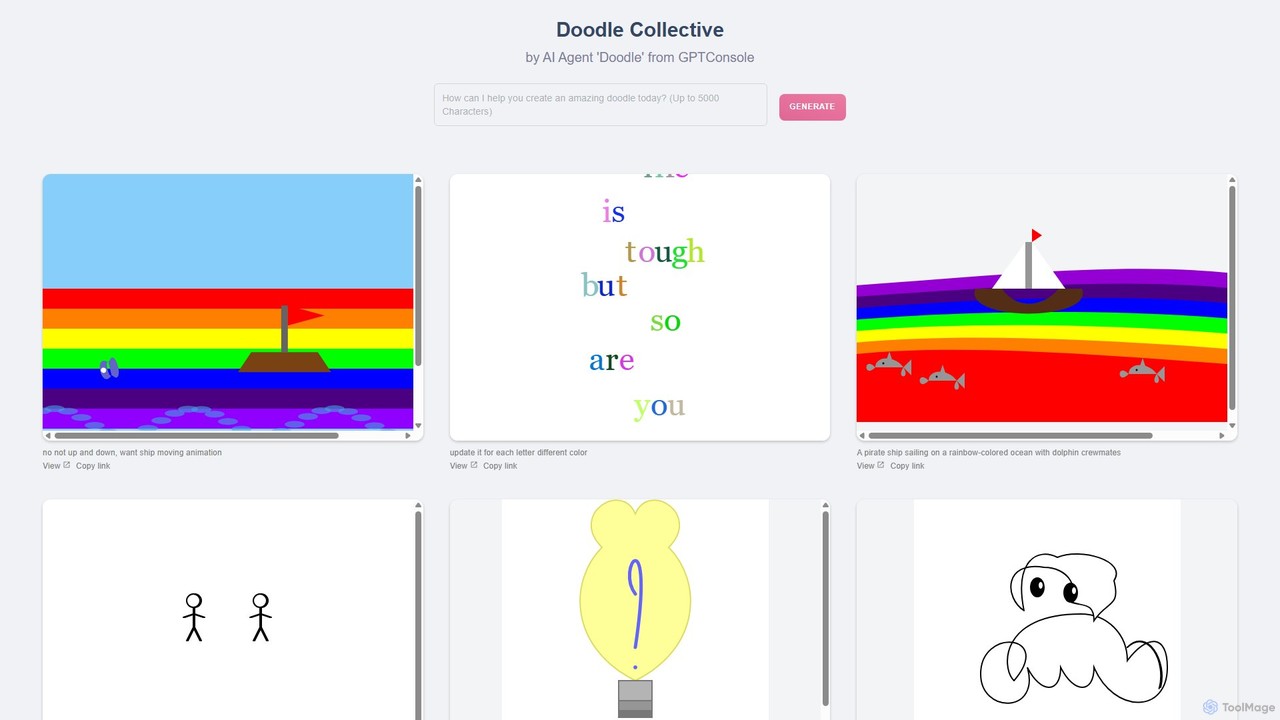
A versatile AI tool by GPTConsole that transforms text prompts into a wide range of visual content. Go beyond static images and generate doodles, complex illustrations, animations, and even simple interactive experiences. It's a creative playground for artists, developers, and anyone looking to bring ideas to life instantly through natural language.

Image Generation
Visits 5KFavorites 172Likes 169

About Animation Generation

Animation Generation tools are a specialized category of AI software that automatically create animated sequences from text prompts, images, or existing video clips. These tools leverage generative models, such as diffusion or GANs, to interpret inputs and produce motion, character animations, and dynamic visual effects. They empower users without traditional animation skills to quickly produce engaging content for marketing, storytelling, and social media. Unlike general video editors, their primary function is creating new animated motion from scratch rather than modifying existing footage.

Core Features

  • Text-to-Animation: Generates animated scenes directly from descriptive text prompts, defining characters, actions, and environments.
  • Image-to-Animation: Transforms static images into dynamic videos by adding motion, camera movements, and particle effects.
  • Video-to-Video Style Transfer: Applies a new artistic or animated style to an existing video clip while preserving the original motion.
  • Character Consistency: Maintains a consistent appearance and identity for a character across multiple generated scenes or shots.
  • Camera & Motion Control: Provides options to direct camera angles (pan, zoom, tilt) and the intensity or style of motion within the animation.

Use Cases

These tools are widely used by digital marketers to create eye-catching social media ads and promotional content. Educators and trainers utilize them to produce animated explainer videos that simplify complex topics. Content creators and storytellers also use them for rapid storyboarding, concept visualization, and producing short animated films for platforms like YouTube or TikTok.

How to Choose

When selecting an Animation Generation tool, consider the level of control over animation styles and character design. Evaluate the maximum output resolution and video length to ensure it meets your project's needs. Also, check for features like character consistency, the variety of input methods (text, image, video), and the platform's pricing model, which may be based on generation time or number of videos.

Animation Generation use cases

1

Creating Animated Social Media Ads

A social media manager for an e-commerce brand needs to create a short, eye-catching video ad for a new product launch. Instead of hiring an animation studio, they use an AI Animation Generation tool. They input a text prompt like 'An energetic animation of a coffee cup character dancing on a pile of coffee beans, vibrant colors, upbeat music'. The AI generates several 15-second animated clips. The manager selects the best one, adds the brand logo, and deploys it across Instagram and TikTok, saving significant time and budget compared to traditional production.

2

Producing Animated Explainer Videos

An educator wants to create an animated video to explain the process of photosynthesis for their online course. Using an AI animation tool, they upload a static diagram of a plant cell and provide a text prompt: 'Animate this diagram. Show sunlight entering the leaf, water traveling up the stem, and glucose being created.' The tool generates a short animation that visually walks through each step. This allows the educator to produce high-quality educational content without needing complex animation software, making the learning material more engaging for students.

3

Rapid Prototyping for Storyboards

A filmmaker is developing a concept for an animated short film. To pitch the idea, they need a visual storyboard. Instead of spending weeks drawing, they write key scene descriptions into an AI Animation Generation tool. For example: 'A small robot sadly looks at a wilting flower, then a single drop of rain falls on the flower, making it bloom.' The AI quickly generates animated clips for each scene, creating a dynamic 'animatic' or video storyboard. This allows for faster iteration on story ideas and provides a much more compelling pitch to producers and investors.

4

Generating Animated GIFs for Communication

A community manager for a software company wants to create custom animated GIFs for their Discord server to react to user feedback. They use an image-to-animation tool. They upload their company mascot's image and apply a motion effect like 'nodding' or 'thumbs up'. The tool generates a short, looping GIF. This allows them to create unique, branded reaction GIFs in minutes, fostering a more engaging and personalized community environment without needing any graphic design or animation skills.

5

Visualizing Data with Animated Characters

A data analyst needs to present quarterly findings to a non-technical audience. To make the presentation more engaging, they use an AI animation tool to create a character that explains the data. They input a script like: 'Our user growth is up 20%! Let me show you.' The tool generates an animation of a friendly character pointing to a rising chart. By combining data visualization with character animation, the analyst transforms a dry report into a memorable story, improving audience comprehension and retention of key information.

6

Enhancing Blog Posts with Animated Illustrations

A content writer for a tech blog wants to make their articles stand out. For a post about the future of AI, they use an AI animation tool to turn their static header image—a picture of a robot—into a short, looping animation. They use a prompt like 'make the robot's eyes glow and head turn slowly'. This adds a dynamic, high-tech feel to the article's introduction, capturing the reader's attention immediately and increasing the perceived quality and engagement of the blog post compared to competitors using only static images.

Animation Generation FAQ

What is AI Animation Generation?

AI Animation Generation refers to tools that use artificial intelligence to automatically create animated videos from various inputs like text, images, or other videos. Instead of manually drawing frames or rigging 3D models, users can describe a scene or provide a static image, and the AI model generates the motion and visual effects. These tools are designed to significantly speed up the animation process and make it accessible to non-animators.

How to choose the right AI Animation Generation tool?

To choose the right tool, consider these factors:

  • Input Type: Do you need to generate from text, images, or video? Choose a tool that specializes in your primary input format.
  • Style Control: How much control do you need over the artistic style (e.g., anime, cartoon, realistic)? Some tools offer more style flexibility than others.
  • Output Quality: Check the maximum resolution (e.g., 1080p, 4K) and look for examples to assess the smoothness and coherence of the animation.
  • Character Consistency: If you need the same character in multiple scenes, look for tools that explicitly offer character consistency features.
  • Usage Limits & Pricing: Review the pricing model, which might be based on subscription, credits, or video length, and check for any watermarking on free plans.
What's the difference between AI Animation and AI Video Generation?

While related, they have different focuses. AI Animation Generation typically creates stylized, non-realistic visuals like cartoons, 2D/3D animations, or motion graphics from scratch. The emphasis is on artistic creation and character-driven stories. AI Video Generation is a broader category that can include animation, but often also refers to generating or modifying realistic, photorealistic video footage. This can involve tasks like creating realistic human avatars, changing the background of a real video, or synthesizing entirely new, life-like scenes.

Can I create a full-length movie with AI animation tools?

Currently, most commercially available AI animation tools are best suited for creating short-form content, such as social media clips, GIFs, or short scenes (typically a few seconds to a minute long). While you can generate multiple clips and edit them together, creating a feature-length film presents significant challenges in maintaining story coherence, character consistency, and consistent art style over a long duration. The technology is rapidly evolving, but for now, they are more effective as tools for rapid prototyping, storyboarding, and producing short videos rather than full movies.

Who are AI Animation Generation tools for?

These tools are designed for a wide range of users, particularly those who need animated content quickly and without a steep learning curve. Key users include:

  • Marketers & Social Media Managers: For creating engaging ads, promos, and social content.
  • Educators & Trainers: For producing animated explainer videos to simplify complex subjects.
  • Content Creators & YouTubers: For adding animated segments, intros, or entire short stories to their channels.
  • Small Business Owners: For creating professional-looking video content without a large budget.
  • Writers & Storytellers: For quickly visualizing scenes and creating storyboards or animatics.