ToolMage
Sign in

Best 1 Augmented Reality AI tools for Video

Popular Augmented Reality AI tools in Video include Limory, helping you work more efficiently.

Limory
Freemium

Limory

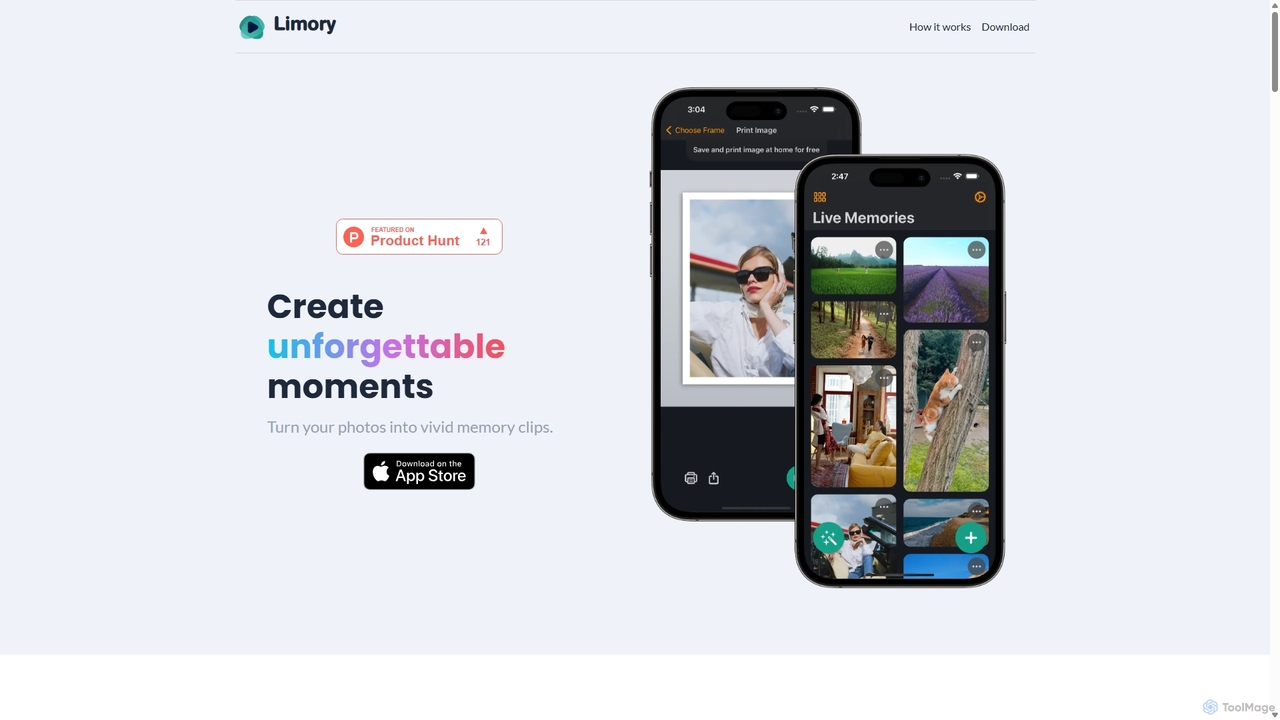
Limory is an innovative mobile app that uses Augmented Reality (AR) to bring your physical photos to life. By linking a video to a printed picture, you can simply point your device's camera at the photo to watch it transform into a dynamic video clip. It's a magical way to preserve and share memories, turning static images into unforgettable, interactive experiences for gifts, events, or personal keepsakes.

Gifts
Visits 5.3KFavorites 126Likes 104

About Augmented Reality

Augmented Reality (AR) tools are a class of applications that overlay digital information, such as 3D models, text, and animations, onto the real-world environment. These tools use computer vision and spatial mapping to understand a user's surroundings through a device's camera, anchoring virtual content in physical space. This creates interactive and immersive experiences that enhance reality rather than replacing it. Unlike Virtual Reality, AR integrates digital elements into the user's live view, making it ideal for context-aware information delivery and real-time interaction.

Core Features

  • Real-time Object Recognition: Identifies and tracks physical objects or images to trigger corresponding AR content.
  • 3D Model Overlay: Places and manipulates realistic virtual 3D objects within a real-world camera view.
  • Spatial Mapping & Tracking: Scans and understands the geometry of a space to anchor digital content to surfaces like floors and walls.
  • Face and Body Tracking: Applies digital effects, filters, or virtual items (like glasses or hats) to a person in real-time.
  • Markerless & Location-based AR: Initiates AR experiences without a specific marker, using GPS coordinates or recognizing flat surfaces.

Use Cases

AR tools are widely used in retail and e-commerce for virtual try-on solutions, allowing customers to see products like furniture in their homes before buying. In manufacturing and field services, they provide remote assistance and overlay instructions onto complex machinery. Marketers also leverage AR for engaging advertising campaigns and interactive product packaging.

How to Choose

When selecting an AR tool, first consider platform compatibility (iOS/ARKit, Android/ARCore, WebAR, or specific glasses). Evaluate the development environment: choose a no-code platform for simple marketing campaigns or a full SDK for custom applications. Also, assess the tool's tracking capabilities (image, surface, location) and its system for managing 3D assets to ensure it meets your project's needs.

Augmented Reality use cases

1

E-commerce Virtual Furniture Placement

An e-commerce manager for a home decor brand wants to reduce returns and increase conversion rates. Using an AR platform, they integrate a 'View in Your Room' feature on their product pages. Customers can tap a button on their smartphone, which activates their camera and allows them to place a true-to-scale 3D model of a sofa or table in their own living room. This helps customers visualize how the product fits their space and style, leading to more confident purchasing decisions and a significant decrease in product returns due to size or style mismatches.

2

Interactive Print Marketing Campaigns

A marketing agency is tasked with creating an innovative campaign for a new beverage. Instead of a static print ad in a magazine, they use an AR tool to make it interactive. Readers are prompted to scan the ad with their phone's camera. Upon scanning, an AR experience is triggered, showing an engaging animation of the product, a link to a promotional video, and a button to find the nearest store. This 'phygital' (physical + digital) approach increases user engagement, creates a memorable brand experience, and provides measurable analytics on ad interaction.

3

Remote Assistance for Field Technicians

A senior engineer needs to guide a junior technician through a complex repair of industrial machinery located hundreds of miles away. The technician wears AR smart glasses connected to a remote assistance platform. The engineer sees exactly what the technician sees and can overlay digital instructions, diagrams, and highlight specific components directly in the technician's field of view. This real-time visual guidance reduces errors, speeds up repair times, and eliminates the need for costly travel, improving the first-time fix rate significantly.

4

Interactive Educational Content

An educator teaching human anatomy wants to make the subject more engaging for students. They use an AR authoring tool to create experiences linked to textbook illustrations. When a student scans a diagram of the skeletal system with a tablet, a fully interactive 3D skeleton appears on the screen, anchored to the book. Students can rotate the model, tap on individual bones to see their names, and watch animations of how joints move. This transforms a flat, 2D illustration into an immersive learning tool that improves comprehension and knowledge retention.

5

AR Navigation in Large Venues

A visitor at a large museum or airport often struggles with finding their way. The venue's mobile app, powered by an AR SDK, offers an indoor navigation feature. By holding up their phone, the visitor sees digital arrows and signs overlaid on their camera's view of the real world, guiding them step-by-step to their desired gate, exhibit, or restroom. The system uses visual positioning and spatial maps to provide accurate, real-time directions, significantly improving the visitor experience and reducing staff time spent on giving directions.

6

Creating Social Media AR Filters

A social media manager for a consumer brand wants to boost online engagement and user-generated content. Using a platform like Spark AR or Lens Studio, they design and publish a custom branded AR filter for Instagram or Snapchat. The filter could be a fun game, a virtual makeup look, or an effect that places the brand's mascot in the user's environment. Users can easily apply this filter to their stories and posts, creating a viral marketing effect as their followers see and use the filter themselves. This strategy generates organic brand exposure at a relatively low cost.

Augmented Reality FAQ

What are Augmented Reality (AR) tools?

Augmented Reality (AR) tools are software applications that overlay computer-generated images, sounds, and text onto a user's view of the real world. They work by using a device's camera and sensors to analyze the physical environment and then render digital information in a way that appears to co-exist with it. Unlike Virtual Reality (VR), which creates a completely artificial environment, AR enhances your existing reality, making it useful for applications like virtual product try-ons, interactive learning, and real-time information displays.

What is the difference between Augmented Reality (AR) and Virtual Reality (VR)?

The main difference lies in how they interact with reality. Augmented Reality (AR) overlays digital information onto the real world, enhancing it. You still see and interact with your physical surroundings. Virtual Reality (VR) completely replaces your real-world environment with a simulated one, immersing you in a different world. In short:

  • AR: Enhances the real world. Requires a device with a camera, like a smartphone or transparent smart glasses.
  • VR: Replaces the real world. Requires a headset that blocks out your surroundings.
How do I choose the right AR tool for my project?

Choosing the right AR tool depends on your specific needs. Consider these factors:

  • Target Platform: Will your experience run on smartphones (iOS/Android), the web (WebAR), or dedicated hardware like AR glasses?
  • Technical Skill: Are you a developer who needs a full SDK (like ARKit/ARCore), or a marketer looking for a no-code/low-code platform to build campaigns?
  • Tracking Type: What will trigger the AR? A printed marker (marker-based), a general surface (markerless), a user's face (face tracking), or a geographic location (location-based)?
  • Content Management: How easily can you upload, manage, and update your 3D models, videos, and other digital assets?
Do I need special hardware to use Augmented Reality?

Not necessarily. The vast majority of modern smartphones and tablets are AR-enabled right out of the box, using powerful frameworks like Apple's ARKit and Google's ARCore. These devices use their standard cameras and processors to deliver compelling AR experiences. While you don't need special hardware for most applications, dedicated AR glasses or headsets (like Microsoft HoloLens or Magic Leap) offer more immersive, hands-free experiences, which are often preferred in industrial or professional settings.

What are the main business applications of AR?

Augmented Reality offers practical value across many industries. Key business applications include:

  • Retail & E-commerce: Virtual try-on for apparel, accessories, and makeup, as well as placing virtual furniture in a customer's home.
  • Manufacturing & Engineering: Remote assistance for repairs, overlaying digital blueprints on physical equipment, and employee training simulations.
  • Marketing & Advertising: Interactive packaging, immersive brand experiences at events, and engaging print ads that come to life.
  • Healthcare: Surgical visualization, medical training, and overlaying patient data for doctors during examinations.