ToolMage
Sign in

Best 1 Content Analysis AI tools for Video

Popular Content Analysis AI tools in Video include ChatGPT for YouTube, helping you work more efficiently.

ChatGPT for YouTube
Freemium

ChatGPT for YouTube

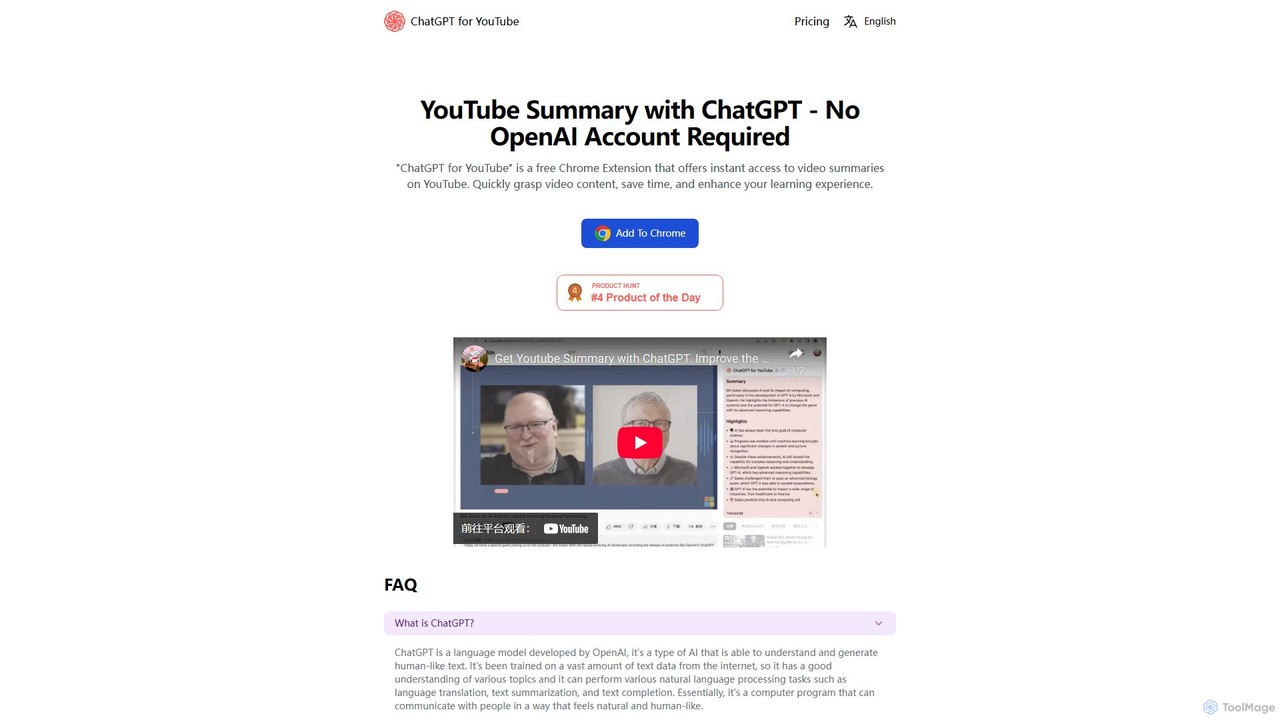
ChatGPT for YouTube is a free Chrome extension that provides AI-powered summaries of YouTube videos. Instantly grasp the core content of any video, save significant time, and improve your learning efficiency. No OpenAI or ChatGPT account is required to start summarizing.

Learning
Visits 41.6KFavorites 96Likes 113

About Content Analysis

Content Analysis tools are AI-powered solutions specifically designed to extract meaningful insights and structured data from video content. Leveraging advanced machine learning, computer vision, and natural language processing, these tools automatically identify, categorize, and interpret elements within videos, ranging from objects and actions to spoken words and emotional cues. They enable users to gain deep understanding of video performance, audience engagement, and thematic elements, significantly streamlining research, monitoring, and content optimization workflows within the broader video ecosystem.

Core Features

  • Object & Scene Recognition: Automatically identifies and tags specific objects, people, locations, and activities within video frames.
  • Speech-to-Text Transcription: Converts spoken dialogue in videos into accurate text, enabling keyword search and subtitle generation.
  • Sentiment & Emotion Analysis: Detects emotional tones and sentiment expressed through speech, facial expressions, or overall video context.
  • Audience Engagement Metrics: Analyzes viewer behavior, such as watch time, re-watches, and drop-off points, to gauge content effectiveness.
  • Brand & Logo Detection: Identifies occurrences of specific brands, logos, or products within video footage for marketing insights.

Use Cases

These tools are invaluable across various sectors. Media companies use them to quickly index vast video archives, making content searchable by theme or event. Marketers leverage them to understand audience reactions to video ads and identify key moments that drive engagement. Security professionals apply them for automated surveillance monitoring, detecting anomalies or specific events in real-time footage.

How to Choose

When selecting a Content Analysis tool, consider the specific types of video data you need to analyze (e.g., speech, visuals, emotions) and the accuracy required. Evaluate its integration capabilities with existing video platforms or analytics dashboards. Assess the scalability for your volume of content and the pricing model, which often varies by processing time or data volume. Finally, check for compliance with data privacy regulations, especially when dealing with sensitive video content.

Content Analysis use cases

1

Analyze Audience Engagement in Marketing Videos

Marketing teams utilize AI Content Analysis tools to dissect the performance of video campaigns. By automatically identifying peak engagement moments, viewer sentiment shifts, and specific elements that resonate with the audience, marketers can optimize future video content, refine ad placements, and tailor messaging for maximum impact. This helps in understanding which parts of a video drive conversions or brand recall.

2

Automate Content Tagging for Media Archives

Broadcasting and media companies manage extensive video libraries. Content Analysis tools automatically transcribe dialogue, recognize faces, objects, and scenes, and detect brand mentions. This enables rapid, granular tagging of video assets, making it significantly easier for editors and researchers to search, retrieve, and repurpose specific clips or segments from vast archives, saving countless hours of manual review.

3

Monitor Brand Mentions and Product Placement

Brand managers and PR professionals use these tools to track their brand's presence across various video platforms, including social media and news broadcasts. AI can detect logos, product placements, and spoken mentions of the brand, providing insights into brand visibility, sentiment surrounding mentions, and competitor activity. This data is crucial for reputation management and campaign effectiveness measurement.

4

Extract Key Insights from Educational Lectures

In e-learning and corporate training, Content Analysis tools can process lecture videos to automatically generate summaries, identify key topics discussed, and even pinpoint moments of high or low student engagement. This helps educators understand content effectiveness, allows students to quickly navigate to relevant sections, and facilitates the creation of searchable knowledge bases from video materials.

5

Enhance Security Monitoring with Event Detection

Security and surveillance operations benefit from AI Content Analysis by automating the detection of specific events or anomalies in real-time video feeds. This includes identifying unauthorized access, suspicious objects, or unusual crowd behavior. The tools can alert personnel to critical incidents, reducing the need for constant human monitoring and improving response times in high-stakes environments.

6

Optimize Video Editing by Identifying Emotional Cues

Video editors and content creators can leverage Content Analysis to refine their storytelling. Tools can analyze facial expressions, vocal tones, and narrative structure to identify emotional highs and lows within footage. This allows editors to strategically place cuts, music, and effects to maximize emotional impact and ensure the final video resonates deeply with its intended audience.

Content Analysis FAQ

What are AI Content Analysis tools for video?

AI Content Analysis tools for video are specialized software applications that use artificial intelligence, including computer vision and natural language processing, to automatically analyze and extract structured data and insights from video content. They go beyond basic metadata to understand the actual content within videos, such as identifying objects, transcribing speech, detecting emotions, and tracking brand mentions, providing a deeper understanding of the video's elements and impact.

How do AI Content Analysis tools differ from general video analytics?

General video analytics typically focus on surface-level metrics like views, watch time, and demographics. AI Content Analysis tools, however, delve into the content itself. They analyze what's inside the video – specific objects, actions, spoken words, and emotional tones – to provide granular, contextual insights. This allows for more sophisticated applications like automated content tagging, sentiment analysis, and event detection, which traditional analytics cannot offer.

What are the key benefits of using AI for video content analysis?

The primary benefits include significant time savings by automating manual review processes, enhanced accuracy in identifying specific elements or events, and the ability to process vast amounts of video data at scale. These tools provide deeper, actionable insights that can improve content strategy, marketing effectiveness, security protocols, and overall operational efficiency by transforming unstructured video into searchable, analyzable data.

What types of video content can AI Content Analysis tools process?

AI Content Analysis tools are versatile and can process a wide range of video content. This includes user-generated content from social media, corporate training videos, marketing and advertising campaigns, broadcast media, surveillance footage, educational lectures, and even raw footage for film and television production. Their capabilities extend to various video formats and lengths, making them adaptable for diverse industry needs.

What should I consider when integrating AI Content Analysis into my workflow?

When integrating these tools, consider your existing video infrastructure and how the AI solution will connect (e.g., API integrations). Evaluate the tool's accuracy for your specific content type and language, as performance can vary. Plan for data privacy and security, especially if processing sensitive information. Also, assess the user interface and reporting features to ensure the insights are easily accessible and actionable for your team.