ToolMage
Sign in

Best 1 Prompting AI tools for Video

Popular Prompting AI tools in Video include PromptSora, helping you work more efficiently.

PromptSora
Free

PromptSora

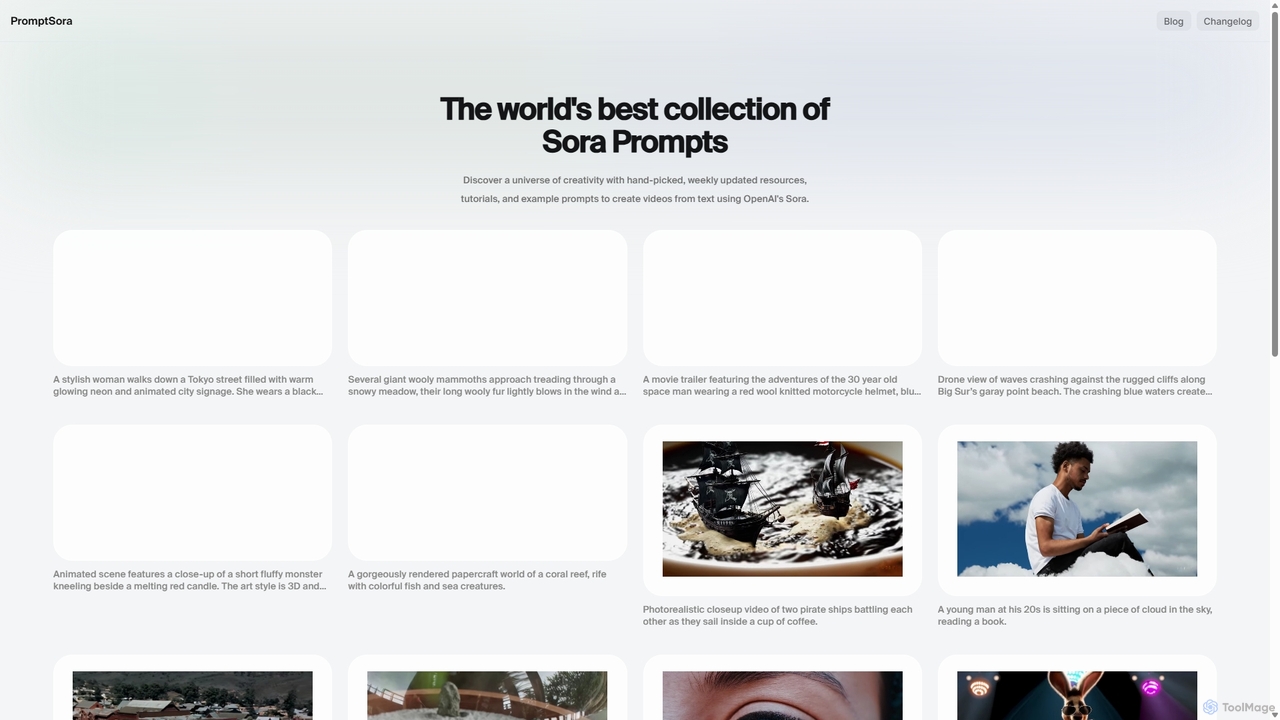
PromptSora is a curated platform offering a vast collection of high-quality prompts and their resulting videos for OpenAI's Sora. It serves as an essential free resource for creators, marketers, and AI enthusiasts to discover, learn, and master the art of text-to-video prompt engineering. The library is updated weekly with new examples, tutorials, and creative inspiration.

Learning
Visits 5.7KFavorites 137Likes 139

About Prompting

Video Prompting tools are specialized applications designed to help users craft, refine, and manage text prompts for AI video generation models. These tools translate creative ideas into precise, structured instructions that AI systems can interpret to produce desired video content. They provide advanced controls beyond a simple text box, enabling greater command over the final output's style, composition, and motion. This allows creators to achieve more consistent and high-quality results when generating video from text.

Core Features

  • Structured Prompt Builder: Offers guided interfaces with fields for subject, action, style, camera angles, and lighting to construct complex prompts systematically.
  • Style and Element Library: Provides a collection of pre-defined styles (e.g., cinematic, anime, photorealistic) and elements that can be easily added to prompts.
  • Parameter Control: Allows users to specify technical video parameters such as aspect ratio, frames per second (FPS), and motion intensity directly within the prompt interface.
  • Negative Prompting: Includes dedicated fields to specify what elements, styles, or actions to exclude from the generated video, preventing unwanted outcomes.
  • Prompt Management: Enables users to save, organize, and reuse successful prompts and their variations for future projects, ensuring consistency.

Use Cases

These tools are primarily used by video creators, marketers, animators, and concept artists. For instance, a marketing team can use a prompt builder to rapidly prototype video ad concepts in various styles. Similarly, filmmakers can visualize storyboards by generating short clips from scene descriptions, refining camera movements and character actions before production.

How to Choose

When selecting a video prompting tool, consider its compatibility with major AI video generation models (like Sora, Runway, Pika). Evaluate the complexity of its prompt builder—whether it suits beginners or advanced users. Also, assess the richness of its style library, its collaboration features for teams, and whether its pricing model aligns with your usage frequency and project scale.

Featured tool rankings

Prompting use cases

1

Rapid Prototyping of Video Ad Concepts

A marketing professional needs to create several short video ads for a social media campaign. Using a video prompting tool, they can systematically test different visual styles. They start with a core prompt like 'A person joyfully unboxing our new product in a bright, modern living room.' Then, they use the tool's style library to instantly apply variations such as 'cinematic, warm lighting,' 'vibrant stop-motion animation,' or 'sleek, futuristic CGI.' This process allows them to generate a dozen distinct concepts in under an hour, a task that would traditionally take days of animation or filming, enabling faster A/B testing and campaign deployment.

2

Visualizing Film and Animation Storyboards

An independent filmmaker or animator is in the pre-production phase of a project. They use a video prompting tool to bring their script to life. For a scene described as 'A lone astronaut drifts in zero-gravity, looking at Earth through a spaceship window, melancholic mood,' they can generate a visual reference. The tool allows them to specify 'wide-angle shot,' 'slow, floating camera movement,' and 'lens flare from a distant star.' This generated clip serves as a dynamic storyboard, helping the entire team align on the visual tone and camera work far more effectively than static drawings would.

3

Generating Abstract Visuals for Music

A VJ (video jockey) or musician wants to create unique visuals for a live performance or music video. Instead of using stock footage, they use a video prompting tool to generate abstract art that matches the music's mood. For an electronic track, they might use prompts like 'kaleidoscopic patterns of liquid neon flowing and pulsing to a techno beat, 4K, seamless loop.' By adjusting keywords for colors, textures ('metallic', 'organic'), and motion ('swirling', 'exploding'), they can create a full set of custom, synchronized visuals that are perfectly tailored to their sound, enhancing the audience's sensory experience.

4

Creating Educational Animation Snippets

An online educator wants to make their science tutorials more engaging. They use a video prompting tool to create short, animated clips explaining complex concepts. For a lesson on the solar system, they input a prompt: 'A simple 2D animation showing planets orbiting the sun, with labels for each planet, educational style for children.' The tool allows them to specify the animation style and ensure factual accuracy. By generating these custom visuals quickly, the educator can enhance their teaching materials without needing advanced animation skills or a large budget, making learning more accessible and visually appealing for students.

5

Developing Video Game Cutscene Prototypes

A small indie game development team needs to visualize key moments for their game's narrative. They use a video prompting tool to create draft versions of cutscenes. For a fantasy RPG, a prompt could be: 'A knight in shining armor raises a glowing sword in a dark, misty forest, cinematic 16:9 aspect ratio, dramatic lighting.' This allows the narrative designer and artists to quickly see if the mood and composition work. It's a cost-effective way to iterate on cinematic ideas, test different character designs in motion, and establish a consistent art style before committing resources to final, in-engine rendering.

6

Refining Prompts for Consistent Character Videos

A content creator wants to produce a series of short animated stories featuring the same character. Achieving character consistency across different videos is a major challenge. They use a video prompting tool with advanced management features. They create a base prompt for their character, 'a curious little robot with a blue glowing eye,' and save it. For each new video, they load this base prompt and add situational details like '...exploring a vibrant, alien jungle' or '...fixing a broken spaceship engine.' The tool helps maintain the core visual identity of the robot while allowing for diverse narratives, ensuring the audience recognizes the character in every episode.

Prompting FAQ

What are AI Video Prompting tools?

AI Video Prompting tools are applications that help users write and structure text commands (prompts) for AI video generators. Instead of just a simple text box, they provide a structured environment with features like style selectors, parameter controls (e.g., aspect ratio, motion), and negative prompt fields. Their main purpose is to translate a user's creative vision into a detailed set of instructions that an AI model can understand accurately, leading to more predictable and higher-quality video outputs.

How do I choose the right AI Video Prompting tool?

To choose the right tool, consider these factors:

  • Model Compatibility: Ensure the tool supports or is optimized for the specific AI video generator you use (e.g., Sora, Runway, Pika).
  • User Interface: Decide if you need a simple, beginner-friendly interface or an advanced one with granular control over many parameters.
  • Feature Set: Look for key features like a style library, negative prompt support, prompt history, and the ability to control camera movements or aspect ratios.
  • Pricing: Compare free, subscription, and pay-per-use models to find one that fits your budget and project frequency.
What's the difference between a simple text box and a dedicated Video Prompting tool?

A simple text box in a video generator is a blank slate, requiring the user to know and manually type all necessary commands, styles, and parameters. A dedicated Video Prompting tool acts as a co-pilot. It provides a structured interface that guides the user, offers pre-built style options, simplifies parameter adjustments with sliders or dropdowns, and helps manage and reuse prompts. This structured approach reduces guesswork, prevents errors, and makes it easier to achieve complex and consistent results, especially for users who are not expert 'prompt engineers'.

What are the key elements of a good video prompt?

A good video prompt is specific and structured. While it varies by model, key elements often include:

  • Subject: The main character or object (e.g., 'a majestic lion').
  • Action: What the subject is doing (e.g., 'walking across the savanna').
  • Setting/Environment: The background and context (e.g., 'at sunset, with acacia trees').
  • Style/Aesthetics: The visual look (e.g., 'National Geographic documentary style, hyperrealistic, 8K').
  • Composition & Camera: The shot type and movement (e.g., 'wide-angle tracking shot, slow motion').
  • Parameters: Technical details like aspect ratio (e.g., '--ar 16:9').
Can these tools help create videos with consistent characters?

Yes, many advanced video prompting tools are designed to help with character consistency, which is a common challenge in AI video generation. They achieve this through features that allow you to save and reuse specific parts of a prompt related to a character's description (e.g., 'a small robot with a red antenna'). Some tools may also integrate with character reference or 'character LoRA' functionalities of the underlying video model. By using a consistent base prompt for the character and only changing the action or setting, creators can significantly improve the chances of the character looking the same across multiple video clips.