ToolMage
Sign in

Best 1 Social Media AI tools for Video

Popular Social Media AI tools in Video include bitesyzed, helping you work more efficiently.

bitesyzed
Freemium

bitesyzed

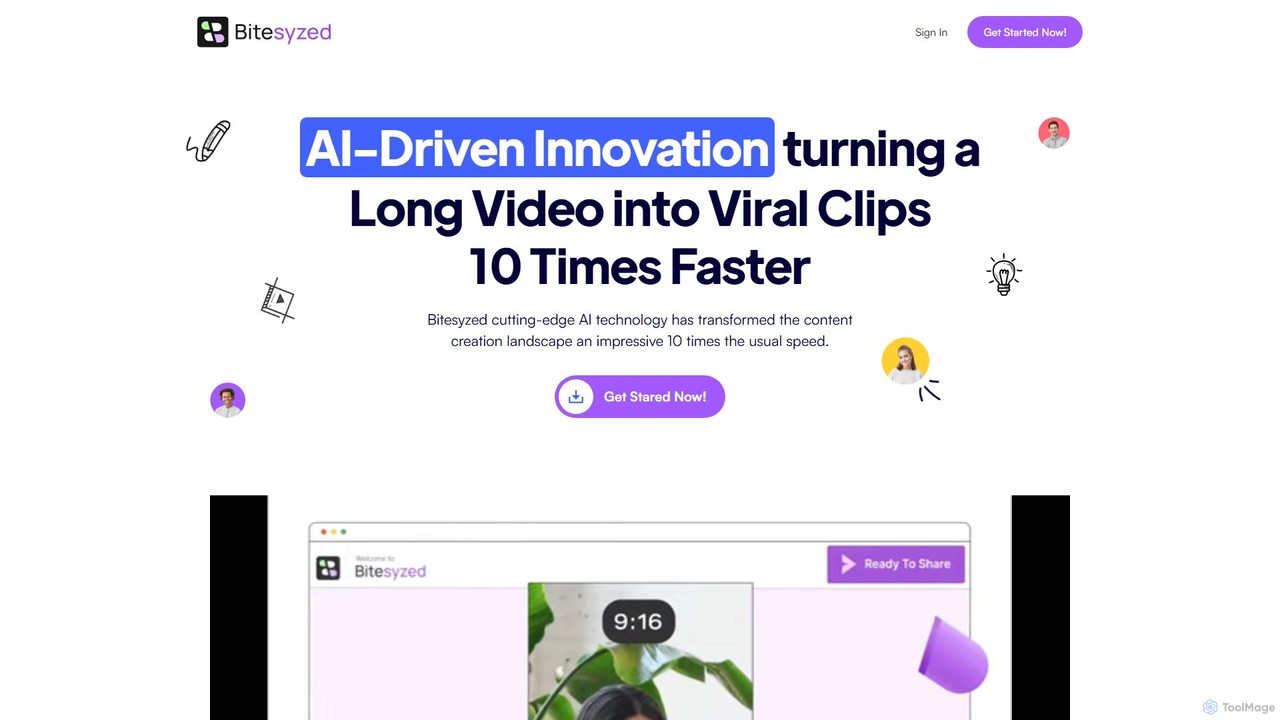
Bitesyzed is an AI-powered video repurposing tool that transforms long-form videos into engaging, viral short clips 10 times faster. It automatically identifies the most captivating moments, adds multi-language subtitles, and generates optimized descriptions and hashtags. Ideal for content creators and marketers looking to maximize their reach on social media with minimal effort.

Content Creation
Visits 6.4KFavorites 117Likes 117

About Social Media

AI Social Media Video tools are specialized applications designed to automate and enhance the creation of short-form videos for platforms like TikTok, Instagram Reels, and YouTube Shorts. Leveraging generative AI, these tools transform text, articles, or long-form videos into engaging, vertically-oriented clips complete with dynamic captions, music, and transitions. They are essential for marketers and creators aiming to maintain a high-impact social presence without extensive video editing skills. Their primary advantage is speed, enabling the rapid production of trend-aligned content at scale.

Core Features

  • Content Repurposing: Automatically extracts engaging short clips from long videos like podcasts or webinars.
  • Text-to-Video Generation: Converts blog posts, scripts, or simple prompts into complete video sequences.
  • Automated Captioning: Generates and styles animated, easy-to-read subtitles crucial for mobile viewing.
  • Vertical Reformatting: Intelligently reframes horizontal video for optimal viewing on vertical screens (9:16).
  • Template-Based Creation: Provides pre-designed templates that align with current social media trends for quick production.

Use Cases

These tools are widely used by social media managers, digital marketing agencies, and content creators. For example, a marketer can repurpose a single webinar into a dozen short, shareable clips for LinkedIn and TikTok. Similarly, an e-commerce brand can quickly generate product showcase videos from simple text descriptions for Instagram Stories ads.

How to Choose

When selecting a tool, consider the quality of its AI-powered clip selection and its captioning styles. Evaluate the range and customizability of its video templates and check for direct integration with your target social media platforms. Finally, assess the pricing model—whether it's based on the number of video exports, minutes of footage processed, or a flat subscription fee.

Social Media use cases

1

Repurpose Podcasts into Viral TikTok Clips

A podcast host uploads their latest hour-long episode to an AI tool. The AI automatically identifies several compelling 60-second segments with high engagement potential. It then transcribes the audio, adds dynamic, attention-grabbing captions, and reformats the video into a 9:16 aspect ratio. This allows the host to effortlessly generate 5-7 unique, shareable clips for TikTok and Instagram Reels from a single piece of content, significantly expanding their reach.

2

Generate Daily Social Video Ads for E-commerce

An e-commerce brand manager needs to create fresh video ads daily. They input a product URL into an AI tool. The AI scrapes product images and details, generates a short, persuasive script, and combines these elements with stock footage and a voiceover to produce a 15-second video ad. The ad is automatically created in multiple formats (e.g., 9:16 for Stories, 1:1 for feeds), allowing the manager to launch diverse campaigns across platforms in minutes instead of hours.

3

Transform Blog Posts into Engaging Explainer Videos

A content marketer wants to repurpose a popular blog post into a video. They paste the article's URL into an AI tool. The AI summarizes key points, finds relevant stock footage or generates AI visuals for each section, and compiles them into a fast-paced, captioned video for YouTube Shorts. This process makes the written content accessible to a visual-first audience and drives new traffic back to the original article, maximizing the value of existing content.

4

Create Consistent Branding Videos for Corporate Socials

A corporate communications team uses an AI tool with a pre-loaded brand kit (logos, colors, fonts). To announce a new company initiative, they input a few bullet points of text. The AI generates a short, professional video that incorporates the brand's visual identity, selects appropriate business-themed stock footage, and adds subtle animations. This ensures all video communications shared on platforms like LinkedIn are consistent and high-quality, reinforcing brand identity without requiring a dedicated video editor.

5

Automate Video Content for Real Estate Listings

A real estate agent uploads property photos and key details (e.g., price, square footage) to an AI video tool. The tool automatically creates a dynamic video tour by animating the photos with smooth transitions, overlaying key information as text, and adding upbeat background music. The final video is optimized for platforms like Instagram and Facebook, providing a compelling property preview that can be produced and posted in minutes after a photoshoot, significantly speeding up marketing efforts.

6

Scale User-Generated Content (UGC) Video Campaigns

A marketing agency running a UGC campaign receives dozens of customer video testimonials. They use an AI tool to automatically process this footage at scale. The tool adds branded intros/outros, applies consistent color grading, generates accurate subtitles for all videos, and resizes them for different social platforms. This standardizes the look and feel of the campaign and saves countless hours of manual editing, allowing the agency to launch and manage larger campaigns more efficiently.

Social Media FAQ

What are AI Social Media Video tools?

AI Social Media Video tools are applications that use artificial intelligence to automate the creation of short-form videos for social platforms. They specialize in tasks like converting text to video, repurposing long content into short clips, and automatically adding engaging elements like dynamic captions and music, specifically for formats used by TikTok, Reels, and Shorts.

How do these tools differ from traditional video editors?

Traditional video editors like Adobe Premiere Pro offer granular, manual control over every aspect of a video, requiring significant skill and time. In contrast, AI Social Media Video tools prioritize speed and automation. They make creative decisions for the user—such as selecting the best clips, applying trendy effects, and formatting for vertical viewing—to enable rapid content production with minimal editing expertise.

Who is the ideal user for these AI video tools?

These tools are ideal for social media managers, digital marketers, content creators, and small business owners who need to produce a high volume of video content consistently. They are particularly valuable for those without professional video editing skills or for teams looking to scale their content repurposing efforts efficiently without hiring a dedicated video editor.

What are the key features to look for in an AI Social Media Video tool?

When choosing a tool, prioritize the following features:

  • Content Repurposing Quality: How well the AI identifies engaging moments in long videos.
  • Text-to-Video Accuracy: The tool's ability to match visuals and pacing to a script.
  • Dynamic Captioning Styles: A variety of modern, readable subtitle options.
  • Brand Kit Customization: The ability to easily apply your logos, fonts, and colors.
  • Platform Integrations: Direct publishing or easy export options for TikTok, Instagram, etc.
Can these tools analyze social media trends?

Some advanced AI Social Media Video tools incorporate trend analysis features. They can suggest popular audio tracks, relevant hashtags, or trending video formats based on current data from platforms like TikTok and Instagram. This helps creators produce content that is more likely to be favored by the platform's algorithm and gain visibility, though this feature is not standard across all tools.