ToolMage
Sign in

Best 1 Sound Effects AI tools for Video

Popular Sound Effects AI tools in Video include FineVoice, helping you work more efficiently.

FineVoice
Freemium

FineVoice

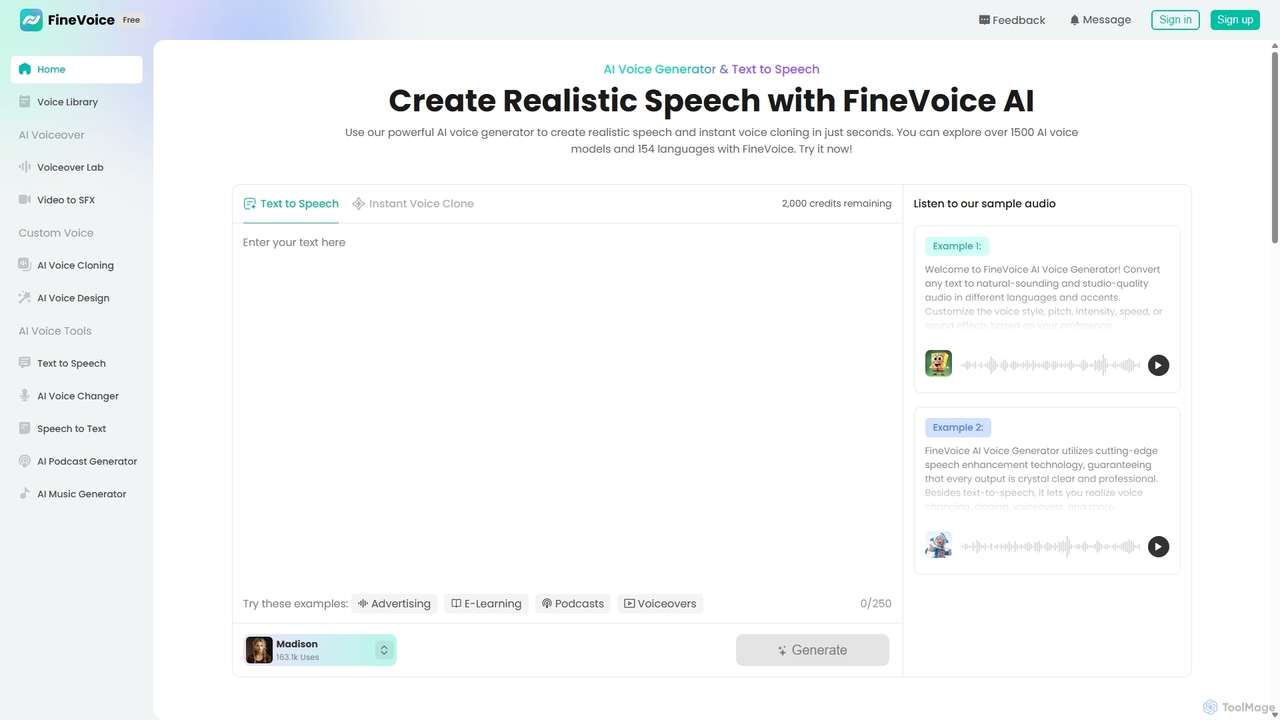
FineVoice is a powerful AI voice generator and audio creation suite. It offers realistic text-to-speech, instant voice cloning, a real-time voice changer, and professional voiceover tools. With a library of over 1500 AI voices in 154 languages, it's designed for content creators, marketers, podcasters, and developers seeking high-quality, customizable audio solutions.

Voice Synthesis
Visits 10.2KFavorites 183Likes 185

About Sound Effects

AI Sound Effects generators are tools that use artificial intelligence to create unique, high-quality audio clips from text descriptions. As a specialized category within video production tools, they leverage generative models to synthesize everything from realistic foley to abstract soundscapes, providing a dynamic alternative to static stock audio libraries. This capability allows creators to produce custom, royalty-free sounds perfectly matched to their visual content. The technology is particularly valuable for adding immersive and specific audio layers to films, games, and other media projects.

Core Features

  • Text-to-Sound Generation: Creates audio effects directly from descriptive text prompts, such as "a heavy wooden door creaking open."
  • Sound Variation: Generates multiple unique versions of the same sound effect to avoid repetitive audio in a project.
  • Ambiance Synthesis: Produces continuous background environmental sounds like "rainy city street at night" or "dense jungle atmosphere."
  • Custom Foley Creation: Synthesizes specific action-based sounds like footsteps, object impacts, or cloth movements on demand.
  • Style Transfer: Applies the acoustic characteristics of one sound to another to create novel audio effects.

Use Cases

These tools are primarily used by video editors, game developers, podcasters, and animators. For instance, a game developer can generate unique sounds for magical spells, while a filmmaker can create precise foley for a character's actions without hiring a foley artist. Podcasters also use them to build immersive background atmospheres for storytelling.

How to Choose

When selecting an AI Sound Effects tool, consider the realism and quality of the generated audio. Evaluate the AI's ability to understand nuanced text prompts and the level of customization available (e.g., duration, intensity, environment). Also, check the licensing terms to ensure the generated sounds can be used for commercial purposes and consider if an API is available for integration into your workflow.

Sound Effects use cases

1

Custom Sound Effects for Indie Game Development

An indie game developer is creating a fantasy RPG and needs unique sounds for magical spells that can't be found in standard libraries. Using an AI Sound Effects tool, they input text prompts like "crackling arcane energy coalescing into a fireball" or "frost spell freezing the air with a sharp crystal sound." The AI generates multiple distinct variations for each spell. This allows the developer to assign slightly different sounds for charging, casting, and impact, creating a richer, more dynamic audio experience for the player without the high cost of a sound designer.

2

Rapid Foley Prototyping for Short Films

A filmmaker is editing a short film on a tight deadline and budget. Instead of hiring a foley artist, they use an AI generator to create specific sounds. For a scene where a character walks across different surfaces, they generate "footsteps on dry leaves," followed by "footsteps on a gravel path." For a tense moment, they create "a single water drop echoing in a cave." This process allows for rapid audio prototyping directly in the editing timeline, ensuring the sound design perfectly matches the pacing and mood of the visuals, saving significant time and resources.

3

Immersive Ambiance for Podcasts and Audio Dramas

A podcast producer is creating an audio drama set in a bustling cyberpunk city. To create an immersive background, they need a unique soundscape. Using an AI tool, they generate a continuous ambient track with the prompt "futuristic city with flying cars, distant sirens, rain on neon signs, and crowd chatter." The tool synthesizes a long, non-repeating audio file that can be looped seamlessly in the background of each episode. This provides a consistent and unique atmosphere that defines the show's setting, a task that would otherwise require layering dozens of individual stock sounds.

4

Unique UI/UX Sounds for Mobile Applications

A UX designer is developing the sound profile for a new productivity app. They need short, non-intrusive, and satisfying sounds for actions like task completion, notifications, and errors. Instead of using generic system sounds, they use an AI tool to generate options based on prompts like "a soft, positive chime for a completed task" or "a subtle, low-frequency buzz for an error message." They can quickly generate hundreds of variations, test them with users, and select a cohesive set of sounds that reinforces the app's brand identity and improves the user experience.

5

Enhancing Social Media Video Content

A content creator specializing in short-form videos for platforms like TikTok and Instagram needs a constant supply of fresh, engaging sound effects. To stand out, they avoid overused stock sounds. Using an AI generator, they create custom effects on the fly, such as "a comical slide whistle followed by a small pop" for a funny reveal, or "a dramatic cinematic whoosh" for a transition. This allows them to react to trends quickly and develop a unique audio signature for their channel, increasing viewer engagement and brand recognition without needing to search through vast audio libraries.

6

Creating Abstract Sounds for Animation

An animator is working on an abstract short film and needs sounds that don't exist in the real world. They require audio to represent concepts like 'a thought crystallizing' or 'a memory fading away.' Using an AI sound generator, they can experiment with abstract prompts like "shimmering glass texture combined with a soft, ethereal hum" or "a grainy, distorted echo that slowly dissipates." This empowers the animator to create a completely original soundscape that perfectly complements the non-literal visuals, a task that is nearly impossible with traditional foley or sound libraries.

Sound Effects FAQ

What are AI Sound Effects tools?

AI Sound Effects tools are applications that use generative artificial intelligence to create new, original sound effects from text prompts. Unlike traditional sound libraries which offer a fixed collection of pre-recorded audio, these tools synthesize sounds on demand. This means you can describe a specific sound you need, like "a small robot chirping happily," and the AI will generate it for you. They are primarily used in video production, game development, and podcasting to create custom, royalty-free audio that perfectly fits a specific context.

How to choose the right AI Sound Effects generator?

Choosing the right tool depends on your specific needs. Consider these factors:

  • Audio Quality: Listen to samples. Does the tool produce high-fidelity, realistic, and clean audio, or does it sound artificial and noisy?
  • Prompt Interpretation: How well does the AI understand complex and nuanced descriptions? Test it with specific prompts relevant to your projects.
  • Customization and Control: Can you adjust parameters like duration, intensity, environment, or reverberation after generation?
  • Speed and Workflow: How quickly does it generate sounds? Does it offer features like batch generation or an API for integration?
  • Licensing Terms: Ensure the license allows for your intended use, especially for commercial projects. Check if attribution is required.
What's the difference between AI Sound Effects and traditional sound libraries?

The core difference is creation versus collection. Traditional sound libraries contain a finite collection of pre-recorded sounds that you search and select from. AI Sound Effects generators, on the other hand, create entirely new, unique sound effects from scratch based on your text description. This means with AI, you can generate a sound that is perfectly tailored to your needs and doesn't exist anywhere else, offering infinite variations. Sound libraries are better for finding very high-quality, common sounds quickly, while AI generators excel at creating custom, specific, or abstract audio.

What kinds of sounds can AI Sound Effects tools create?

AI Sound Effects tools can generate a vast range of audio. This includes:

  • Realistic Foley: Sounds like footsteps on various surfaces, door creaks, cloth rustling, and object impacts.
  • Environmental Ambiance: Background soundscapes such as a busy city, a calm forest, a windy beach, or a futuristic space station.
  • Abstract & Sci-Fi Sounds: Audio for things that don't exist, like magical spells, spaceship engines, user interface chimes, or creature vocalizations.
  • Musical Elements: While not their primary function, some can generate simple drones, textures, or percussive hits.

The main strength is their versatility, allowing creators to generate nearly any sound they can describe in words.

Who can benefit from using AI Sound Effects tools?

A wide range of creators and professionals can benefit from these tools. Key users include:

  • Video Editors & Filmmakers: For creating custom foley, soundscapes, and unique effects that enhance storytelling without the cost of a foley artist.
  • Game Developers: To generate countless variations of in-game sounds like footsteps, weapon effects, and magical spells, creating a more dynamic audio environment.
  • Podcasters & Audio Drama Producers: For building immersive background ambiances and specific narrative sound effects.
  • Animators & Motion Designers: To quickly add audio to visuals for timing and impact, especially for abstract or cartoonish effects.
  • UX/UI Designers: For creating unique and branded notification sounds and interface feedback for apps and websites.