ToolMage
Sign in

Best 2 Thumbnail Generation AI tools for Video

Popular Thumbnail Generation AI tools in Video include Magic Thumbnails and ThumbnailsPro, helping you work more efficiently.

ThumbnailsPro
Paid

ThumbnailsPro

ThumbnailsPro is an AI-powered YouTube thumbnail generator designed to create eye-catching, high-CTR thumbnails. Trained on thousands of viral videos, it helps content creators increase views and grow their channels by generating multiple optimized design options in under 30 seconds.

Image Generation
Visits 5KFavorites 118Likes 121
Magic Thumbnails
Freemium

Magic Thumbnails

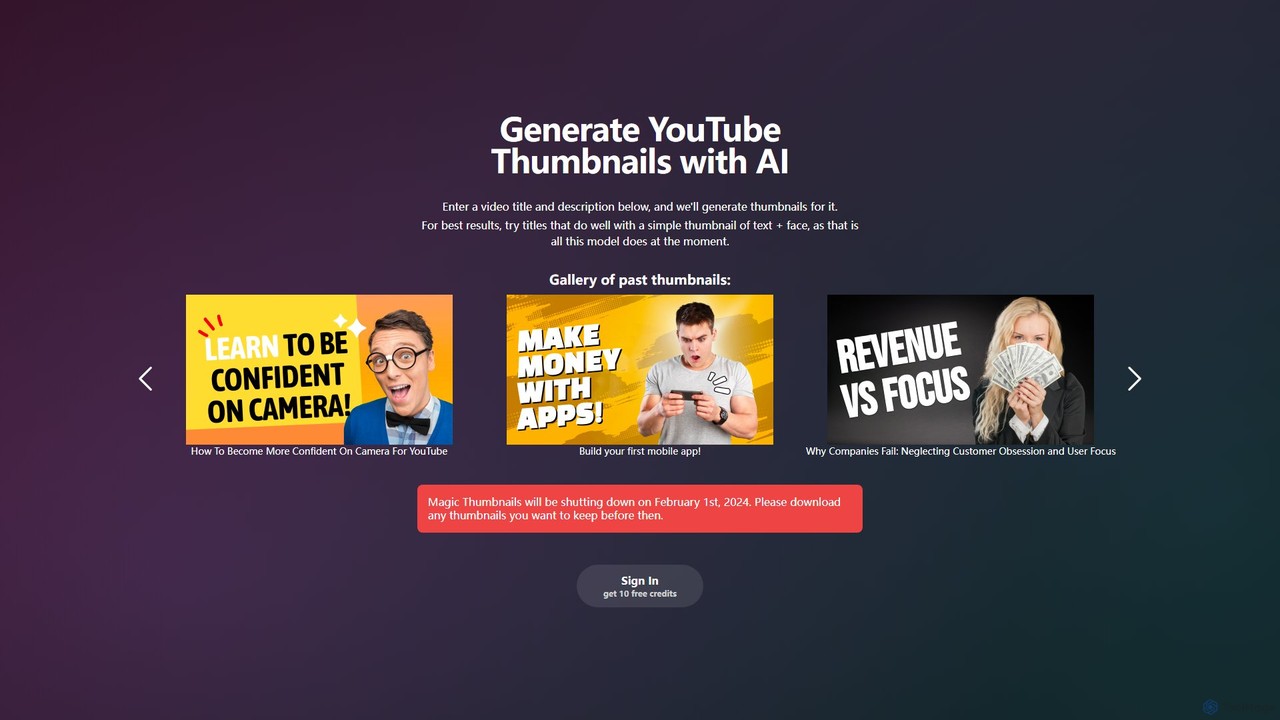
Magic Thumbnails was an AI-powered tool designed to automatically generate YouTube thumbnails from a video title and description. It specialized in creating simple, effective thumbnails featuring text and a face, aimed at helping content creators save time and improve click-through rates. Please note: This service was shut down on February 1, 2024.

Content Creation
Visits 8.1KFavorites 139Likes 127

About Thumbnail Generation

AI Thumbnail Generation tools are specialized applications that use artificial intelligence to automatically design and create compelling thumbnails for videos. These tools analyze video content to identify key frames, faces, or objects, and then apply design principles to generate visually appealing layouts with text and graphics. Their primary value lies in accelerating the content creation workflow, improving video click-through rates (CTR), and enabling creators without design expertise to produce professional-quality visuals. Many advanced platforms also incorporate data-driven insights to suggest designs that are likely to perform well with specific audiences.

Core Features

  • Content-Aware Analysis: The AI automatically scans video content to suggest the most impactful scenes, faces, or moments for the thumbnail.
  • Automated Design & Layout: Generates multiple design variations with optimized text placement, color schemes, and graphic elements.
  • CTR Prediction: Utilizes machine learning models to estimate the potential click-through rate of a generated thumbnail before publishing.
  • Brand Consistency: Allows users to define brand kits with specific fonts, colors, and logos for consistent visual identity across all videos.
  • Bulk Generation: Creates numerous thumbnail options for a single video or generates thumbnails for multiple videos simultaneously.

Applicable Scenarios

These tools are primarily used by video content creators, YouTubers, social media managers, and digital marketing agencies. They are particularly valuable in high-volume production environments, such as for online course platforms or corporate marketing departments, where maintaining quality and consistency across many videos is essential. Any role responsible for video performance and audience engagement can benefit from this technology.

Selection Criteria

When choosing an AI Thumbnail Generation tool, consider its level of integration with video platforms like YouTube. Evaluate the degree of customization it offers—can you override AI suggestions and fine-tune the design? Assess the sophistication of its AI features, such as content analysis and performance prediction. Also, consider the quality and variety of its design templates and whether its pricing model aligns with your production volume and budget.

Thumbnail Generation use cases

1

Accelerating Daily Video Production for YouTubers

A full-time YouTuber who publishes daily content faces the constant challenge of creating unique, eye-catching thumbnails quickly. Instead of spending 30-60 minutes per video in graphic design software, they use an AI thumbnail generator. The tool automatically analyzes their uploaded video, suggests several high-potential frames, and generates five distinct design layouts with compelling titles. The creator can then quickly review the options, make minor tweaks to the text or color, and have a professional, CTR-optimized thumbnail ready in under five minutes, saving hours of design work each week.

2

Maintaining Brand Consistency for Corporate Marketing

A corporate marketing team produces a variety of video content, including webinars, product demos, and customer testimonials. Maintaining a consistent brand image is crucial. They use an AI thumbnail tool with a 'Brand Kit' feature. They upload their company logo, define their brand color palette, and set a specific font. Now, whenever a new video is produced, the AI generates thumbnail suggestions that automatically incorporate these brand elements, ensuring every video thumbnail is professional and perfectly aligned with the company's visual identity, without needing a dedicated graphic designer for each task.

3

Bulk Thumbnail Creation for Online Courses

An online educator is launching a new course with 50 individual video lessons. Creating a unique yet consistent thumbnail for each lesson manually would be a time-consuming task. Using an AI thumbnail generator with bulk processing capabilities, the educator uploads all 50 videos at once. They set up a template with the course title, lesson number placeholder, and brand colors. The AI then analyzes each video for a relevant background image and automatically populates the lesson number, generating 50 distinct but thematically unified thumbnails in a matter of minutes, ensuring a professional and cohesive look for the entire course curriculum.

4

A/B Testing Thumbnails for Maximum Click-Through Rate

A data-driven marketing agency wants to maximize the performance of a client's key promotional video. They use an advanced AI thumbnail generator that not only creates designs but also predicts their potential CTR. The agency generates three distinct variations: one focusing on a human face, another with bold text, and a third featuring a product shot. They use the tool's CTR prediction as a guide and then run a live A/B test using YouTube's 'Test & Compare' feature. By analyzing the real-world data, they can definitively choose the thumbnail that drives the most traffic, optimizing the video's reach and impact based on audience behavior.

5

Repurposing Video for Multiple Social Media Platforms

A social media manager needs to repurpose a long-form landscape video (16:9) into multiple short, vertical clips (9:16) for Instagram Reels and TikTok. Each platform has different visual expectations. They use an AI tool that can generate thumbnails in various aspect ratios. For each clip, the AI identifies the key action and generates a vertically-oriented thumbnail that frames the subject correctly. It also suggests shorter, punchier text overlays suitable for mobile viewing, allowing the manager to quickly create platform-native thumbnails that grab attention in fast-scrolling feeds.

6

Generating Thumbnails for E-commerce Product Videos

An e-commerce store owner creates short demonstration videos for their products. To increase engagement on product pages and social media, they need compelling thumbnails. They use an AI tool that analyzes each video, automatically identifies the clearest shot of the product, and extracts it. The AI then suggests layouts that frame the product attractively and adds a pre-set 'Watch Demo' text overlay and the company logo. This automates the creation of clean, product-focused thumbnails that encourage potential customers to watch the video and learn more about the item, potentially boosting conversion rates.

Thumbnail Generation FAQ

What is AI Thumbnail Generation?

AI Thumbnail Generation refers to using software powered by artificial intelligence to automatically create thumbnails for videos. Instead of manual design, these tools analyze the video's content to identify compelling moments, faces, or objects. They then generate multiple design options, often incorporating text, branding, and layouts optimized for high click-through rates (CTR). The primary goal is to save time for content creators and improve the visual appeal and performance of their videos on platforms like YouTube.

How to choose the right AI Thumbnail Generator?

To choose the right tool, consider these factors:

  • Integration: Does it connect with your primary video platform (e.g., YouTube) for seamless workflow?
  • Customization: How much control do you have? Can you edit the AI's suggestions, change fonts, colors, and layouts freely?
  • AI Features: Does it simply suggest frames, or does it offer advanced capabilities like face detection, object recognition, or CTR prediction?
  • Templates and Quality: Evaluate the quality and variety of the pre-designed templates. Do they align with your channel's aesthetic?
  • Pricing Model: Compare subscription costs, pay-per-thumbnail options, or free plans to find one that fits your budget and production volume.
What's the difference between an AI Thumbnail Generator and a standard graphic design tool?

The key difference is automation and specialization. A standard graphic design tool like Photoshop or Canva is a versatile, manual canvas requiring design skills. An AI Thumbnail Generator is a specialized tool built specifically for creating video thumbnails. It automates the process by analyzing the video, suggesting content-aware elements, and generating multiple design options based on data of what performs well. This makes it much faster and more accessible for users without a design background, focusing on efficiency and performance (CTR) rather than general-purpose creative freedom.

Can AI Thumbnail Generators analyze my video content?

Yes, content analysis is a core feature of most AI thumbnail generators. They don't just provide templates; they actively scan your uploaded video file. During this process, the AI can perform several tasks, such as: identifying frames with clear human faces and expressive emotions, detecting key objects or products, and finding moments of high action or visual interest. This analysis allows the tool to suggest relevant and contextually appropriate images as the background for your thumbnail, providing a much better starting point than a random screenshot.

Who should use AI Thumbnail Generation tools?

AI Thumbnail Generation tools are ideal for a wide range of users involved in video production and marketing. Key groups include:

  • YouTubers and Content Creators: To save time on daily or weekly video production and improve channel performance.
  • Social Media Managers: To quickly create consistent, on-brand visuals for video posts across multiple platforms.
  • Digital Marketing Agencies: To efficiently manage multiple client accounts and maintain brand consistency at scale.
  • Online Educators and Course Creators: To produce professional and uniform thumbnails for entire course libraries.
  • Small Business Owners: For those who lack graphic design skills but need high-quality visuals for their product and marketing videos.