ToolMage
Sign in

Best 1 Video Summarizer AI tools for Video

Popular Video Summarizer AI tools in Video include studymap.ai, helping you work more efficiently.

studymap.ai
Freemium

studymap.ai

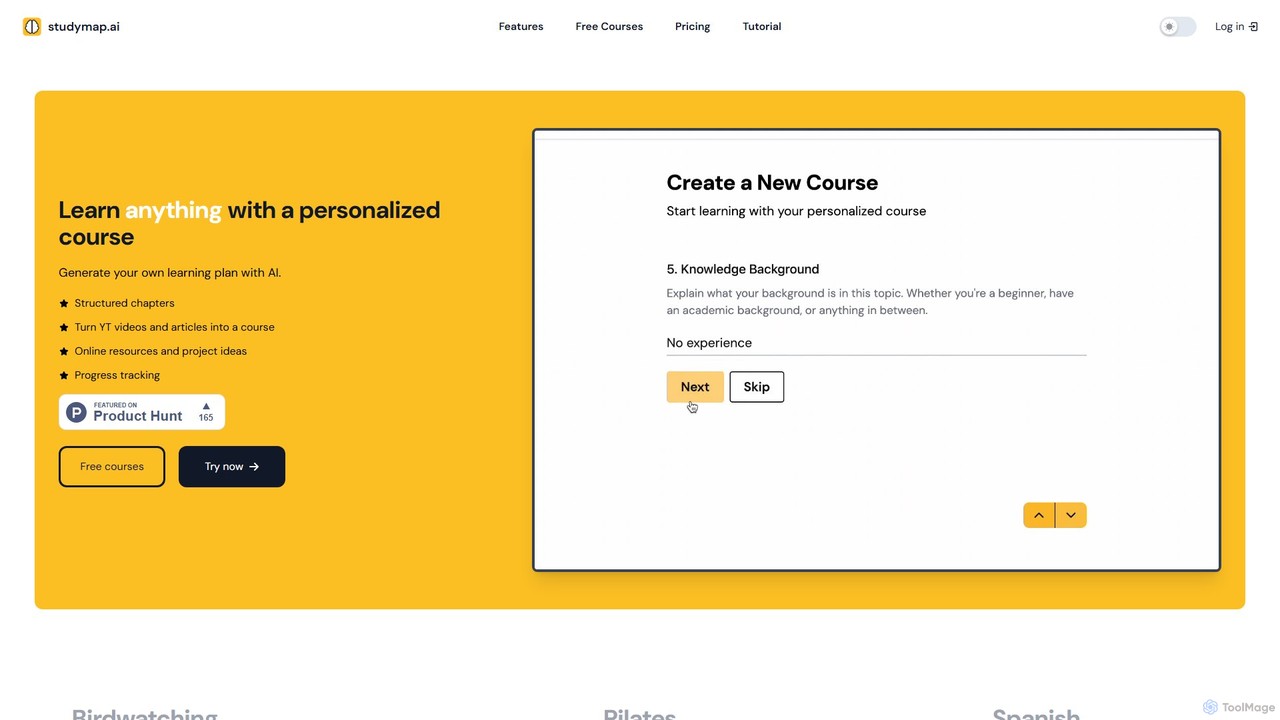
studymap.ai is an AI-powered learning platform that generates personalized, structured courses on any topic. Transform YouTube videos or articles into comprehensive learning plans complete with chapters, online resources, and project ideas. It's the smarter way to learn new skills, tailored to your knowledge level and goals.

Learning Assistant
Visits 6.5KFavorites 147Likes 158

About Video Summarizer

Video Summarizer tools are AI-powered applications that automatically condense long video content into short, coherent summaries. They utilize natural language processing (NLP) and computer vision to analyze audio transcripts and visual elements, identifying the most critical information and key moments. This enables users to quickly grasp the core message of lectures, meetings, or documentaries in a fraction of the time. Unlike simple video trimmers, these tools generate structured outputs like bullet points, abstracts, and timestamped highlights for efficient review.

Core Features

  • AI-Powered Condensation: Automatically identifies and extracts the most important segments and talking points from a video.
  • Full Transcription: Generates a complete and searchable text transcript of the video's spoken content.
  • Timestamped Highlights: Creates clickable timestamps that link directly to the key moments or chapters within the original video.
  • Multi-Format Summaries: Produces summaries in various formats, such as paragraphs, bulleted lists, or mind maps.
  • Multi-Language Support: Processes and summarizes videos in numerous languages, often including translation capabilities.

Use Cases

These tools are invaluable for students, researchers, corporate professionals, and content creators. They are commonly used to review lengthy online course lectures, catch up on missed team meetings by summarizing recordings, or analyze competitor webinars to extract strategic insights without watching hours of footage.

How to Choose

When selecting a Video Summarizer, consider the accuracy and coherence of its summaries. Evaluate the supported input sources, such as YouTube links, cloud storage, or direct file uploads. Check the available output formats to ensure they align with your needs, and assess the tool's performance and accuracy for the languages you work with most frequently.

Video Summarizer use cases

1

Accelerate Academic Research and Study

For students and academic researchers, processing hours of recorded lectures, webinars, and documentaries is a daily challenge. A Video Summarizer tool transforms this process. By inputting a link to a two-hour lecture, a student can receive a concise, bullet-point summary of key concepts, definitions, and arguments within minutes. This summary, complete with timestamps, allows for quick review before exams and efficient location of specific segments for citation in research papers, saving dozens of hours per semester.

2

Create Actionable Meeting Minutes Efficiently

Corporate professionals often spend hours in back-to-back meetings, making it difficult to recall key decisions and action items. By uploading a Zoom or Teams meeting recording to a Video Summarizer, a project manager can automatically generate a summary that highlights decisions made, tasks assigned with deadlines, and key discussion points. This transforms a one-hour recording into a two-minute read, ensuring alignment across the team and creating an accurate, searchable record without manual note-taking.

3

Repurpose Content for Social Media Marketing

A content marketer needs to generate a week's worth of social media posts from a single one-hour webinar. Instead of re-watching the entire video, they use a Video Summarizer. The tool extracts key quotes, compelling statistics, and major themes. The marketer can then quickly convert these text-based highlights into tweets, LinkedIn posts, and Instagram captions. The timestamped summary also helps them easily locate powerful short clips to edit and share as video snippets, maximizing the webinar's reach and engagement.

4

Conduct Rapid Competitor and Market Analysis

A business analyst is tasked with analyzing a competitor's annual product launch event, which is a three-hour-long video. Using a Video Summarizer, the analyst generates a full transcript and a chapter-by-chapter summary. They can quickly search the transcript for keywords like 'pricing,' 'new features,' and 'strategy.' The summary allows them to jump directly to the most relevant sections, enabling them to produce a comprehensive competitive analysis report in a single afternoon instead of spending a full day watching and transcribing.

5

Streamline Online Course Learning

An e-learner enrolled in multiple online courses faces information overload from weekly video lectures. To improve retention and study efficiency, they use a Video Summarizer for each lecture. The tool generates chaptered summaries and a list of key terms. This allows the learner to quickly review the main points of a previous week's lecture before starting a new one. They can also use the full transcript to search for specific topics mentioned by the instructor, making exam preparation more focused and less time-consuming.

6

Enhance Journalistic Reporting and Fact-Checking

A journalist covering a live press conference needs to publish an article quickly. They use a Video Summarizer in real-time or immediately after the event. The tool provides a running transcript and highlights key statements and quotes from speakers. This allows the journalist to quickly verify quotes, identify the most newsworthy soundbites, and structure their article around the main announcements. The process reduces the risk of misquoting and significantly shortens the time from event conclusion to article publication.

Video Summarizer FAQ

What is an AI Video Summarizer?

An AI Video Summarizer is a software tool that uses artificial intelligence to automatically analyze a long video and create a short, text-based or video-based summary. It processes the video's audio and visual content to identify key topics, important statements, and significant moments. The output is typically a concise paragraph, a set of bullet points with timestamps, or a short clip that captures the essence of the original content, saving you significant time.

How to choose the right Video Summarizer?

To choose the right tool, consider these factors:

  • Accuracy and Quality: Does the summary accurately reflect the video's main points without losing context? Test with a sample video.
  • Input Methods: Can it process videos from various sources like YouTube, Vimeo, Google Drive, or direct uploads?
  • Output Formats: Does it provide the summary format you need, such as plain text, bullet points, a full transcript, or downloadable clips?
  • Language Support: Ensure it effectively supports the primary languages of your video content.
  • Usage Limits: Check the pricing plans for limitations on video length, number of summaries per month, and total processing hours.
What's the difference between a Video Summarizer and a Video Editor?

The primary difference lies in their purpose and process. A Video Summarizer is an automated tool focused on information extraction. It analyzes content to tell you what a video is about, producing text summaries or identifying key clips. A Video Editor is a manual tool focused on creative production. It provides a timeline and tools for a user to cut, arrange, add effects, and combine clips to create a new, polished video narrative. One is for understanding content quickly, the other is for crafting it.

Can video summarizers handle different languages?

Yes, most modern AI Video Summarizers are designed to be multilingual. They can transcribe and summarize content in a wide range of popular languages, such as English, Spanish, French, German, and Mandarin. However, the level of accuracy can vary between languages. It's always a good practice to check the specific list of supported languages for a tool and, if possible, test its performance on a video in your target language before committing to a subscription.

Who can benefit most from using a Video Summarizer?

A wide range of individuals and professionals can benefit significantly. Key users include:

  • Students and Researchers: To quickly review lectures and academic content.
  • Corporate Professionals: For summarizing meetings, webinars, and training sessions to save time.
  • Content Creators and Marketers: To analyze long-form content and repurpose it for social media.
  • Journalists: For rapidly processing press conferences and interviews to find key quotes.
  • Anyone with limited time: To consume video information more efficiently without watching entire videos.