ToolMage
Sign in

Best 1 Virtual Production AI tools for Video

Popular Virtual Production AI tools in Video include Cuebric, helping you work more efficiently.

Cuebric
Paid

Cuebric

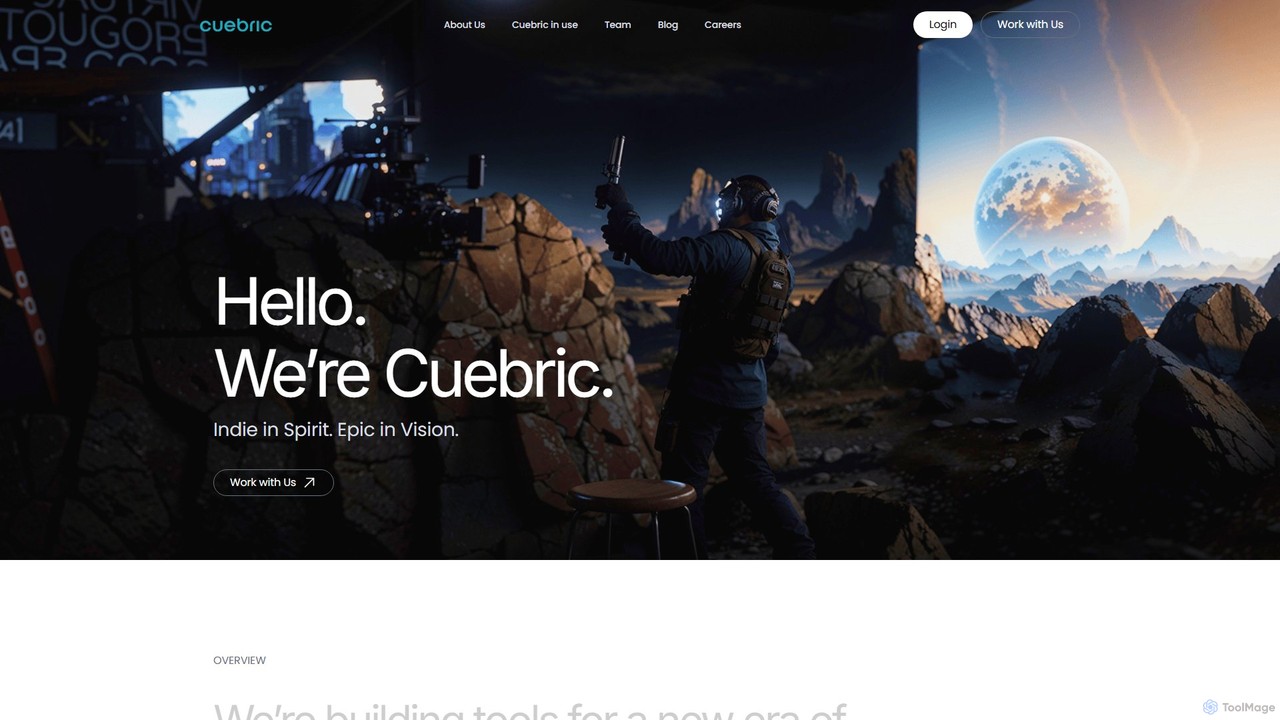
Cuebric is an AI-powered creative operating system for filmmakers and content creators. It generates immersive, high-quality 2.5D environments and virtual sets for virtual production, pre-visualization, and VFX, streamlining the storytelling process from concept to final shot without complex code.

Generative Art
Visits 9.2KFavorites 164Likes 167

About Virtual Production

Virtual Production tools are a suite of software solutions that merge live-action filmmaking with computer-generated imagery in real-time. These tools leverage powerful game engines, LED walls, and camera tracking systems to create immersive digital environments directly on set. This approach allows directors and actors to see and interact with visual effects during filming, significantly reducing post-production time and enabling more dynamic creative decisions. The core value lies in creating photorealistic worlds and complex scenes with greater efficiency and immediate visual feedback.

Core Features

  • Real-time Compositing: Instantly blends live-action footage from cameras with 3D virtual backgrounds.
  • LED Volume Control: Manages and synchronizes content displayed on large-scale LED screens that act as the set.
  • Camera Tracking Integration: Syncs the physical camera's movement with the virtual camera within the 3D environment.
  • Environment Management: Allows for the creation, modification, and lighting of digital sets within a game engine.
  • Pre-visualization (Previs): Facilitates the creation of detailed, real-time animated storyboards to plan complex shots before production.

Use Cases

Virtual Production is primarily used in the film, television, and advertising industries for creating high-concept science fiction, fantasy, or period pieces. It is also increasingly adopted in live broadcasting for dynamic weather reports, sports analysis, and in corporate events for immersive presentations and product launches.

How to Choose

When selecting Virtual Production tools, consider their compatibility with your chosen game engine (e.g., Unreal Engine, Unity). Evaluate their integration capabilities with specific camera tracking hardware and LED processors. Assess whether the toolset is optimized for pre-visualization, on-set shooting, or live broadcast workflows. Finally, consider the technical support and community resources available, as these can be crucial for complex setups.

Virtual Production use cases

1

Creating Sci-Fi Film Environments

A film production team uses virtual production to shoot a scene set on a distant alien planet. Instead of building a massive physical set or relying entirely on green screens, they use a large LED volume displaying a photorealistic alien landscape created in a game engine. Actors perform on a minimal physical set piece, but see the full environment around them in real-time. The director can request changes to the lighting, weather, or even the planet's sky on the fly, allowing for immediate creative iteration and achieving a final in-camera shot with realistic lighting and reflections, drastically reducing compositing work in post-production.

2

Dynamic Automotive Commercial Shoots

An advertising agency needs to shoot a car commercial featuring the vehicle in multiple locations—a winding mountain road at sunset, a bustling city at night, and a serene desert at dawn. Instead of costly and time-consuming location shoots, they use a virtual production stage. The real car is placed on a turntable inside an LED volume. The background plates for each location are projected, and the camera, mounted on a robotic arm, captures dynamic shots. This setup allows for perfect control over lighting and reflections on the car's surface, and the entire multi-location shoot can be completed in a single day in one studio.

3

Immersive Live Broadcasts and Events

A major news network enhances its election night coverage using virtual production. The anchors are in a physical studio, but behind them, a virtual set displays real-time election data, interactive 3D maps, and live video feeds from remote locations. Using camera tracking, the broadcast can feature sweeping virtual camera moves that would be impossible in a physical set. This creates a more visually engaging and informative experience for the audience, allowing complex data to be presented in an easily digestible graphical format. The same technology can be used for virtual concerts or corporate keynotes.

4

Architectural and Real Estate Visualization

An architecture firm wants to provide clients with a truly immersive tour of a building that has not yet been built. They load the 3D architectural model into a game engine and use a virtual production setup. The client can wear a VR headset or view a large screen where they can 'walk through' the virtual property. By using a tracked physical camera, the firm can also produce high-quality cinematic video tours of the unbuilt space, complete with realistic lighting, materials, and even simulated people, providing a powerful sales and marketing tool that goes far beyond static renderings.

5

Rapid Prototyping for Animation and VFX

An animation studio uses virtual production for pre-visualization (Previs) of a complex action sequence. Instead of creating slow, traditional storyboards, animators can block out scenes in real-time using virtual cameras and low-poly character models in a game engine. They can experiment with camera angles, character movements, and timing instantly. This real-time feedback loop allows the director and creative team to make crucial decisions early in the process, saving countless hours and significant budget that would otherwise be spent on revising fully rendered animated shots later in the pipeline.

6

Educational and Training Simulations

A medical training institution develops a complex surgical simulation using virtual production techniques. A physical operating room setup is augmented with virtual elements projected onto screens or viewed through AR headsets. Trainees can interact with physical tools while seeing a real-time, responsive virtual patient. This allows for the practice of high-risk procedures in a safe, controlled, and repeatable environment. The system can simulate complications and provide immediate feedback, offering a more effective and immersive training experience than traditional methods.

Virtual Production FAQ

What is Virtual Production?

Virtual Production is a modern filmmaking and content creation methodology that combines physical and digital elements in real-time. It primarily uses technologies like game engines (e.g., Unreal Engine), large LED screens (known as 'The Volume'), and real-time camera tracking. This allows filmmakers to shoot live-action actors within interactive, computer-generated environments directly on set, viewing the final composite shot as it happens, rather than waiting for post-production.

How does Virtual Production differ from traditional green screen VFX?

The primary difference is the timing and interactivity. With a green screen, visual effects are added in post-production, meaning actors perform against a blank screen and the final look isn't seen for weeks or months. In Virtual Production, the final CGI environment is visible on LED screens during the shoot. This provides several advantages:

  • Real-time Feedback: Directors and actors see the final scene live, allowing for better performances and on-the-spot creative changes.
  • Realistic Lighting: The LED walls emit light, creating natural reflections and illumination on actors and props that are difficult to replicate with green screens.
  • Reduced Post-Production: Many shots are captured 'in-camera' as final pixels, significantly cutting down on compositing time and costs.

What are the key components of a Virtual Production setup?

A typical high-end Virtual Production setup includes several core components working in unison:

  • Game Engine: The software heart, like Unreal Engine or Unity, that creates and renders the 3D virtual environment in real-time.
  • LED Volume: A large stage surrounded by high-resolution LED panels that display the virtual environment, acting as both the background and the primary light source.
  • Camera Tracking System: Hardware and software (e.g., Mo-Sys, Vicon) that track the precise position and movement of the physical camera, ensuring the virtual background perspective matches perfectly.
  • Real-time Rendering Hardware: Powerful computers and graphics cards capable of rendering complex 3D scenes at high frame rates with low latency.

Who should use Virtual Production tools?

Virtual Production tools are suitable for a wide range of creative professionals and industries. Key users include:

  • Filmmakers and TV Producers: For creating complex visual effects, fantastical worlds, or simulating difficult-to-reach locations without leaving the studio.
  • Advertising Agencies: To produce high-concept commercials, especially for products like cars, with maximum creative control and efficiency.
  • Broadcast Networks: For creating dynamic and interactive sets for news, sports, and live events.
  • Corporate Event Planners: To design immersive presentations and product launches that engage a global audience.
  • Architects and Designers: For creating realistic, real-time visualizations and walkthroughs of unbuilt projects.

Is Virtual Production expensive to implement?

The initial investment for a high-end virtual production stage with a large LED volume and tracking systems can be substantial. However, the cost should be weighed against the potential savings in other areas. Virtual production can significantly reduce or eliminate costs associated with:

  • Location Scouting and Travel: Multiple environments can be created in one studio location.
  • Set Construction: Reduces the need for large, complex physical sets.
  • Post-Production VFX: Capturing final shots in-camera reduces extensive compositing work.
For smaller projects or pre-visualization, more accessible setups using green screens with real-time compositing software can provide many benefits at a lower entry cost.