ToolMage
Sign in

AI TOOL COMPARISON

Codespell vs Gru.ai

What is the difference, and which fits your workflow? Compare features, usage, pricing models and traffic side by side.

Jump to key differences

Product overview

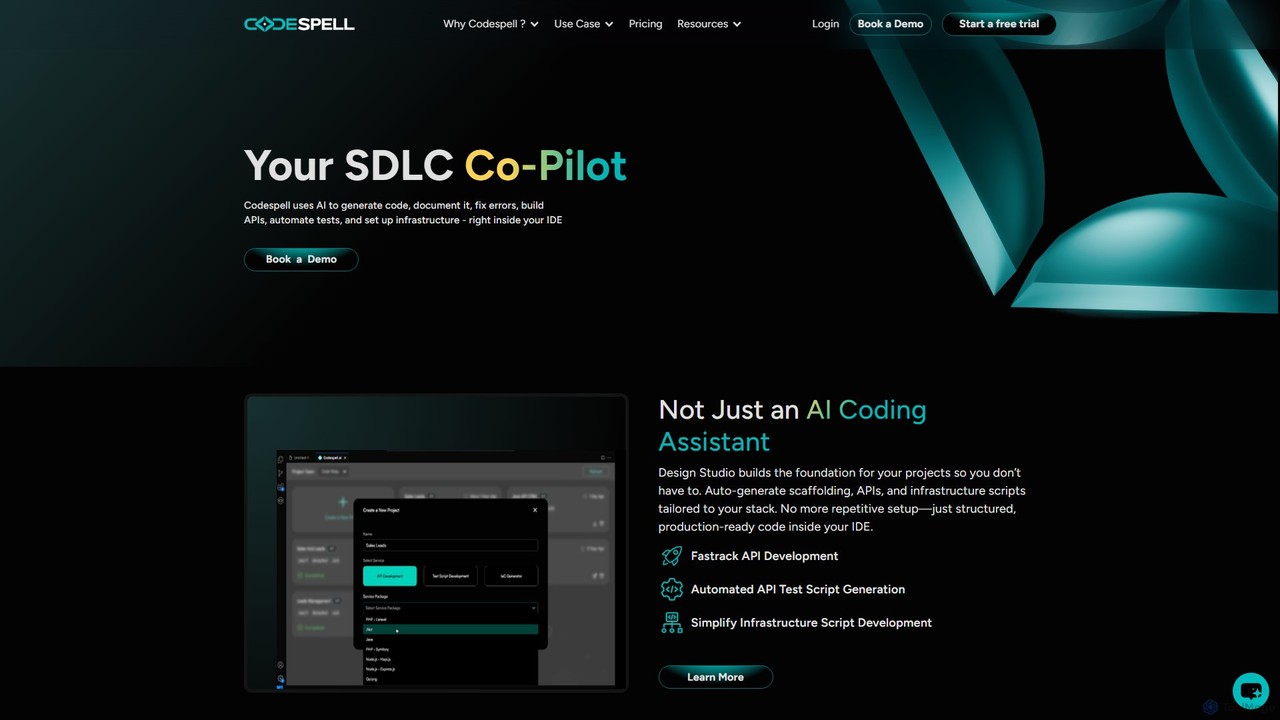
Codespell Product overview

Codespell is an AI-powered SDLC co-pilot that integrates into your IDE to accelerate software development. It goes beyond code completion, helping generate code, create APIs, automate tests, document logic, and fix errors, streamlining the entire development lifecycle.

Preview

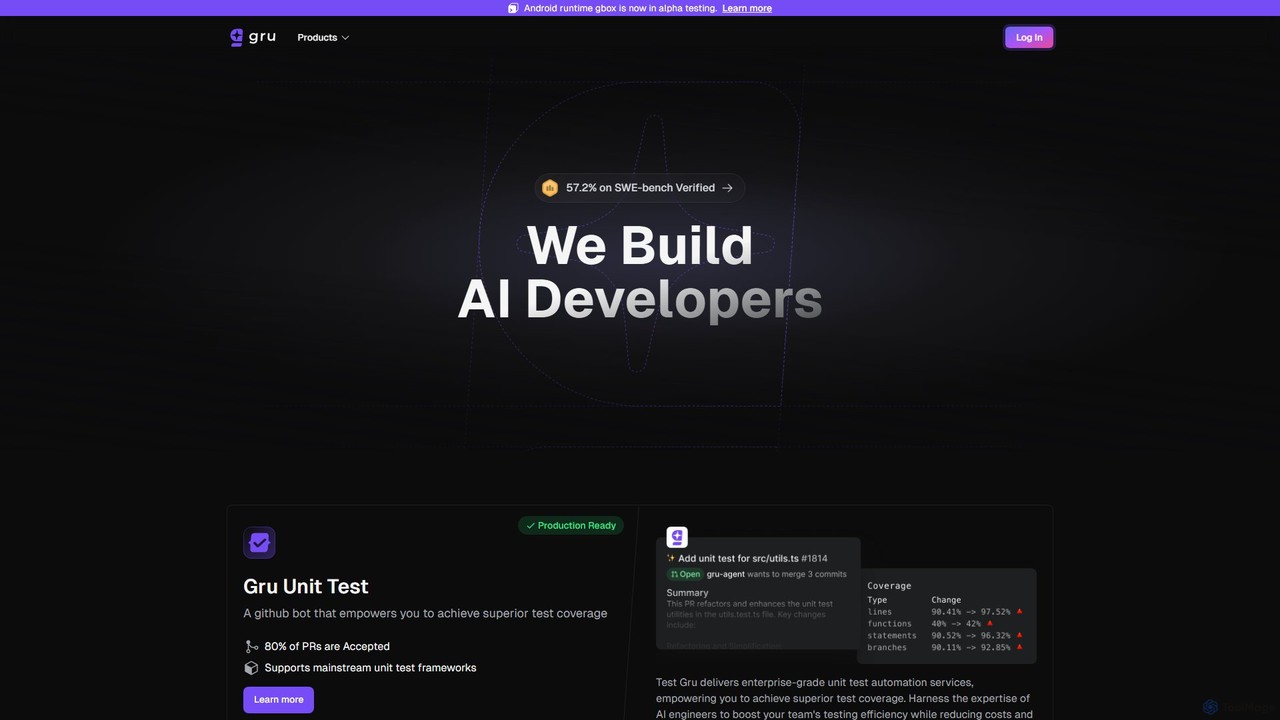
Gru.ai Product overview

Gru.ai is an AI-powered developer agent designed to automate software engineering tasks. It specializes in generating comprehensive unit tests as a GitHub bot, instantly boosting code coverage and improving code quality for multiple programming languages.

Preview

Quick facts

Compare product focus, pricing models and audiences. Highlighted rows indicate different listed information; unknown pricing does not mean free.

Codespell VS Gru.ai — Quick facts
Quick factsCodespellGru.ai
Pricing modelFreemiumFreemium
Product typeExtensionsWeb
Primary focusCode AssistantCode Assistant
Audience and rolesNo data availableNo data available
CategoriesCode Assistant · Low Code No Code · Testing · AutomationCode Assistant · Testing · Automation
AddedAug 16, 2025Aug 8, 2025
UpdatedNov 19, 2026Nov 19, 2026

Features, usage and use cases

Explore the listed product descriptions, features and workflows. Taxonomy labels alone are not feature evaluations.

Codespell

Codespell presents itself as a comprehensive AI Co-Pilot for the Software Development Life Cycle (SDLC), designed to significantly accelerate the journey from concept to deployment. Unlike standard AI coding assistants that focus solely on code completion, Codespell offers a holistic suite of tools that integrate directly into your development environment. It aims to reduce manual coding effort by 30-50% by automating repetitive and complex tasks across the development spectrum.

The platform is built on two core pillars: the Design Studio and the AI Coding Sidekick. The Design Studio acts as a foundational tool, automatically generating project scaffolding, APIs, and infrastructure scripts tailored to your specific technology stack. This eliminates the tedious setup phase, allowing developers to start with structured, production-ready code. The AI Coding Sidekick assists with day-to-day coding tasks through simple commands called "spells." These spells enable developers to instantly generate documentation, explain complex logic, refactor code for optimization, create unit tests, and clean up errors, all without leaving the IDE.

How to use Codespell

Using Codespell is designed to be a seamless part of a developer's existing workflow. First, you install the Codespell extension into your preferred IDE, such as VS Code, JetBrains, or Eclipse. Once integrated, you can interact with the AI in several ways:

  1. Inline Code Suggestions: As you type, Codespell provides intelligent, context-aware code completions to speed up writing.
  2. AI Chat & Spells: You can open a chat interface within the IDE to ask questions or use specific commands (spells). For example, highlighting a block of code and typing /doc will generate comprehensive documentation for it. Using /unit will create corresponding unit tests, and /optimize will suggest structural improvements.
  3. Design Studio: For new projects, you can use the Design Studio to define your requirements and technology stack. Codespell then generates the initial project structure, API endpoints, and infrastructure scripts, providing a solid foundation to build upon.
  4. Team Collaboration: Teams can save and share effective prompts and designs, ensuring consistency and leveraging collective knowledge across projects.

Core Features of Codespell

  • Design to Code (Design Studio): Automatically generates project scaffolding, APIs, and infrastructure scripts from design inputs, tailored to your tech stack.
  • AI Coding Sidekick: An in-IDE assistant that uses simple commands (spells) like /explain, /doc, /unit, /optimize, and /clear to perform complex tasks.
  • Automated Test Generation: Simplifies the creation of API test scripts and unit tests, improving code quality and coverage.
  • Intelligent Code Documentation: Automatically generates clear and concise documentation for your code, making it easier to maintain and understand.
  • Seamless IDE Integration: Works directly within popular IDEs including VS Code, JetBrains IDEs (like IntelliJ IDEA, PyCharm), and Eclipse.
  • Broad Tech Stack Support: Compatible with major languages and frameworks such as Java, .NET, Node.js, and PHP.
  • Team-Oriented Features: Includes a user management console, usage tracking reports, and the ability to share prompts and designs across teams.
  • Task Completions & Spell Credits: A system for handling complex generation tasks and design-to-code actions, with usage shared across team licenses.

Use Cases for Codespell

Codespell is valuable for individual developers, small teams, and large enterprises looking to boost productivity. Key use cases include:

  • Rapid Prototyping: Quickly scaffold new applications and APIs using the Design Studio to validate ideas faster.
  • Legacy Code Modernization: Use the /explain and /doc spells to understand and document old codebases before refactoring.
  • Improving Code Quality: Consistently apply best practices by using /optimize for code structure and /unit for test coverage.
  • Accelerating API Development: Automate the creation of API boilerplate code and corresponding test scripts.
  • Onboarding New Developers: Help new team members get up to speed faster by using Codespell to explain existing code logic and structures.

Advantages of Codespell

The primary advantage of Codespell is its focus on the entire SDLC, not just coding. By automating setup, documentation, and testing, it frees up developers to focus on building core features. Its deep integration into the IDE means less context-switching, leading to higher efficiency. The collaborative features make it a powerful tool for teams, ensuring consistency and shared standards. Finally, the promise of reducing manual coding effort by up to 50% presents a significant return on investment by accelerating delivery times and reducing development costs.

Pricing and Plans

Codespell offers a freemium model with a 1-month free trial to get started.

  • Starter Plan: Priced at $12 per user/month (billed annually). This plan includes unlimited inline AI code suggestions, chat & spells usage, local chat history, 10 Task Completions (coming soon), and the ability to save up to 10 prompts.
  • Growth Plan: Priced at $20 per user/month (billed annually). It includes everything in the Starter plan, plus an increased limit of 20 Task Completions, 5 Design Studio uses, saving up to 20 prompts, and team collaboration features for sharing designs.
  • Enterprise Plan: Custom pricing is available for large organizations requiring advanced security, support, and management features. Interested parties can book a demo for more details.

Usage counts for features like Task Completions and Design Studios are pooled and shared across the entire team for multi-license purchases.

Gru.ai

Gru.ai introduces a new paradigm in software development by providing AI-powered developers, or 'grus', to automate and enhance engineering workflows. Positioned as your first AI coding partner, Gru.ai excels at tackling complex, real-world coding challenges, a capability validated by its high performance (57.2% resolved) on the rigorous SWE-bench_Verified benchmark. The platform's primary offering, Test Gru, is an intelligent GitHub bot that revolutionizes the unit testing process.

By integrating directly into your development pipeline, Gru.ai automates the creation and management of unit tests, ensuring superior code quality and freeing up human developers to focus on innovation and feature development. It aims to instantly boost test coverage to as high as 100%, providing a safety net that catches bugs early and maintains codebase integrity. The platform is built to be production-ready, offering enterprise-grade services that enhance team efficiency while reducing costs.

How to use Gru.ai

Getting started with Gru.ai is designed to be seamless for developers. The primary method of interaction is through GitHub integration. Users can sign up and connect their repositories by authenticating with their GitHub account. Once integrated, the 'Test Gru' bot goes to work:

  1. Connect to GitHub: Sign in on the Gru.ai website using your GitHub credentials to grant access to your repositories.
  2. Automatic Analysis: When a new pull request is opened or new code is committed, Test Gru automatically analyzes the changes.
  3. Test Generation: The AI generates high-quality, relevant unit tests for the new or modified code, utilizing the appropriate testing frameworks for the project's language.
  4. Coverage Boost: The newly generated tests are added, instantly increasing the project's overall test coverage. The system automatically manages these tests, ensuring they stay relevant as the codebase evolves.
  5. Build Custom Agents: For advanced users and researchers, Gru.ai offers an open-source component called 'gbox'. This self-hostable sandbox can be forked on GitHub, allowing developers to build and experiment with their own custom coding agents equipped with a terminal, file editor, and browser capabilities.

Core Features of Gru.ai

  • Automated Unit Test Generation: The 'Test Gru' GitHub bot intelligently creates unit tests, achieving superior test coverage automatically.
  • Instant Coverage Boost: Capable of increasing test coverage for existing code up to 100% almost instantly.
  • Smart Test Management: Automatically manages unit tests when new code is committed, ensuring tests remain up-to-date.
  • Multi-Language Support: Natively supports a wide range of modern programming languages, including Java (JUnit), Python (Pytest), TypeScript, Go (GoTest), and Rust.
  • Exceptional Coding Capabilities: Proven performance on the SWE-bench benchmark, demonstrating its ability to solve real-world software engineering problems.
  • Open-Source Sandbox (gbox): A self-hostable environment for building custom AI agents with tools like a terminal, file editor, and web browser.
  • Enterprise-Ready: Delivers enterprise-grade test automation services designed for professional development teams to enhance efficiency and ensure quality.

Use Cases for Gru.ai

Gru.ai is valuable across various software development scenarios:

  • CI/CD Pipeline Automation: Integrate Test Gru into your continuous integration pipeline to enforce a high standard of testing for every commit.
  • Legacy Code Modernization: Quickly add comprehensive test suites to legacy projects that lack adequate test coverage, reducing the risk of introducing regressions.
  • Agile and DevOps Teams: Accelerate development cycles by offloading the time-consuming task of writing unit tests to the AI, allowing developers to focus on building features.
  • Open Source Projects: Help maintainers ensure code quality and stability by automatically generating tests for contributions from the community.
  • Code Quality Assurance: Use Gru.ai as a standard tool to ensure all new code meets a high bar for quality and reliability before being merged.

Advantages of Gru.ai

Gru.ai offers a significant competitive edge for development teams:

  • Increased Productivity: Automates a critical but often tedious part of the development process, saving countless developer hours.
  • Enhanced Code Reliability: By ensuring comprehensive test coverage, it helps identify and fix bugs earlier in the development lifecycle.
  • Cost-Effective: Reduces the overall cost of testing and quality assurance by minimizing manual effort.
  • State-of-the-Art AI: Built on powerful AI models that understand code context and can solve complex problems, as proven by industry benchmarks.
  • Flexible and Extensible: Provides both a plug-and-play solution (Test Gru) and a powerful open-source framework (gbox) for custom needs.

Pricing and Plans

While specific pricing tiers are not detailed on the website, Gru.ai appears to operate on a freemium model. It offers a 'Try it Now' option and GitHub-based sign-in, suggesting a free tier for individual developers, open-source projects, or small teams. For larger organizations with advanced needs, enterprise-grade services are available, which likely come with custom pricing, dedicated support, and enhanced features. It is recommended to contact the Gru.ai team directly for detailed enterprise pricing information.

Positioning

Their taxonomy shows where the products overlap and where each one has a more distinct focus. Unknown fields are shown explicitly and are never filled with assumptions.

Categories

Shared
Code AssistantTestingAutomation
Only Codespell
Low Code No Code
Only Gru.ai
No listed items

Tags

Shared
code generationjavaunit testing
Only Codespell
api generationcode assistantcode documentationcode optimizationdeveloper productivityIDE plugin.NETnode.jsphpsldcsoftware development
Only Gru.ai
AI developerautomationcode qualitydeveloper toolsgithubgopythonrustsoftware engineeringtestingtypescript

Audience and roles

Shared
No listed items
Only Codespell
No listed items
Only Gru.ai
No listed items

Traffic comparison

Traffic is shown on the same scale so differences in market visibility are not visually understated.

How to interpret the traffic data

Both charts share the same months and vertical scale. Each tool identifies its latest reporting month; missing months are left blank, not counted as zero. Regional and source visit counts are estimates calculated from the reported shares.

Codespell

No data available

Gru.ai

No data available

Community signals

Ratings, comments, favorites, and likes are community signals—not a substitute for product fit.

Codespell

Rating
No data available
Comments
0
Favorites
190
Likes
205

Gru.ai

Rating
No data available
Comments
0
Favorites
184
Likes
160

Codespell vs Gru.ai · Comparison FAQ

What do Codespell and Gru.ai have in common?
Both tools are listed under Code Assistant、Testing、Automation. These categories indicate overlapping use cases; compare their detailed descriptions for workflows, capabilities and limitations.
Are Codespell and Gru.ai free?
Listed pricing models: Codespell — Freemium; Gru.ai — Freemium. Missing pricing is not proof of a free plan, and freemium does not mean every feature is free. Check official sites for current plans, limits and trials.
How should I choose between Codespell and Gru.ai?
The primary listed category is Code Assistant for Codespell, and Code Assistant for Gru.ai. Compare features, steps and use cases, then verify pricing, data permissions and deployment needs. This page does not include hands-on testing and does not declare a winner from traffic or tags.

Sources and comparison methodology

This page is assembled from ToolMage product listings, taxonomy, traffic statistics and on-site user feedback. It is not a hands-on test or an independent review.

  • Feature and plan descriptions reflect information in the listings, not real-time guarantees. Verify pricing, quotas, availability and privacy terms on the official sites.
  • Traffic uses the reporting months shown. Missing statistics do not mean zero visits, and different periods do not establish growth or superiority. Regional and source visit counts are estimates based on shares.
  • Different tags indicate differences in the listings, not proof that the other product lacks a capability. Ratings, favorites and visits are not used to declare a winner.

Related comparisons