ToolMage
Sign in

AI TOOL COMPARISON

GitButler vs GitKraken

What is the difference, and which fits your workflow? Compare features, usage, pricing models and traffic side by side.

Jump to key differences

Product overview

GitButler Product overview

GitButler is a next-generation version control client that allows developers to organize their work into multiple virtual branches simultaneously. It automates the process of managing changes, enabling parallel work on different features and bug fixes without the overhead of traditional Git branches, streamlining the entire development workflow.

Preview

GitKraken Product overview

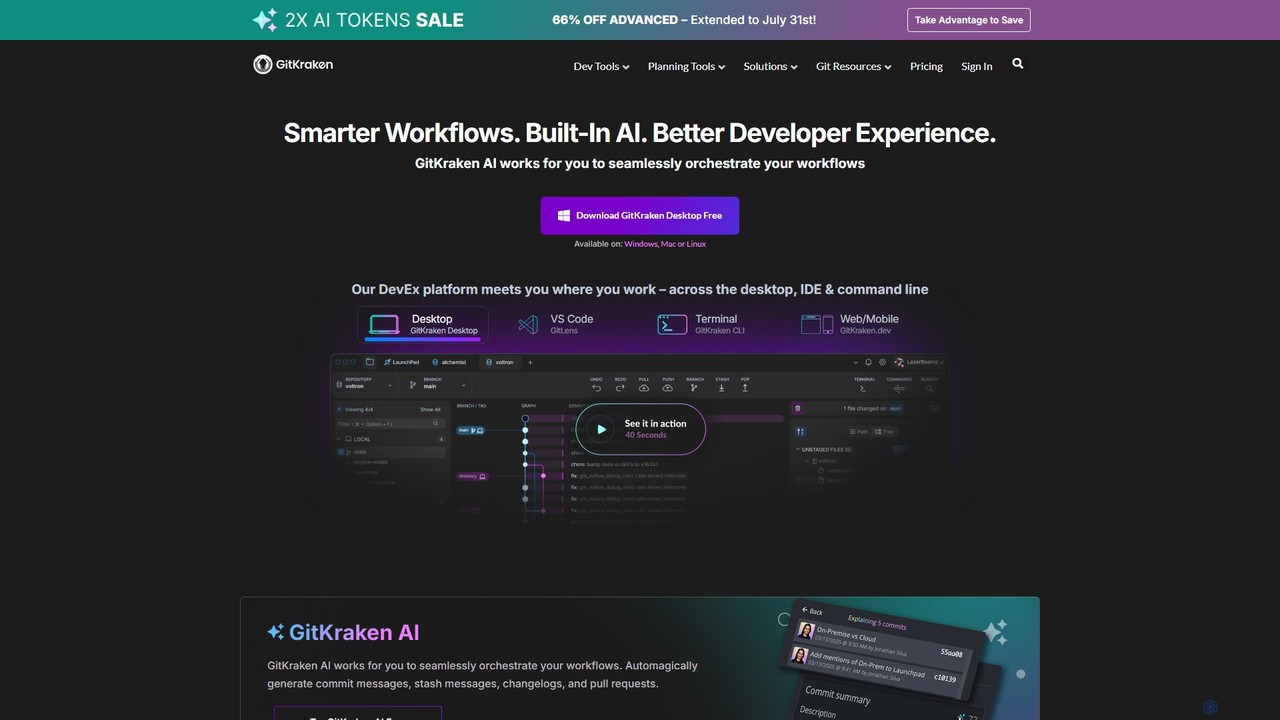
GitKraken is a legendary suite of Git tools designed to enhance the developer experience. Featuring a visual Git GUI, a powerful CLI, and IDE integrations, it leverages built-in AI to automate tasks like generating commit messages and pull requests. It streamlines workflows, improves team collaboration, and provides powerful visualization for complex repositories.

Preview

Quick facts

Compare product focus, pricing models and audiences. Highlighted rows indicate different listed information; unknown pricing does not mean free.

GitButler VS GitKraken — Quick facts
Quick factsGitButlerGitKraken
Pricing modelFreemiumFreemium
Product typeAppApp
Primary focusCode AssistantVersion Control
Audience and rolesNo data availableNo data available
CategoriesCode Assistant · Version Control · Task ManagementVersion Control · Code Assistant · Project Management
AddedAug 1, 2025Aug 2, 2025
UpdatedNov 19, 2026Nov 19, 2026

Features, usage and use cases

Explore the listed product descriptions, features and workflows. Taxonomy labels alone are not feature evaluations.

GitButler

GitButler is an innovative, open-source Git client designed to revolutionize the way developers interact with version control. It addresses the common complexities and frustrations of managing work-in-progress by introducing a powerful concept: virtual branches. This tool acts as an intelligent assistant, or 'butler', that automatically organizes uncommitted changes, allowing developers to work on multiple tasks in parallel within the same working directory.

Traditionally, developers have to use `git stash` or create temporary feature branches to switch contexts, which can be cumbersome and lead to a messy commit history. GitButler eliminates this friction. It observes file changes in real-time and allows you to visually separate them into distinct, isolated virtual branches. This means you can be fixing a bug, developing a new feature, and refactoring code simultaneously, all without interfering with each other.

How to use GitButler

Using GitButler is designed to be intuitive and integrate seamlessly into your existing workflow:

  1. Download and Install: Get the GitButler desktop application for your operating system (Windows, macOS, or Linux) from the official website.
  2. Open a Repository: Simply open any of your existing Git repositories with GitButler. It will automatically detect your project and its current state.
  3. Automatic Change Tracking: As you write code, GitButler's 'butler' works in the background, observing and grouping your file changes. It intelligently understands your work without any manual commands.
  4. Organize with Virtual Branches: Your uncommitted changes will appear in the GitButler UI. You can drag and drop these changes into different virtual branches. For example, you can create a 'bug-fix' branch and a 'new-feature' branch and assign your changes accordingly.
  5. Effortless Context Switching: Switch between these virtual branches with a single click. The changes in your working directory will update instantly, with no need for stashing or committing.
  6. Craft Perfect Commits: When a task is complete, you can select a virtual branch and create a clean, focused commit from it. GitButler can even help generate descriptive commit messages based on the changes.
  7. Push and Create Pull Requests: Once you have a real Git commit, you can push it to your remote repository (like GitHub or GitLab) and create a pull request directly from the GitButler interface.

Core Features of GitButler

  • Virtual Branches: Work on multiple independent streams of changes simultaneously without creating actual Git branches. This keeps your repository clean and your focus sharp.
  • Automated Work Organization: GitButler automatically tracks and groups your uncommitted changes, providing a clear overview of all ongoing tasks.
  • Visual and Intuitive UI: A drag-and-drop interface for managing changes, crafting commits, and visualizing your workflow, making Git accessible to everyone.
  • Effortless Context Switching: Instantly switch between different tasks without using `git stash` or premature commits.
  • Undo and Time Travel: Easily undo any operation, from moving a line of code between branches to reverting a commit.
  • Integrated GitHub/GitLab Workflow: Push branches and create pull requests directly from the application, streamlining the code review process.
  • AI-Powered Commit Messages: Automatically generate clear and concise commit messages based on the code changes within a virtual branch, saving time and improving history quality.

Use Cases for GitButler

GitButler is versatile and benefits developers in various scenarios:

  • Feature Development: Work on a new feature while simultaneously fixing an unrelated bug that arises, keeping both sets of changes isolated until they are ready.
  • Complex Refactoring: Break down a large refactoring task into smaller, manageable chunks using virtual branches, and commit them incrementally.
  • Urgent Bug Fixes: Quickly switch from your current work to address a high-priority bug without losing your flow or creating a messy stash.
  • Preparing Pull Requests: Easily create clean, focused pull requests that contain only the relevant changes for a specific feature, even if the work was done alongside other modifications.

Advantages of GitButler

The primary advantage of GitButler is the significant boost in productivity and reduction in mental overhead. It transforms Git from a command-line chore into a seamless, visual experience. By handling the tedious aspects of branch management, it allows developers to stay in a state of flow and focus on what truly matters: writing great code. The result is a cleaner commit history, faster development cycles, and a more enjoyable and less error-prone version control process.

Pricing and Plans

GitButler is currently open-source and free to use. As a community-driven project, it offers its full feature set without charge for individual developers and teams. Future enterprise-level features or cloud services may be introduced with specific pricing plans, but the core client is committed to remaining free.

GitKraken

GitKraken is the world's leading Developer Experience (DevEx) platform, offering a suite of legendary Git tools trusted by over 10 million developers from more than 100,000 organizations. The platform is designed to make Git easier, safer, and more powerful, supporting developers across their entire workflow on desktop, in the IDE, and via the command line. The core of GitKraken's offering is a unified experience that integrates seamlessly with all major Git hosts like GitHub, GitLab, Bitbucket, and Azure DevOps.

At the heart of its modern toolkit is GitKraken AI, a smart assistant that works to orchestrate developer workflows. It automates routine tasks by generating commit messages, pull request descriptions, changelogs, and stash messages, allowing developers to focus on writing code rather than administrative overhead. This AI integration, combined with powerful visualization and collaboration features, aims to significantly boost productivity and improve code quality.

How to use GitKraken

Getting started with GitKraken is straightforward and tailored to your preferred environment:

  1. Download GitKraken Desktop: The primary tool is a cross-platform desktop application available for Windows, Mac, and Linux. Download it for free to get started.
  2. Integrate with your IDE: Install GitLens for VS Code to bring powerful Git insights, such as code authorship and history, directly into your editor.
  3. Use the Command Line: For those who prefer the terminal, GitKraken CLI enhances the command-line experience with a visual commit graph and other helpful features.
  4. Connect Your Accounts: Seamlessly connect to your Git hosting providers (GitHub, GitLab, etc.) and issue trackers (like Jira) to unify your workflow.
  5. Collaborate with Workspaces: Create or join a Workspace to share repositories with your team. This simplifies onboarding for new members and enables multi-repo actions.
  6. Leverage AI: Use GitKraken AI to automatically generate commit messages, explain complex commits, or help resolve merge conflicts, saving time and mental energy.

Core Features of GitKraken

  • GitKraken AI: Automates the creation of commit messages, PR titles and descriptions, and stash messages. It can also explain commits and assist in resolving merge conflicts.
  • Advanced Git Visualization: Features an intuitive and beautiful Commit Graph that simplifies understanding complex repository history. It also includes a Visual File History and an interactive rebase tool.
  • Powerful Merge Conflict Tool: A visual editor that helps you see the changes clearly and resolve merge conflicts faster and with more confidence.
  • Enhanced Team Collaboration: GitKraken Workspaces allow teams to group repositories, streamline onboarding, and perform actions across multiple repos at once. The Team View provides a mission control for distributed teams.
  • Conflict Prevention: Proactively alerts you to potential merge conflicts before they happen, helping to avoid costly rework, especially in distributed teams.
  • Productivity & Focus Tools: The Launchpad helps you manage tasks, track open items, and stay in a flow state by reducing distractions.
  • Seamless Integrations: Deep integration with GitHub, GitLab, Bitbucket, Azure DevOps (both cloud and self-hosted), and issue trackers like Jira, Trello, and more.

Use Cases for GitKraken

For Individual Developers: Solo developers can supercharge their productivity by using the visual GUI to manage private and public projects, leveraging AI to speed up routine Git tasks, and using the powerful merge tool to handle complex branches with ease.

For Development Teams: Teams, especially those that are distributed, can use Workspaces to onboard new developers in minutes instead of months. The platform facilitates better collaboration, helps prevent merge conflicts, and keeps everyone aligned on multi-repo projects.

For Team Leads & Managers: GitKraken provides unparalleled visibility into development progress. With Git Integration for Jira and Team Insights, leads can track work, analyze DORA metrics, and understand project health without leaving their planning tools.

Advantages of GitKraken

GitKraken's primary advantage is its focus on creating a superior Developer Experience (DevEx). It achieves this by:

  • Unifying the Workflow: Providing a consistent and interconnected experience across desktop, IDE, and CLI.
  • Saving Time with AI: Automating mundane tasks to free up developer time for more critical work.
  • Demystifying Git: Turning complex command-line operations into intuitive visual actions, reducing the learning curve and preventing errors.
  • Enhancing Collaboration: Building features specifically designed for the realities of modern, often distributed, software teams.
  • Being Scalable and Secure: Offering plans and features that cater to everyone from individual hobbyists to large enterprises with strict security and compliance requirements.

Pricing and Plans

GitKraken offers a tiered pricing model to suit different needs:

  • Community: Free for open-source development. Works with local repos and public remotes only. Includes a 14-day trial of the Advanced plan.
  • Pro: Aimed at solo developers, this plan adds support for private repositories, cloud issue tracker integrations, and basic AI features.
  • Advanced: Designed for teams, it includes more integrations (including self-hosted), powerful team features like Insights, and a higher AI token allowance.
  • Business: For large organizations requiring enterprise-grade security, multi-domain SSO, advanced admin controls, and dedicated support.
  • On-Premise: A custom solution is available for companies that need to host GitKraken on their own servers.

Paid plans are billed annually per seat, with introductory discounts often available for the first seat.

Positioning

Their taxonomy shows where the products overlap and where each one has a more distinct focus. Unknown fields are shown explicitly and are never filled with assumptions.

Categories

Shared
Version Control
Only GitButler
Code AssistantTask Management
Only GitKraken
Code AssistantProject Management

Tags

Shared
developer toolsGitgithubgitlabversion control
Only GitButler
branch managementcodingopen sourceprogrammingworkflow automation
Only GitKraken
AI code assistantbitbucketcode collaborationcommit message generatordevopsvisual git

Audience and roles

Shared
No listed items
Only GitButler
No listed items
Only GitKraken
No listed items

Traffic comparison

Traffic is shown on the same scale so differences in market visibility are not visually understated.

How to interpret the traffic data

Both charts share the same months and vertical scale. Each tool identifies its latest reporting month; missing months are left blank, not counted as zero. Regional and source visit counts are estimates calculated from the reported shares.

GitButler monthly traffic:

Latest traffic · 2026-05

Monthly visits
108K
Avg. visit duration
1:49
Pages per visit
2.23
Bounce rate
40.09%
Data updated 2026-06-15

Monthly traffic trend

  • 2025-09: 102.5K
  • 2026-01: 70.6K
  • 2026-02: 109.1K
  • 2026-03: 100.1K
  • 2026-04: 182.1K
  • 2026-05: 108K

Top regions

Top 5 countries/regions
Country/regionPercentageEstimated visits
🇺🇸United States53.49%57.8K
🇨🇳China15.45%16.7K
🇭🇰Hong Kong11.24%12.1K
🇯🇵Japan10.43%11.3K
🇳🇬Nigeria9.39%10.1K

Traffic sources

Source typePercentageEstimated visits
Direct68.33%73.8K
Referral29.62%32K
Email2.05%2.2K

Search keywords

cursor hooksgitgit butlergitbutlerjviasterj css expansion

GitKraken monthly traffic:

Latest traffic · 2026-05

Monthly visits
564K
Avg. visit duration
0:59
Pages per visit
1.86
Bounce rate
52.21%
Data updated 2026-06-11

Monthly traffic trend

  • 2025-09: 513.9K
  • 2026-01: 587.1K
  • 2026-02: 571.8K
  • 2026-03: 648.3K
  • 2026-04: 601.5K
  • 2026-05: 564K

Top regions

Top 5 countries/regions
Country/regionPercentageEstimated visits
🇺🇸United States47.82%269.7K
🇮🇳India14.76%83.3K
🇨🇳China14.37%81.1K
🇲🇽Mexico11.7%66K
🇧🇷Brazil11.35%64K

Traffic sources

Source typePercentageEstimated visits
Direct54.24%305.9K
Referral38.07%214.7K
Email7.69%43.4K

Search keywords

gitgithubgithub desktopgit krakengitkraken

Community signals

Ratings, comments, favorites, and likes are community signals—not a substitute for product fit.

GitButler

Rating
No data available
Comments
0
Favorites
201
Likes
195

GitKraken

Rating
No data available
Comments
0
Favorites
143
Likes
151

GitButler vs GitKraken · Comparison FAQ

What do GitButler and GitKraken have in common?
Both tools are listed under Version Control. These categories indicate overlapping use cases; compare their detailed descriptions for workflows, capabilities and limitations.
Are GitButler and GitKraken free?
Listed pricing models: GitButler — Freemium; GitKraken — Freemium. Missing pricing is not proof of a free plan, and freemium does not mean every feature is free. Check official sites for current plans, limits and trials.
How should I choose between GitButler and GitKraken?
The primary listed category is Code Assistant for GitButler, and Version Control for GitKraken. Compare features, steps and use cases, then verify pricing, data permissions and deployment needs. This page does not include hands-on testing and does not declare a winner from traffic or tags.

Sources and comparison methodology

This page is assembled from ToolMage product listings, taxonomy, traffic statistics and on-site user feedback. It is not a hands-on test or an independent review.


  • Feature and plan descriptions reflect information in the listings, not real-time guarantees. Verify pricing, quotas, availability and privacy terms on the official sites.
  • Traffic uses the reporting months shown. Missing statistics do not mean zero visits, and different periods do not establish growth or superiority. Regional and source visit counts are estimates based on shares.
  • Different tags indicate differences in the listings, not proof that the other product lacks a capability. Ratings, favorites and visits are not used to declare a winner.

Related comparisons