gptcli
Code Assistant
AI TOOL COMPARISON
What is the difference, and which fits your workflow? Compare features, usage, pricing models and traffic side by side.
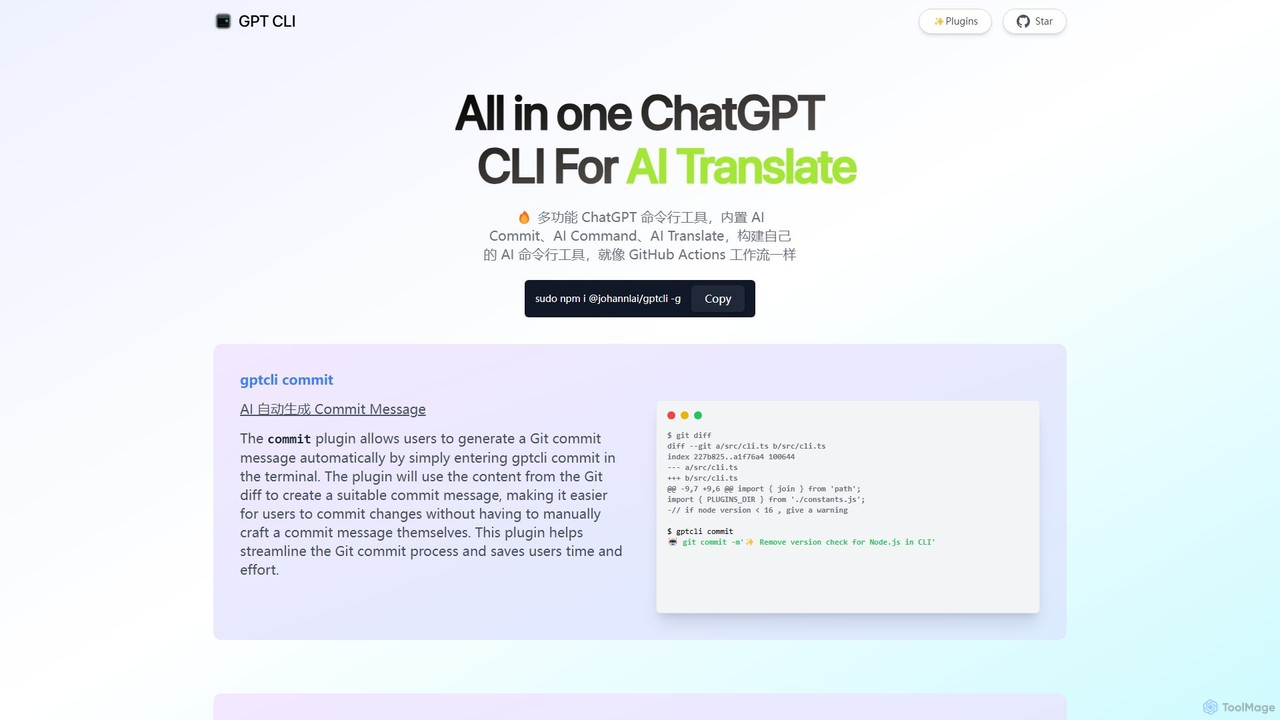
gptcli is a versatile, open-source command-line tool that integrates ChatGPT directly into your terminal. It streamlines developer workflows with features like AI-powered Git commits, natural language to shell command translation, and in-terminal chat. With its extensible plugin system, you can build your own custom AI CLI tools, making it the ultimate productivity enhancer for anyone who works extensively with the command line.
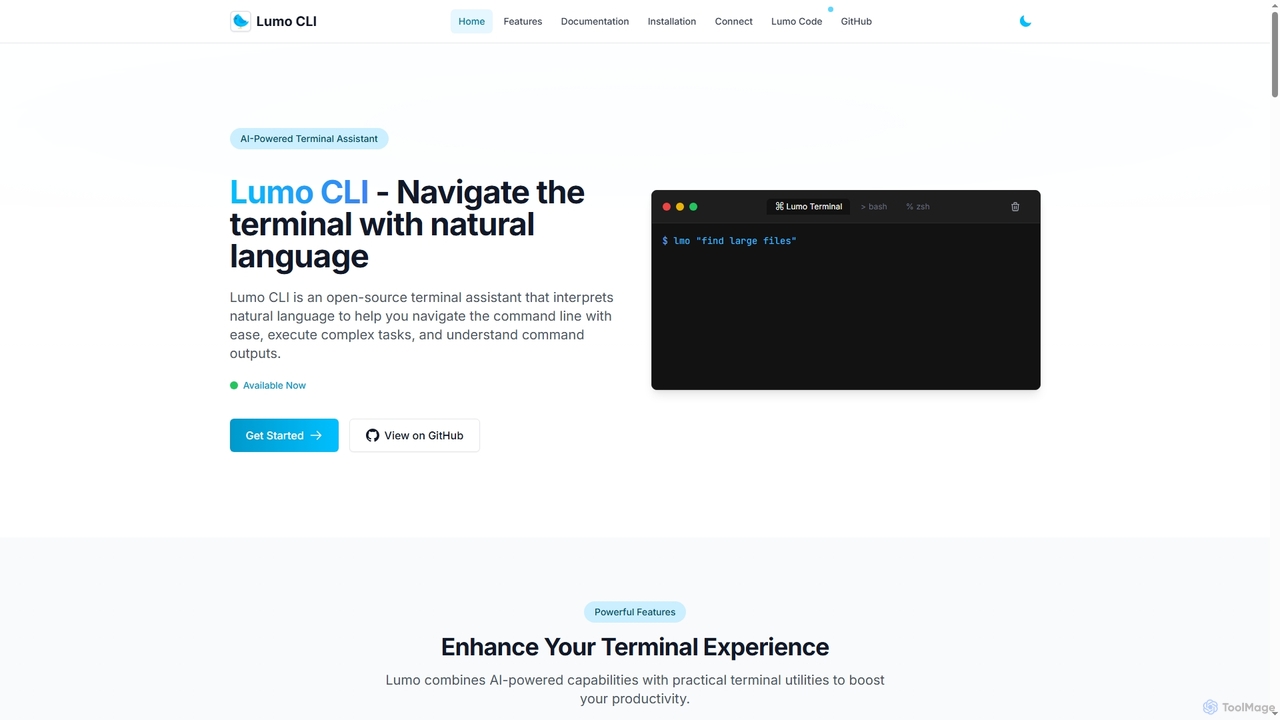
Lumo is an open-source, AI-powered terminal assistant that allows users to interact with the command line using natural language. It translates plain English into executable commands, automates complex tasks, monitors system health, and supports multiple AI models including Gemini, OpenAI, and Ollama for local inference.
Compare product focus, pricing models and audiences. Highlighted rows indicate different listed information; unknown pricing does not mean free.
| Quick facts | gptcli | Lumo |
|---|---|---|
| Pricing model | Free | Free |
| Product type | App | App |
| Primary focus | Code Assistant | Code Assistant |
| Audience and roles | No data available | Cybersecurity Analyst · Data Scientist · DevOps Engineer · IT Support Specialist · Software Developer · System Administrator |
| Categories | Code Assistant · Command Line · Automation | Code Assistant · Command Line · Automation |
| Added | Aug 6, 2025 | Dec 9, 2025 |
| Updated | Nov 19, 2026 | Nov 19, 2026 |
Explore the listed product descriptions, features and workflows. Taxonomy labels alone are not feature evaluations.
gptcli is a powerful, all-in-one Command Line Interface (CLI) tool designed to bring the intelligence of OpenAI's ChatGPT directly to your terminal. It serves as a multifunctional assistant for developers, system administrators, and anyone who frequently uses the command line. The core philosophy of gptcli is to enhance productivity by automating repetitive tasks, simplifying complex commands, and providing instant AI assistance without ever needing to leave the terminal window. Its architecture is built around a flexible plugin system, allowing users to not only use a rich set of built-in functions but also to create and share their own custom AI-powered CLI tools, much like building a GitHub Actions workflow.
Getting started with gptcli is straightforward, especially for those familiar with Node.js environments.
sudo npm i @johannlai/gptcli -ggptcli commitgptcli command "your query in plain English" (e.g., gptcli command "list all js files in the folder")gptcli chatgptcli translategptcli is versatile and can be adopted by various professionals:
The primary advantage of gptcli is its ability to centralize AI-powered tasks within the command line, the native environment for many technical professionals.
gptcli is a free and open-source tool, distributed under the MIT License. You can download, use, and modify it without any cost. However, it relies on the OpenAI API to power its features. Therefore, users are responsible for the costs associated with their own OpenAI API key usage. Pricing is determined by OpenAI's model for API calls (e.g., per-token pricing for GPT-3.5, GPT-4, etc.). There are no subscription fees or hidden charges for the gptcli tool itself.
Lumo is an open-source AI-powered terminal assistant designed to enhance command-line productivity for developers, system administrators, and tech enthusiasts. It interprets natural language queries to generate and explain terminal commands, eliminating the need to memorize complex syntax. Lumo can also function as an autonomous agent to execute sequences of commands for completing intricate tasks. With support for multiple AI providers like Google Gemini, OpenAI, and local models via Ollama, it offers flexibility and privacy. Additional utilities include system health monitoring, local network file transfer, and clipboard management, making it a comprehensive tool for navigating the terminal with ease.
Getting started with Lumo involves a few simple steps. First, install the Lumo CLI on your system (Linux, macOS, or Windows) using either a pre-built binary or by building from the source code available on GitHub. After installation, run the `lumo setup` command to configure your preferred AI provider (e.g., OpenAI, Gemini, or a local Ollama model). Once configured, you can start using it by typing `lumo` followed by your query in natural language, such as `lumo "find large files in Linux"`. For more complex operations, you can use the Terminal Agent Mode with prefixes like `lumo auto:` or `lumo agent:` to have it plan and execute a series of commands.
Lumo is ideal for a variety of scenarios. Developers can use it to quickly find the right commands for tasks like setting up a Python virtual environment or using `grep` with multiple patterns. System administrators can leverage the Terminal Agent Mode to automate backup procedures or monitor system resources. Beginners learning the command line can use Lumo as an interactive guide to understand commands and their functions. It's also useful for debugging, as users can pipe error logs directly into Lumo for a quick analysis and explanation.
The main advantage of Lumo is its ability to significantly lower the barrier to entry for complex command-line operations, boosting productivity for both new and experienced users. Its multi-provider support, especially for local models via Ollama, gives users control over their data and allows for offline functionality. Being open-source provides transparency and the ability for customization. The integrated suite of tools, from system monitoring to file transfer, makes it a versatile and powerful assistant rather than just a simple command translator.
Their taxonomy shows where the products overlap and where each one has a more distinct focus. Unknown fields are shown explicitly and are never filled with assumptions.
Traffic is shown on the same scale so differences in market visibility are not visually understated.
Both charts share the same months and vertical scale. Each tool identifies its latest reporting month; missing months are left blank, not counted as zero. Regional and source visit counts are estimates calculated from the reported shares.
No data available
Ratings, comments, favorites, and likes are community signals—not a substitute for product fit.
Lumo supports multiple AI providers to offer flexibility. According to its documentation, you can choose between Google Gemini, OpenAI, or Ollama for local AI inference, which allows the tool to function even without an internet connection.
Lumo provides support for multiple platforms. The official website confirms that it is supported on Linux, macOS, and Windows.
You can install Lumo in two main ways. The recommended quick approach is using pre-built binaries for your platform (e.g., via `curl` for Linux). Alternatively, you can build it from the source by cloning the GitHub repository, which requires Go 1.22 or higher to be installed on your system.
Yes, Lumo features a 'Terminal Agent Mode' specifically for this purpose. By using the `auto:` or `agent:` prefix, you can ask Lumo to perform complex tasks like 'create a backup of my documents folder'. It will generate a plan of commands, allow you to review and refine it, and then execute the sequence.
Yes, Lumo is presented as a completely open-source tool. The website provides links to its GitHub repository and does not mention any pricing, subscriptions, or paid plans, indicating it is free for anyone to use, inspect, and contribute to.
This page is assembled from ToolMage product listings, taxonomy, traffic statistics and on-site user feedback. It is not a hands-on test or an independent review.