ToolMage
Sign in

Best 1 Modeling AI tools for 3D & Design

Popular Modeling AI tools in 3D & Design include Fuser, helping you work more efficiently.

Fuser
Freemium

Fuser

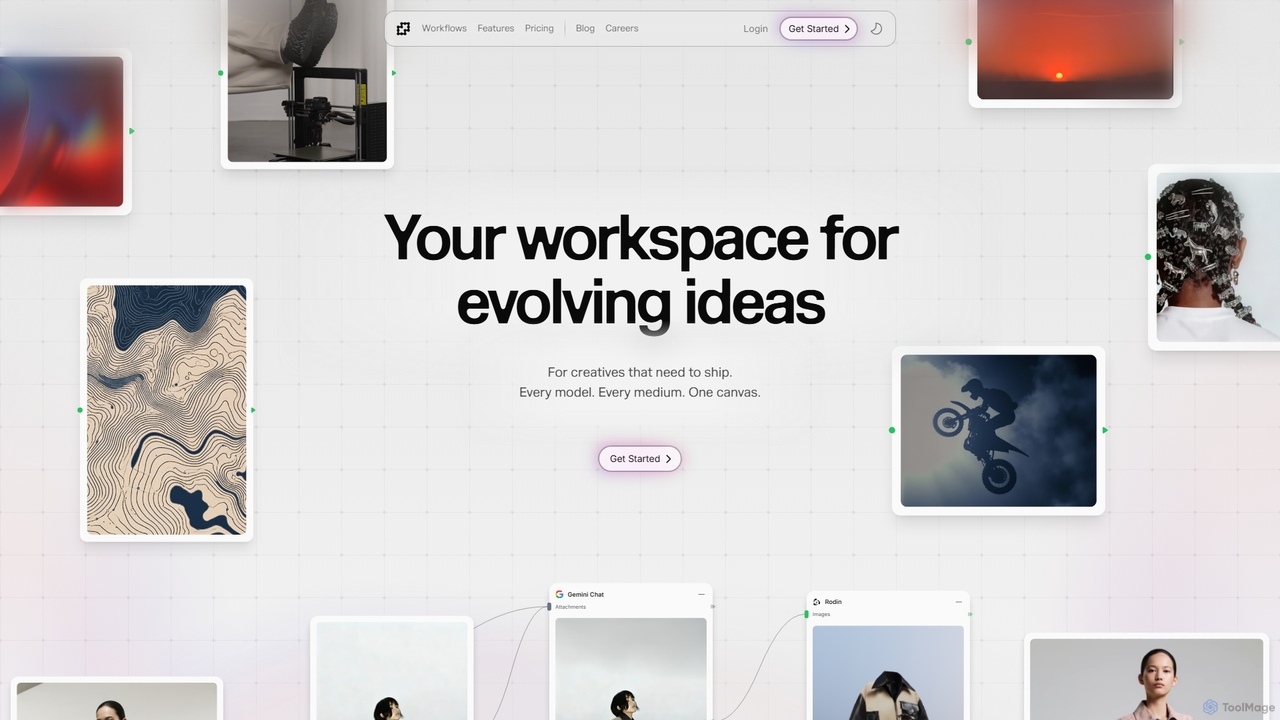
Fuser is an innovative AI workspace designed for creatives to evolve ideas across various mediums. It offers a unified canvas to integrate over 160 models and 300 LLMs, facilitating iterative design for text, images, videos, audio, and 3D. Emphasizing process over output, Fuser empowers users to build tailored workflows, manage assets, and connect API keys for seamless creative exploration and production.

Modeling
Visits 77.1KFavorites 104Likes 95

About Modeling

Modeling tools are a crucial category within 3D & Design, focusing on the creation of three-dimensional digital objects and environments. These AI-powered tools leverage advanced algorithms to assist, automate, or even generate complex 3D models from various inputs, significantly streamlining the design and production workflow. They enable designers, artists, and engineers to rapidly prototype, iterate, and visualize concepts with unprecedented speed and detail, transforming ideas into tangible digital assets.

Core Features

  • Generative Design: Automatically creates multiple design variations based on specified parameters or prompts.
  • Digital Sculpting: Offers intuitive, artistic control for shaping organic forms and adding intricate details.
  • Parametric Modeling: Allows for rule-based design where modifications to one parameter automatically update related elements.
  • Automatic Retopology: Optimizes complex meshes into clean, animation-friendly topologies.
  • Texture & Material Generation: AI-driven creation and application of realistic surface textures and material properties.

Applicable Scenarios

AI modeling tools are indispensable across various industries. Game developers use them to rapidly build characters and environmental assets, while product designers leverage them for quick prototyping and visualization of new concepts. Architects employ these tools for complex building design and urban planning, and VFX artists utilize them to generate intricate models for film and animation.

How to Choose

When selecting an AI modeling tool, consider its primary modeling paradigm (e.g., generative, parametric, sculpting) to match your project needs. Evaluate its integration capabilities with your existing 3D software ecosystem and desired output file formats. Assess the learning curve and available resources, as well as the tool's ability to handle the complexity and scale of your intended models. Finally, compare pricing models and community support.

Featured tool rankings

Modeling use cases

1

Rapid Product Design Prototyping

Industrial designers utilize AI modeling to generate numerous design iterations for new products based on functional specifications. This accelerates the conceptualization phase, allowing for quick visualization and evaluation of diverse forms and features before physical production. By inputting parameters or sketches, designers can explore a vast array of possibilities, significantly reducing the time and cost associated with traditional prototyping methods.

2

Game Asset & Character Creation

Game artists employ generative AI modeling to create unique characters, props, and environmental elements from simple text prompts or concept art. This significantly reduces manual modeling time, enabling faster asset production and more diverse in-game content. AI can generate variations of a base model, optimize meshes for game engines, and even suggest textures, accelerating the entire game development pipeline.

3

Architectural Structure & Urban Planning

Architects leverage parametric modeling tools to design complex building structures, facades, or entire urban layouts. By adjusting parameters like sunlight, material, or structural integrity, they can quickly explore design variations and optimize for performance and aesthetics. AI can assist in generating optimal layouts, analyzing environmental factors, and ensuring compliance with building codes, making the design process more efficient and informed.

4

VFX Creature & Environment Generation

Visual effects artists use AI-enhanced digital sculpting and automatic retopology to create highly detailed organic models, such as fantastical creatures or realistic landscapes, for film and animation. This ensures high visual fidelity while maintaining efficient mesh topology for rigging and animation. AI tools can also assist in generating procedural textures and materials, further enhancing the realism and complexity of VFX assets.

5

Custom 3D Print Model Development

Engineers and hobbyists use modeling software to design and optimize custom parts, figurines, or functional prototypes specifically for 3D printing. AI features can assist in ensuring watertight meshes, optimizing support structures, and preparing models for various additive manufacturing processes. This allows for the creation of highly precise and printable models, reducing errors and material waste in the physical production phase.

6

Virtual Fashion & Apparel Design

Fashion designers utilize 3D modeling to create virtual garments on digital avatars, simulating fabric drape, texture, and fit. This allows for rapid prototyping of clothing lines, reducing the need for physical samples and enabling virtual try-ons and presentations. AI can assist in generating fabric patterns, simulating realistic material behaviors, and even suggesting design variations based on current trends, streamlining the entire fashion design process.

Modeling FAQ

What is AI Modeling?

AI Modeling refers to the use of artificial intelligence algorithms to assist in or automate the creation of three-dimensional digital models. Unlike traditional manual modeling, AI tools can generate complex geometries from simple inputs like text descriptions, images, or parameters, significantly speeding up the design process and enabling the exploration of vast design spaces. They are transforming how designers, artists, and engineers approach 3D content creation.

How does AI Modeling differ from traditional 3D Modeling?

The primary difference lies in the level of automation and intelligence. Traditional 3D modeling relies heavily on manual manipulation of vertices, edges, and faces by a human designer. AI Modeling, conversely, leverages machine learning to interpret inputs and generate or modify models autonomously. This allows for faster iteration, the creation of highly complex or organic forms that are difficult to model manually, and the ability to explore design variations that might not be conceived by a human alone.

What types of AI Modeling tools are available?

AI Modeling tools encompass several types. Generative AI modeling can create 3D assets from scratch based on text prompts (text-to-3D) or 2D images (image-to-3D). Parametric AI tools use rules and algorithms to allow for dynamic adjustments and variations. Digital sculpting tools are often enhanced with AI for features like automatic retopology or intelligent brush strokes. Additionally, some tools use AI for texture generation, material assignment, or optimizing models for specific uses like 3D printing.

Who benefits most from AI Modeling tools?

A wide range of professionals benefits from AI Modeling tools. Game developers can rapidly prototype assets and characters, while product designers can quickly iterate on new concepts. Architects use them for complex structural designs and visualizations, and VFX artists can generate intricate creatures and environments for film. Engineers, industrial designers, and even hobbyists involved in 3D printing also find immense value in the speed and capabilities offered by AI-driven modeling.

What should I consider when choosing an AI Modeling tool?

When selecting an AI Modeling tool, evaluate its core functionality: do you need generative capabilities, parametric control, or advanced sculpting features? Consider its compatibility with your existing software ecosystem (e.g., Blender, Maya, CAD programs) and the file formats it supports. Assess the quality of its output, its ease of use, and the learning curve involved. Finally, factor in the pricing model, available tutorials, and the strength of its user community for support and resources.