
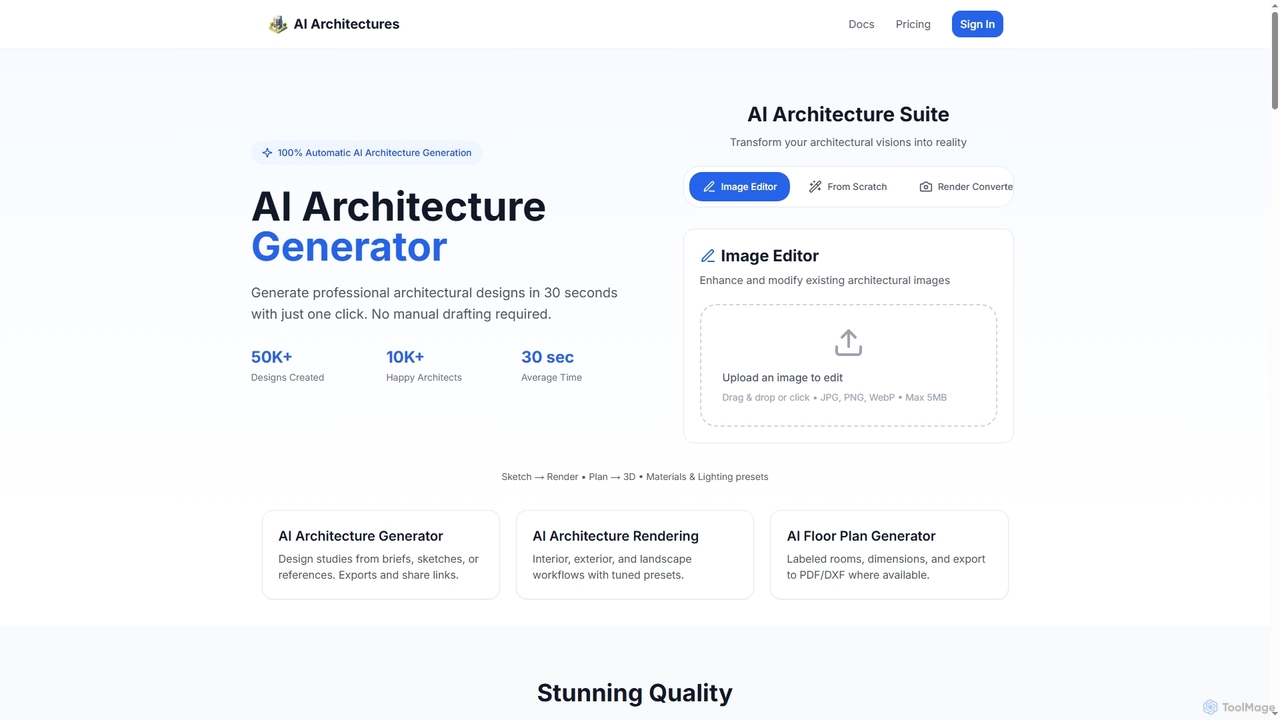
3D & Design Best in category 1 results Rendering AI Tool

Popular AI tools in the Rendering field of 3D & Design include AI Architectures, etc., helping you quickly improve efficiency.

AI Architectures

AI Architectures

AI Architectures is an advanced AI platform designed for architects and designers, enabling 100% automatic generation of professional …

6.4K

About Rendering

AI Rendering tools are a specialized category of software that use machine learning algorithms to generate 2D images or animations from 3D models. These tools significantly accelerate the traditional rendering process by intelligently handling complex calculations for light, shadows, and materials. They are primarily used to produce photorealistic or stylized visuals with greater speed and efficiency, transforming complex 3D scenes into high-quality final images. Many leverage AI for tasks like noise reduction (denoising) and resolution enhancement (upscaling).

Core Features

  • AI Denoising: Employs machine learning to rapidly remove noise and artifacts from draft-quality renders, achieving clean results in a fraction of the time.
  • AI-Accelerated Path Tracing: Uses predictive algorithms to optimize light ray calculations, achieving photorealistic lighting and reflections more efficiently.
  • Generative Material Creation: Allows users to create complex, realistic materials and textures from simple text prompts or image inputs.
  • AI Super Resolution: Intelligently upscales lower-resolution renders to higher resolutions while preserving and enhancing detail.
  • Smart Asset Placement: Automatically populates scenes with assets like vegetation or crowds based on user-defined rules and artistic direction.

Use Cases

AI Rendering tools are essential in industries requiring high-fidelity visualizations. Architects and real estate developers use them to create photorealistic previews of buildings. Product designers and advertisers rely on them for creating marketing imagery before physical prototypes exist. The film, animation, and video game industries use them to speed up the production of complex scenes and visual effects.

How to Choose

When selecting an AI Rendering tool, first consider its integration with your primary 3D software (e.g., Blender, 3ds Max, Cinema 4D). Evaluate the balance between rendering speed and final image quality to match your project needs. Decide between local (GPU-based) or cloud rendering solutions based on your hardware and budget. Finally, examine the pricing model—whether it's a subscription, perpetual license, or pay-per-render—to find the most cost-effective option.

RenderingUse Cases

1

Accelerating Architectural Visualization

An architect needs to present multiple design options for a new commercial building to a client by the end of the week. Instead of waiting hours or days for traditional renders, they use an AI-powered rendering engine integrated into their 3D modeling software. The AI denoiser allows them to produce clean, high-quality images from fast, low-sample renders. This enables them to generate dozens of variations showing different lighting conditions (day, night, sunset) and material choices, helping the client make an informed decision quickly and significantly reducing the project timeline.

2

Creating Product Marketing Imagery

A marketing team for a consumer electronics brand needs to create lifestyle images for a new smartwatch that hasn't been manufactured yet. They use an AI rendering tool that excels at generative backgrounds and realistic material creation. By providing the 3D model of the watch, they can generate hundreds of images placing it in various scenes—a runner's wrist, a desk setup, a night out—without any physical photography. The AI can also generate realistic variations of materials like brushed aluminum or leather straps, providing a full suite of marketing assets before the first product rolls off the assembly line.

3

Optimizing Game Development Pipelines

A small indie game studio is working on a visually rich 3D game but has limited resources for rendering. They integrate an AI rendering tool into their workflow for texture baking and lighting previews. The AI-accelerated baking process reduces the time it takes to create lightmaps and ambient occlusion maps from hours to minutes per asset. This allows artists to iterate on the look and feel of game environments much faster. For previews, the real-time AI denoiser provides a clean, noise-free view of the scene in the editor, giving them an accurate representation of the final in-game visuals without lengthy render times.

4

Rapid Interior Design Prototyping

An interior designer is working with a client who has trouble visualizing the final look of their living room. Using an AI rendering tool that supports real-time style and material changes, the designer can instantly show different options during a live meeting. They can swap out flooring from hardwood to carpet, change wall colors, and try different furniture textures on the fly. The AI renderer provides immediate, photorealistic feedback for each change, allowing for a highly collaborative and efficient design process. This replaces the old method of creating multiple static renders, saving significant time and improving client satisfaction.

5

Enhancing VFX for Film and Animation

A VFX artist is working on a complex action sequence with heavy motion blur and intricate particle effects. Rendering this sequence traditionally would take days per frame. By using an AI renderer, they can leverage AI Super Resolution. They render the frames at a lower resolution (e.g., 1080p) and then use the AI to intelligently upscale them to the final 4K resolution. The AI algorithm is trained to recognize and reconstruct details, resulting in a final image that is nearly indistinguishable from a native 4K render but completed in a fraction of the time. This allows the studio to meet tight deadlines without compromising on visual quality.

6

Automotive Design and Prototyping

An automotive design team is exploring concepts for a new electric vehicle. They use a cloud-based AI rendering platform to generate high-fidelity, photorealistic images of their 3D models. This allows them to evaluate design choices, such as paint finishes, wheel designs, and interior materials, under realistic studio and outdoor lighting conditions. The AI-accelerated rendering provides results in minutes, enabling rapid iteration and collaborative review sessions with engineers and executives. These high-quality visuals are also repurposed for internal presentations and early-stage consumer clinics, saving the cost of building expensive physical clay models for every minor design revision.

RenderingFrequently Asked Questions