ToolMage
Sign in

Best 1 Productivity AI tools for Ai Assistant

Popular Productivity AI tools in Ai Assistant include Gitmore, helping you work more efficiently.

Gitmore
Freemium

Gitmore

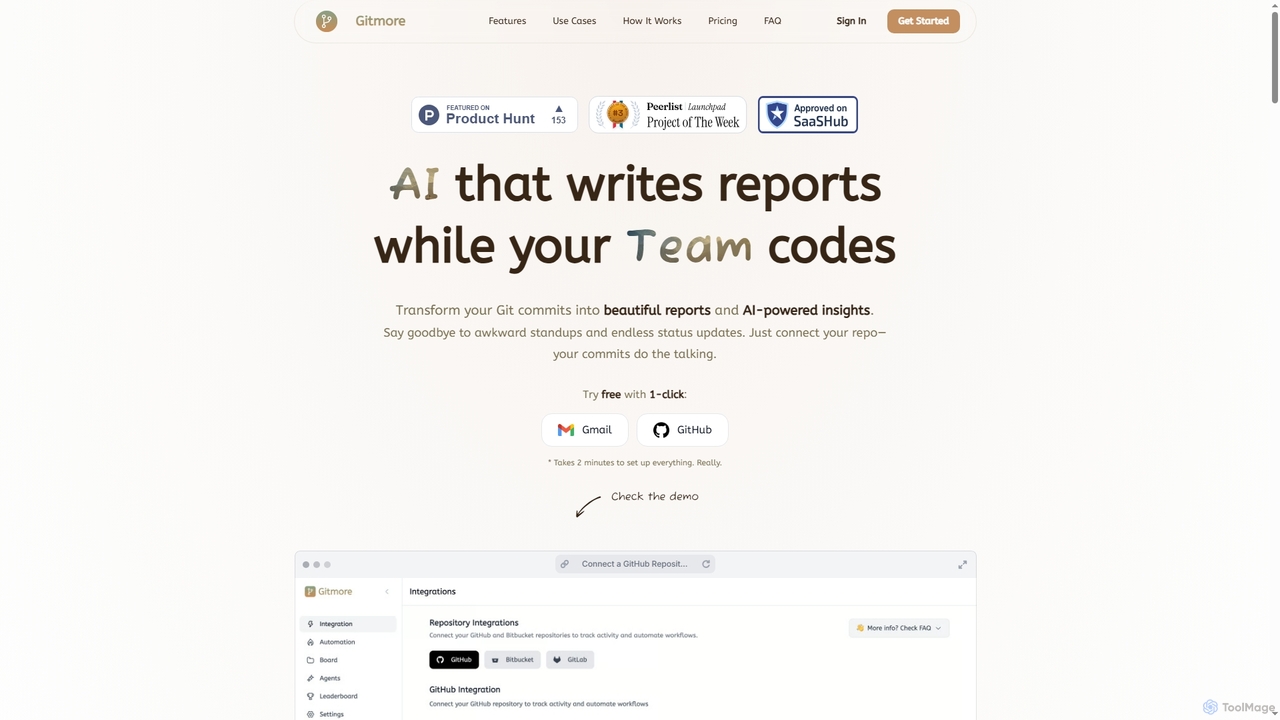
Gitmore is an AI-powered tool that automates technical team reporting and engineering updates. It transforms Git commits into intelligent reports and insights, eliminating manual status updates and standup meetings for development teams using GitHub, GitLab, or Bitbucket.

Productivity
Visits 13KFavorites 104Likes 104

About Productivity

Productivity AI tools are a category of AI assistants designed to streamline workflows, automate repetitive tasks, and enhance overall efficiency for individuals and teams. Leveraging advanced algorithms and machine learning, these tools intelligently manage information, optimize schedules, and facilitate quicker decision-making. They empower users to achieve more by reducing manual effort, minimizing cognitive load, and freeing up valuable time for strategic activities and creative work.

Core Features

  • Task Automation: Automate routine tasks like data entry, email sorting, or report generation, reducing manual effort.
  • Intelligent Scheduling: Optimize calendars, suggest optimal meeting times, and manage appointments based on preferences and availability.
  • Information Synthesis: Summarize lengthy documents, extract key insights, and organize vast amounts of data efficiently.
  • Workflow Optimization: Identify bottlenecks, suggest process improvements, and guide users through more efficient work methodologies.
  • Personalized Assistance: Learn user habits and preferences to offer proactive suggestions and tailored support for daily tasks.

Use Cases

Professionals across various sectors, including project managers, content creators, administrative staff, and sales teams, extensively utilize productivity AI tools. For instance, project managers can automate progress report generation and task assignments, while content creators can quickly summarize research articles or brainstorm ideas, significantly reducing time spent on mundane tasks and enhancing output quality.

How to Choose

When selecting productivity AI tools, consider their integration capabilities with your existing software ecosystem, the specific tasks they automate, and their scalability for individual or team use. Evaluate the level of customization offered, the accuracy and reliability of AI suggestions, and the security measures for handling sensitive data. User interface intuitiveness, ease of setup, and the pricing model are also crucial factors for making an informed decision.

Productivity use cases

1

Automate Email Sorting and Response Drafting

For busy professionals, productivity AI tools can automatically categorize incoming emails, flag urgent messages, and draft context-aware responses. This frees up significant time daily, allowing users to focus on critical communications rather than sifting through inboxes, potentially reducing email processing time by up to 50% and ensuring timely replies.

2

Optimize Meeting Schedules Across Time Zones

Team leads and executives often struggle with coordinating meetings across multiple calendars and time zones. AI productivity tools can analyze participants' availability, suggest optimal meeting slots, and send invitations automatically, eliminating manual coordination efforts and reducing scheduling conflicts, ensuring efficient use of everyone's time and improving collaboration.

3

Rapidly Summarize Long Documents and Reports

Researchers, analysts, and students frequently need to process large volumes of text. Productivity AI tools can quickly read through lengthy articles, reports, or books, extracting key points, main arguments, and relevant data into concise summaries. This accelerates information absorption and research processes, saving hours of reading time and improving comprehension.

4

Streamlining Project Management Tasks

Project managers can leverage AI productivity tools to automate the assignment of routine tasks, track progress, and generate status reports. The AI can identify potential delays or resource conflicts, providing proactive alerts and suggestions for reallocation, thereby improving project efficiency and on-time delivery rates, leading to better project outcomes.

5

Personalized Daily Task Prioritization

Individuals seeking to enhance personal productivity can use AI tools that learn their work habits and deadlines. These tools intelligently prioritize daily to-do lists, suggest optimal times for focused work, and even block out distractions, helping users maintain focus and ensure high-priority items are addressed efficiently, leading to improved personal output.

6

Automate Data Entry and Generate Custom Reports

Administrative staff and data analysts often spend considerable time on repetitive data entry and report creation. Productivity AI tools can extract data from various sources, input it into databases or spreadsheets, and then generate customized reports based on predefined templates, drastically reducing manual errors and saving countless hours each week, enhancing data accuracy.

Productivity FAQ

What are Productivity AI tools?

Productivity AI tools are software applications that leverage artificial intelligence to automate routine tasks, optimize workflows, and enhance personal or team efficiency. They are designed to help users manage time, information, and resources more effectively, ultimately allowing them to achieve more in less time. Key functions often include intelligent scheduling, information summarization, and task automation, aiming to boost overall output.

How do Productivity AI tools differ from general AI Assistants?

While all Productivity AI tools can be considered a type of AI Assistant, their primary focus is specifically on enhancing efficiency and output in work-related contexts. General AI Assistants might offer a broader range of functionalities, including entertainment, general information retrieval, or smart home control. Productivity AI tools, however, are narrowly tailored to tasks like task automation, intelligent scheduling, document summarization, and workflow optimization, aiming to directly improve professional output and streamline business processes.

What are the core benefits of using Productivity AI tools?

The core benefits of using Productivity AI tools include significant time savings by automating repetitive tasks, improved decision-making through intelligent data analysis and summarization, and enhanced focus by reducing cognitive load. They also help in optimizing resource allocation, minimizing errors, and ensuring better organization of information and schedules, leading to higher overall output, reduced stress, and increased job satisfaction.

How can I choose the best Productivity AI tool for my needs?

To choose the best Productivity AI tool, first identify your specific pain points and the tasks you wish to automate or optimize. Consider the tool's integration capabilities with your existing software ecosystem, its scalability for individual or team use, and the level of customization it offers. Evaluate user reviews, security features, and the pricing model to ensure it aligns with your budget and requirements. A free trial can also help assess its practical utility and user experience.

Are Productivity AI tools suitable for small businesses?

Yes, Productivity AI tools are highly suitable for small businesses. They can help small teams maximize their limited resources by automating administrative tasks, streamlining communication, and optimizing project management. This allows employees to focus on core business activities, improve customer service, and scale operations more efficiently without needing to hire additional staff for repetitive tasks, offering a significant competitive advantage and fostering growth.