ToolMage
Sign in

Best 1 Video AI tools for Ai Assistant

Popular Video AI tools in Ai Assistant include SubGetPro, helping you work more efficiently.

SubGetPro
Paid

SubGetPro

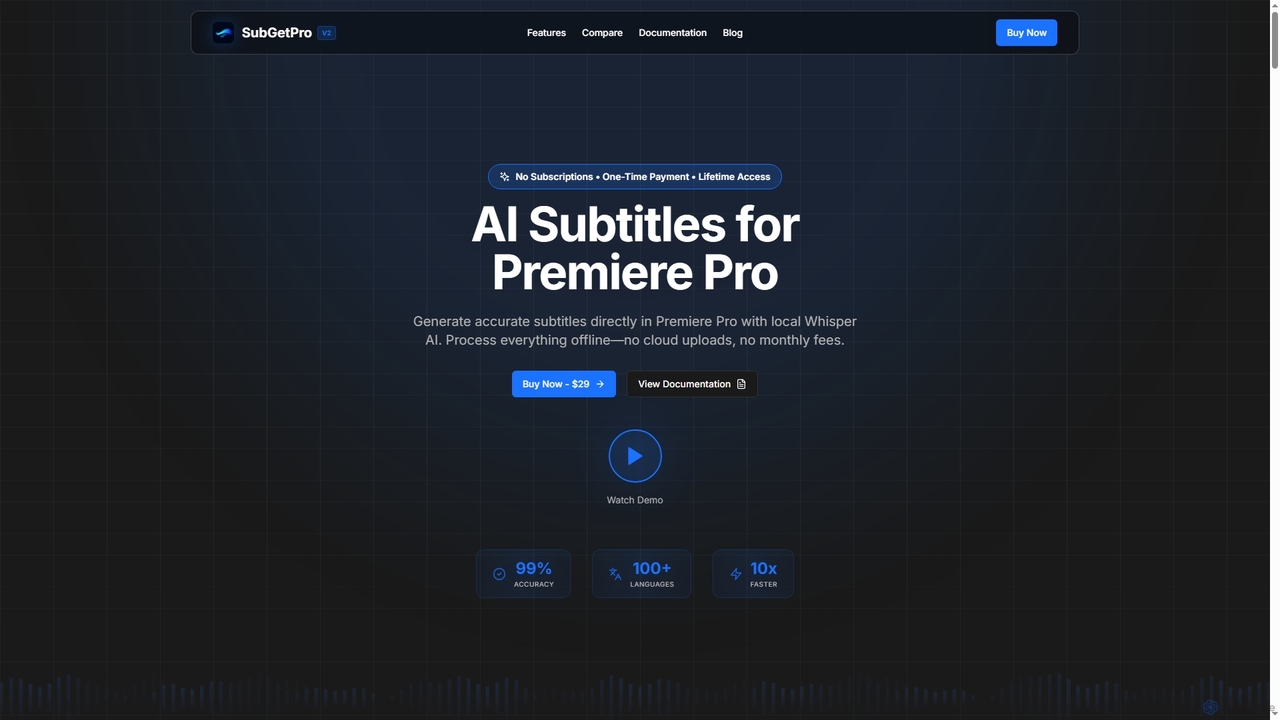
SubGetPro is an AI subtitle generator designed for Adobe Premiere Pro, offering accurate, offline transcription with a one-time payment. It leverages local Whisper AI to create subtitles in over 100 languages, ensuring privacy and significantly faster processing without any subscriptions.

3D
Visits 5.6KFavorites 108Likes 116

About Video

AI Video tools are AI-powered solutions designed for the intelligent creation, editing, enhancement, and analysis of video content. Leveraging advanced machine learning, these tools automate complex video production tasks, from generating scripts and voiceovers to applying visual effects and performing smart edits. They empower content creators, marketers, and businesses to streamline video workflows, reduce production costs, and efficiently produce high-quality video content, making professional video creation more accessible.

Core Features

  • AI Video Generation: Create dynamic videos from text, audio, or images with minimal effort.
  • Automated Editing: Intelligently cut, trim, detect scenes, and apply transitions for polished results.
  • Voiceover & Dubbing: Generate realistic AI voices in multiple languages or automatically dub existing audio.
  • Visual Effects & Enhancement: Apply AI-driven filters, upscale resolution, remove objects, and colorize footage.
  • Content Analysis: Automatically transcribe, summarize, and tag video content for easier management and search.

Applicable Scenarios

These tools are invaluable for content creators producing engaging social media clips, marketing teams developing impactful ad campaigns, and educators creating dynamic e-learning modules. They significantly accelerate the video production cycle across various industries, enabling rapid content deployment and iteration.

How to Choose

When selecting an AI Video tool, consider its feature set (generation, editing, analysis), ease of use for your team's skill level, the output quality of AI-generated elements, and its integration capabilities with your existing creative software. Evaluate the pricing model to ensure it aligns with your budget and usage frequency.

Video use cases

1

Generate Marketing Videos from Text

Marketing specialists create engaging product promotions or explainer videos by simply inputting text scripts, saving significant time on filming, voiceovers, and complex editing processes. This allows for rapid iteration and A/B testing of video ad creatives.

2

Automate Social Media Video Creation

Social media managers quickly produce short, eye-catching video clips from existing images, text, or audio for daily posts across platforms. This ensures a consistent content flow and keeps audiences engaged without extensive manual production.

3

Produce E-learning Course Modules

Educators transform lecture notes, presentations, or written content into dynamic video lessons with AI-generated voiceovers, animations, and interactive elements. This enhances student engagement and makes educational content more accessible and scalable.

4

Localize Video Content with AI Dubbing

Global businesses automatically translate and dub promotional videos, corporate communications, or tutorials into multiple languages. This expands market reach and connects with international audiences effectively, eliminating the need for expensive human voice actors for every language.

5

Enhance Old or Low-Quality Footage

Archivists, filmmakers, or content restorers utilize AI to upscale video resolution, remove noise, stabilize shaky footage, and even colorize black-and-white clips. This preserves and improves the quality of historical or poorly recorded video content for modern viewing.

6

Create Personalized Video Messages at Scale

Sales and customer service teams generate thousands of personalized video greetings, product demos, or onboarding messages for individual clients. By merging templates with specific client data, these tools boost engagement and foster stronger customer relationships efficiently.

Video FAQ

What are AI Video tools?

AI Video tools are software applications that leverage artificial intelligence to automate and enhance various aspects of video production. They can generate video content from text, audio, or images, intelligently edit existing footage, create realistic voiceovers, and apply advanced visual effects, significantly streamlining the entire video creation process for diverse users.

How do AI Video tools work?

These tools typically employ sophisticated machine learning models, including natural language processing (NLP) for script generation and text-to-speech, computer vision for visual analysis, object detection, and intelligent editing, and deep learning for realistic voice synthesis and animation. Users input their desired content (text, audio, or video), and the AI processes it to produce or modify video based on learned patterns and algorithms.

What are the main benefits of using AI Video tools?

The primary benefits include significant time and cost savings in video production, enabling faster content creation and iteration. They also democratize video production, allowing individuals and small teams without professional editing skills to produce high-quality videos. Furthermore, AI tools can enhance video quality, automate repetitive tasks, and facilitate content localization, boosting overall efficiency and reach.

Can AI Video tools replace professional video editors?

While AI Video tools are powerful assistants that automate many repetitive and technical tasks, they are generally not seen as full replacements for professional human video editors. Human creativity, nuanced storytelling, artistic vision, and the ability to adapt to complex, unique project requirements remain indispensable for high-end, bespoke video production. AI tools augment, rather than supersede, human expertise.

What kind of video content can AI Video tools create?

AI Video tools can create a wide array of content, including marketing advertisements, social media clips, explainer videos, e-learning modules, personalized sales messages, news summaries, and even short animated stories. They are particularly effective for generating content that requires rapid production, large-scale personalization, or transformation from other media types like text or audio.