ToolMage
Sign in

Best 1 Virtual Assistant for Ai Assistant

Popular Virtual Assistant in Ai Assistant include Serif, helping you work more efficiently.

Serif
Freemium

Serif

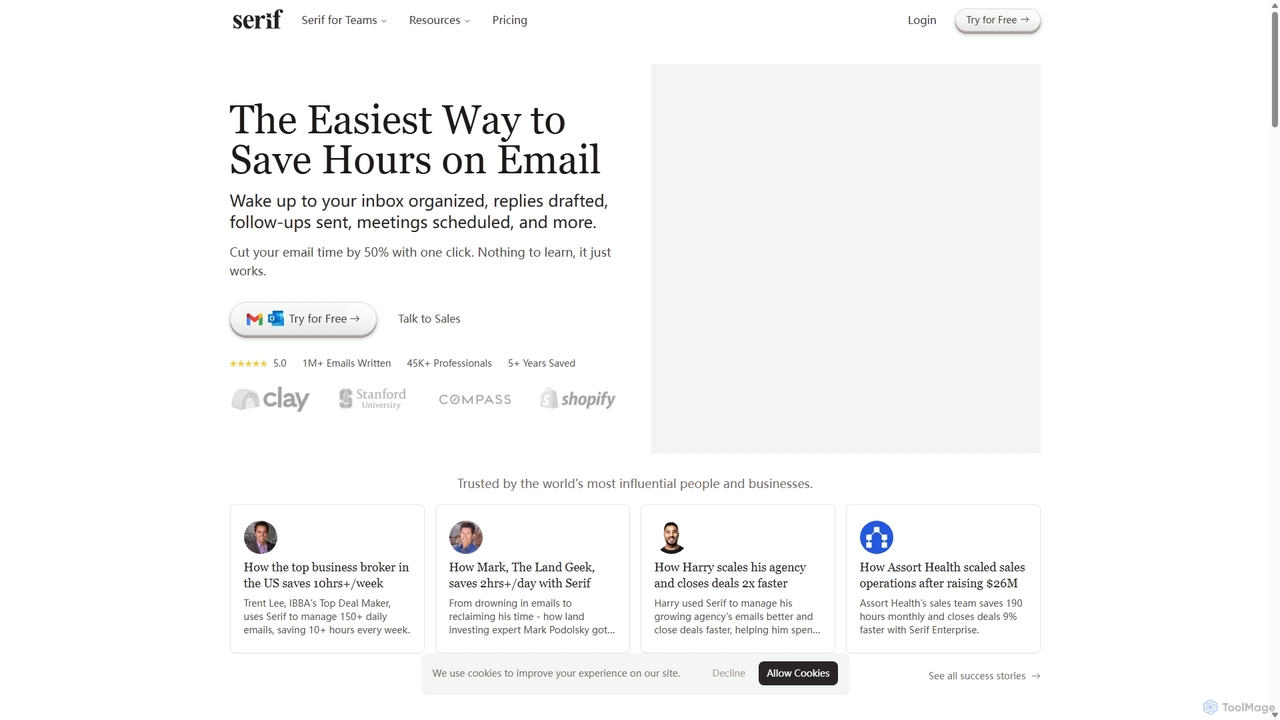
Serif is an AI executive assistant designed to save you hours on email. It automatically organizes your inbox, drafts personalized replies, sends follow-ups, and schedules meetings. Integrating seamlessly with Gmail and Outlook, Serif learns your communication style to act as your virtual assistant, boosting productivity and response times without a complex setup.

Virtual Assistant
Visits 93.2KFavorites 106Likes 102

About Virtual Assistant

Virtual Assistants are AI-powered tools designed to automate routine tasks, manage information, and provide intelligent support across various personal and professional domains. Leveraging natural language processing (NLP) and machine learning, these assistants can understand commands, execute actions, and learn from interactions to enhance productivity and streamline workflows. They serve as digital companions, freeing up human time for more complex and creative endeavors.

Core Features

  • Task Automation: Automatically handles repetitive administrative duties like data entry, report generation, and email sorting.
  • Scheduling & Calendar Management: Manages appointments, sets reminders, and coordinates meetings efficiently across multiple participants.
  • Information Retrieval: Quickly searches, summarizes, and presents relevant data from various sources based on user queries.
  • Communication Management: Drafts emails, responds to common inquiries, and filters notifications to prioritize important messages.
  • Personalized Learning: Adapts to user preferences and habits over time, offering more tailored suggestions and proactive assistance.

Applicable Scenarios

Virtual Assistants are invaluable for busy professionals, small business owners, and large enterprises seeking to optimize operational efficiency. They excel in providing administrative support, enhancing customer service through automated responses, and assisting with research and data analysis. From managing daily schedules to automating complex business processes, these tools empower users to focus on strategic initiatives.

How to Choose

When selecting a Virtual Assistant, consider its integration capabilities with your existing software ecosystem (e.g., CRM, email, calendar). Evaluate the breadth of its task automation features, its natural language understanding accuracy, and the level of customization offered for workflows. Security protocols for data handling and the pricing model, including scalability for team use, are also crucial factors.

Featured tool rankings

Virtual Assistant use cases

1

Automating Daily Administrative Tasks

For executive assistants or small business owners, a Virtual Assistant can significantly reduce the burden of routine administrative work. It can automatically categorize incoming emails, schedule recurring meetings, manage contact lists, and even generate weekly performance reports by pulling data from various platforms, saving hours each week that can be redirected to strategic planning.

2

Streamlining Customer Service Inquiries

Customer support teams can deploy Virtual Assistants to handle frequently asked questions (FAQs) and basic customer queries instantly. By integrating with helpdesk software, the assistant can provide immediate answers, guide users through troubleshooting steps, or escalate complex issues to human agents, ensuring faster response times and improved customer satisfaction without increasing staff overhead.

3

Efficient Meeting Scheduling and Coordination

Project managers and team leads often spend considerable time coordinating meeting times across multiple calendars. A Virtual Assistant can take on this role, finding optimal slots based on participants' availability, sending out invitations, and even preparing meeting agendas by retrieving relevant documents, thereby minimizing scheduling conflicts and maximizing team productivity.

4

Personalized Information Retrieval and Summarization

Researchers, analysts, and content creators can leverage Virtual Assistants to quickly gather and synthesize information from vast datasets or web sources. The assistant can perform targeted searches, extract key insights, and summarize lengthy articles or reports, providing concise overviews that accelerate research processes and inform decision-making.

5

Proactive Email and Communication Management

Professionals inundated with emails can use Virtual Assistants to intelligently filter, prioritize, and even draft responses. The assistant can identify urgent messages, flag important follow-ups, and compose polite replies to common inquiries, ensuring critical communications are addressed promptly while reducing inbox clutter and cognitive load.

6

Managing Personal Productivity and Reminders

Individuals seeking to enhance personal organization can utilize Virtual Assistants for managing to-do lists, setting reminders for personal appointments, and tracking habits. The assistant can integrate with smart devices, provide timely nudges for tasks, and help maintain a structured daily routine, contributing to better time management and goal achievement.

Virtual Assistant FAQ

What are Virtual Assistants?

Virtual Assistants are AI-powered software tools designed to perform tasks and services for an individual or organization, often by understanding and responding to natural language commands. They automate routine administrative, organizational, and informational tasks, acting as a digital helper to boost efficiency and productivity across various domains.

How do Virtual Assistants differ from traditional AI Assistants?

While Virtual Assistants are a type of AI Assistant, they typically focus more on proactive task execution, administrative automation, and personalized support within specific workflows (e.g., scheduling, email management). Traditional AI Assistants (like Siri or Google Assistant) are often broader in scope, designed for general information retrieval, device control, and conversational interaction across a wider range of casual queries.

What are the key benefits of using a Virtual Assistant?

The primary benefits include significant time savings by automating repetitive tasks, increased productivity through streamlined workflows, improved organization via efficient information and calendar management, and enhanced focus on high-value activities. They also offer scalability for businesses, providing consistent support without the overhead of human staff for routine duties.

What should I consider when choosing a Virtual Assistant for my business?

Key considerations include the specific tasks you need to automate (e.g., scheduling, data entry, customer support), its compatibility and integration with your existing software (CRM, email, project management tools), the level of customization and learning capabilities, data security and privacy features, and the pricing model relative to your budget and team size.

Can Virtual Assistants integrate with other business tools?

Yes, most modern Virtual Assistants are designed with robust integration capabilities. They can connect with a wide array of business applications such as email clients (Outlook, Gmail), calendar apps (Google Calendar, Outlook Calendar), CRM systems (Salesforce), project management tools (Asana, Trello), and communication platforms (Slack, Microsoft Teams) to provide seamless, cross-platform automation and support.