ToolMage
Sign in

Best 1 Virtual Co Host AI tools for Ai Assistant

Popular Virtual Co Host AI tools in Ai Assistant include PodNami, helping you work more efficiently.

PodNami
Freemium

PodNami

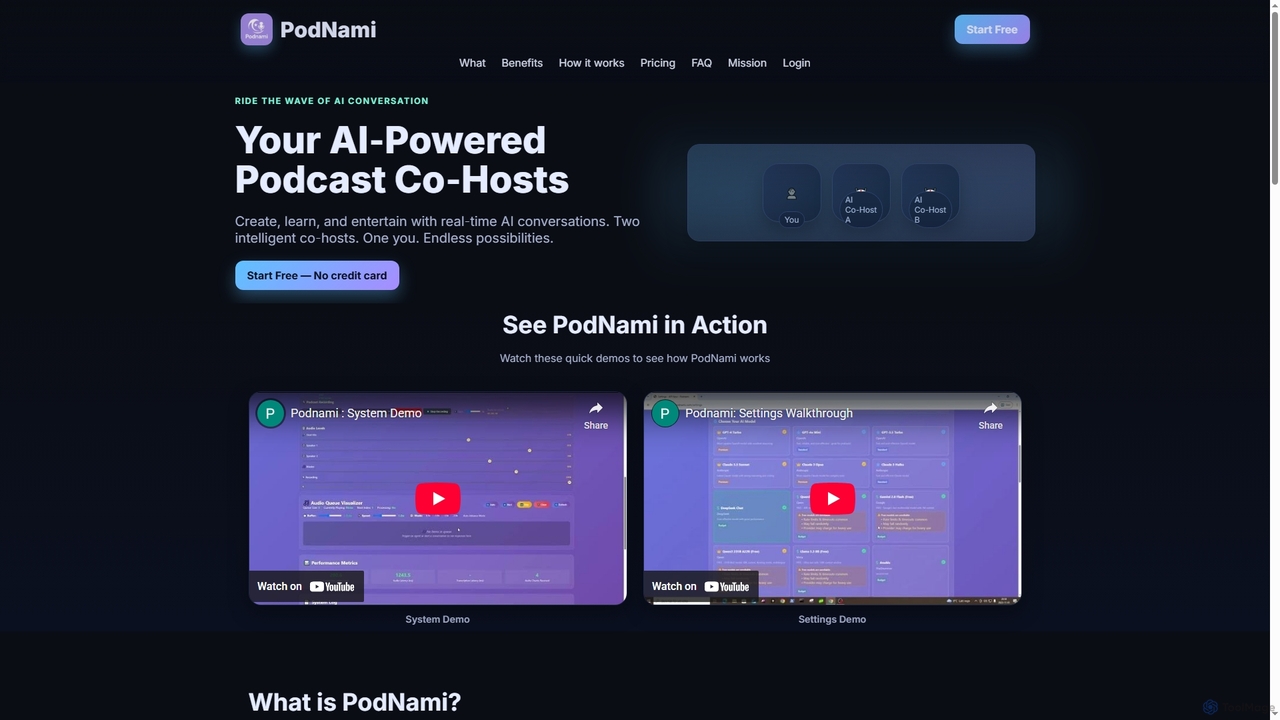
PodNami is an AI-powered podcast platform that provides two customizable AI co-hosts for real-time, dynamic conversations. It enables creators, learners, and professionals to generate ideas, learn through discussion, and produce engaging audio content effortlessly, transforming solo sessions into interactive experiences.

Virtual Co Host
Visits 5.3KFavorites 127Likes 124

About Virtual Co Host

Virtual Co Hosts are AI-powered tools designed to assist and enhance live online events, meetings, and interactive sessions. Leveraging advanced natural language processing and real-time interaction capabilities, they act as intelligent companions to human presenters. These tools streamline event management, boost participant engagement, and ensure a smoother, more dynamic experience for all attendees, freeing up main hosts to focus on content delivery and direct interaction.

Core Features

  • Automated Welcomes & Introductions: Greets participants, introduces speakers, and sets the agenda for virtual events.
  • Real-time Q&A Management: Collects, filters, and presents audience questions, or answers common queries directly.
  • Live Chat Moderation: Monitors chat for inappropriate content, highlights key comments, and facilitates discussions.
  • Dynamic Summarization: Provides instant recaps of discussions, key decisions, or action items during or after the event.
  • Polls & Engagement Tools: Launches interactive polls, quizzes, and gathers real-time feedback from the audience.

Applicable Scenarios

Virtual Co Hosts are ideal for webinar organizers, online educators, and corporate meeting facilitators. They excel in managing participant flow, providing technical support, and offering multilingual assistance in virtual classrooms, large conferences, and interactive workshops.

How to Choose

Consider the specific event type and audience size; some tools are better for small meetings, others for large conferences. Evaluate integration capabilities with your existing video conferencing platforms (e.g., Zoom, Teams). Look for features like customizable scripts, sentiment analysis, and robust analytics for post-event insights, and assess the level of AI autonomy versus human override options.

Virtual Co Host use cases

1

Enhancing Virtual Webinars with Interactive Q&A

Webinar hosts often struggle to manage a flood of questions while presenting. A Virtual Co Host can automatically collect, categorize, and prioritize audience questions in real-time. It can even answer frequently asked questions directly, allowing the main presenter to focus on complex queries and deliver a seamless presentation without interruptions, significantly improving audience engagement and information delivery.

2

Moderating Large Online Conferences and Panels

In large virtual conferences or panel discussions, maintaining order and ensuring all voices are heard can be challenging. A Virtual Co Host can monitor chat for inappropriate content, highlight relevant comments for panelists, manage speaking queues, and provide time reminders. This ensures a professional and structured environment, allowing human moderators to focus on facilitating high-level discussions rather than administrative tasks.

3

Automating Onboarding and Support for Virtual Events

Event organizers frequently face a surge of common questions about event schedules, access links, or technical issues at the start of virtual events. A Virtual Co Host can greet attendees, provide instant answers to FAQs, guide them through the platform, and troubleshoot basic technical problems. This reduces the workload on human support staff and ensures a smooth, welcoming experience for every participant from the moment they join.

4

Facilitating Dynamic Virtual Classroom Sessions

Educators in virtual classrooms need to keep students engaged and manage discussions effectively. A Virtual Co Host can help by summarizing key points, prompting students with questions, managing breakout room assignments, and even providing real-time feedback on student responses. This creates a more interactive learning environment, allowing teachers to focus on pedagogical content and individual student needs.

5

Generating Real-time Summaries for Business Meetings

Business meetings often lack clear action items or comprehensive summaries, leading to follow-up confusion. A Virtual Co Host can listen to discussions, identify key decisions, action items, and assigned responsibilities in real-time. It can then generate concise summaries or meeting minutes instantly, which can be shared immediately after the meeting, ensuring clarity and accountability for all participants.

6

Personalizing Participant Experience in Online Workshops

For online workshops, personalizing the experience can significantly boost learning outcomes. A Virtual Co Host can remember participant preferences, suggest relevant resources based on their interactions, or even facilitate small group activities by providing tailored prompts. This adaptive assistance makes each participant feel more valued and engaged, enhancing the overall effectiveness of the workshop.

Virtual Co Host FAQ

What is a Virtual Co Host?

A Virtual Co Host is an AI-powered assistant designed to support and enhance live online events, meetings, webinars, and interactive sessions. It acts as a digital companion to a human host, performing tasks like welcoming attendees, managing Q&A, moderating chat, and providing real-time information. Its core purpose is to streamline event management, boost participant engagement, and free up the main host to focus on content delivery and direct interaction.

How does a Virtual Co Host differ from a general AI Assistant?

While both are AI-driven, a Virtual Co Host is a specialized type of AI Assistant specifically tailored for live, interactive event environments. General AI Assistants (like Siri or ChatGPT) are broad-purpose tools for various tasks (scheduling, information retrieval, content generation). A Virtual Co Host, however, focuses on real-time event support, audience engagement, and moderation, understanding the unique dynamics of live virtual interactions to ensure a smooth and engaging experience.

What are the key benefits of using a Virtual Co Host for online events?

Using a Virtual Co Host offers several key benefits. It significantly reduces the administrative burden on human hosts, allowing them to concentrate on core content. It enhances audience engagement through interactive features like polls and managed Q&A. It ensures event flow by handling introductions, transitions, and timekeeping. Additionally, it can provide real-time summaries and analytics, improving post-event follow-up and insights.

What features should I look for when choosing a Virtual Co Host tool?

When selecting a Virtual Co Host, prioritize features such as seamless integration with your preferred video conferencing platforms (e.g., Zoom, Microsoft Teams). Look for robust Q&A and chat moderation capabilities, including sentiment analysis and automated responses. Customizable scripting, real-time summarization, and comprehensive analytics for post-event reporting are also crucial. Consider the tool's ability to handle different event sizes and its flexibility in adapting to various interaction styles.

Can a Virtual Co Host handle multilingual events?

Many advanced Virtual Co Host tools are equipped with multilingual capabilities, allowing them to understand and respond in multiple languages. This feature is particularly valuable for international webinars, global conferences, or diverse virtual classrooms. They can translate questions, provide information in different languages, and even facilitate discussions among participants speaking various languages, significantly broadening an event's reach and inclusivity.