ToolMage
Sign in

Best 3 Workflow Automation AI tools for Ai Assistant

Popular Workflow Automation AI tools in Ai Assistant include Dex, 2-b.ai, and Simbli, helping you work more efficiently.

2-b.ai
Freemium

2-b.ai

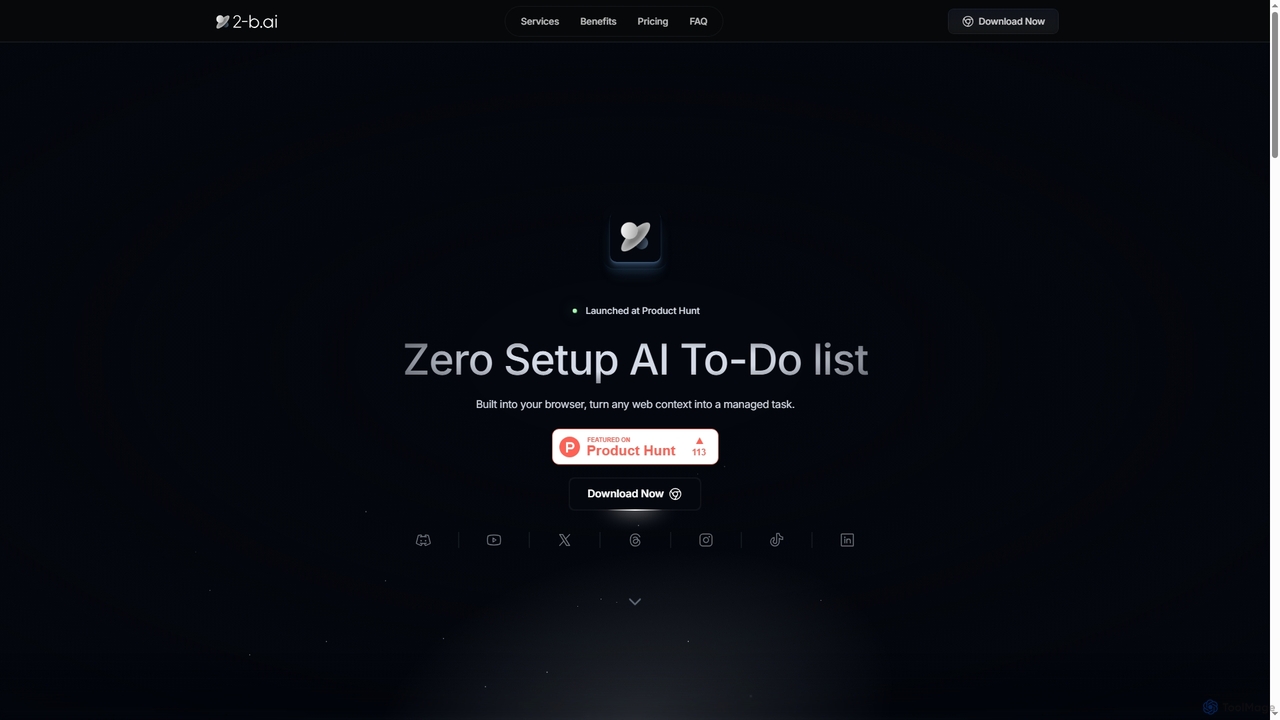
2-b.ai is a browser-based AI To-Do list extension that seamlessly transforms any web context into manageable tasks. It offers AI-powered task creation, breakdown, and an AI chat for workflow organization, integrating with Google Calendar to enhance productivity directly within your browser.

Workflow Automation
Visits 8.6KFavorites 53Likes 41
Dex
Freemium

Dex

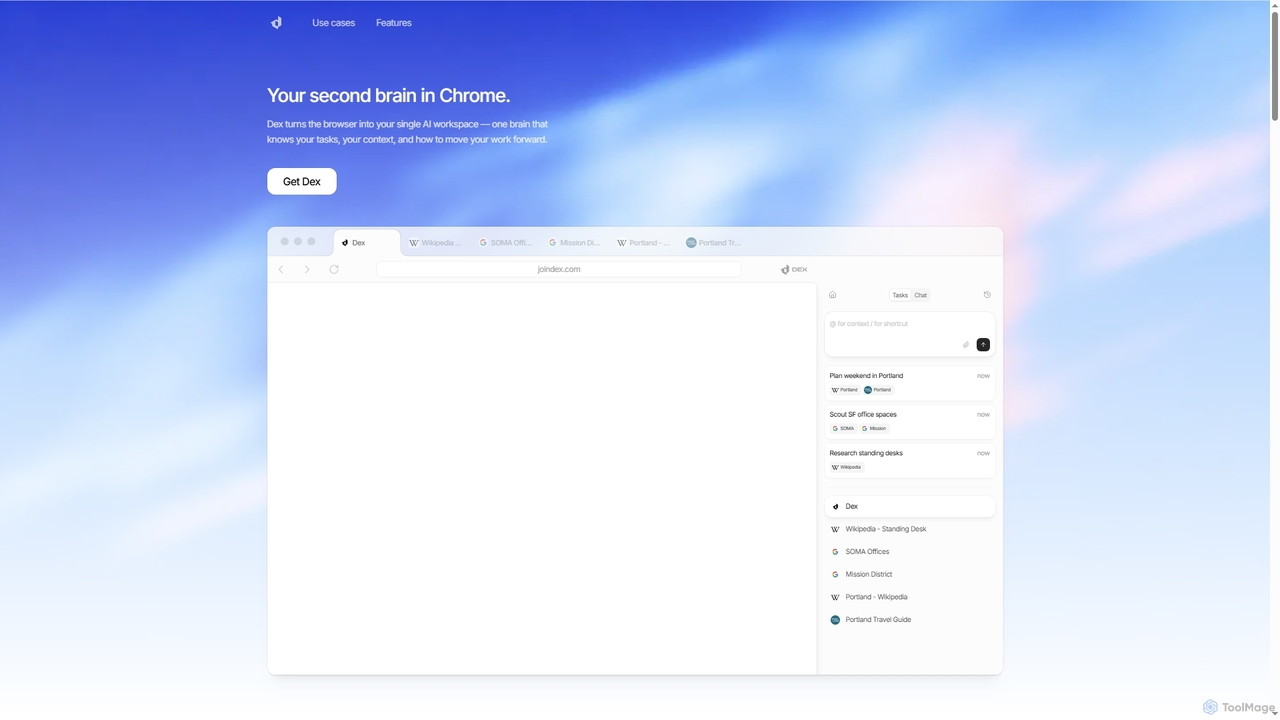
Dex is an AI-powered Chrome extension that transforms your browser into a smart, integrated workspace. It acts as your second brain, managing tasks, understanding context, and proactively moving your work forward by connecting with over 14 applications to eliminate context switching and boost productivity.

Workflow Automation
Visits 22KFavorites 67Likes 84
Simbli
Paid

Simbli

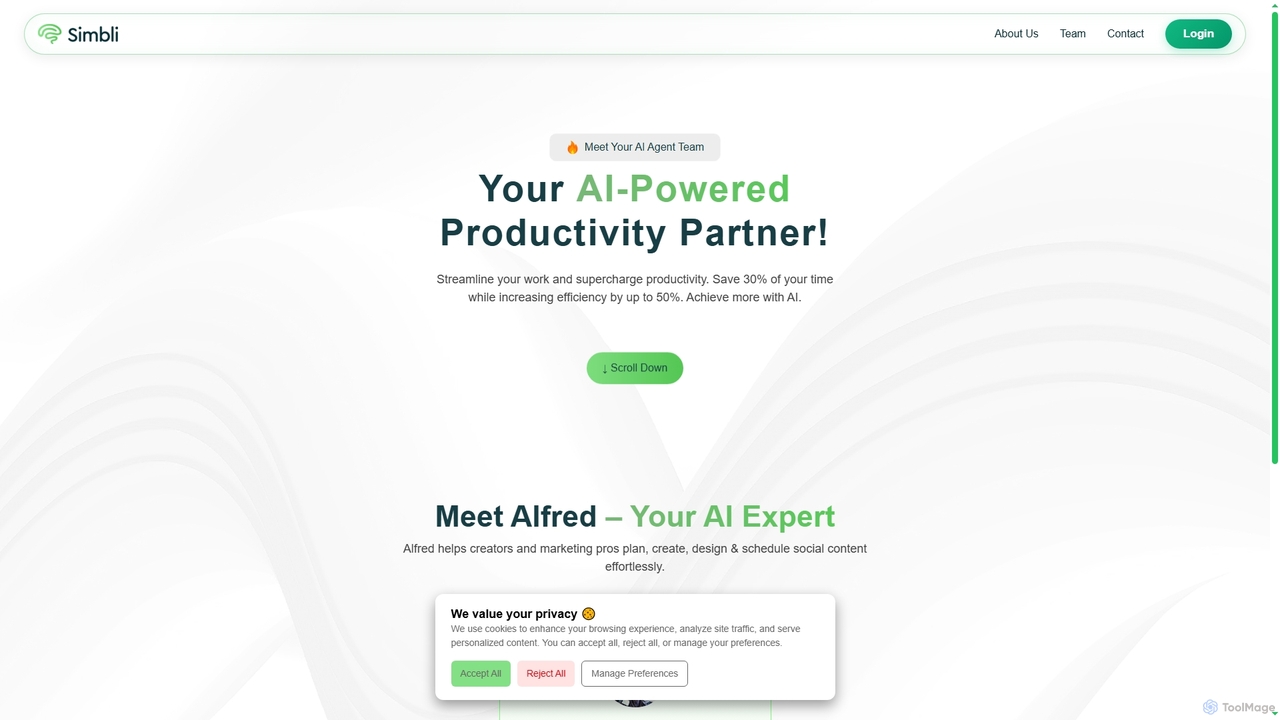
Simbli is an AI-powered productivity partner featuring human-like AI agents, such as Alfred, designed to streamline work and supercharge efficiency. It helps creators and marketing professionals plan, create, design, and schedule social media content effortlessly, aiming to save users up to 30% of their time and increase efficiency by up to 50%.

Workflow Automation
Visits 6KFavorites 115Likes 112

About Workflow Automation

Workflow Automation tools are AI-powered solutions designed to streamline and optimize repetitive tasks and complex processes across various business functions. As a specialized segment within AI Assistant tools, they leverage artificial intelligence to intelligently manage, execute, and monitor workflows, moving beyond simple rule-based automation. These tools enhance operational efficiency, reduce human error, and free up human capital for more strategic initiatives by automating decision-making, data processing, and inter-system communication.

Core Features

  • Intelligent Task Orchestration: AI-driven scheduling and routing of tasks based on real-time data and predefined conditions.
  • Natural Language Processing (NLP): Understanding and processing unstructured text data from emails, documents, or chat logs to trigger actions.
  • Predictive Analytics: Forecasting potential bottlenecks or future needs within a workflow to proactively optimize processes.
  • Adaptive Learning: Continuously improving automation rules and decision logic based on past performance and new data inputs.
  • Integration Capabilities: Seamlessly connecting with existing enterprise systems, CRMs, ERPs, and communication platforms.

Applicable Scenarios

Workflow Automation tools are invaluable for organizations seeking to eliminate manual bottlenecks and accelerate operations. They are widely adopted by IT departments for incident management, HR for onboarding and offboarding processes, finance for invoice processing and expense approvals, and marketing teams for campaign execution and lead nurturing. Any department with high-volume, repetitive, or multi-step processes can significantly benefit from these AI-driven solutions.

How to Choose

When selecting a Workflow Automation tool, prioritize solutions that offer robust integration with your existing tech stack to ensure seamless data flow. Evaluate the AI capabilities, looking for features like NLP for unstructured data processing and adaptive learning for continuous improvement. Consider scalability to accommodate future growth and the complexity of workflows you intend to automate. Finally, assess the user-friendliness of the interface and the availability of pre-built templates to accelerate adoption.

Workflow Automation use cases

1

Automated Customer Support Ticket Routing

Customer service teams can leverage workflow automation to automatically categorize incoming support tickets based on keywords, sentiment, or urgency. The AI then intelligently routes these tickets to the most appropriate department or agent, ensuring faster response times and specialized handling. This reduces manual sorting effort, improves customer satisfaction, and allows agents to focus on complex issues.

2

Automate Customer Support Ticket Routing

Customer service managers can utilize workflow automation to intelligently route incoming support tickets. By analyzing ticket content using NLP, the AI automatically categorizes issues, assigns them to the most appropriate agent or department, and prioritizes urgent requests. This reduces manual triage time, ensures faster response rates, and improves overall customer satisfaction by connecting customers with the right expert quickly.

3

Automated Marketing Email Sequence Triggering

Marketing professionals can automate personalized email sequences based on user behavior, such as website visits, product views, or abandoned carts. Workflow automation tools detect these triggers and automatically send relevant follow-up emails, nurturing leads through the sales funnel. This ensures timely and personalized communication, significantly increasing engagement and conversion rates without manual intervention.

4

Streamline Content Approval Processes

Marketing teams and content creators often face delays in content approval. Workflow automation tools can manage the entire lifecycle from draft submission to final publication. The system automatically sends content to relevant stakeholders (editors, legal, brand managers) for review, tracks feedback, and ensures all necessary approvals are obtained before publishing, significantly accelerating content delivery and compliance.

5

Automated Financial Expense Report Processing

Finance departments can streamline expense report processing by using workflow automation. Employees submit receipts via an app, and the AI automatically extracts data, verifies compliance with company policies, and routes the report for approval. Once approved, it can trigger automatic reimbursement and ledger entries, drastically reducing processing time and minimizing human error in financial operations.

6

Automate Data Entry and Synchronization

Finance or operations departments frequently deal with manual data entry across disparate systems. Workflow automation can extract data from invoices, forms, or spreadsheets using AI-powered OCR, validate it, and then automatically update records in ERP, CRM, or accounting software. This eliminates tedious manual input, reduces errors, and ensures data consistency across all platforms.

7

Automated HR New Employee Onboarding

HR departments can automate the complex new employee onboarding process. When a new hire is confirmed, the system automatically sends welcome emails, creates accounts in various internal systems (email, HRIS, project management), assigns initial training modules, and schedules introductory meetings. This ensures a consistent, efficient, and welcoming experience for new employees, freeing up HR staff for more strategic tasks.

8

Expedite Employee Onboarding and Offboarding

HR departments can leverage workflow automation to manage the complex tasks associated with employee lifecycle events. For onboarding, the system automatically triggers IT provisioning, sends welcome emails, assigns training modules, and schedules introductory meetings. For offboarding, it ensures all access is revoked, assets are returned, and final paperwork is processed efficiently, ensuring compliance and a smooth transition.

9

Optimize Supply Chain Order Processing

Logistics and supply chain managers can automate the entire order-to-delivery process. From receiving customer orders, checking inventory availability, generating purchase orders for suppliers, to scheduling shipments and updating customers, AI-driven workflows can manage each step. This reduces processing time, minimizes stockouts, and provides real-time visibility into the supply chain.

10

Automated Data Reporting and Analysis

Business analysts and managers can automate the generation of routine reports and dashboards. Workflow automation tools connect to various data sources (CRM, ERP, marketing platforms), extract relevant data, perform predefined analyses, and compile them into visual reports. These reports can be automatically distributed to stakeholders on a scheduled basis, providing timely insights without manual data aggregation and report creation.

11

Personalize Marketing Campaign Execution

Digital marketing specialists can use workflow automation to create highly personalized customer journeys. Based on user behavior, demographics, or past interactions, the AI automatically triggers specific email sequences, sends targeted push notifications, or updates CRM profiles. This ensures timely and relevant communication, leading to higher engagement rates and improved conversion metrics.

12

Automated Supply Chain Order Processing

Logistics and operations teams can automate the entire order-to-delivery process. From receiving a customer order, the workflow automation system can automatically check inventory, generate purchase orders for low stock items, update the ERP, notify the warehouse for picking and packing, and send shipping notifications to customers. This reduces lead times, minimizes stockouts, and improves overall supply chain efficiency and transparency.

Workflow Automation FAQ

What is AI Workflow Automation?

AI Workflow Automation is a category of tools that use artificial intelligence to automate and optimize business processes and repetitive tasks. They go beyond traditional rule-based automation by leveraging AI for pattern recognition, intelligent decision-making, and adapting to changing conditions. This leads to increased efficiency, reduced human error, and faster execution of complex workflows across various departments like HR, finance, and customer service.

What are Workflow Automation tools?

Workflow Automation tools are AI-powered software solutions designed to automate and optimize sequences of tasks or processes within an organization. Unlike traditional automation, they leverage artificial intelligence, including machine learning and natural language processing, to handle complex decisions, unstructured data, and adapt to changing conditions, making processes more intelligent and efficient.

How do Workflow Automation tools differ from RPA (Robotic Process Automation)?

While both aim to automate tasks, Workflow Automation, especially AI-driven, focuses on end-to-end process optimization and intelligent decision-making across systems. RPA typically mimics human actions on user interfaces for highly repetitive, rule-based tasks. Workflow Automation can handle more complex, dynamic, and cognitive tasks, often integrating with various systems at an API level, whereas RPA is more about surface-level interaction.

How does AI Workflow Automation differ from traditional automation?

The key difference lies in intelligence and adaptability. Traditional automation (like RPA) follows rigid, predefined rules and scripts, excelling at highly structured, unchanging tasks. AI Workflow Automation, however, incorporates machine learning and natural language processing, allowing it to understand context, adapt to variations, make intelligent decisions, and even learn from new data. This enables it to handle more complex, dynamic, and unstructured workflows that traditional methods cannot.

Who benefits most from implementing Workflow Automation?

Organizations across all sectors with repetitive, high-volume, multi-step, or data-intensive processes benefit significantly. This includes departments like HR (onboarding, payroll), finance (invoice processing, expense reports), IT (incident management, provisioning), customer service (ticket routing, query resolution), and marketing (campaign management, lead nurturing). Any role burdened by manual, time-consuming tasks can see substantial gains.

Which industries are best suited for AI Workflow Automation?

AI Workflow Automation is highly beneficial across various industries, particularly those with high volumes of repetitive, data-intensive, or rule-based tasks. Key sectors include finance (for fraud detection, compliance, invoice processing), human resources (for onboarding, payroll, talent acquisition), customer service (for ticket routing, chatbot interactions), marketing (for lead nurturing, campaign management), and IT operations (for incident management, system monitoring). Any industry seeking to improve efficiency and reduce operational costs can benefit.

What are the key benefits of using AI-powered Workflow Automation?

AI-powered Workflow Automation offers several key benefits: it significantly boosts operational efficiency by reducing manual effort and processing times; minimizes human error through automated validation and execution; enhances decision-making with data-driven insights and predictive capabilities; improves compliance by ensuring processes adhere to regulations; and frees up employees to focus on more strategic, creative, and high-value work.

What factors should be considered when choosing an AI Workflow Automation tool?

When selecting an AI Workflow Automation tool, consider several key factors. First, evaluate its integration capabilities with your existing software ecosystem (CRM, ERP, HRIS). Second, assess its scalability and flexibility to handle both current and future workflow complexities. Third, look for user-friendliness and ease of configuration, especially for non-technical users. Fourth, consider the level of AI intelligence for advanced tasks like natural language understanding or predictive analytics. Finally, analyze the total cost of ownership, including licensing, implementation, training, and ongoing support.

What common business pain points can AI Workflow Automation solve?

AI Workflow Automation addresses several critical business pain points. It significantly reduces the burden of repetitive, manual tasks, freeing up employees for more strategic work. It minimizes human error, leading to higher data accuracy and compliance. By accelerating processes, it improves response times and customer satisfaction. Furthermore, it helps break down data silos by integrating disparate systems, providing a unified view of operations and enabling better, faster decision-making. It also offers scalability to handle increasing workloads without proportional increases in headcount.

What features should I look for in a Workflow Automation platform?

When evaluating platforms, look for robust integration capabilities with your existing software ecosystem (CRM, ERP, communication tools). Essential AI features include Natural Language Processing (NLP) for unstructured data, machine learning for adaptive decision-making, and predictive analytics. Also consider scalability, ease of use (low-code/no-code options), comprehensive reporting, and strong security features to protect sensitive data.

Can AI Workflow Automation integrate with existing enterprise systems?

Yes, integration with existing enterprise systems is a core capability of most AI Workflow Automation tools. They typically offer a wide range of connectors and APIs to link with popular CRM (e.g., Salesforce), ERP (e.g., SAP, Oracle), HRIS, marketing automation platforms, and communication tools. This seamless integration ensures data flows smoothly between applications, enabling end-to-end automation of processes that span multiple systems without requiring a complete overhaul of your current IT infrastructure.