ToolMage
Sign in

Best 1 3D Design AI tools for Art

Popular 3D Design AI tools in Art include 3dlogoai, helping you work more efficiently.

3dlogoai
Paid

3dlogoai

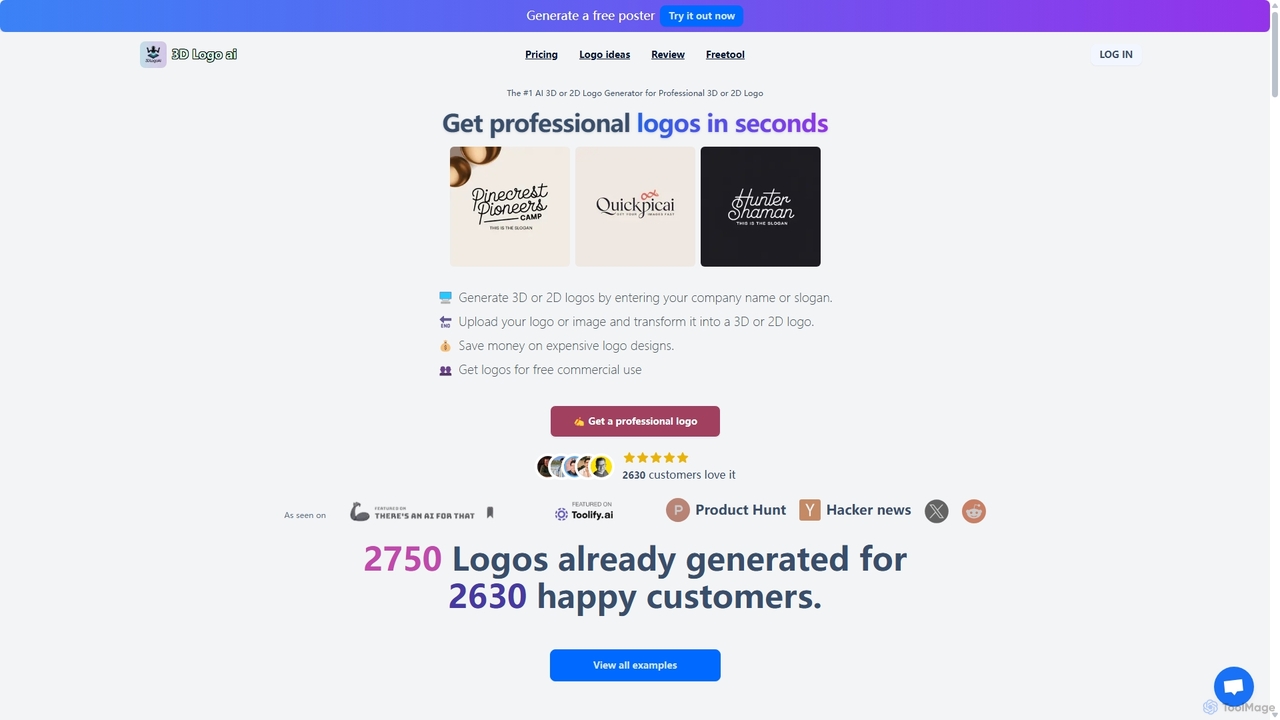
3dlogoai is an AI-powered generator for creating professional 2D and 3D logos in seconds. Simply input your company name or upload an image to generate a variety of stunning logo designs. It offers multiple styles, free commercial use, and is an affordable, fast alternative to hiring a professional designer, perfect for startups and small businesses.

3D Design
Visits 7.6KFavorites 141Likes 135

About 3D Design

3D Design tools leverage artificial intelligence to streamline and enhance the creation of three-dimensional models, scenes, and animations. These AI-powered platforms utilize advanced algorithms for tasks like generative modeling, texture synthesis, and automated rigging. They empower artists, designers, and developers to rapidly prototype, visualize concepts, and produce high-quality 3D assets with unprecedented efficiency. This integration of AI significantly lowers the barrier to entry for complex 3D workflows, making sophisticated design accessible to a broader audience.

Core Features

  • Generative Modeling: Automatically creates 3D shapes and structures from text prompts or 2D inputs.
  • Texture Synthesis: Generates realistic or stylized textures and materials for 3D models.
  • Automated Rigging & Animation: Simplifies the process of adding skeletons and movement to characters.
  • Scene Generation: Constructs entire 3D environments, including objects, lighting, and atmospheric effects.
  • Style Transfer: Applies artistic styles from images or other 3D models to new creations.

Use Cases

These tools are invaluable for rapidly prototyping product designs, creating immersive virtual environments for gaming, and generating realistic architectural visualizations. They streamline complex workflows, allowing designers to focus more on creative iteration and less on repetitive manual tasks.

How to Choose

When selecting an AI 3D design tool, consider its generative capabilities (e.g., text-to-3D, image-to-3D), the range of supported output formats, and its integration with existing design pipelines. Evaluate the learning curve, community support, and pricing model, ensuring it aligns with your project's complexity and budget.

3D Design use cases

1

Rapid Prototyping for Product Design

Product designers can leverage AI 3D tools to quickly generate multiple design iterations based on textual descriptions or 2D sketches. By inputting core specifications and aesthetic preferences, the AI can produce various 3D models, allowing for faster visualization, material testing, and form factor evaluation. This significantly reduces the time spent on initial concept development, enabling quicker feedback loops and more efficient design cycles before committing to detailed modeling.

2

Game Asset Creation and Environment Design

Game developers and 3D artists utilize AI to accelerate the creation of diverse in-game assets, characters, and expansive environments. From generating unique props and foliage to automatically rigging characters for animation, AI tools streamline repetitive tasks. This allows artists to focus on artistic direction and storytelling, quickly populating virtual worlds with high-quality, optimized 3D models and textures, enhancing immersion and reducing development costs.

3

Architectural Visualization and Interior Design

Architects and interior designers employ AI 3D design tools to rapidly visualize building exteriors, interior layouts, and material choices. By providing floor plans or conceptual sketches, the AI can generate detailed 3D models, apply realistic textures, and even simulate lighting conditions. This capability facilitates client presentations, design reviews, and allows for quick exploration of different design options, ensuring projects meet aesthetic and functional requirements efficiently.

4

Custom 3D Model Generation for E-commerce

E-commerce businesses and marketers can use AI 3D tools to create custom 3D models of products for interactive online displays or augmented reality (AR) experiences. By uploading product images or specifications, the AI can generate accurate 3D representations, complete with various material finishes and lighting setups. This enhances the online shopping experience, provides customers with a better understanding of products, and reduces the need for expensive physical photography.

5

Character Design and Animation Pre-visualization

Animators and character artists benefit from AI 3D tools for generating initial character concepts and pre-visualizing animations. AI can create diverse character models based on descriptive prompts, automatically generate facial expressions, and even suggest basic poses or movements. This accelerates the conceptualization phase, provides a strong foundation for detailed sculpting, and helps in quickly iterating on character designs and animation sequences before full production.

6

Scientific and Medical Data Visualization

Researchers and medical professionals use AI 3D design to visualize complex scientific data, molecular structures, or anatomical models. By inputting data sets, AI tools can generate accurate and interactive 3D representations, aiding in analysis, education, and communication. This capability transforms abstract data into tangible visual models, making intricate concepts more accessible and understandable for both experts and students, fostering deeper insights.

3D Design FAQ

What are AI 3D Design tools?

AI 3D Design tools are software applications that integrate artificial intelligence to automate and enhance various stages of the three-dimensional modeling, texturing, and animation process. They leverage machine learning algorithms to generate content, optimize workflows, and assist users in creating complex 3D assets more efficiently. These tools aim to democratize 3D creation, making it faster and more accessible for designers, artists, and developers.

How do AI 3D Design tools differ from traditional 3D software?

Traditional 3D software relies heavily on manual input and skilled craftsmanship for every detail, from vertex manipulation to texture painting. AI 3D Design tools, conversely, introduce automation and generative capabilities. While traditional software provides granular control, AI tools can generate entire models, textures, or animations from simple prompts, significantly reducing manual effort and accelerating initial concept development. They complement, rather than fully replace, traditional methods.

What are the core capabilities of AI-powered 3D design?

The core capabilities of AI-powered 3D design include generative modeling, where AI creates 3D objects from text or images; intelligent texture synthesis for realistic material application; automated rigging and animation to simplify character movement; and smart scene generation for building environments. Additionally, some tools offer AI-driven optimization for mesh simplification and real-time rendering enhancements, streamlining the entire 3D production pipeline.

Who can benefit most from using AI 3D Design tools?

A wide range of professionals can benefit from AI 3D Design tools. This includes game developers seeking to rapidly populate virtual worlds, product designers needing quick prototypes, architects and interior designers for realistic visualizations, and content creators looking to produce unique 3D assets for marketing or social media. Even beginners can leverage these tools to overcome the steep learning curve often associated with traditional 3D software, making complex 3D creation more accessible.

How do I choose the best AI 3D Design tool for my project?

To choose the best AI 3D Design tool, consider your specific project needs: are you focused on generative modeling, texturing, or animation? Evaluate the tool's output quality, supported file formats for compatibility with other software, and its ease of use. Assess the pricing model, community support, and available tutorials. Finally, check for unique AI features like text-to-3D generation or advanced material synthesis that align with your creative goals and workflow.