ToolMage
Sign in

Best 1 Art Generators for Art

Popular Art Generators in Art include Ghibli Art Generator, helping you work more efficiently.

Ghibli Art Generator
Freemium

Ghibli Art Generator

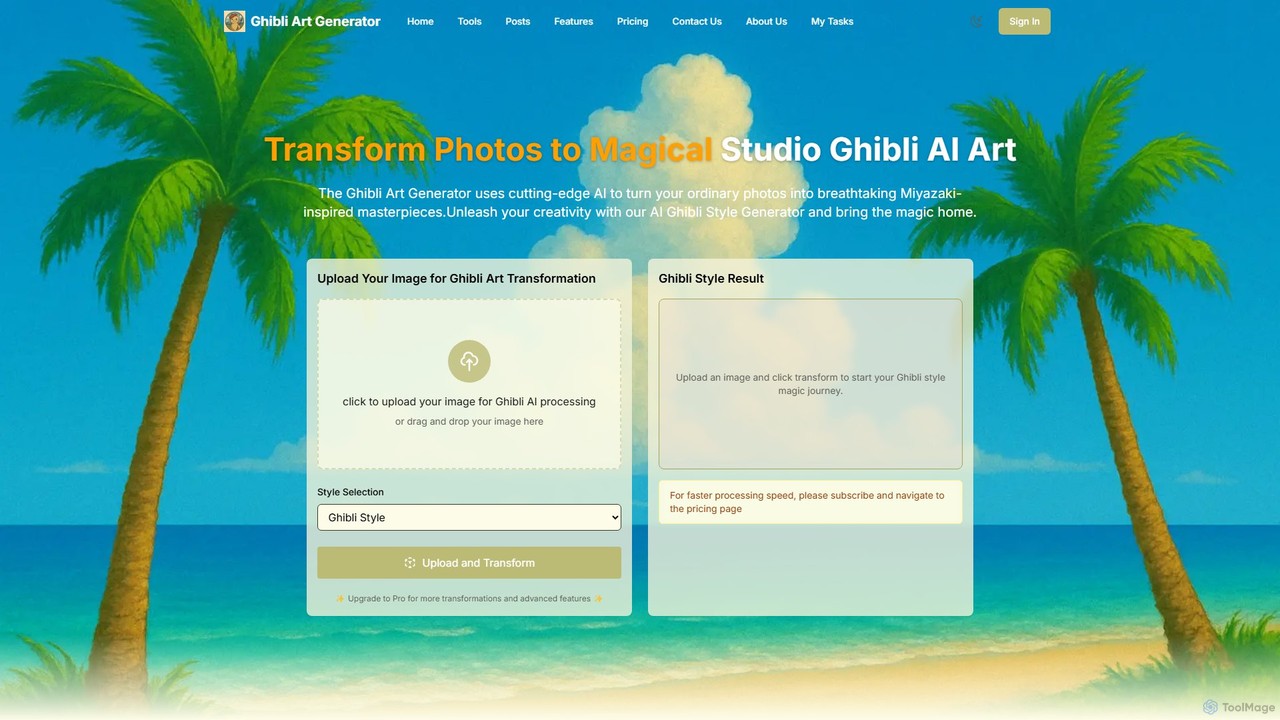
An AI-powered tool that transforms your photos into the enchanting and magical art style of Studio Ghibli. It also supports various other styles like Pixar, Disney, and Anime, allowing you to reimagine your images as breathtaking masterpieces with just a few clicks.

Art Generators
Visits 7KFavorites 141Likes 130

About Art Generators

Art Generators are AI-powered tools that create original visual art from textual descriptions, images, or other inputs. They utilize advanced generative models, such as diffusion or GANs, to interpret prompts and synthesize unique, high-quality images. This technology empowers artists, designers, and creators to rapidly visualize concepts, explore diverse creative styles, and produce artwork without requiring traditional manual skills. Their primary value lies in transforming abstract ideas into concrete visual representations in a matter of seconds.

Core Features

  • Text-to-Image Generation: Converts written prompts and descriptions into detailed, original images.
  • Style Control & Customization: Allows users to specify artistic styles like photorealism, anime, oil painting, or cyberpunk.
  • Image-to-Image Transformation (img2img): Modifies an existing image based on a new text prompt, altering its style or content.
  • Parameter Adjustment: Provides control over aspect ratio, resolution, seed numbers, and generation steps for fine-tuning results.
  • Negative Prompts: Enables users to specify elements or characteristics to exclude from the final image.

Use Cases

Art Generators are widely used by graphic designers for creating marketing assets, game developers for concept art, and content creators for unique blog or social media visuals. They also serve as a powerful brainstorming tool for artists and illustrators to explore new ideas and compositions quickly, significantly accelerating the creative workflow.

How to Choose

When selecting an Art Generator, consider the quality and coherence of the generated images, the range of available art styles, and the level of control over parameters. Also, evaluate the user interface's ease of use, the platform's pricing model (e.g., subscription vs. credit-based), and any restrictions on the commercial use of the generated images.

Art Generators use cases

1

Creating Concept Art for Game Development

A game artist needs to visualize a new character described as a 'cyberpunk samurai in a neon-lit rainy city.' Instead of spending days sketching, they use an Art Generator. They input the detailed prompt, specifying a 'cinematic, photorealistic' style. The AI generates dozens of variations in minutes, exploring different poses, armor designs, and backgrounds. The artist then selects the most promising concepts to refine, accelerating the pre-production phase significantly and providing a rich visual foundation for the 3D modeling team.

2

Generating Unique Marketing and Ad Creatives

A marketing team for a new beverage brand needs diverse ad visuals for a social media campaign. They use an Art Generator to create a series of images featuring their product in surreal, eye-catching settings, like 'a soda can floating in a galaxy of fruit.' This allows them to A/B test multiple creative concepts quickly and cost-effectively without expensive photoshoots. The tool can generate visuals in various aspect ratios suitable for different platforms like Instagram Stories or Facebook posts.

3

Designing Album Covers and Music Visuals

An independent musician wants a unique album cover that reflects their music's mood. They input lyrics and thematic keywords like 'ethereal dreamscape, melancholic tones, glowing flora' into an Art Generator. The tool produces abstract and evocative imagery that captures the essence of the music. This provides a professional-looking cover at a fraction of the cost of hiring a designer, allowing the artist to maintain creative control and generate visuals for promotional materials and music videos.

4

Visualizing Architectural and Interior Designs

An interior designer wants to show a client different style options for a living room. They upload a photo of the empty room and use the image-to-image feature with prompts like 'minimalist Scandinavian design with oak furniture and natural light.' The tool re-renders the space in various styles, providing realistic visualizations that help the client make decisions faster. This process is much quicker than traditional 3D rendering and allows for more creative exploration in the early stages of a project.

5

Creating Illustrations for Blog Posts and Articles

A content writer needs a custom header image for an article about 'The Future of Renewable Energy.' Stock photos feel generic. They use an Art Generator with the prompt 'futuristic cityscape with solar panel skyscrapers and wind turbines, optimistic and bright style.' The result is a unique, on-topic illustration that enhances the article's visual appeal and professionalism. This avoids copyright issues with stock imagery and ensures the visual content perfectly matches the article's tone.

6

Prototyping Fashion and Textile Designs

A fashion designer explores new pattern ideas for their next collection. They use an Art Generator to create seamless patterns by inputting prompts like 'art deco floral pattern with gold and emerald green.' The tool generates countless unique textile designs, which can be quickly evaluated and used for digital mockups on clothing models. This streamlines the creative process, allowing for rapid iteration and exploration of visual themes before committing to physical samples, saving time and material costs.

Art Generators FAQ

What are AI Art Generators?

AI Art Generators are applications that use artificial intelligence to create new, original images from text prompts or other inputs. They are built on complex deep learning models, like diffusion models or Generative Adversarial Networks (GANs), which have been trained on vast datasets of images and text. Users can describe a scene, concept, or style in words, and the AI will synthesize a corresponding visual representation. Their primary function is to generate artwork from scratch, not just edit existing photos.

How to choose the right AI Art Generator?

To choose the right tool, consider these key factors:

  • Image Quality & Coherence: Does the generator produce high-resolution, detailed, and logically consistent images? Check sample outputs for artifacts or strange anatomy.
  • Style Diversity: Evaluate the range of styles it can produce. Does it excel at photorealism, anime, abstract art, or the specific style you need?
  • Control & Features: Look for advanced features like negative prompts, image-to-image editing, aspect ratio control, and the ability to fine-tune parameters.
  • Ease of Use & Pricing: Assess the user interface's intuitiveness. Compare pricing models (subscription, credits, or free) to find one that fits your budget and usage frequency.
What is the difference between an AI Art Generator and an AI Image Editor?

The key difference lies in their core function. An AI Art Generator creates entirely new, original images from text or simple inputs (text-to-image). Its purpose is creation from scratch. An AI Image Editor, which is another type of AI Art tool, focuses on modifying existing images. It uses AI for tasks like object removal, background replacement, upscaling, or applying smart filters. While some advanced tools blend these functions, generators are for synthesis, and editors are for manipulation and enhancement.

How do AI Art Generators work?

Most modern AI Art Generators use a technology called diffusion models. These models are trained on vast datasets containing billions of image-text pairs. The process works in two main stages: first, the model learns to add 'noise' to an image until it becomes unrecognizable. Then, it learns the reverse process: how to remove that noise step-by-step to reconstruct a clean image. When a user provides a text prompt, the model uses that text as a guide to 'denoise' a field of random static into a coherent picture that matches the description.

Who can benefit from using AI Art Generators?

A wide range of users can benefit from these tools. This includes:

  • Artists and Designers: For inspiration, rapid prototyping of ideas, and creating concept art or mood boards.
  • Marketers and Content Creators: To generate unique visuals for social media, ads, and blogs without relying on generic stock photos.
  • Game Developers: For creating character concepts, environmental art, and in-game assets quickly.
  • Writers and Storytellers: To visualize characters, scenes, and worlds from their narratives.
  • Hobbyists and Enthusiasts: Anyone without traditional artistic skills can use them to bring their creative ideas to life for personal projects.